
Mini cart module modification

i use the following template demo.gavick.com/joomla15/nov2010/index.php
there is a module position with name "cart" on this template but it can only be used with K2 and VM.
i use the latest version o essential version, when i use the module position for the hikashop mini cart it doesnt work properly.
here is the code in the template that i have to change
what i have to do have in that position with the same style the Hikashop mini cart module?
i am trying to do something like the code below this but i cant get the virable for the hikashop items
thank you
Please Log in or Create an account to join the conversation.

In HikaShop, the number of items is calculated during the display of the module.
What I would do is just keep the code below in your template:
<div id="gk-cart">
<jdoc:include type="modules" name="cart" style="none" />
</div>
and then modify the HTML code of the file cart of the view product in order to look like the VM one of that template.
Please Log in or Create an account to join the conversation.
in the code for numbers of items is " echo JText::_('GK_ITEMS'); " i try to replace it with " JText::sprintf('TOTAL_IN_CART_X')" , but no luck.
Please Log in or Create an account to join the conversation.
JText::sprintf('TOTAL_IN_CART_X') just displays a translation string. If you don't feed the number of items variable to it, it won't work and for that you have to load the whole cart and process it. That's why I said that the other solution should be easier.
Please Log in or Create an account to join the conversation.
i will try to find out was going on .
thank you nicolas..
you can post the difficult solution if its easy for you

Please Log in or Create an account to join the conversation.
Please Log in or Create an account to join the conversation.
Thanks
Please Log in or Create an account to join the conversation.
$class = hikashop::get('class.cart');
$rows = $class->get();
$qty = 0;
foreach($rows as $k => $row){
$qty += $row->cart_product_quantity;
}
echo $qty;
Please Log in or Create an account to join the conversation.
$class = dacshop::get('class.cart');
$rows = $class->get();
$qty = 0;
if(!empty($rows)){
foreach($rows as $k => $row){
$qty += $row->cart_product_quantity;
}
}
Please Log in or Create an account to join the conversation.
I would like to have these three things:
# of items
Total ammount
Checkout Button
E.g.
Items: 1
Total: $15
Checkout
I am trying hard from minicart but i cant get it. Is this possible weather from minicart or from custom code on template index.php?
thanks
Please Log in or Create an account to join the conversation.
The mini cart already displays the number of items and the total.
That that be activated by turning on the "mini cart" option of the hikashop cart module.
For a link to the checkout, you can easily add it in the file "cart" of the view "product" via the menu Display->Views with some HTML like that:
<a href="URL_OF_YOUR_CHECKOUT">Checkout</a>
Please Log in or Create an account to join the conversation.
seems kind of bug!!!
Please Log in or Create an account to join the conversation.
Maybe you have some kind of caching issue ?
Could you make sure that the cache in the joomla configuration and in the joomla system cache plugin are both turned off.
Then,if that still doesn't change anything, could you give the URL of your page so that we can see that?
Please Log in or Create an account to join the conversation.
(in the left you have the shop categories in order to add products to the cart. top-right is the cart)
Please Log in or Create an account to join the conversation.
Please Log in or Create an account to join the conversation.
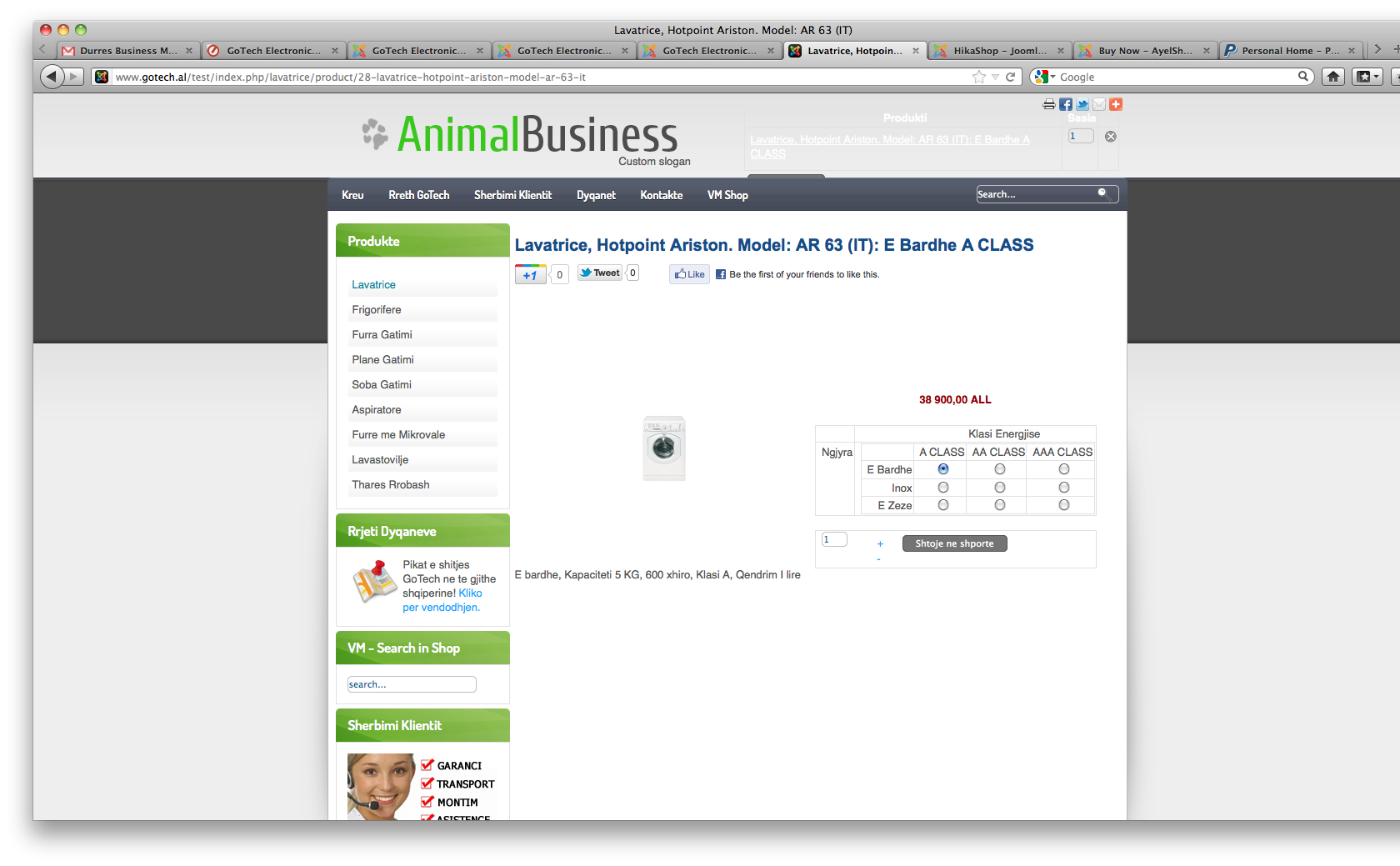
have i attached correctly??
Please Log in or Create an account to join the conversation.
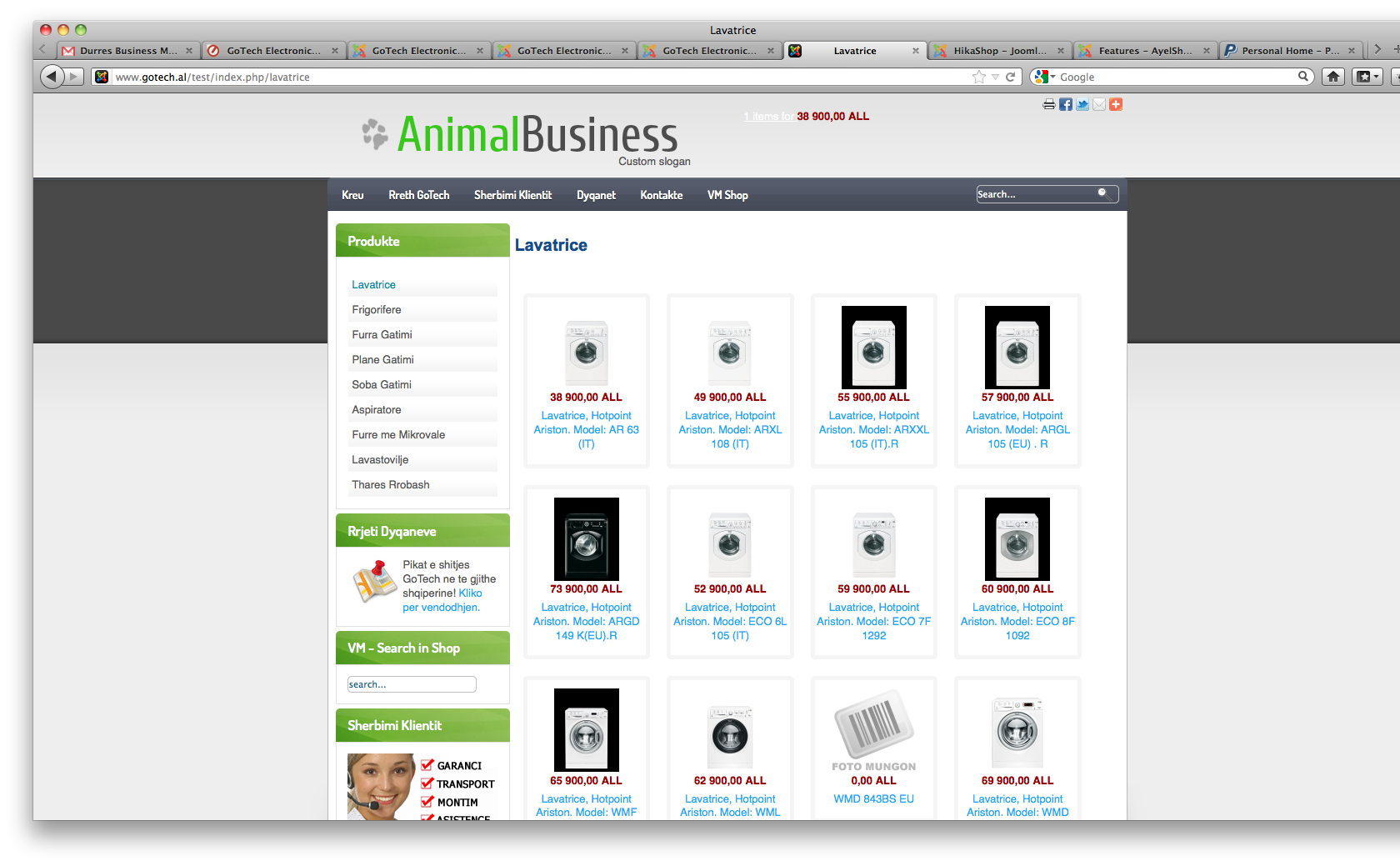
this is the screen after i navigate away
Please Log in or Create an account to join the conversation.
Please Log in or Create an account to join the conversation.
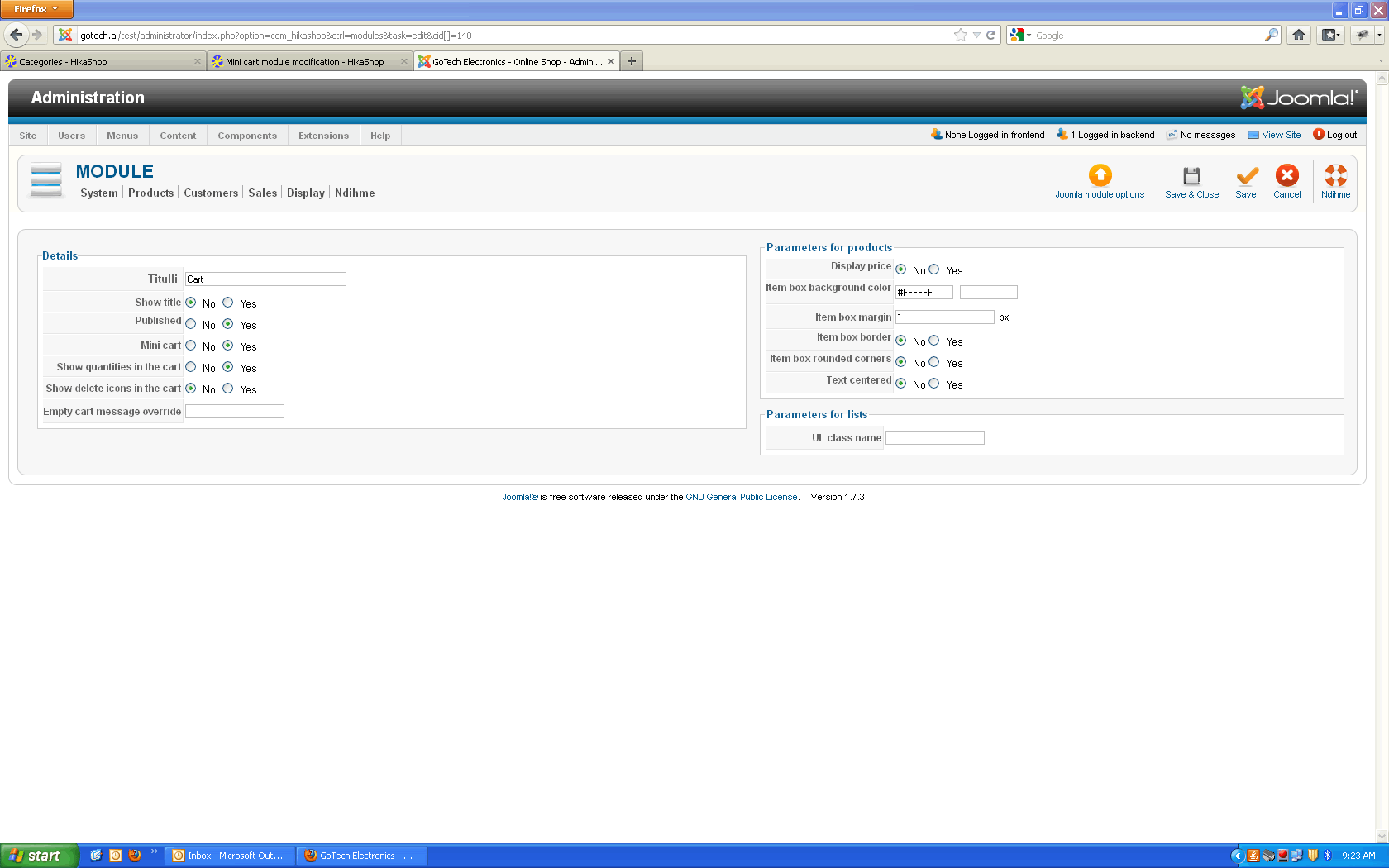
i am talking about different behaviors for same settings!
Please Log in or Create an account to join the conversation.
Please Log in or Create an account to join the conversation.