

- Posts: 96
- Thank you received: 0
Account registration page width
16 years 2 weeks ago #127
by manamaga
Account registration page width was created by manamaga
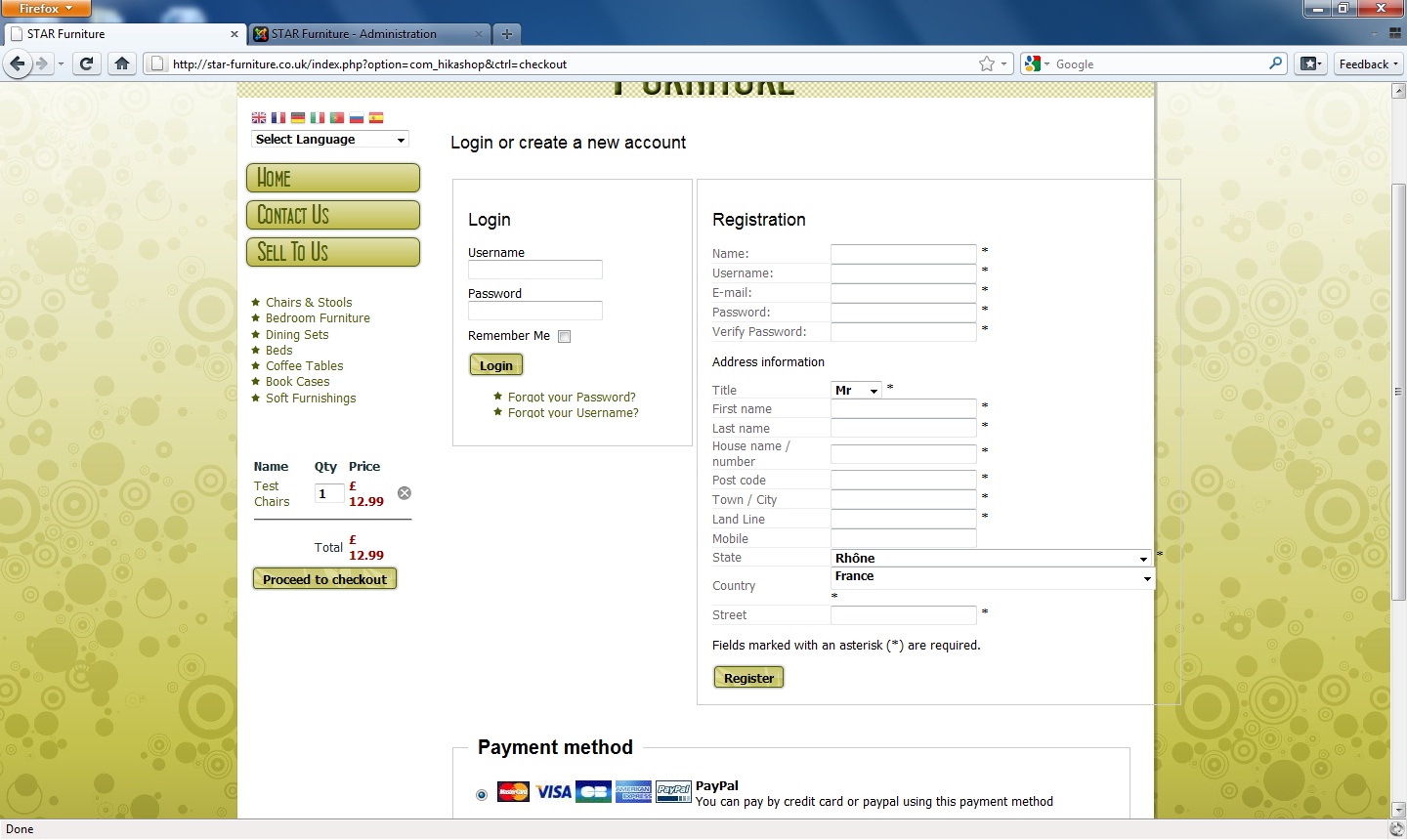
I thought i`d better start a new thread for this. I`ve only just noticed and i think it might be something to do with the 'State' drop down box, but the boarder of the registration page goes off the right hand side edge of the template, this might be fixable when i can edit the zones.:
Please Log in or Create an account to join the conversation.

16 years 2 weeks ago #130
by nicolas
Replied by nicolas on topic Re: Account registration page width
Yes, if you unpublish the countries and states with the longest names the dropdowns will shrink in size. You can also rename the longest one.
However, the size of the fieldset is locked in the CSS. So after reducing the dropdowns size, you will have to edit the front end CSS of hikashop via the interface provided in the configuration page under the tab display and reduce the width option of the CSS class hikashop_checkout_login_right_part (near line 175 of the file).
However, the size of the fieldset is locked in the CSS. So after reducing the dropdowns size, you will have to edit the front end CSS of hikashop via the interface provided in the configuration page under the tab display and reduce the width option of the CSS class hikashop_checkout_login_right_part (near line 175 of the file).
Please Log in or Create an account to join the conversation.
16 years 2 weeks ago #131
by manamaga
Replied by manamaga on topic Re: Account registration page width
No worries, thanks.
Please Log in or Create an account to join the conversation.
16 years 1 week ago - 16 years 1 week ago #184
by manamaga
Replied by manamaga on topic Re: Account registration page width
A new issue with cart spilling out onto main page. Add an item to cart, continue browsing another category and:
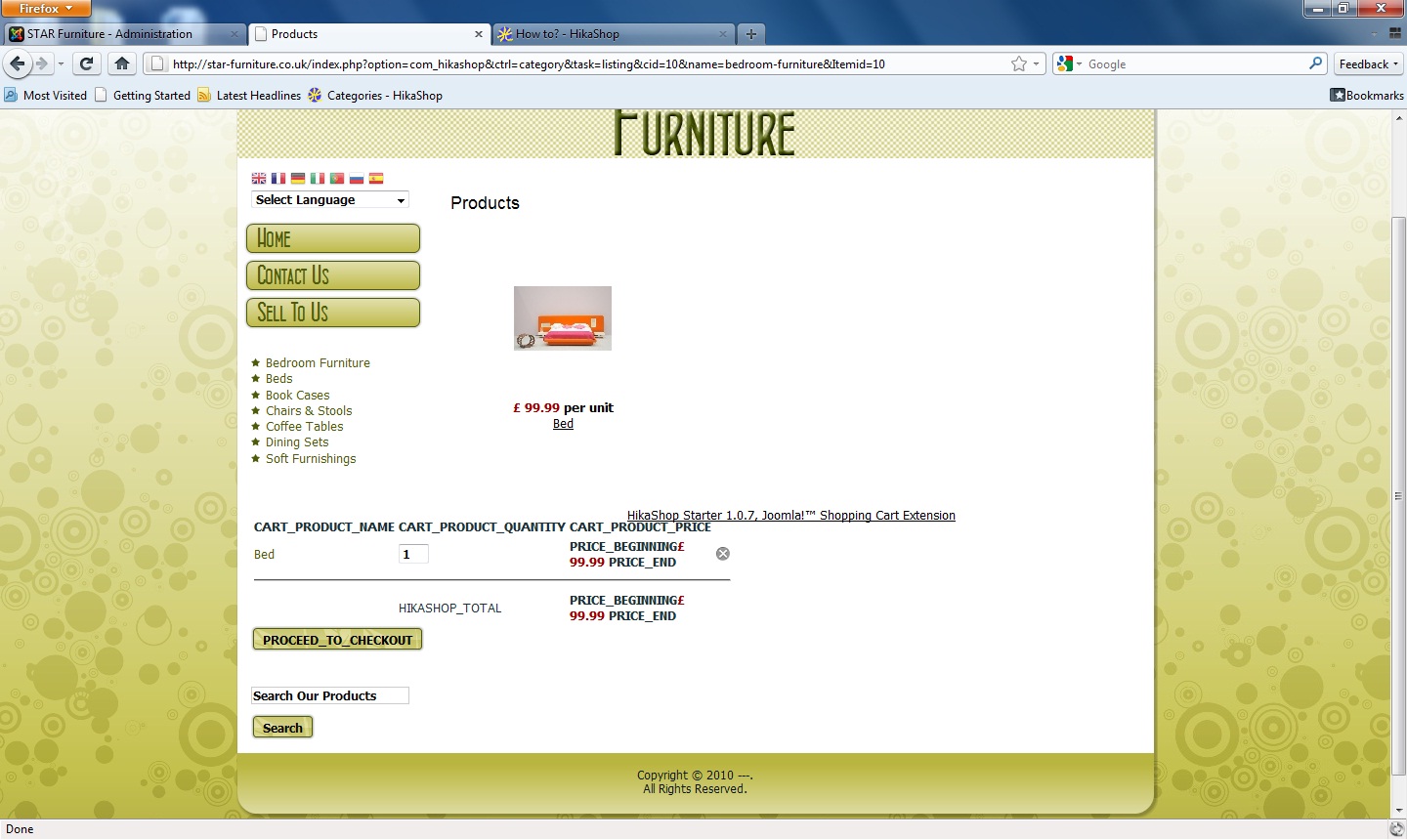
Also, how come there is an underscore between each letter, for_example_like_this
Also, how come there is an underscore between each letter, for_example_like_this
Last edit: 16 years 1 week ago by manamaga.
Please Log in or Create an account to join the conversation.
16 years 1 week ago #187
by nicolas
Replied by nicolas on topic Re: Account registration page width
Hi,
That problem happens when the translations can't be found. Usually that should not happen but for a strange reason, it happens on your website. Anyway, thanks to the FTP account you provided me earlier this week, I was able to find a solution and fixed it on your website. The modification will be added to the next release as well.
That problem happens when the translations can't be found. Usually that should not happen but for a strange reason, it happens on your website. Anyway, thanks to the FTP account you provided me earlier this week, I was able to find a solution and fixed it on your website. The modification will be added to the next release as well.
Please Log in or Create an account to join the conversation.
16 years 1 week ago #202
by manamaga
Replied by manamaga on topic Re: Account registration page width
What can i say!? Thanks again. A service like this is a rarety these days! And its also the kind of service which prompts recommendations. Great work.
Please Log in or Create an account to join the conversation.
16 years 1 week ago #350
by manamaga
Replied by manamaga on topic Re: Account registration page width
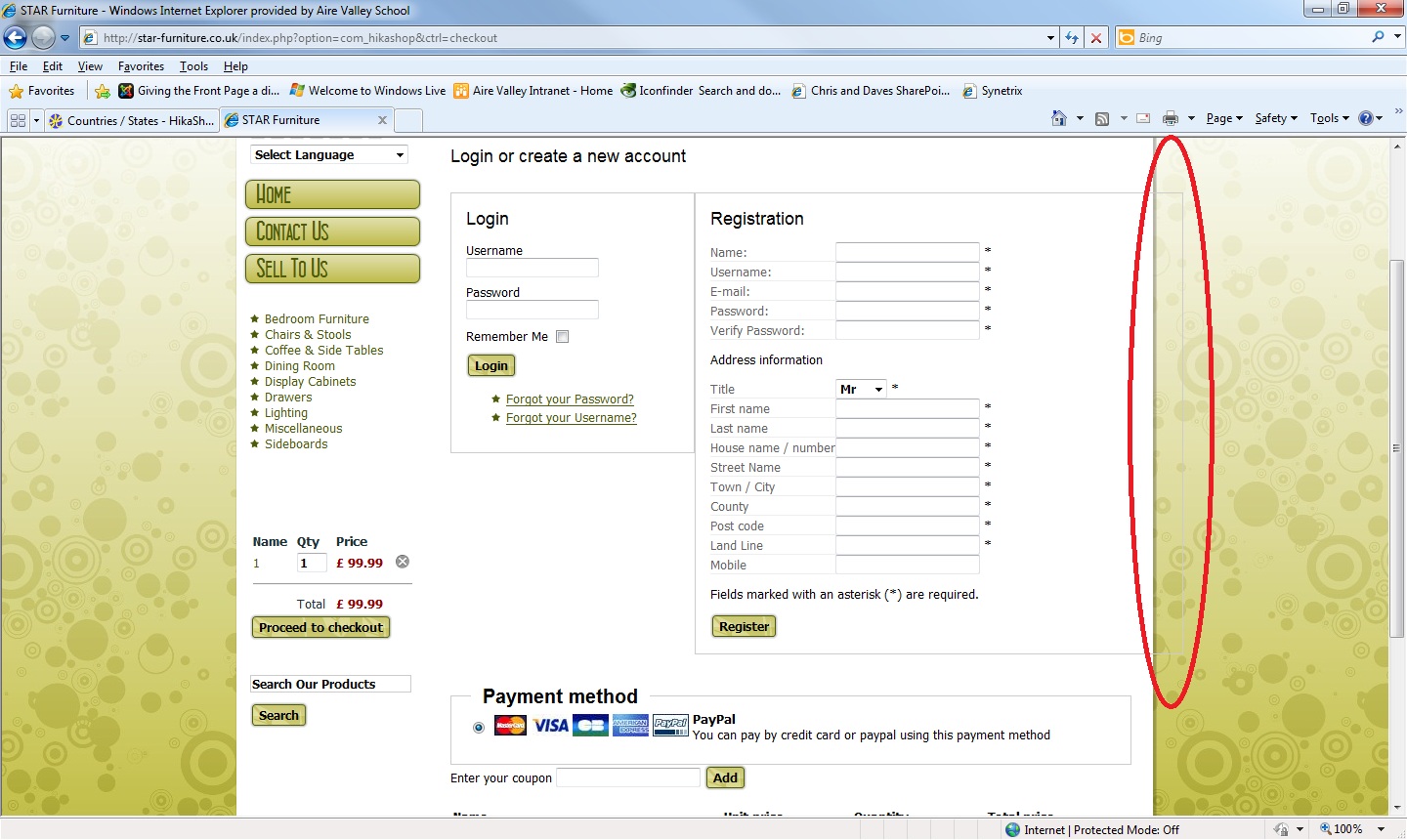
Back to the original problem of this thread, the width, i have removed the country drop down box, as most, if not all, of my clients business will be in the UK, but the width still rides over:
Please Log in or Create an account to join the conversation.
16 years 1 week ago #351
by nicolas
Replied by nicolas on topic Re: Account registration page width
Yes, it's normal. Let me quote you the end of my message above:
"the size of the fieldset is locked in the CSS. So after reducing the dropdowns size, you will have to edit the front end CSS of hikashop via the interface provided in the configuration page under the tab display and reduce the width option of the CSS class hikashop_checkout_login_right_part (near line 175 of the file)."
"the size of the fieldset is locked in the CSS. So after reducing the dropdowns size, you will have to edit the front end CSS of hikashop via the interface provided in the configuration page under the tab display and reduce the width option of the CSS class hikashop_checkout_login_right_part (near line 175 of the file)."
Please Log in or Create an account to join the conversation.
16 years 1 week ago #354
by manamaga
Replied by manamaga on topic Re: Account registration page width
I couldnt fine the part to edit via your description but i did find it eventually and this may be easier for anyone else who has this width problem. I used my ftp program to edit /www/components/com_hikashop/css/frontend_default.css as nicolas rightly pointed out, near line 175:
}
.hikashop_checkout_login_right_part{
width:400px;
float:left;
The width is set to 500px by default, i changed mine to 400px and all is fine
}
.hikashop_checkout_login_right_part{
width:400px;
float:left;
The width is set to 500px by default, i changed mine to 400px and all is fine
Please Log in or Create an account to join the conversation.
16 years 1 week ago #355
by nicolas
Replied by nicolas on topic Re: Account registration page width
If you edit the CSS file directly, you will loose the modification when you update. You should make a copy of this file and name it frontend_custom.css, then in the configuration, instead of using the default CSS file you should switch to the custom CSS file (Tab display in the CSS group of options).
Please Log in or Create an account to join the conversation.
16 years 6 days ago #380
by manamaga
Replied by manamaga on topic Re: Account registration page width
Thanks for that, job done.
Please Log in or Create an account to join the conversation.

15 years 7 months ago #10316
by mt_robson
www.buch-comptoir.de
shop.buch-comptoir.de
[Weltweiter Versand seltener Bücher]
Replied by mt_robson on topic Re: Account registration page width
Hi,
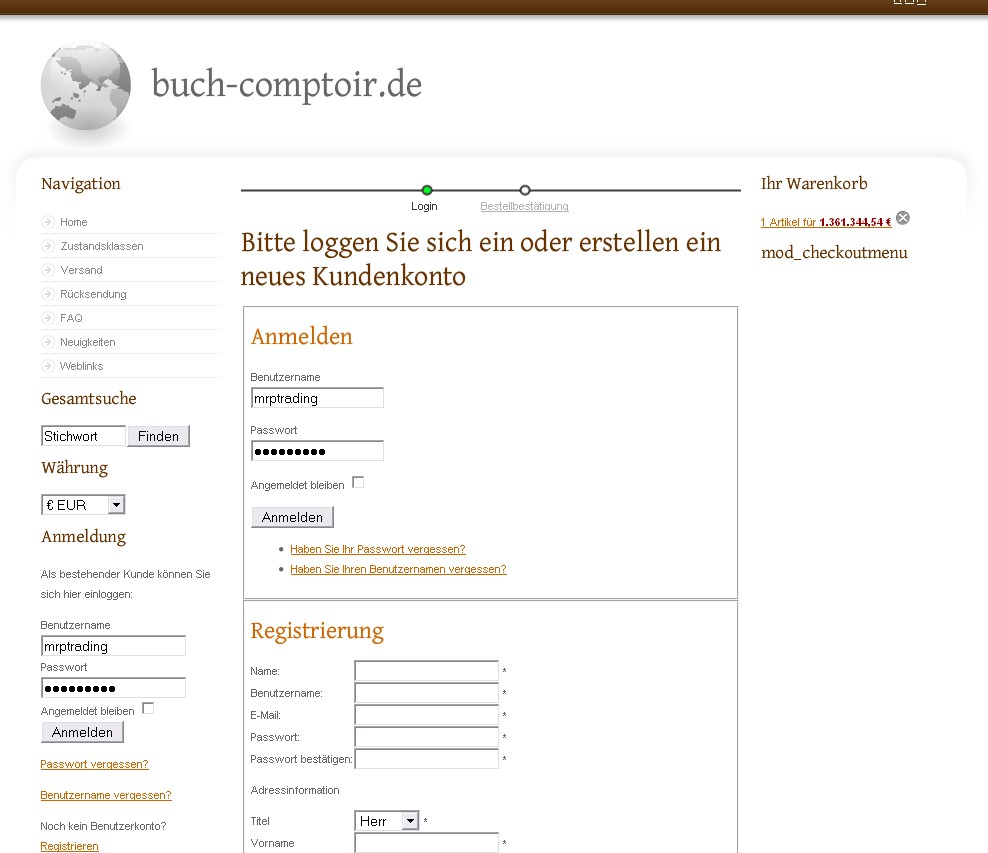
thanks a lot both of you. I had a similar width problem, and now hope to having fixed it this way - below changes in red in file "//media/com_hikashop/css/frontend_default.css":
/* checkout login layout */
.hikashop_checkout_login{
clear:both;
width:100%;
margin:auto;
}
.hikashop_checkout_login_left_part{
width:100%;
float:left;
}
.hikashop_checkout_login_right_part{
width:100%;
float:left;
}
As a consequence, the two boxes are now listed one after each other, not side by side anymore, thus I can fill the right column now as intended in the template I use.
Don't know if it works for you readers, however maybe it is of some help.
Regards, M.
thanks a lot both of you. I had a similar width problem, and now hope to having fixed it this way - below changes in red in file "//media/com_hikashop/css/frontend_default.css":
/* checkout login layout */
.hikashop_checkout_login{
clear:both;
width:100%;
margin:auto;
}
.hikashop_checkout_login_left_part{
width:100%;
float:left;
}
.hikashop_checkout_login_right_part{
width:100%;
float:left;
}
As a consequence, the two boxes are now listed one after each other, not side by side anymore, thus I can fill the right column now as intended in the template I use.
Don't know if it works for you readers, however maybe it is of some help.
Regards, M.
www.buch-comptoir.de
shop.buch-comptoir.de
[Weltweiter Versand seltener Bücher]
Please Log in or Create an account to join the conversation.
15 years 7 months ago #10318
by nicolas
Replied by nicolas on topic Re: Account registration page width
You should do these modifications via the interface provided in the config under the tab display for CSS edition. Otherwise, you will loose your modifications when you update hikashop.
Please Log in or Create an account to join the conversation.
15 years 7 months ago #10584
by mt_robson
www.buch-comptoir.de
shop.buch-comptoir.de
[Weltweiter Versand seltener Bücher]
Replied by mt_robson on topic Re: Account registration page width
Thx a lot for the advice. As I use the German version I had a little problems finding it, but now I got it.
For German speaking users here's the path (as there are two menus called "Anzeige"):
Komponenten > HikaShop > Konfiguration (> System) > Anzeige > Box "CSS".
Regards, M.
For German speaking users here's the path (as there are two menus called "Anzeige"):
Komponenten > HikaShop > Konfiguration (> System) > Anzeige > Box "CSS".
Regards, M.
www.buch-comptoir.de
shop.buch-comptoir.de
[Weltweiter Versand seltener Bücher]
Please Log in or Create an account to join the conversation.
15 years 5 months ago #17024
by mt_robson
www.buch-comptoir.de
shop.buch-comptoir.de
[Weltweiter Versand seltener Bücher]
Replied by mt_robson on topic Re: Account registration page width
Another hint for users which I experienced: After editing the Frontend / Backend CSS you not only need to click "Save" in the Editing Screen, however you need to close the latter, then click "Save" (or "Apply") in the Configuration Menu in order to make the changes being in effect at your shop. 
www.buch-comptoir.de
shop.buch-comptoir.de
[Weltweiter Versand seltener Bücher]
Please Log in or Create an account to join the conversation.
Time to create page: 0.379 seconds