

- Posts: 16
- Thank you received: 0
Products show up as simple Jpg's.
15 years 5 months ago #15379
by ilikeants
Products show up as simple Jpg's. was created by ilikeants
When I click on the product from the Product Display page, normally it would use lightbox or what it would use but now it loads the image as if i went to "open file" from the file tab.
Maybe I broke it, im not sure. thanks in advance.
Maybe I broke it, im not sure. thanks in advance.
Please Log in or Create an account to join the conversation.

15 years 5 months ago #15380
by nicolas
Replied by nicolas on topic Re: Products show up as simple Jpg's.
You either have a javascript error or you messed with the views of HikaShop.
Impossible to say more without a link to the page.
Impossible to say more without a link to the page.
Please Log in or Create an account to join the conversation.
15 years 5 months ago #15381
by ilikeants
Replied by ilikeants on topic Re: Products show up as simple Jpg's.
Also, my cart module stays shown even when I click Proceed to checkout. The products are listed on the checkout so I wouldnt want them listed twice.
(I have to say, it sounds like I have a lot of problems but this product is one of the best I have ever used and its so customizable. Thank you HikaShop!)
(I have to say, it sounds like I have a lot of problems but this product is one of the best I have ever used and its so customizable. Thank you HikaShop!)
Please Log in or Create an account to join the conversation.
15 years 5 months ago #15382
by ilikeants
Replied by ilikeants on topic Re: Products show up as simple Jpg's.
Would you know what view handles the lightbox function on the product page? :x
Please Log in or Create an account to join the conversation.
15 years 5 months ago #15385
by nicolas
Replied by nicolas on topic Re: Products show up as simple Jpg's.
You need to set the option "force menu on checkout" and then restrict your cart module to be displayed on all the pages except that menu.
Concerning the product page, it's the file show of the view product.
Concerning the product page, it's the file show of the view product.
Please Log in or Create an account to join the conversation.
15 years 5 months ago #15395
by ilikeants
Replied by ilikeants on topic Re: Products show up as simple Jpg's.
I have been trying all night to no avail.
Here is the code:
<div class="hikashop_product_main_image_thumb" id="hikashop_main_image_thumb_div">
<a rel="{handler: 'iframe', size: {x: 420, y: 630}}" target="_blank" href="/ilikeants/media/com_hikashop/upload/thumbnail/withinwithoutamind_15957.jpg" onclick="SqueezeBox.fromElement(this,{parse: 'rel'});return false;" id="hikashop_main_image_link">
<img src="/ilikeants/media/com_hikashop/upload/thumbnail/thumbnail/withinwithoutamind_15957.jpg" alt="Withinwithoutamind" id="hikashop_main_image" style="margin-top:10px;margin-bottom:10px;display:inline-block;vertical-align:middle" height="300" width="200">
</a>
</div>
Does something seem Off? (I am going to upload so I can show you tomorrow what is going on. Maybe I broke Joomla and not Hikashop.
Here is the code:
<div class="hikashop_product_main_image_thumb" id="hikashop_main_image_thumb_div">
<a rel="{handler: 'iframe', size: {x: 420, y: 630}}" target="_blank" href="/ilikeants/media/com_hikashop/upload/thumbnail/withinwithoutamind_15957.jpg" onclick="SqueezeBox.fromElement(this,{parse: 'rel'});return false;" id="hikashop_main_image_link">
<img src="/ilikeants/media/com_hikashop/upload/thumbnail/thumbnail/withinwithoutamind_15957.jpg" alt="Withinwithoutamind" id="hikashop_main_image" style="margin-top:10px;margin-bottom:10px;display:inline-block;vertical-align:middle" height="300" width="200">
</a>
</div>
Does something seem Off? (I am going to upload so I can show you tomorrow what is going on. Maybe I broke Joomla and not Hikashop.
Please Log in or Create an account to join the conversation.
15 years 5 months ago #15403
by nicolas
Replied by nicolas on topic Re: Products show up as simple Jpg's.
You changed the code an it now displays the thumbnail in the popup instead of displaying the main image.
Please Log in or Create an account to join the conversation.
15 years 5 months ago - 15 years 5 months ago #15431
by ilikeants
Replied by ilikeants on topic Re: Products show up as simple Jpg's.
The problem is the way the pop-up shows up. It's not that the wrong image loads, its the way the image loads.
To answer you I believe it was because in the file tab I changed upload folder by adding /thumbnail/ to it.
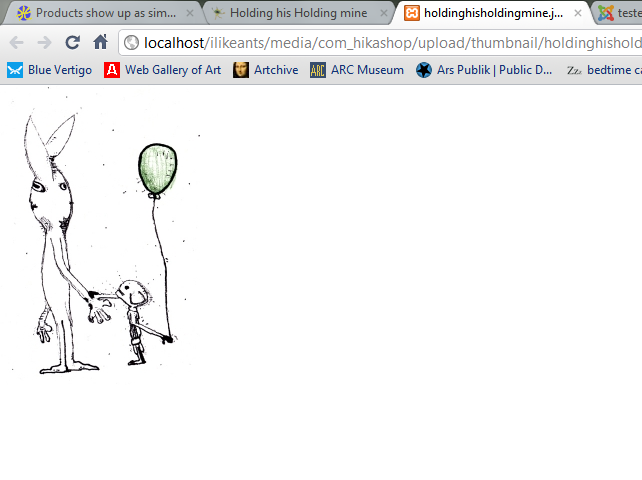
It does not open in a lightbox like it used to. I'm unsure if thats Joomla or Hikashop.
To answer you I believe it was because in the file tab I changed upload folder by adding /thumbnail/ to it.
It does not open in a lightbox like it used to. I'm unsure if thats Joomla or Hikashop.
Last edit: 15 years 5 months ago by ilikeants.
Please Log in or Create an account to join the conversation.
15 years 5 months ago - 15 years 5 months ago #15442
by nicolas
Replied by nicolas on topic Re: Products show up as simple Jpg's.
If the popup doesn't load and the image displays on a blank page, it means that there is a javascript error on the page preventing the javascript of the modal popup library of joomla to be initialized properly.
Please check your javascript error console for possible errors.
Please check your javascript error console for possible errors.
Last edit: 15 years 5 months ago by nicolas.
Please Log in or Create an account to join the conversation.
15 years 5 months ago #15638
by ilikeants
Replied by ilikeants on topic Re: Products show up as simple Jpg's.
Uncaught TypeError: Object #<Object> has no method 'setOptions'
SqueezeBox.initializemodal.js:48
rokboxPathcategory_pathway-10:60
invoke.fireEventmootools-core.js:1
hmootools-core.js:1
Array.implement.eachmootools-core.js:1
invoke.fireEventmootools-core.js:1
hmootools-core.js:1
modal.js:48Uncaught TypeError: Object #<Object> has no method 'setOptions'
SqueezeBox.initializemodal.js:48
SqueezeBox.fromElementmodal.js:134
(anonymous function)category_pathway-10:186
onclickcategory_pathway-10:187
That is from the JS error log.
SqueezeBox.initializemodal.js:48
rokboxPathcategory_pathway-10:60
invoke.fireEventmootools-core.js:1
hmootools-core.js:1
Array.implement.eachmootools-core.js:1
invoke.fireEventmootools-core.js:1
hmootools-core.js:1
modal.js:48Uncaught TypeError: Object #<Object> has no method 'setOptions'
SqueezeBox.initializemodal.js:48
SqueezeBox.fromElementmodal.js:134
(anonymous function)category_pathway-10:186
onclickcategory_pathway-10:187
That is from the JS error log.
Please Log in or Create an account to join the conversation.
15 years 5 months ago #15646
by nicolas
Replied by nicolas on topic Re: Products show up as simple Jpg's.
The problem comes from rokbox (your template I suppose) which uses jquery without calling the noConflict function as explained there:
stackoverflow.com/questions/833883/weird...type-jquery-conflict
So it breaks the javascript on the page and thus the HikaShop javascript cannot be run properly.
You need to add that jQuery.noConflict(); code in your template's javascript after loading the jquery library in order to avoid any conflict with the joomla mootools javascript library.
stackoverflow.com/questions/833883/weird...type-jquery-conflict
So it breaks the javascript on the page and thus the HikaShop javascript cannot be run properly.
You need to add that jQuery.noConflict(); code in your template's javascript after loading the jquery library in order to avoid any conflict with the joomla mootools javascript library.
Please Log in or Create an account to join the conversation.
Time to create page: 0.187 seconds