
Checkout workflow

i want to change the checkout workflow.
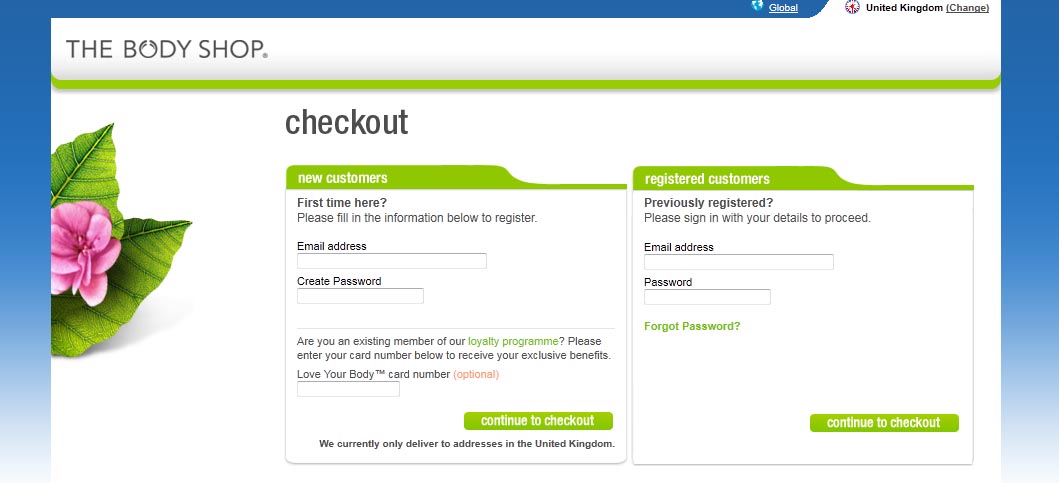
first step i want to have the left login for register users with username and password.
and on the right for unregistered user the fields email and password and then the register button.
after clicking the register button i want the next page to have a table with delivery address and billing address.
is that possible? could you give me guide lines to do it?
thank you
Please Log in or Create an account to join the conversation.

Please Log in or Create an account to join the conversation.
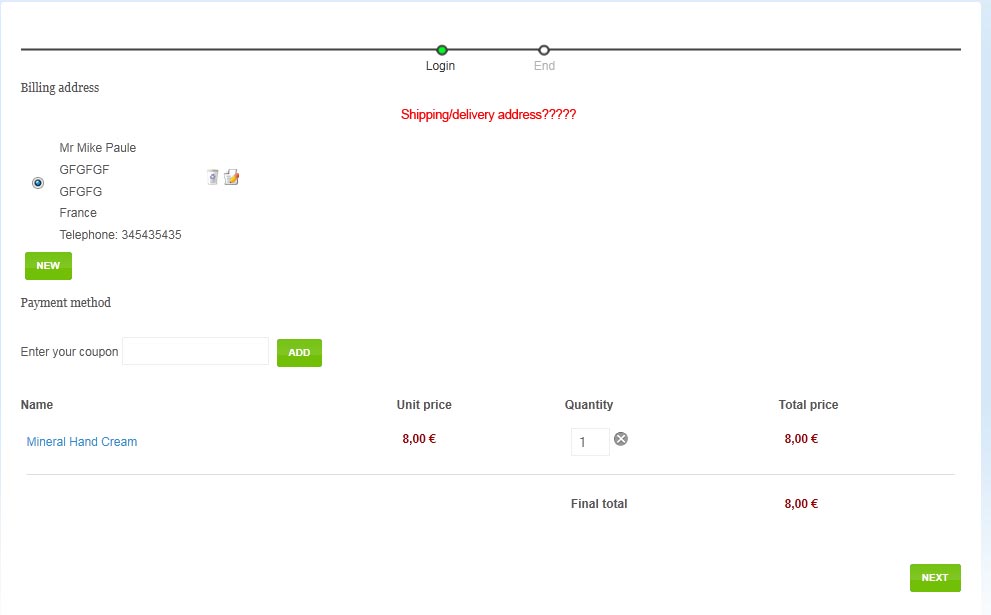
we are not able to have delivery address, i enable the Force shipping regardless of weight and the user is able only to put multi billing address.
Please Log in or Create an account to join the conversation.
An easy solution is to set a weight on your products...
Please Log in or Create an account to join the conversation.
the Force shipping regardless of weight is on (Yes option)
we have weight in our products
i can see only billing address.
Please Log in or Create an account to join the conversation.
Please Log in or Create an account to join the conversation.
Please Log in or Create an account to join the conversation.
Could you change the line:
$done->has_shipping = $shipping;
by:
$config =& hikashop::config();
$done->has_shipping = $shipping || $config->get('force_shipping');
in the file components/com_hikashop/controllers/checkout.php
and the line:
$this->has_shipping = $shipping;
by:
$config =& hikashop::config();
$this->has_shipping = $shipping || $config->get('force_shipping');
in the file components/com_hikashop/views/checkout/view.html.php ?
That should correct the problem of the option not being taken into account.
For the fact that even with a weight it doesn't display the shipping, you should use grams instead of kgs. It's a conversion problem where the rounding of the values results in the weight being 0.
Please Log in or Create an account to join the conversation.
i cant see any different.
Please Log in or Create an account to join the conversation.
Please Log in or Create an account to join the conversation.
Please Log in or Create an account to join the conversation.
But why its nesesarry to put weight on products to have the shipping address?
Also at the registration part we want to avoid the Address Information at the first step and the user to be able to insert the address details at the next step. How we can do this?
for example the "first step" is something like the screenshot below
Please Log in or Create an account to join the conversation.
For the registration, the address fields and the user registration fields are on the same screen in order to reduce the number of steps the user need to go through in order to buy on your website and thus increase the conversion rate.
You can't dissociate both in HikaShop. If you want to do it, you will have to edit the views of the checkout in order to do it.
Please Log in or Create an account to join the conversation.
Please Log in or Create an account to join the conversation.
What do you mean by "in another copy i made the changes but it doesnt works" ?
In your previous message, it seemed that you had found why the modification didn't had solved the problem and that it was now working...
Please Log in or Create an account to join the conversation.
Please Log in or Create an account to join the conversation.
Please Log in or Create an account to join the conversation.
Please Log in or Create an account to join the conversation.