

- Posts: 117
- Thank you received: 0
related products and small css problem
15 years 2 months ago - 15 years 2 months ago #20793
by sarsells
related products and small css problem was created by sarsells
Hi Nicolas
I have created a related items module. It works well, however I only want it to display the items I have added in the product menu, as related. At the moment it is duplicating all items in the same category on the category page. Please see screen shots.
My Css problem is, that I want to have a different colour, for the active state in the links in the left hand colums (or all active links)
in my main template I have the following
a {
color: #006699;
text-decoration: none;
}
a:hover, a:focus {
color: #999999;
text-decoration: none;
}
a:active, {
color: #cc3e3e;
text-decoration: none;
}
In my style css I have
a {
color: #333333;
text-decoration: none;
}
a.readon {
color: #333333;
}
#ja-container2 ul.menu li li a:hover,
#ja-container2 ul.menu li li a:focus {
color: #999999;
}
#ja-container2 ul.menu li li a:active,{
color: #cc3e3e;
}
#ja-container2 ul.menu li.active a span {
background: url(../../../images/bullet.gif) no-repeat 5px;
}
.bignumber {
color: #333333;
}
#ja-container2 ul.menu li.active a {
color: #cc3e3e;
However, I do not appear to havean active state showing up.
Thanks for your help
Sarah
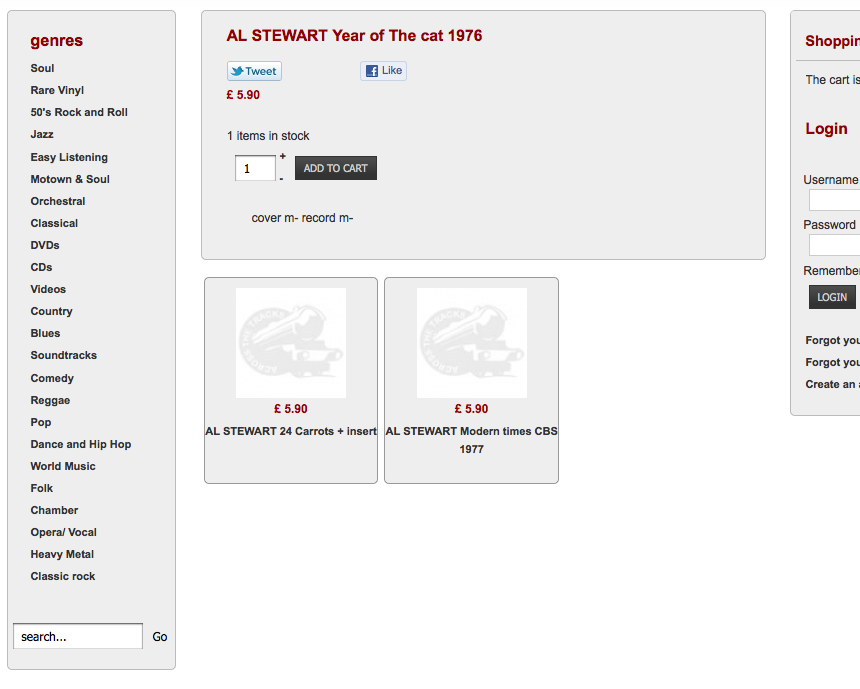
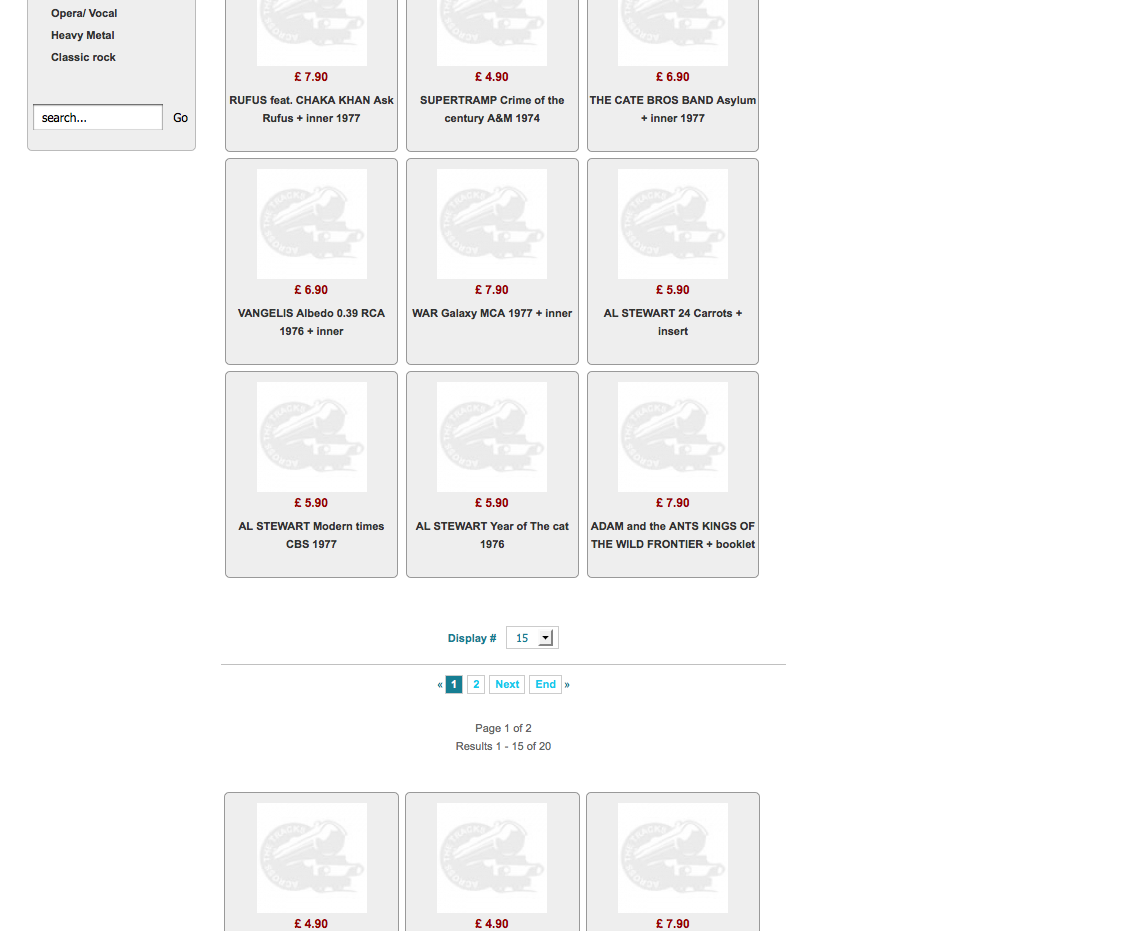
I have created a related items module. It works well, however I only want it to display the items I have added in the product menu, as related. At the moment it is duplicating all items in the same category on the category page. Please see screen shots.
My Css problem is, that I want to have a different colour, for the active state in the links in the left hand colums (or all active links)
in my main template I have the following
a {
color: #006699;
text-decoration: none;
}
a:hover, a:focus {
color: #999999;
text-decoration: none;
}
a:active, {
color: #cc3e3e;
text-decoration: none;
}
In my style css I have
a {
color: #333333;
text-decoration: none;
}
a.readon {
color: #333333;
}
#ja-container2 ul.menu li li a:hover,
#ja-container2 ul.menu li li a:focus {
color: #999999;
}
#ja-container2 ul.menu li li a:active,{
color: #cc3e3e;
}
#ja-container2 ul.menu li.active a span {
background: url(../../../images/bullet.gif) no-repeat 5px;
}
.bignumber {
color: #333333;
}
#ja-container2 ul.menu li.active a {
color: #cc3e3e;
However, I do not appear to havean active state showing up.
Thanks for your help
Sarah
Last edit: 15 years 2 months ago by sarsells.
Please Log in or Create an account to join the conversation.

15 years 2 months ago #20805
by nicolas
Replied by nicolas on topic Re: related products and small css problem
1. You should not publish your module in joomla. You should publish it in the "modules under the product page" option of the configuration of hikashop under the tab Display.
2. It should be:
#ja-container2 ul.hikashop_category_list li a:active{
color: #cc3e3e;
}
2. It should be:
#ja-container2 ul.hikashop_category_list li a:active{
color: #cc3e3e;
}
Please Log in or Create an account to join the conversation.
15 years 2 months ago - 15 years 2 months ago #20807
by sarsells
Replied by sarsells on topic Re: related products and small css problem
I have unpublished the related items module, and created a new module in hika shop display content modules, but nothing is appearing on the pages, where I have added related items?
Thanks for the CSS help,however, I added it to the template css and I still do not have an active state. I really cant work out why?
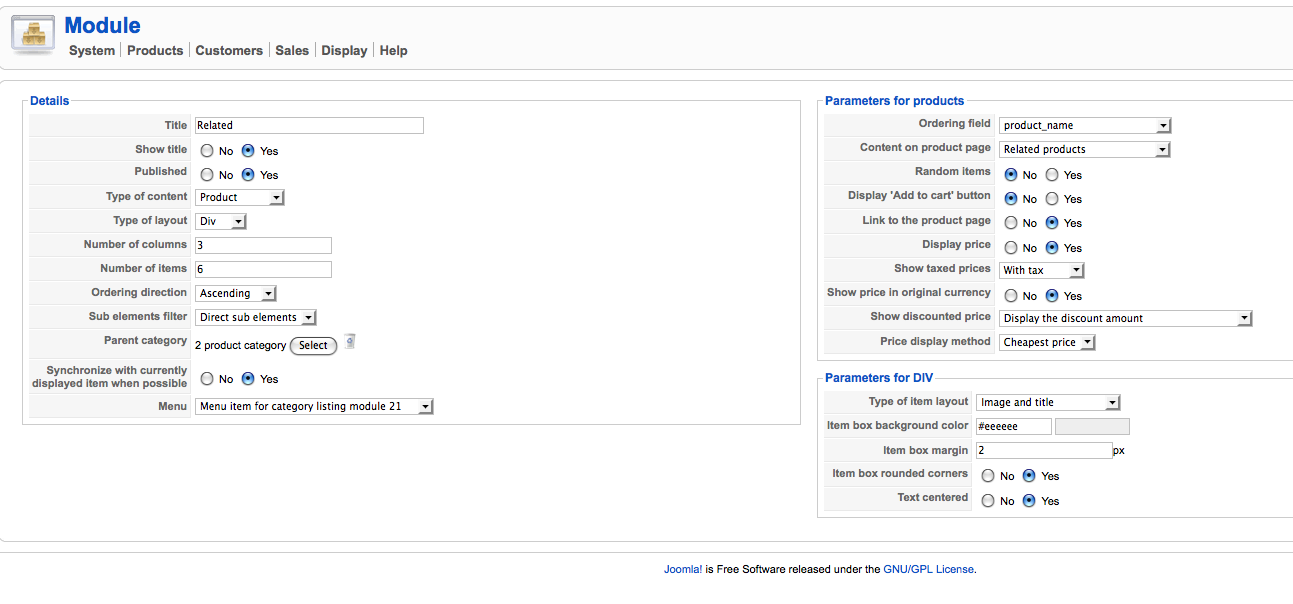
Thanks for the CSS help,however, I added it to the template css and I still do not have an active state. I really cant work out why?
Last edit: 15 years 2 months ago by sarsells.
Please Log in or Create an account to join the conversation.
15 years 2 months ago #20820
by nicolas
Replied by nicolas on topic Re: related products and small css problem
1. I didn't told you to create a new module but just to publish your existing module in the option "modules under the product page" of the configuration of hikashop under the tab Display instead of having it published in joomla modules manager.
2. Maybe another thing is overriding it. You should try with that then:
#ja-container2 ul.hikashop_category_list li a:active{
color: #cc3e3e !important;
}
2. Maybe another thing is overriding it. You should try with that then:
#ja-container2 ul.hikashop_category_list li a:active{
color: #cc3e3e !important;
}
Please Log in or Create an account to join the conversation.
15 years 2 months ago - 15 years 2 months ago #20837
by sarsells
Replied by sarsells on topic Re: related products and small css problem
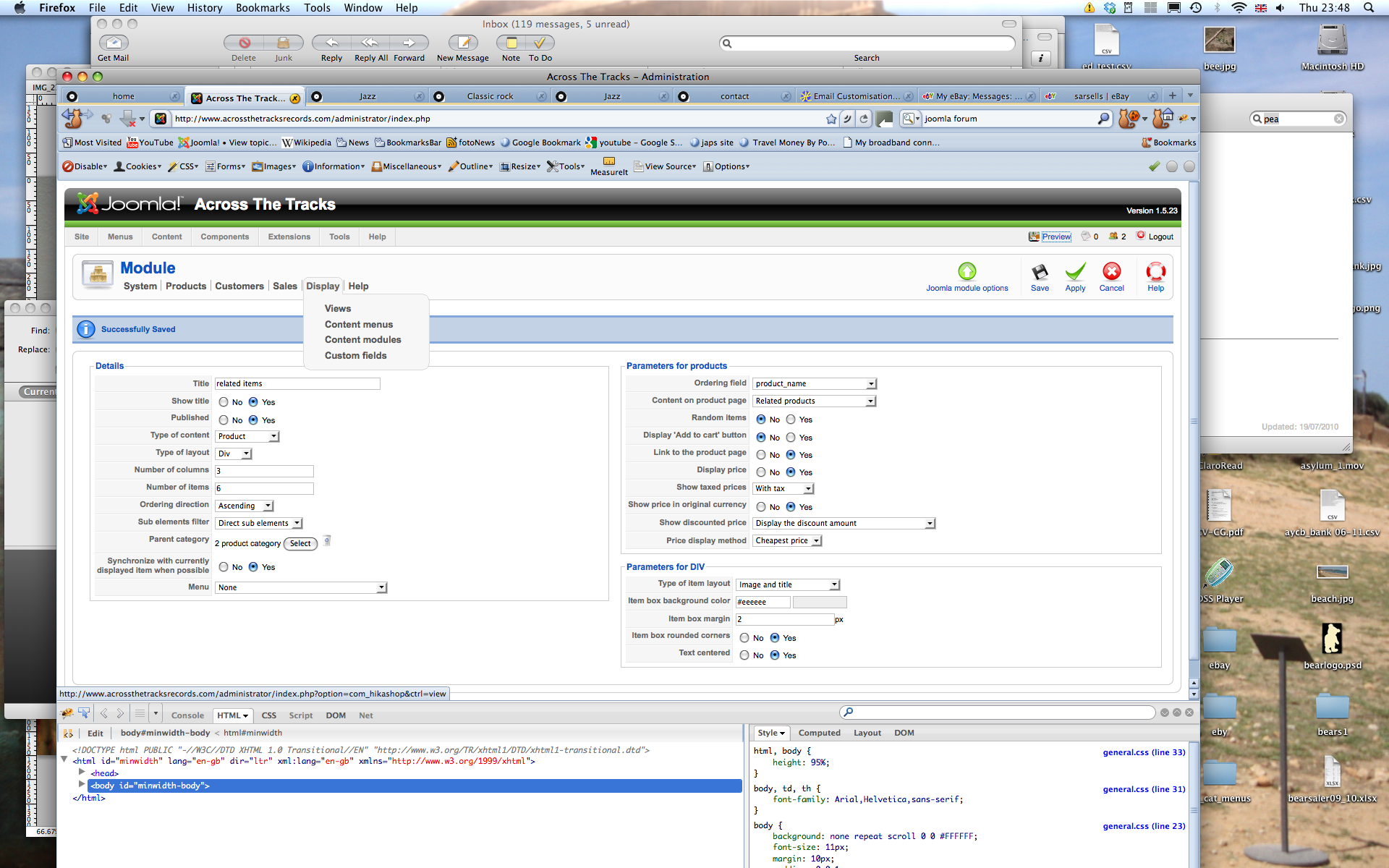
So sorry, but I still cant sort the related items problem. I have now unpublished the module within joomla but have it published in hikashop>configuration>display tab> content modules. The content is still doubling up, and not just showing itms that have been added as related. Screen shot of module attached.
Thanks once again
Sarah
Thanks once again
Sarah
Last edit: 15 years 2 months ago by sarsells.
Please Log in or Create an account to join the conversation.
15 years 2 months ago #20842
by nicolas
Replied by nicolas on topic Re: related products and small css problem
That's not were you should publish it.
You should publish it in the option "modules under the product page" of the configuration of hikashop under the tab Display:
www.hikashop.com/media/doc/config_form_display.png
You should publish it in the option "modules under the product page" of the configuration of hikashop under the tab Display:
www.hikashop.com/media/doc/config_form_display.png
Please Log in or Create an account to join the conversation.
15 years 2 months ago #20843
by sarsells
Replied by sarsells on topic Re: related products and small css problem
Thank you. It is sorted now. I am dyslexic, and sometimes it is hard to spot things. I looked and looked and just fif not see it!
Kind regards
Sarah
Kind regards
Sarah
Please Log in or Create an account to join the conversation.
Time to create page: 0.190 seconds