

- Posts: 66
- Thank you received: 0
how to make all items in the gallery same sized
15 years 2 months ago #22038
by luizarios
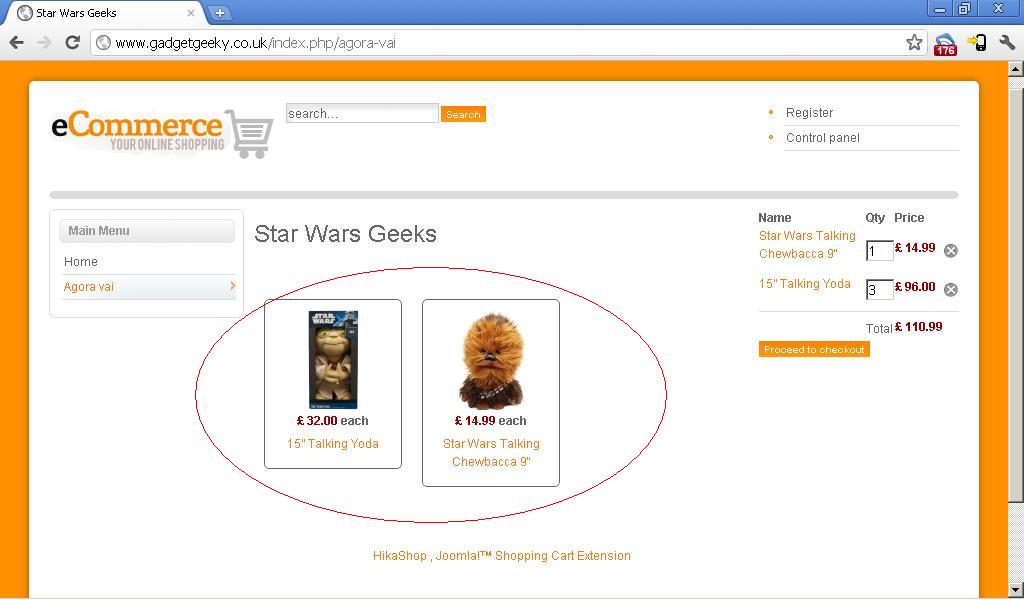
Hello all,
as you can see from the example above my gallery items have different size (the items with bigger description are bigger than the ones with smaller description). Is there any way I can make so all the items have the same size (the smaller gets bigger to match the other)
Thanks
how to make all items in the gallery same sized was created by luizarios
Hello all,
as you can see from the example above my gallery items have different size (the items with bigger description are bigger than the ones with smaller description). Is there any way I can make so all the items have the same size (the smaller gets bigger to match the other)
Thanks
Please Log in or Create an account to join the conversation.

15 years 2 months ago #22064
by nicolas
Replied by nicolas on topic Re: how to make all items in the gallery same sized
Hi,
You can add some CSS to fix the height to what you want. You can add that CSS in the front end CSS file of HikaShop that you can edit via the interface in the tab Display of the configuration.
For example with the CSS code:
.hikashop_subcontainer {
height: 350px;
}
You can add some CSS to fix the height to what you want. You can add that CSS in the front end CSS file of HikaShop that you can edit via the interface in the tab Display of the configuration.
For example with the CSS code:
.hikashop_subcontainer {
height: 350px;
}
Please Log in or Create an account to join the conversation.
15 years 1 month ago #23428
by luizarios
Replied by luizarios on topic Re: how to make all items in the gallery same sized
does the same apply to remove the full border? would I put
.hikashop_subcontainer {
border: 0px solid;
}
would this affect other borders or only the products border?
Thanks
.hikashop_subcontainer {
border: 0px solid;
}
would this affect other borders or only the products border?
Thanks
Please Log in or Create an account to join the conversation.
15 years 1 month ago #23439
by nicolas
Replied by nicolas on topic Re: how to make all items in the gallery same sized
Yes.
It will only affect categories and products listings where borders are used.
It will only affect categories and products listings where borders are used.
Please Log in or Create an account to join the conversation.
15 years 1 month ago - 15 years 1 month ago #23452
by luizarios
Replied by luizarios on topic Re: how to make all items in the gallery same sized
I am not sure what I am doing then.. Please find bellow print screen of the altered css and of the website, the black border just wont go away  I am aware that I need to save the css then apply and save as I've changed the css before but not sure if I am putting the wrong rule or why, it just doesn't work...
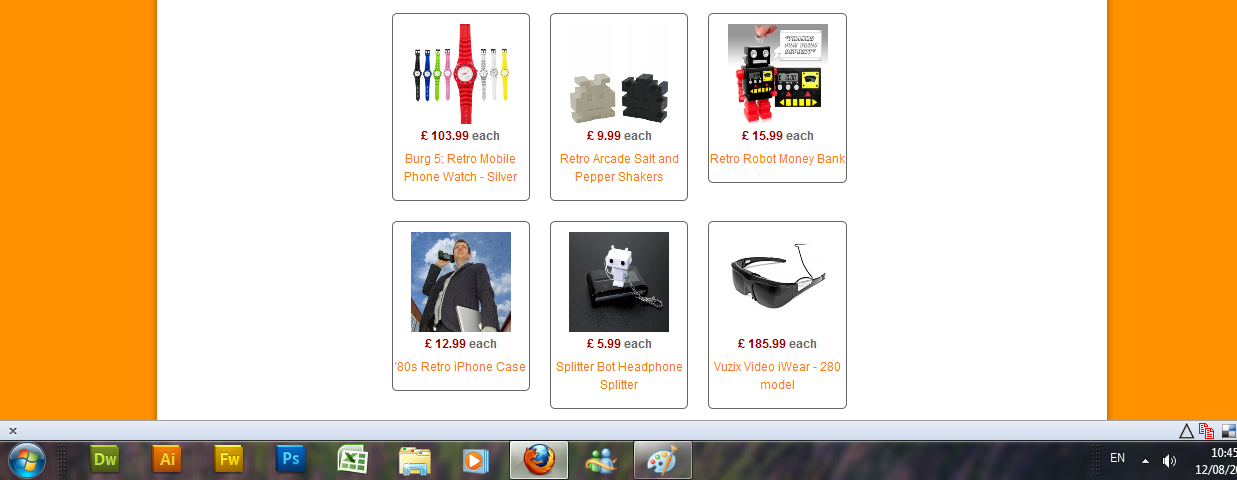
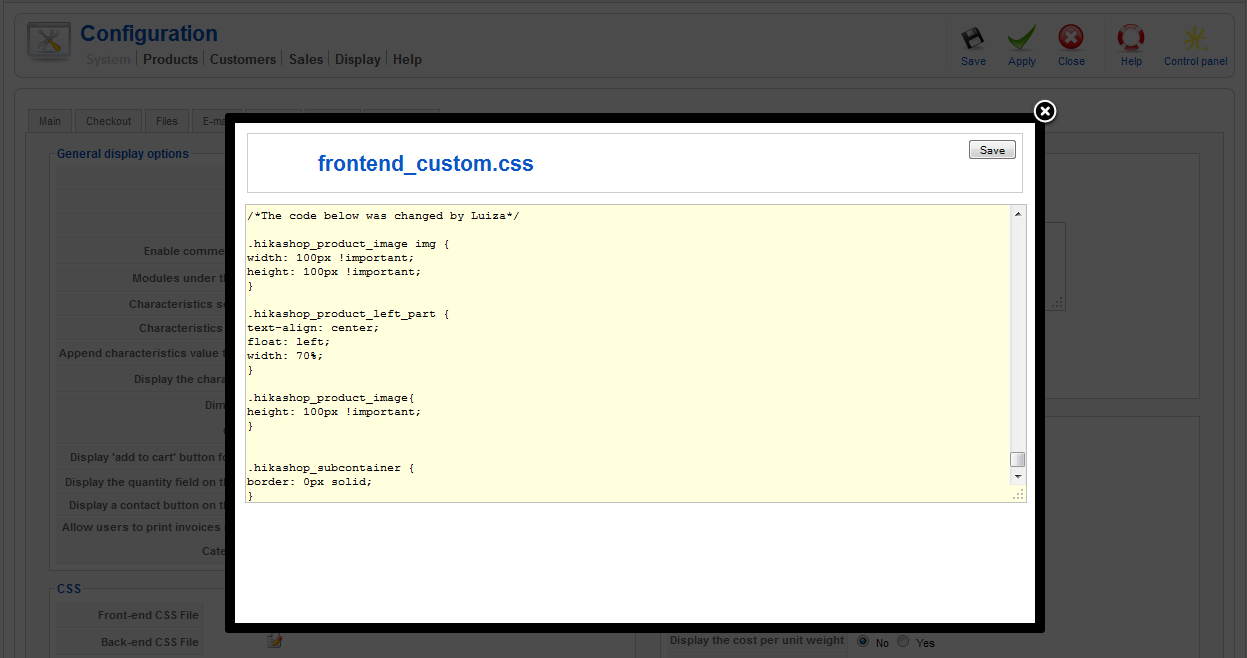
I am aware that I need to save the css then apply and save as I've changed the css before but not sure if I am putting the wrong rule or why, it just doesn't work...
Last edit: 15 years 1 month ago by luizarios.
Please Log in or Create an account to join the conversation.
15 years 1 month ago #23456
by nicolas
Replied by nicolas on topic Re: how to make all items in the gallery same sized
You should try with a !important like that:
.hikashop_subcontainer {
border: 0px solid !important;
}
Also, note that if you have the latest version, there is now an option for the border in modules/menus' hikashop options. So you could just turn off that option and the border would disappear.
.hikashop_subcontainer {
border: 0px solid !important;
}
Also, note that if you have the latest version, there is now an option for the border in modules/menus' hikashop options. So you could just turn off that option and the border would disappear.
Please Log in or Create an account to join the conversation.
15 years 1 month ago #23470
by luizarios
Replied by luizarios on topic Re: how to make all items in the gallery same sized
Hi, I've changed the css to put the important but it is still not working don't know what I am doing wrong... when you say I can change it on Hika Shop option, I've been to it but the only option there is the margin not the border... any ideas what else could be done??
thanks
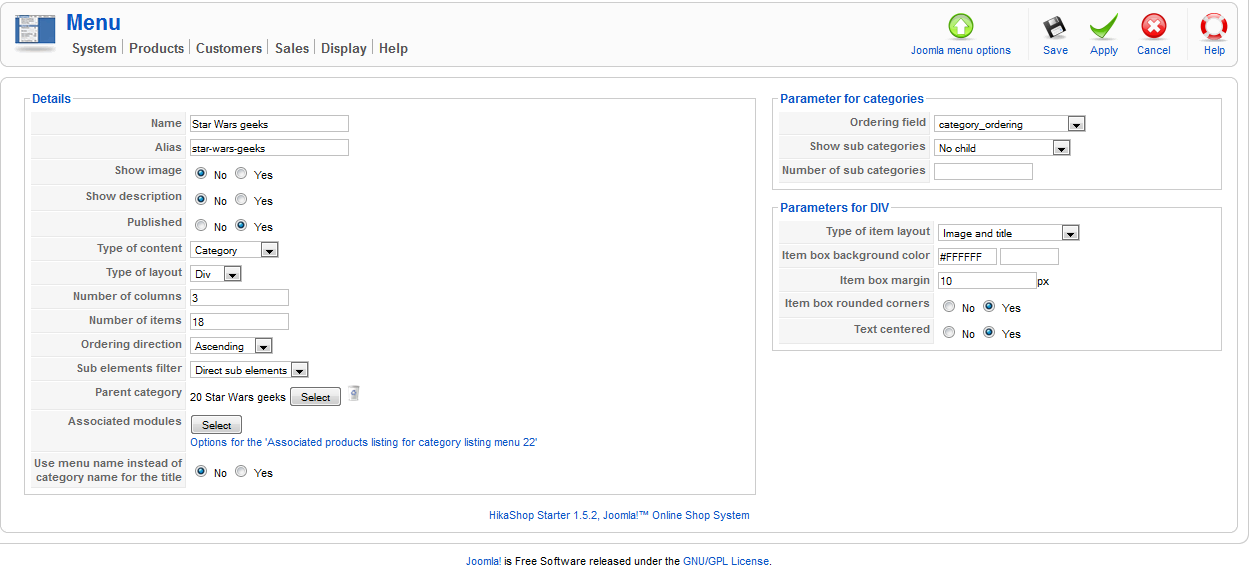
don't know what I am doing wrong... when you say I can change it on Hika Shop option, I've been to it but the only option there is the margin not the border... any ideas what else could be done??thanks
Please Log in or Create an account to join the conversation.
15 years 1 month ago - 15 years 1 month ago #23473
by luizarios
Replied by luizarios on topic Re: how to make all items in the gallery same sized
hah, it was a very simple thing a very common mistake, I just forgot to clean the cache oon my browser, I just did and it works fine  thanks
thanks
Last edit: 15 years 1 month ago by luizarios.
Please Log in or Create an account to join the conversation.
Time to create page: 0.244 seconds