
- Posts: 44
- Thank you received: 0
Thumbnail box width issue
- blackballdesigns
-
 Topic Author
- Offline
Less
More
14 years 11 months ago #27020
by blackballdesigns
Thumbnail box width issue was created by blackballdesigns
As you can see in the screenshot I attached, my product boxes are slimmer than the thumbnail images... I changed my thumbnail size in the configuration to 200x200 so I know that this is causing the issue. All I want to know is how do I change the width of my product box? On all of my other websites this happened automatically.
Please Help! :silly:
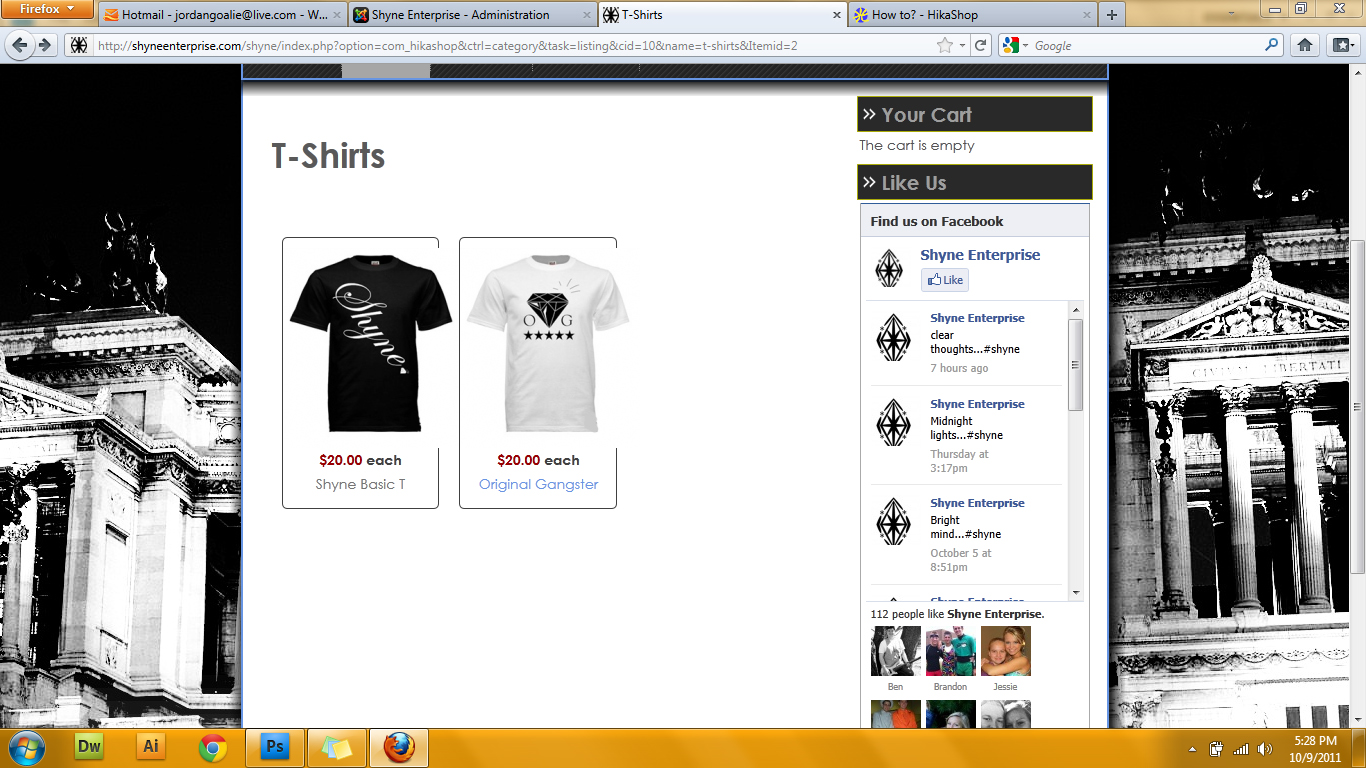
Please Help! :silly:
Please Log in or Create an account to join the conversation.

14 years 11 months ago #27027
by nicolas
Replied by nicolas on topic Re: Thumbnail box width issue
In the hikashop options of the associated module of your menu, you need to change the number of columns setting. By reducing it, each product on a row will have more space.
Please Log in or Create an account to join the conversation.
- blackballdesigns
-
Topic Author
- Offline
Less
More
- Posts: 44
- Thank you received: 0
14 years 11 months ago #27073
by blackballdesigns
Replied by blackballdesigns on topic Re: Thumbnail box width issue
Thank you very much Nicolas!
Please Log in or Create an account to join the conversation.
Time to create page: 0.169 seconds