
System Configuration - cannot display page
- felloconnect@mweb.co.za
-
 Topic Author
- Offline
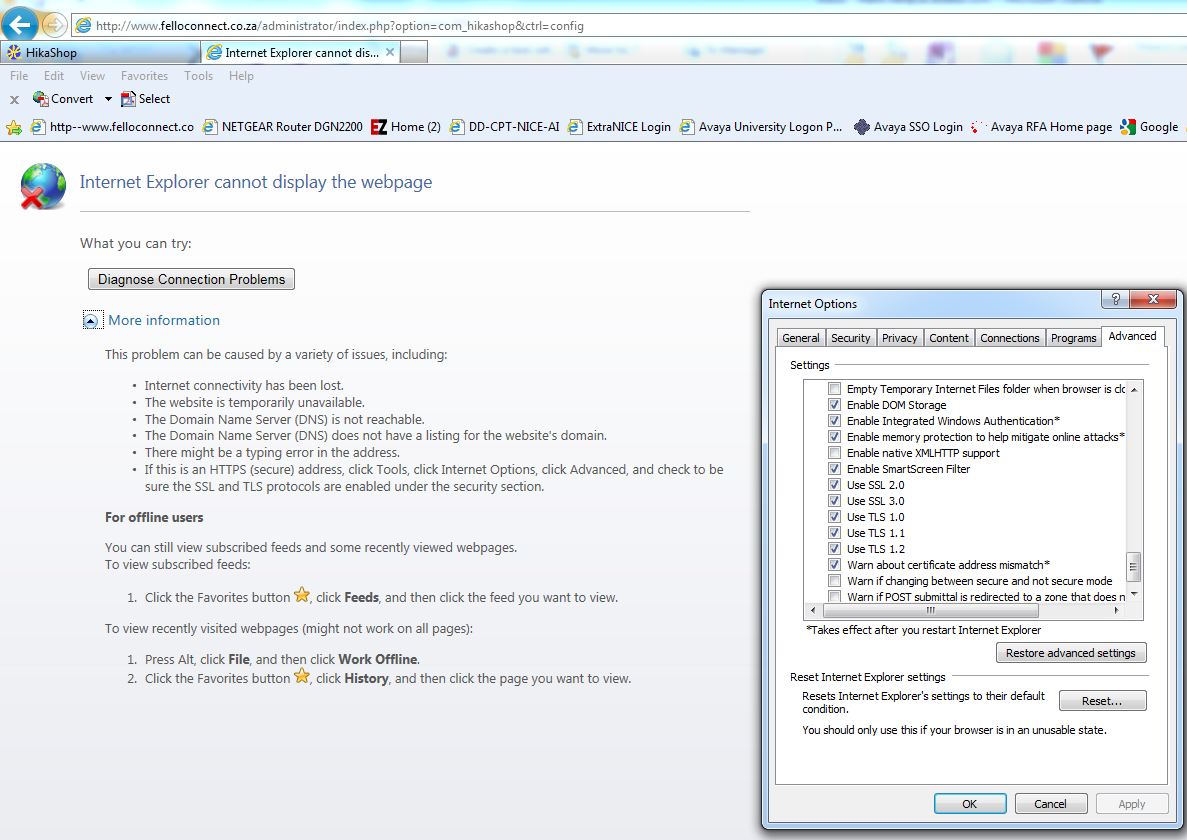
However, I recently signed up for a hosted account and have a live site running (also Joomla 1.7) and after installing the HikaShop extension I am not able to navigate to a few of the screens through administrator - Internet Explorer indicates page cannot be found when navigating to HikaShop --> System-->configuration.
Separately, I also receive the following message from local dev testing (WAMP environment):
Notice: Undefined property: stdClass::$images in C:\wamp\www\Web_with_Examples\components\com_hikashop\views\product\tmpl\show.php on line 54
I am also using the Beez_20 template to test with
I am a newbie to Joomla. PHP, etc so any guidance would be appreciated.
Thanks in advance
Mark
Please Log in or Create an account to join the conversation.

Do you have the same error with another browser ?
Please Log in or Create an account to join the conversation.
- felloconnect@mweb.co.za
-
Topic Author
- Offline
For the live/hosted site I tried using IE9 and Firefox - both same result - when I go through administrator I can navigate to e.g. products, categories, etc
I also uninstalled the extension and tried installing again - same problem. Then extracted all files and re-uploaded to web site and tried again. Still same problem. Each installation indicated no errors
Here is a screen shot (opted to send to new IE Window instead of new TAB so that I could fit both the screen before I launched the selection and the faulty page).
I appreciate your assistance.

Please Log in or Create an account to join the conversation.
Also, could you do a screenshot of the error in firefox ? I suppose that it's not the same error message.
That would help us understand what's going on.
Please Log in or Create an account to join the conversation.
- felloconnect@mweb.co.za
-
Topic Author
- Offline
Please Log in or Create an account to join the conversation.
Edit your php.ini file and search for the string parameter display_errors.
This parameter should be turned On : display_errors = On.
If it's not the case, please edit your php.ini file, modify this line, save your file and then restart your server and try again. You should not see a blank screen anymore and the error message will help us a lot to understand the problem.
Please Log in or Create an account to join the conversation.
- felloconnect@mweb.co.za
-
Topic Author
- Offline
Much appreciated
Please Log in or Create an account to join the conversation.
Please Log in or Create an account to join the conversation.
- felloconnect@mweb.co.za
-
Topic Author
- Offline
Here is the version information:
Apache 2.2.21 (FreeBSD)
PHP Version 5.3.8
MySQL: 5.5.9
As far as turning display_errors = on , this is considered a security risk and I do not think our engineers will enable this.
You should be able to enable it yourself by creating a .htaccess file in your root directory and then specifying display_errors = on
So, after reading up on .htaccess files I added the following parameters and uploaded to the server into the route where my content resides for this website:
php_flag display_startup_errors on
php_flag display_errors on
php_flag html_errors on
I still get a blank page via IE and Firefox so I am no further. I am going to have to find a developer to assist with this so as to continue using this component and evaluate it further prior to making a decision on the commercial version. This component really seems great in the dev environment and exactly what I am looking for.
Any other assistance/suggestions?
Appreciate your assistance
Please Log in or Create an account to join the conversation.
Are you sure that you edited the .htaccess file properly ? It should be called .htaccess not htaccess.txt
As your hosting company suggested, that htaccess solution is a good way to show the errors and should have worked.
Please Log in or Create an account to join the conversation.
- felloconnect@mweb.co.za
-
Topic Author
- Offline
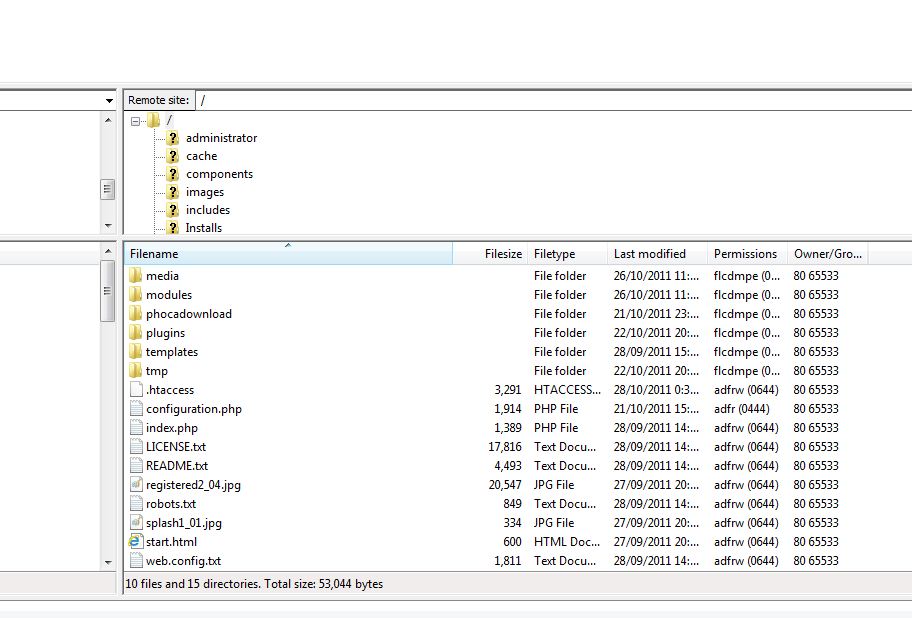
Yes. I have the correct filename as per below. Am I missing something else? I am assuming that the error outputs will be displayed in the browser?
Please Log in or Create an account to join the conversation.
If that doesn't work, it means that the modification is not correct.
Unfortunately, I can't do much from here...
Could you give a backend and FTP access to your website ? I'll do it myself.
Please Log in or Create an account to join the conversation.
- felloconnect@mweb.co.za
-
Topic Author
- Offline
Please Log in or Create an account to join the conversation.
Don't forget to specify the URL of that thread for reference.
Please Log in or Create an account to join the conversation.
Please Log in or Create an account to join the conversation.
- felloconnect@mweb.co.za
-
Topic Author
- Offline
Please Log in or Create an account to join the conversation.