

- Posts: 8
- Thank you received: 0
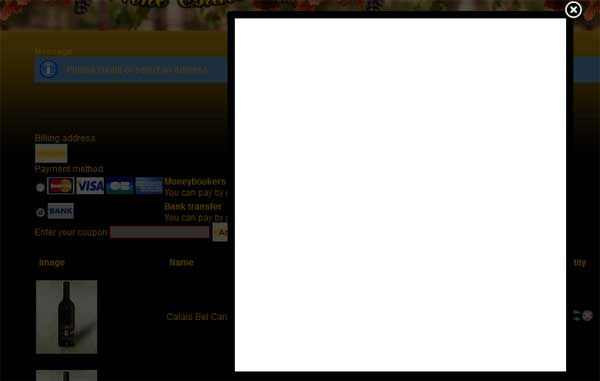
Blank lightbox
14 years 10 months ago #30113
by ZatriX
Blank lightbox was created by ZatriX
I'm not sure whether I'm doing something wrong here, but when I'm testing the checkout and click on a "New" billing address button, it just shows a blank lightbox, with no fields or buttons. Any ideas?
Please Log in or Create an account to join the conversation.

14 years 10 months ago #30147
by nicolas
Replied by nicolas on topic Re: Blank lightbox
It sounds like this might be a PHP fatal error.
However, as the error message is not displayed its impossible to know why.
Please increase the error reporting (there is an option for that in the joomla configuration) and try again. That might display an error message.
However, as the error message is not displayed its impossible to know why.
Please increase the error reporting (there is an option for that in the joomla configuration) and try again. That might display an error message.
Please Log in or Create an account to join the conversation.
14 years 10 months ago #30164
by ZatriX
Replied by ZatriX on topic Re: Blank lightbox
Emm... PHP error reporting is configured on the server side (which I can not do), not in joomla iirc. In joomla one can just switch the debug mode on, but that doesn't ahow any errors. I have to add, that all other lightboxes work fine, including zoomable images in the component.
Please Log in or Create an account to join the conversation.
14 years 10 months ago #30166
by nicolas
Replied by nicolas on topic Re: Blank lightbox
Go to your site's Global Configuration on the backend. Go to the Server tab and find the Error Reporting setting. Change Error Reporting to Maximum and click Save at the top right of the global configuration panel. This will make your server print out all PHP errors, notices and warnings.
You can also look at the error log file, as explained there:
forum.joomla.org/viewtopic.php?t=154552
You can also look at the error log file, as explained there:
forum.joomla.org/viewtopic.php?t=154552
Please Log in or Create an account to join the conversation.
14 years 10 months ago - 14 years 10 months ago #30183
by ZatriX
Replied by ZatriX on topic Re: Blank lightbox
Oh, ok, got it.
It gives me a few notices, nothing severe. Mostly to do with the anti-hacking component OSE-Secure.
It gives me a few notices, nothing severe. Mostly to do with the anti-hacking component OSE-Secure.
Code:
Notice: Constant _JEXEC already defined in /home/***/public_html/index.php on line 15
Notice: Constant JPATH_BASE already defined in /home/***/public_html/index.php on line 17
Notice: Constant DS already defined in /home/***/public_html/index.php on line 19
Notice: Constant OSE_ADMINPATH already defined in /home/***/public_html/plugins/system/osesecure.php on line 103
Notice: Use of undefined constant JPATH_SITER - assumed 'JPATH_SITER' in /home/***/public_html/plugins/system/osesecure.php on line 104
Notice: Constant OSE_FRONTPATH already defined in /home/***/public_html/plugins/system/osesecure.php on line 104
Notice: Constant OSEDS already defined in /home/***/public_html/plugins/system/osesecure.php on line 105
Last edit: 14 years 10 months ago by ZatriX.
Please Log in or Create an account to join the conversation.
14 years 10 months ago #30220
by nicolas
Replied by nicolas on topic Re: Blank lightbox
It doesn't sound like it comes from OSE.
Could you try to switch to one of the default template of joomla to see if it works or not.
If yes, it means that the problem comes from your template. If not, it means that it must come from another plugin/module on your website so you might want to try to temporarily deactivate system plugins to see if it fixes the problem or not.
Could you try to switch to one of the default template of joomla to see if it works or not.
If yes, it means that the problem comes from your template. If not, it means that it must come from another plugin/module on your website so you might want to try to temporarily deactivate system plugins to see if it fixes the problem or not.
Please Log in or Create an account to join the conversation.
14 years 10 months ago - 14 years 10 months ago #30232
by ZatriX
Replied by ZatriX on topic Re: Blank lightbox
Thanks, that worked!
The plugin that was causing the problem is jomDefender (another anti-hacking extension).
More specifically, it was the parameter, that stripped all the words "Joomla!" from the pages.
Weird, huh? :S
The plugin that was causing the problem is jomDefender (another anti-hacking extension).
More specifically, it was the parameter, that stripped all the words "Joomla!" from the pages.
Weird, huh? :S
Last edit: 14 years 10 months ago by ZatriX.
Please Log in or Create an account to join the conversation.
Time to create page: 0.342 seconds