

- Posts: 9
- Thank you received: 0
How do I move the price/add to cart area on list?
14 years 8 months ago #39012
by obitus
How do I move the price/add to cart area on list? was created by obitus
Hi there,
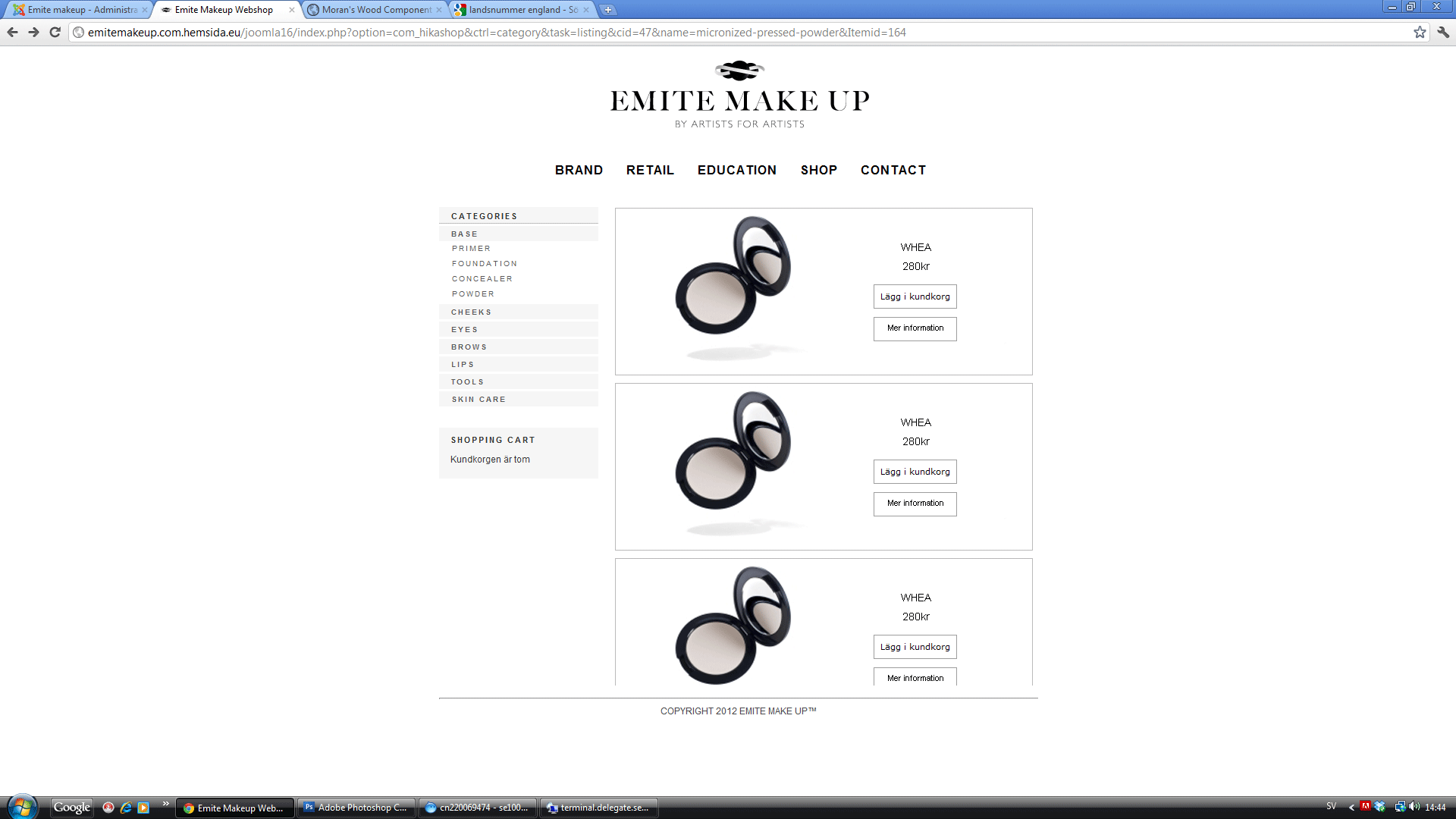
how do I move the add to cart/price area from the bottom to the right?
Tried css but there seems that they are not placed within a div that i can float.
Cheers,
Anders
how do I move the add to cart/price area from the bottom to the right?
Tried css but there seems that they are not placed within a div that i can float.
Cheers,
Anders
Please Log in or Create an account to join the conversation.

14 years 8 months ago #39096
by nicolas
Replied by nicolas on topic Re: How do I move the price/add to cart area on list?
You will have to edit the file "listing_img_title" of the view "product" via the menu Display->Views and add some HTML in order to suits your needs.
Please Log in or Create an account to join the conversation.
14 years 8 months ago #40941
by Marcthur
Replied by Marcthur on topic Re: How do I move the price/add to cart area on list?
I have no knowledge of HTML.
Could you give me description how to move the price and add to cart down.
As shown in the picture.
I would like to have price and Add to cart at the right of the thumbnails.
Thanks.
Could you give me description how to move the price and add to cart down.
As shown in the picture.
I would like to have price and Add to cart at the right of the thumbnails.
Thanks.
Please Log in or Create an account to join the conversation.
14 years 8 months ago #41135
by nicolas
Replied by nicolas on topic Re: How do I move the price/add to cart area on list?
Could you give a link to that page so that we can guide you ?
Please Log in or Create an account to join the conversation.
14 years 8 months ago #41139
by Marcthur
Replied by Marcthur on topic Re: How do I move the price/add to cart area on list?
I'll send you login by mail cause it is on registered part of website
Please Log in or Create an account to join the conversation.
14 years 8 months ago #41317
by nicolas
Replied by nicolas on topic Re: How do I move the price/add to cart area on list?
Ok. You can use our contact form for that:
www.hikashop.com/en/contact-us.html
www.hikashop.com/en/contact-us.html
Please Log in or Create an account to join the conversation.
14 years 8 months ago #41318
by nicolas
Replied by nicolas on topic Re: How do I move the price/add to cart area on list?
You can add the CSS below in the front end CSS file that you can edit via the Display tab of the configuration:
#hikashop_product_right_part{
padding-top: 450px;
}
#hikashop_product_right_part{
padding-top: 450px;
}
The following user(s) said Thank You: Marcthur
Please Log in or Create an account to join the conversation.
Time to create page: 0.095 seconds