

- Posts: 19
- Thank you received: 0
Adding catagories via csv
14 years 7 months ago #42049
by ssaxton
Adding catagories via csv was created by ssaxton
HI,
I've just bought Hikashop Essential and need to add some categories in order to assign discounts on certain items within certain price ranges. My question is this: I have over 1,100 items and therefore would like to do a csv upload. How do I add a category to an item which is already assigned to a few different categories. In other words; I wish to add a category without deleting the existing ones via csv import.
Thanks,
Steve
I've just bought Hikashop Essential and need to add some categories in order to assign discounts on certain items within certain price ranges. My question is this: I have over 1,100 items and therefore would like to do a csv upload. How do I add a category to an item which is already assigned to a few different categories. In other words; I wish to add a category without deleting the existing ones via csv import.
Thanks,
Steve
Please Log in or Create an account to join the conversation.
Less
More
- Posts: 127
- Thank you received: 12
14 years 7 months ago #42052
by tony@10uk.net
Replied by tony@10uk.net on topic Re: Adding catagories via csv
I've been playing with this to do something similar.
My understanding is that if a product already exists then deltas on the import are applied.
So if you do an export file, add the new category to the product line in the file and then import, the new category is just applied to the changed products.
I'll know in the next couple of days if this is true but that's my understanding from the documentation. I've also read that you can use the category ID or the name on the import - I prefer the ID as it helps prevent typos on big files. Again not tried yet.
Tony
My understanding is that if a product already exists then deltas on the import are applied.
So if you do an export file, add the new category to the product line in the file and then import, the new category is just applied to the changed products.
I'll know in the next couple of days if this is true but that's my understanding from the documentation. I've also read that you can use the category ID or the name on the import - I prefer the ID as it helps prevent typos on big files. Again not tried yet.
Tony
Please Log in or Create an account to join the conversation.

14 years 7 months ago #42209
by nicolas
Replied by nicolas on topic Re: Adding catagories via csv
The best is to export your products, open the CSV in Excel, add your additional categories where you need them and import it back.
Please Log in or Create an account to join the conversation.
14 years 7 months ago #42287
by ssaxton
Replied by ssaxton on topic Re: Adding catagories via csv
Well I tried a test csv import . It certainly imports and updates prices but places them in the new category BUT, it takes them out of the old ones. As for exporting from Hikashop and then opening in excel; that doesn't seem to work in 2007 on my Vista machine. All I get is this (see attached)
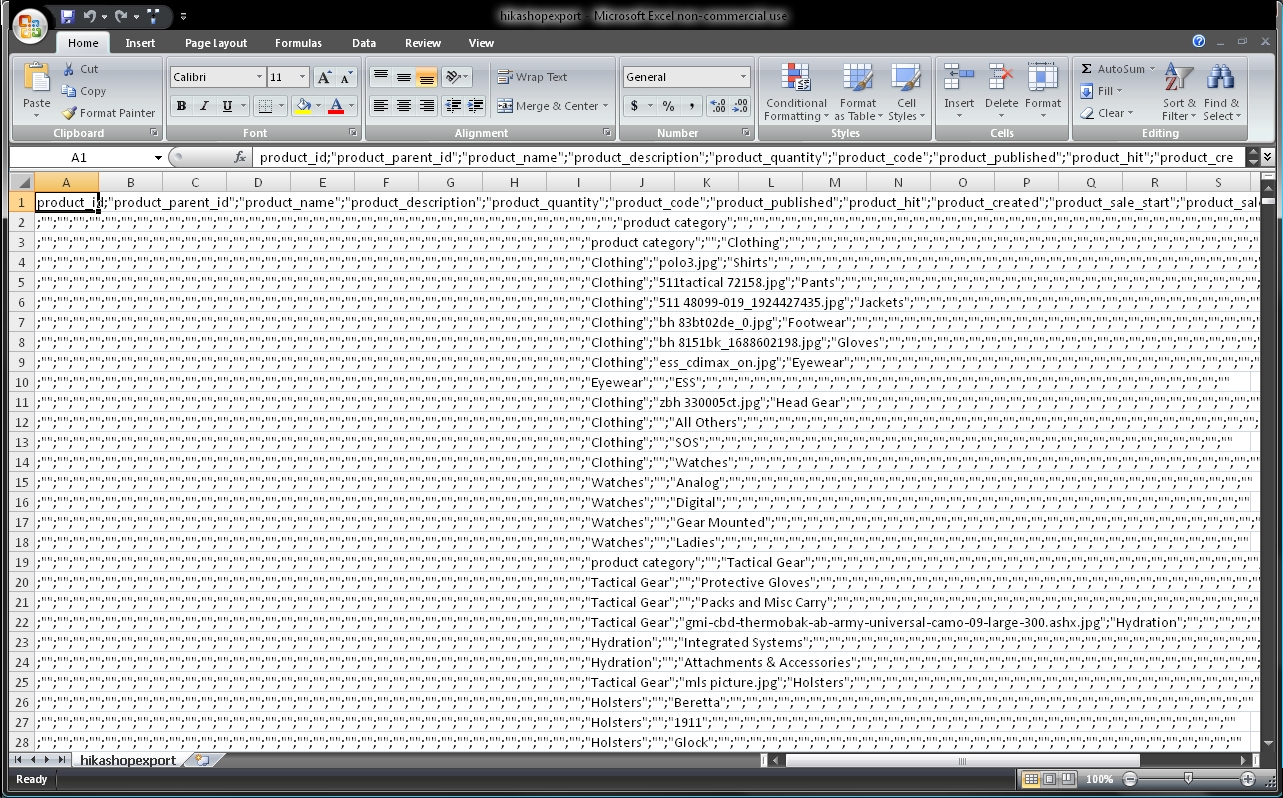
Any ideas? I'd really, really hate to have to do 1150 items by hand
Thanks,
Steve
Any ideas? I'd really, really hate to have to do 1150 items by hand
Thanks,
Steve
Please Log in or Create an account to join the conversation.
14 years 7 months ago - 14 years 7 months ago #42291
by nicolas
Replied by nicolas on topic Re: Adding catagories via csv
That's because your version of Excel prefers the comma instead of the semi colon as separator. Just change the CSV separator accordingly in the Files tab of the configuration and try again.
Last edit: 14 years 7 months ago by nicolas.
Please Log in or Create an account to join the conversation.
14 years 7 months ago #42299
by ssaxton
Replied by ssaxton on topic Re: Adding catagories via csv
Brilliant! Thank you!!
Please Log in or Create an account to join the conversation.
Time to create page: 0.061 seconds