

- Posts: 12
- Thank you received: 0
Add custom fields to product?
14 years 7 months ago #44309
by smeako
Add custom fields to product? was created by smeako
Hi,
My shop is set up for a sporting club and one product I have set up is an online player registration. I wish to add custom fields to the product so I can record various personal details relating to the player being registered. One common scenario would be that a parent registers with our site but wants to register multiple children to play with our club.
i wish to record details like name, date of birth etc relating to each registration being purchased.
Is this achievable?
Thanks
My shop is set up for a sporting club and one product I have set up is an online player registration. I wish to add custom fields to the product so I can record various personal details relating to the player being registered. One common scenario would be that a parent registers with our site but wants to register multiple children to play with our club.
i wish to record details like name, date of birth etc relating to each registration being purchased.
Is this achievable?
Thanks
Please Log in or Create an account to join the conversation.

14 years 7 months ago #44367
by Xavier
Replied by Xavier on topic Re: Add custom fields to product?
Hi smeako,
Using custom fields of the table "item" (business edition) sounds the way to go.
Add as custom fields as wanted. Don't forget to enable "Front-end" and if wanted "Required".
Using custom fields of the table "item" (business edition) sounds the way to go.
Add as custom fields as wanted. Don't forget to enable "Front-end" and if wanted "Required".
Please Log in or Create an account to join the conversation.
14 years 7 months ago #44504
by smeako
Replied by smeako on topic Re: Add custom fields to product?
Thank you Xavier, That worked a treat, Just couple more questions though.
The fields display straight when not marked as required but as soon as I Mark them required the title displays out of line with the text field etc.
How do I display a date field without the auto calandar function?
Cheers
The fields display straight when not marked as required but as soon as I Mark them required the title displays out of line with the text field etc.
How do I display a date field without the auto calandar function?
Cheers
Please Log in or Create an account to join the conversation.
14 years 7 months ago #44506
by Xavier
Replied by Xavier on topic Re: Add custom fields to product?
Hi,
To hide the auto calendar function, you can just edit your template css file.
Joomla > Extentions > Template manager > (if joomla 2.5 Tab templates) > Select you template > Click on "edit the CSS". (if joomla 1.5 "template.css")
And add:
For the title which display out of line, in the same css file, try :
Or other size.
To hide the auto calendar function, you can just edit your template css file.
Joomla > Extentions > Template manager > (if joomla 2.5 Tab templates) > Select you template > Click on "edit the CSS". (if joomla 1.5 "template.css")
And add:
Code:
.calendar, .calendar table{
display: none;
}
For the title which display out of line, in the same css file, try :
Code:
#hikashop_product_custom_item_info .key{
width: 200px;
}
Please Log in or Create an account to join the conversation.
14 years 7 months ago #44845
by smeako
Replied by smeako on topic Re: Add custom fields to product?
Thanks again Xavier,
I've managed to hide the calendar and widen the display thanks to your code. Unfortunately the text fields are still displaying out of line when marked "Required".
I have attached a couple of screen shots for your reference. One shows text fields marked "Not Required" and in line. The other shows the required "*" and fields are out of allignment.
Do you have any further ideas as to what may be causing this.
Cheers
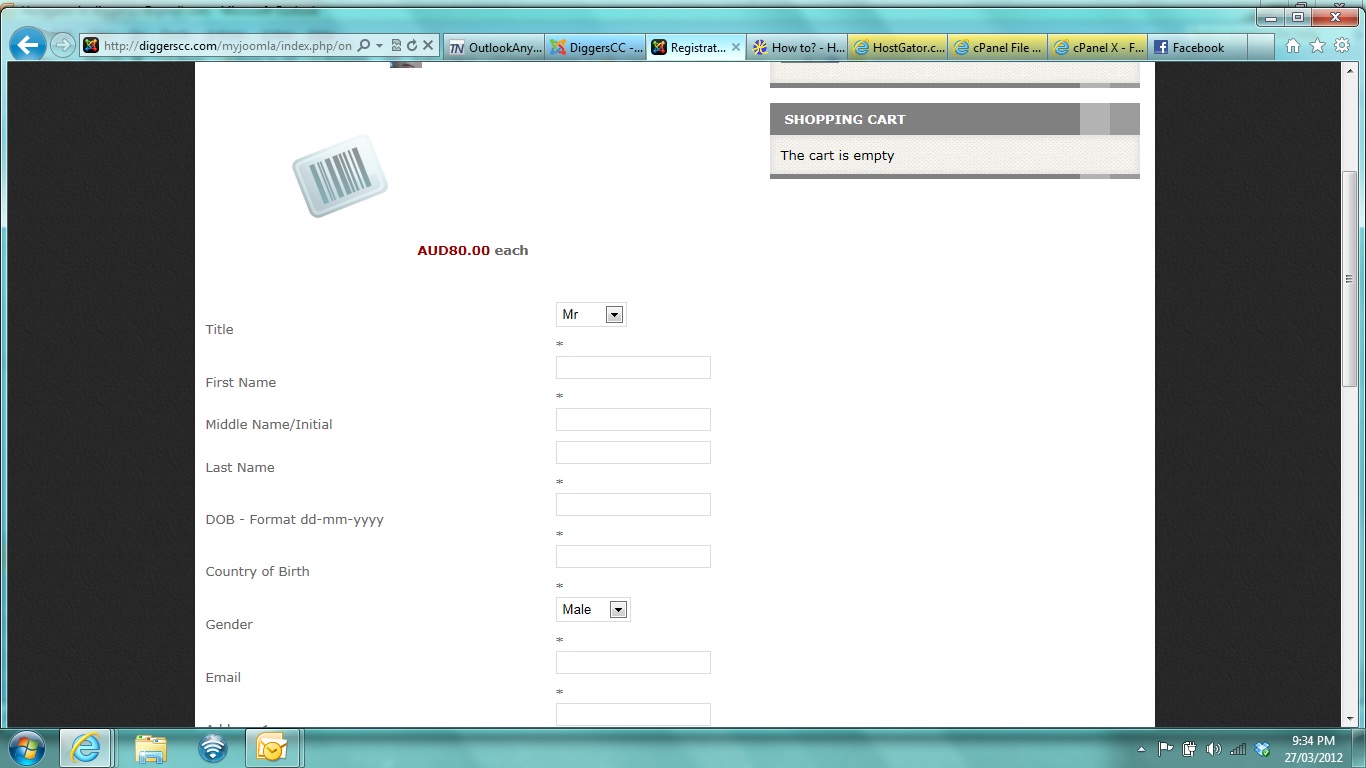
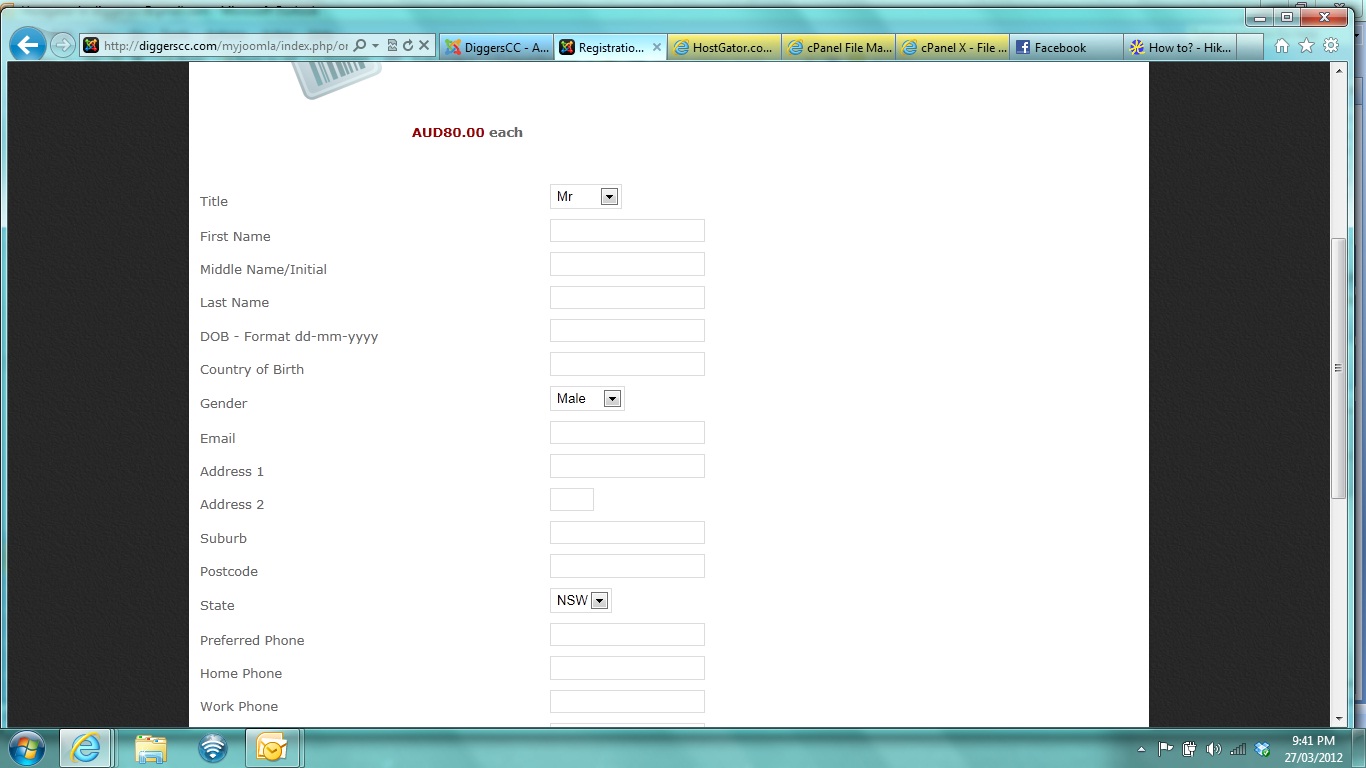
I've managed to hide the calendar and widen the display thanks to your code. Unfortunately the text fields are still displaying out of line when marked "Required".
I have attached a couple of screen shots for your reference. One shows text fields marked "Not Required" and in line. The other shows the required "*" and fields are out of allignment.
Do you have any further ideas as to what may be causing this.
Cheers
Please Log in or Create an account to join the conversation.

14 years 7 months ago #45068
by nicolas
Replied by nicolas on topic Re: Add custom fields to product?
That's because of the CSS of your template. You can add the CSS below in order to avoid that:
Code:
#hikashop_product_custom_item_info input,#hikashop_product_custom_item_info select{
display: inline !important;
}
The following user(s) said Thank You: smeako
Please Log in or Create an account to join the conversation.
14 years 7 months ago #45069
by smeako
Replied by smeako on topic Re: Add custom fields to product?
Cheers Nicolas,
That worked great. Thanks heaps for your help on this one guys.
That worked great. Thanks heaps for your help on this one guys.
Please Log in or Create an account to join the conversation.
Time to create page: 0.074 seconds