

- Posts: 15
- Thank you received: 0
Custom field are all in uppercase/capitals
15 years 9 months ago #4716
by tpioh
Custom field are all in uppercase/capitals was created by tpioh
Hi guys,
I have a problem with the custom fields.
Basically what I'd like to do is have Suburb as a required field, however, when I enter the information, it still renders all in capitals i.e. TOWN/SUBURB
I have firebug installed and I can change it on the fly at td class=key but I can't find it anywhere.
Can anyone help?
Regards
Kevin
I have a problem with the custom fields.
Basically what I'd like to do is have Suburb as a required field, however, when I enter the information, it still renders all in capitals i.e. TOWN/SUBURB
I have firebug installed and I can change it on the fly at td class=key but I can't find it anywhere.
Can anyone help?
Regards
Kevin
Please Log in or Create an account to join the conversation.

15 years 9 months ago #4718
by nicolas
Replied by nicolas on topic Re: Custom field are all in uppercase/capitals
Could you post a screenshot of the problem ?
Please Log in or Create an account to join the conversation.
15 years 9 months ago - 15 years 9 months ago #4719
by tpioh
Replied by tpioh on topic Re: Custom field are all in uppercase/capitals
Hi nicolas,
Please find the image attached.
Regards,
Kevin
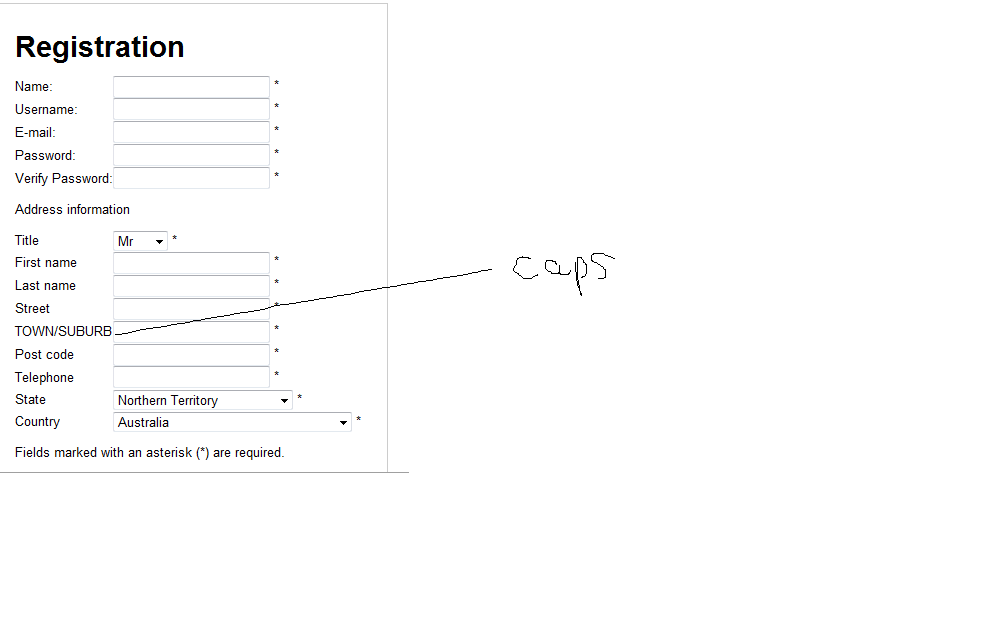
Update: Apologies for the shoddy image.
It appears on the right on the checkout page.
Please find the image attached.
Regards,
Kevin
Update: Apologies for the shoddy image.
It appears on the right on the checkout page.
Last edit: 15 years 9 months ago by tpioh.
Please Log in or Create an account to join the conversation.
15 years 9 months ago #4720
by nicolas
Replied by nicolas on topic Re: Custom field are all in uppercase/capitals
I can't reproduce such problem on my end. Could you also post a screenshot of the options of that custom field ?
Please Log in or Create an account to join the conversation.
15 years 9 months ago #4721
by tpioh
Replied by tpioh on topic Re: Custom field are all in uppercase/capitals
Hey nic,
On the options page for the fields, it looks fine in the preview.
But when it gets to the front end, it gets all weird.
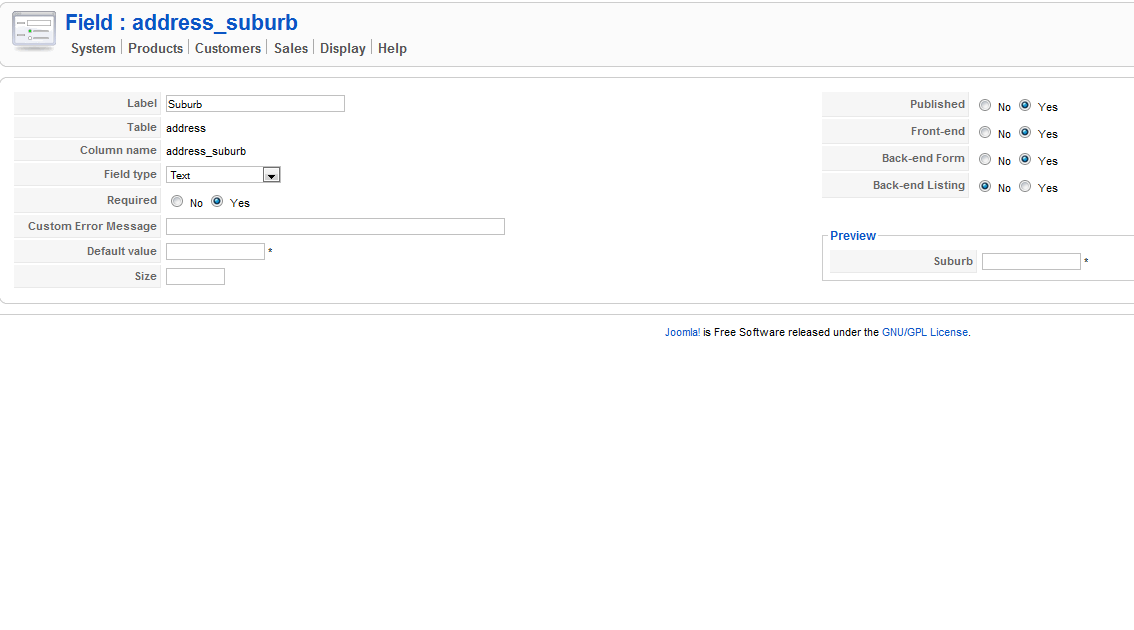
On the options page for the fields, it looks fine in the preview.
But when it gets to the front end, it gets all weird.
Please Log in or Create an account to join the conversation.
15 years 9 months ago #4722
by nicolas
Replied by nicolas on topic Re: Custom field are all in uppercase/capitals
That's because all the custom fields are translatable and the "suburb" string is in the front end translation file of joomla: SUBURB=TOWN/SUBURB
So, when the field is displayed on the front end, the field is translated automatically.
You have several solutions:
1. Change the name of your field. For example, if you enter Suburb as the title of the field, it should be ok ( is the HTML code for space)
2. Change the joomla translation file languages/enGB/en-GB.ini to remove or modify that translation.
3. Add the line SUBURB="Suburb" in the HikaShop translation file (via the interface in the config under the tab languages) so that it overrides the joomla one.
So, when the field is displayed on the front end, the field is translated automatically.
You have several solutions:
1. Change the name of your field. For example, if you enter Suburb as the title of the field, it should be ok ( is the HTML code for space)
2. Change the joomla translation file languages/enGB/en-GB.ini to remove or modify that translation.
3. Add the line SUBURB="Suburb" in the HikaShop translation file (via the interface in the config under the tab languages) so that it overrides the joomla one.
Please Log in or Create an account to join the conversation.
15 years 9 months ago #4724
by tpioh
Replied by tpioh on topic Re: Custom field are all in uppercase/capitals
Thanks so much nic.
Never had any sort of service like Hikashop. I'll be recommending this to all my friends.
Thanks once again!
Never had any sort of service like Hikashop. I'll be recommending this to all my friends.
Thanks once again!
Please Log in or Create an account to join the conversation.
Time to create page: 0.157 seconds