
- Posts: 16
- Thank you received: 0
Add to cart button on category page
- tastymouse
-
 Topic Author
- Offline
Less
More
14 years 3 months ago #52917
by tastymouse
Add to cart button on category page was created by tastymouse
I have the Essential edition with only a few products. I want to show these in one page with an add to cart button under the product.
Like this www.demo.hikashop.com/index.php?option=c...ng&Itemid=79&lang=en (although being able to enter the quantity would even be better). How do I do this?
Like this www.demo.hikashop.com/index.php?option=c...ng&Itemid=79&lang=en (although being able to enter the quantity would even be better). How do I do this?
Please Log in or Create an account to join the conversation.

14 years 3 months ago #52959
by Xavier
Replied by Xavier on topic Re: Add to cart button on category page
Hi tastymouse,
To display the 'Add to cart' button in the product listing, edit the menu or module which display these view in HikaShop > Display > Content menu - content module.
And check "yes" for the option "Display 'Add to cart' button".
To display the 'Add to cart' button in the product listing, edit the menu or module which display these view in HikaShop > Display > Content menu - content module.
And check "yes" for the option "Display 'Add to cart' button".
Please Log in or Create an account to join the conversation.
- tastymouse
-
Topic Author
- Offline
Less
More
- Posts: 16
- Thank you received: 0
14 years 3 months ago - 14 years 3 months ago #53069
by tastymouse
Replied by tastymouse on topic Re: Add to cart button on category page
That worked. And I also want to see the images, where are the settings for that?
It would be great if you gave information about the settings in the demo site, like you do on the Display with effects page.
Thanks, Tom
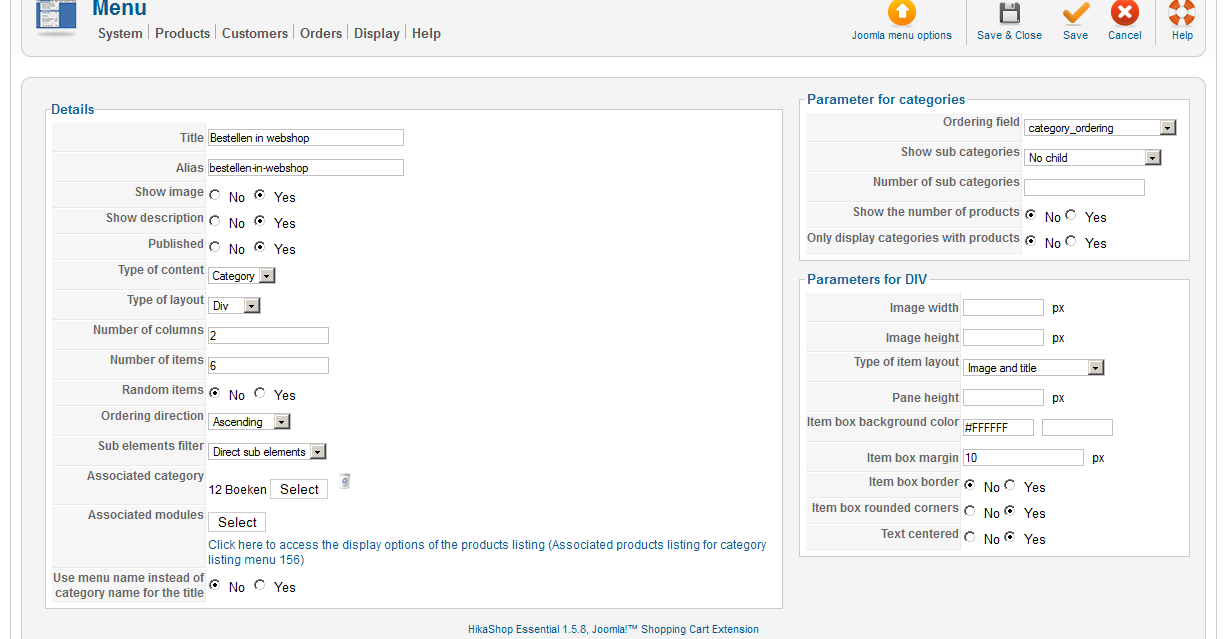
Edit: I attached a screenshot of the menu settings. Type of item layout is Image and title.
Edit 2: The images do show up when I choose Image. It's confusing that Image and title and Image and description don't show the image.
It would be great if you gave information about the settings in the demo site, like you do on the Display with effects page.
Thanks, Tom
Edit: I attached a screenshot of the menu settings. Type of item layout is Image and title.
Edit 2: The images do show up when I choose Image. It's confusing that Image and title and Image and description don't show the image.
Last edit: 14 years 3 months ago by tastymouse. Reason: extra information
Please Log in or Create an account to join the conversation.
- tastymouse
-
Topic Author
- Offline
Less
More
- Posts: 16
- Thank you received: 0
14 years 3 months ago #53093
by tastymouse
Replied by tastymouse on topic Re: Add to cart button on category page
Okay, it took me some time, but I'm starting to understand it  . I've got it working.
Thanks, Tom
. I've got it working.Thanks, Tom
Please Log in or Create an account to join the conversation.
Time to create page: 0.174 seconds