

- Posts: 19
- Thank you received: 0
Change the product display font color
14 years 4 months ago #53901
by ryand500
Change the product display font color was created by ryand500
This is currently what it looks like
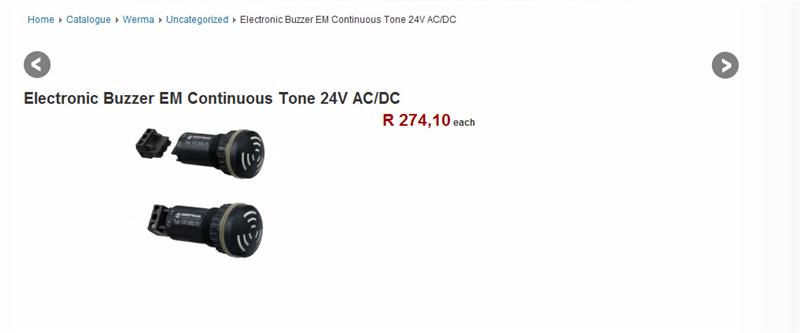
I've been searching how to do this but currently I can only find how to change the font color in the product listing.
I would like to change the font color and put a bottom border underneath,. Also i would like to increase the padding after the title
to look something like this
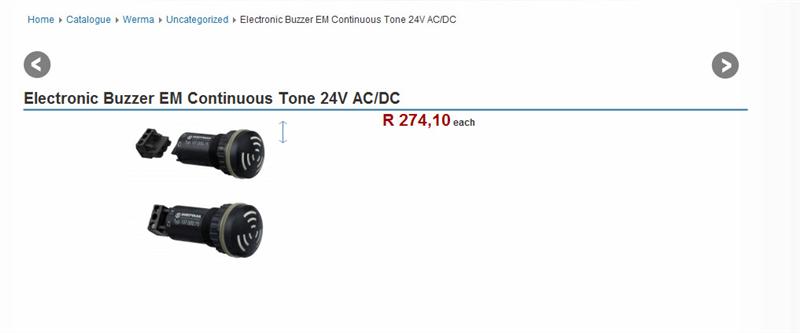
Any Ideas?
I've been searching how to do this but currently I can only find how to change the font color in the product listing.
I would like to change the font color and put a bottom border underneath,. Also i would like to increase the padding after the title
to look something like this
Any Ideas?
Please Log in or Create an account to join the conversation.
14 years 4 months ago #53936
by ryand500
Replied by ryand500 on topic Re: Change the product display font color
I figured it out 
all the parts that need to be edited are here
/* different parts of the show of a product */
all the parts that need to be edited are here
/* different parts of the show of a product */
Please Log in or Create an account to join the conversation.

14 years 4 months ago #54003
by nicolas
Replied by nicolas on topic Re: Change the product display font color
Yes, it's in the front end CSS file of HikaShop that you can edit via the tab 'display' of the configuration.
Please Log in or Create an account to join the conversation.
Time to create page: 0.102 seconds