

- Posts: 19
- Thank you received: 0
Moving product parts around
14 years 4 months ago #54039
by ryand500
Moving product parts around was created by ryand500
In the CSS, would anyone know how to swop these two around?
.hikashop_product_right_part{
.hikashop_product_bottom_part{
.hikashop_product_right_part{
.hikashop_product_bottom_part{
Please Log in or Create an account to join the conversation.

Less
More
- Posts: 12953
- Thank you received: 1778
14 years 4 months ago #54054
by Mohamed Thelji
Replied by Mohamed Thelji on topic Re: Moving product parts around
Hello,
I think that you'll just have to :
- Go to "Hikashop->Display->Views"
- Edit the "Schow_default" file of the product view of the template that you are using in the front-end
- Switch the code of the "<div id="hikashop_product_right_part" class="hikashop_product_right_part">" div whith the code of the "<div id="hikashop_product_bottom_part" class="hikashop_product_bottom_part">" div
Hope this will help you a little.
I think that you'll just have to :
- Go to "Hikashop->Display->Views"
- Edit the "Schow_default" file of the product view of the template that you are using in the front-end
- Switch the code of the "<div id="hikashop_product_right_part" class="hikashop_product_right_part">" div whith the code of the "<div id="hikashop_product_bottom_part" class="hikashop_product_bottom_part">" div
Hope this will help you a little.
The following user(s) said Thank You: ryand500
Please Log in or Create an account to join the conversation.
14 years 4 months ago #54482
by ryand500
Replied by ryand500 on topic Re: Moving product parts around
Thanks that helped a lot but now i wish to move my add to cart button and price below the product image
This is what it looks like now
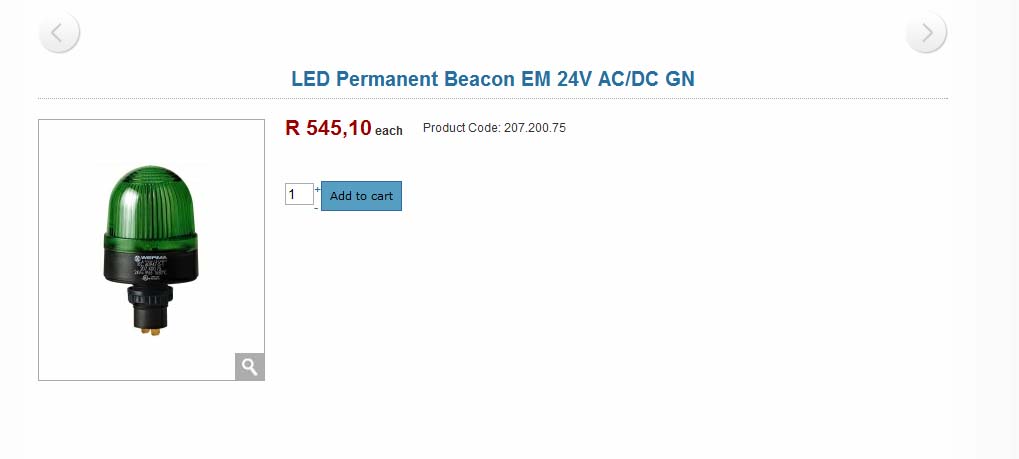
and this is what I would like it to look like
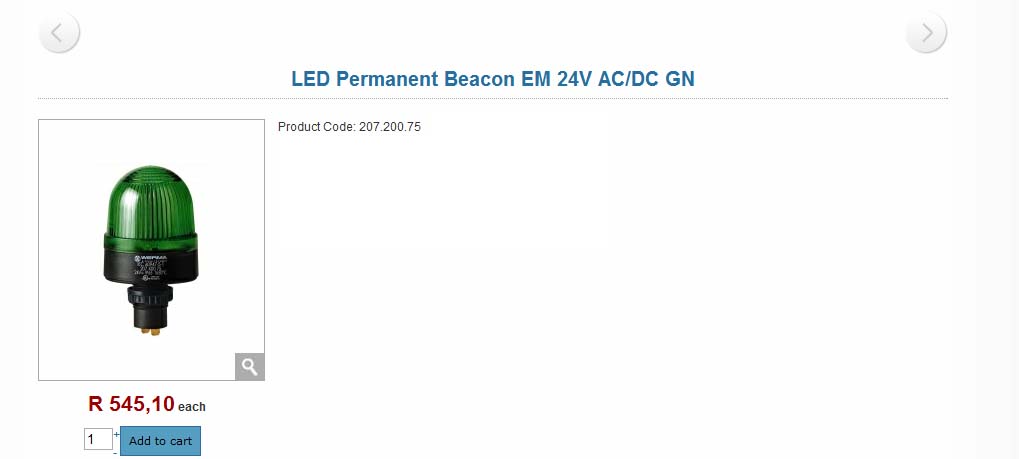
Got any ideas
This is what it looks like now
and this is what I would like it to look like
Got any ideas
Please Log in or Create an account to join the conversation.
Less
More
- Posts: 12953
- Thank you received: 1778
14 years 4 months ago #54483
by Mohamed Thelji
Replied by Mohamed Thelji on topic Re: Moving product parts around
Yes,
I think that you'll just have to :
- Edit the "Schow_default" file of the product view of the template that you are using in the front-end
- delete the code :
- add the code :
under the code
And it should works.
I think that you'll just have to :
- Edit the "Schow_default" file of the product view of the template that you are using in the front-end
- delete the code :
Code:
<div id="hikashop_product_quantity_main" class="hikashop_product_quantity_main">
<?php
$this->row = & $this->element;
$this->ajax = 'if(hikashopCheckChangeForm(\'item\',\'hikashop_product_form\')){ return hikashopModifyQuantity(\'' . $this->row->product_id . '\',field,1' . $form . '); } else { return false; }';
$this->setLayout('quantity');
echo $this->loadTemplate();
?>
</div>
Code:
<div id="hikashop_product_quantity_main" class="hikashop_product_quantity_main">
<?php
$this->row = & $this->element;
$form = ',\'hikashop_product_form\'';
$this->ajax = 'if(hikashopCheckChangeForm(\'item\',\'hikashop_product_form\')){ return hikashopModifyQuantity(\'' . $this->row->product_id . '\',field,1' . $form . '); } else { return false; }';
$this->setLayout('quantity');
echo $this->loadTemplate();
?>
</div>
Code:
<?php
$this->row = & $this->element;
$this->setLayout('show_block_img');
echo $this->loadTemplate();
?>
And it should works.
The following user(s) said Thank You: ryand500
Please Log in or Create an account to join the conversation.
Time to create page: 0.098 seconds