

- Posts: 120
- Thank you received: 1
How to correctly link to products?
14 years 1 month ago #61813
by watashi
How to correctly link to products? was created by watashi
On my web site, I need to link to products from other Joomla articles and also from other products.
If I simply insert a hyperlink with the address of my products in the shop, it will be something like below:
www.mywebsite.com/shop/product/755-mnogo...benassi-ms-4300ld-ae
However, if a shop manager will change the name of the product, the link will change automatically and therefore all other articles will keep incorrect link to the product.
I was surprised that it will be still accessible, whatever I put after "/755", even www.mywebsite.com/shop/product/755-blah-blah-blah is still Ok.
But is there a smarter way of referring to products from within other articles on my site?
If I simply insert a hyperlink with the address of my products in the shop, it will be something like below:
www.mywebsite.com/shop/product/755-mnogo...benassi-ms-4300ld-ae
However, if a shop manager will change the name of the product, the link will change automatically and therefore all other articles will keep incorrect link to the product.
I was surprised that it will be still accessible, whatever I put after "/755", even www.mywebsite.com/shop/product/755-blah-blah-blah is still Ok.
But is there a smarter way of referring to products from within other articles on my site?
Please Log in or Create an account to join the conversation.

Less
More
- Posts: 12953
- Thank you received: 1778
14 years 1 month ago #61828
by Mohamed Thelji
Replied by Mohamed Thelji on topic Re: How to correctly link to products?
Hello,
We are currently developping a solution to insert products in joomla articles so in few days you'll be able to use the Hikashop product insert solution.
Hope this will help you.
We are currently developping a solution to insert products in joomla articles so in few days you'll be able to use the Hikashop product insert solution.
Hope this will help you.
The following user(s) said Thank You: woonydanny, watashi
Please Log in or Create an account to join the conversation.
14 years 1 month ago #63114
by watashi
Replied by watashi on topic Re: How to correctly link to products?
Hello,
I have upgarded to the new version with minor bugs (add to cart button option suddently went OFF).
Howeever, I can not find the Product Insert solution insede the new package. Is it a separate / standalone solution that must come separately from main HikaShop package?
I have upgarded to the new version with minor bugs (add to cart button option suddently went OFF).
Howeever, I can not find the Product Insert solution insede the new package. Is it a separate / standalone solution that must come separately from main HikaShop package?
Please Log in or Create an account to join the conversation.

14 years 1 month ago #63347
by nicolas
Replied by nicolas on topic Re: How to correctly link to products?
There are two plugins called "HikaShop Product TAG insertion" and "HikaShop Product TAG translation" which have to be published for that.
Please Log in or Create an account to join the conversation.
14 years 1 month ago #63354
by watashi
Replied by watashi on topic Re: How to correctly link to products?
Hello Nicolas,
I can see the plugins and they are published, but how can I use them? Sorry, but Google search for "Product TAG insertion" results in two pages only. An the two pages have absolutely nothing to do with Hikashop.
The search across this forum also does not result in anything useful.
I have checked documentation and could not find any description for that plugin as well.
Is there any special syntax I can use in my articles?
Thanx
I can see the plugins and they are published, but how can I use them? Sorry, but Google search for "Product TAG insertion" results in two pages only. An the two pages have absolutely nothing to do with Hikashop.
The search across this forum also does not result in anything useful.
I have checked documentation and could not find any description for that plugin as well.
Is there any special syntax I can use in my articles?
Thanx
Please Log in or Create an account to join the conversation.
14 years 1 month ago #63498
by nicolas
Replied by nicolas on topic Re: How to correctly link to products?
Hi,
The documentation has not yet been written for that feature.
When you edit a joomla article, you will have a "product" button at the bottom of the editor where you can click to generate the special syntax for product tag.
The documentation has not yet been written for that feature.
When you edit a joomla article, you will have a "product" button at the bottom of the editor where you can click to generate the special syntax for product tag.
Please Log in or Create an account to join the conversation.
14 years 1 month ago #63579
by watashi
Replied by watashi on topic Re: How to correctly link to products?
Nicolas, thanks for pointing out that button, I dod not notice it. 
However, the feature still has two significant issues for me:
1) When I try to display both price and image of the product, instead it shows "no image" picture. When I show image only (without price), image shows Ok.
2) It links to product, but the links are totally not SEO-friendly, such as:
/component/hikashop/product/674-Бензопила%20HITACHI%20%20CS33EB
and the correct link would be:
/shop/product/674-benzopila-hitachi-cs33eb
(that's how it is generated by the Hikashop's frontend)
Ok, it still brings me to the proper product page. But who wants to keep many different links pointing to the same product from various pages of a site.
Also, Cyrillic characters are not transliterated, thus even folder will be corrected, still the full link is not the same.
In my opinion, the above issue will sigbnificantly decrease the SEO power of internal links.
Thanks for reading my comment. :whistle:
However, the feature still has two significant issues for me:
1) When I try to display both price and image of the product, instead it shows "no image" picture. When I show image only (without price), image shows Ok.
2) It links to product, but the links are totally not SEO-friendly, such as:
/component/hikashop/product/674-Бензопила%20HITACHI%20%20CS33EB
and the correct link would be:
/shop/product/674-benzopila-hitachi-cs33eb
(that's how it is generated by the Hikashop's frontend)
Ok, it still brings me to the proper product page. But who wants to keep many different links pointing to the same product from various pages of a site.
Also, Cyrillic characters are not transliterated, thus even folder will be corrected, still the full link is not the same.
In my opinion, the above issue will sigbnificantly decrease the SEO power of internal links.
Thanks for reading my comment. :whistle:
Please Log in or Create an account to join the conversation.
14 years 1 month ago #63843
by nicolas
Replied by nicolas on topic Re: How to correctly link to products?
Thank you for your feedback on that.
Regarding your second point, we fixed that on our end.
For the first point, Mohamed will look at it tomorrow.
Regarding your second point, we fixed that on our end.
For the first point, Mohamed will look at it tomorrow.
Please Log in or Create an account to join the conversation.
Less
More
- Posts: 12953
- Thank you received: 1778
14 years 1 month ago - 14 years 1 month ago #63931
by Mohamed Thelji
Replied by Mohamed Thelji on topic Re: How to correctly link to products?
Hi watashi,
Can you send me your TAG that you can find into your joomla article ?
Here is an example of TAG :
 € 60,00


 Add to cart
Can you send me your TAG that you can find into your joomla article ?
Here is an example of TAG :
Code:
HikaShop Essential includes all the features from HikaShop Starter.
* You can compare all our versions here.
* You can upgrade your version here.
Features
-
 PRODUCTS AND SALES
- Custom fields for products and user information
- Customer invoice display
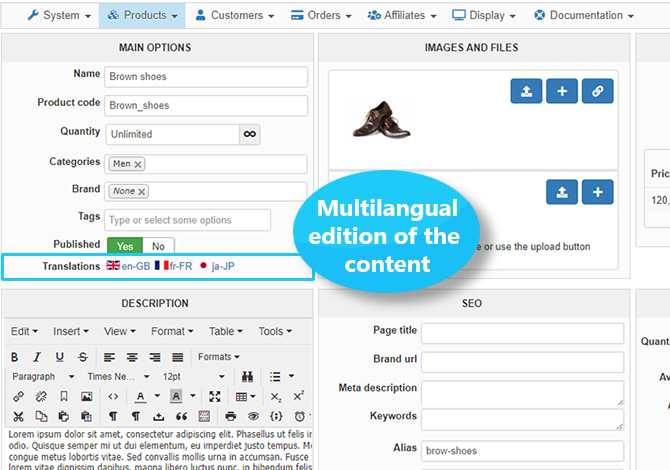
- Multilingual edition of the content
- Possibility of payment of an order later on
- Checkout without registration
- Contact us form on product pages
- Options for products
- Waiting list for products out of stock
-
 LAYOUT
- Powerful dashboard customization
- More widgets on the dashboard
- Configurable products purchasing restrictions
(per period, per weight, per product categories, etc) - Additional product listings item layouts
- Customization of order number format
-
 MARKETING TOOLS
- Google Products integration
- Restrictions on coupons and discounts
Usage
- HikaShop is compatible with every recent versions of Joomla and WordPress.
Joomla 3.x Joomla 4.x Joomla 5.x Joomla 6.x WordPress
- GPL v3
- No limit of time
- 1 year free updates
- 1 year free HikaShop support for one website
- 1 year web cron service for one website
- HikaShop only supports MySQL (no postGreSQL or Oracle or MSSQL support)
- Installation guaranteed! If you have any problems installing HikaShop, we'll do it for you.
- 30-day money-back guarantee
- Support and access to updates can be extended for 40€/year
Last edit: 14 years 1 month ago by Mohamed Thelji.
Please Log in or Create an account to join the conversation.
14 years 1 month ago #63950
by watashi
Replied by watashi on topic Re: How to correctly link to products?
Hello Mohamed,
It is confusing.
The link seems to be ok:
However, when I set product ID 1 instead of ID 734, it works!
So, it seems something is wrong with product 734..
I will take a closer look and revert to you in this thread.
It is confusing.
The link seems to be ok:
However, when I set product ID 1 instead of ID 734, it works!
So, it seems something is wrong with product 734..
I will take a closer look and revert to you in this thread.
Please Log in or Create an account to join the conversation.
Less
More
- Posts: 12953
- Thank you received: 1778
14 years 1 month ago #63963
by Mohamed Thelji
Replied by Mohamed Thelji on topic Re: How to correctly link to products?
Does your product with the 734 ID have the good image ?
Please Log in or Create an account to join the conversation.
14 years 1 month ago #63965
by watashi
Replied by watashi on topic Re: How to correctly link to products?
Yes, I have just checked again.
Also, when I press the link to product, image on product page is shown without any problems.
Also, when I press the link to product, image on product page is shown without any problems.
Please Log in or Create an account to join the conversation.
Less
More
- Posts: 12953
- Thank you received: 1778
14 years 1 month ago #63972
by Mohamed Thelji
Replied by Mohamed Thelji on topic Re: How to correctly link to products?
Ok, can you give me a temporary back-end access by PM ?
Please Log in or Create an account to join the conversation.
14 years 1 month ago #63978
by watashi
Replied by watashi on topic Re: How to correctly link to products?
Have sent by PM.
Please Log in or Create an account to join the conversation.
Less
More
- Posts: 12953
- Thank you received: 1778
14 years 1 month ago #64004
by Mohamed Thelji
Replied by Mohamed Thelji on topic Re: How to correctly link to products?
I figured out where the problem was coming from so it should work for now.
The following user(s) said Thank You: watashi
Please Log in or Create an account to join the conversation.
14 years 1 month ago - 14 years 1 month ago #64268
by watashi
Replied by watashi on topic Re: How to correctly link to products?
Mohamed, that works perfectly!
Can you also advice which view is responsible for its output?
I want to correct alignment of price from left to center.
I have found this line in CSS:
If I center it, it works, but it will also center price on full product page.
Therefore, as far as I understand, I will need to override the view to correct styling in product TAG insertion plugin only.
But I can't find the responsible view...
Can you also advice which view is responsible for its output?
I want to correct alignment of price from left to center.
I have found this line in CSS:
Code:
span.hikashop_product_price_full{
text-align: left;
Therefore, as far as I understand, I will need to override the view to correct styling in product TAG insertion plugin only.
But I can't find the responsible view...
Last edit: 14 years 1 month ago by watashi.
Please Log in or Create an account to join the conversation.
Less
More
- Posts: 12953
- Thank you received: 1778
14 years 1 month ago - 14 years 1 month ago #64277
by Mohamed Thelji
Replied by Mohamed Thelji on topic Re: How to correctly link to products?
Hi Watashi,
It's works fine for me when I set the css like this :
But If you want to edit the view of the product insert plugin, you'll have to edit the file :
"./Hikashop/plugins/system/hikashopproductinsert/hikashopproductinsert_view.php"
It's works fine for me when I set the css like this :
Code:
span.hikashop_product_price_full{
text-align: center;
"./Hikashop/plugins/system/hikashopproductinsert/hikashopproductinsert_view.php"
Last edit: 14 years 1 month ago by Mohamed Thelji.
Please Log in or Create an account to join the conversation.
14 years 1 month ago #64279
by watashi
Replied by watashi on topic Re: How to correctly link to products?
Hi Mohamed,
Yes it works for me as well, but it will also center price on all other product pages. I do not want to affect product pages. I need to change price alignment on "product insert" block only.
Also, I do not want to hack it and edit php files directly as it will cause issues at the next Hikashop update. (the file will be overwritten, right?)
Is there any better idea?
Yes it works for me as well, but it will also center price on all other product pages. I do not want to affect product pages. I need to change price alignment on "product insert" block only.
Also, I do not want to hack it and edit php files directly as it will cause issues at the next Hikashop update. (the file will be overwritten, right?)
Is there any better idea?
Please Log in or Create an account to join the conversation.
Less
More
- Posts: 12953
- Thank you received: 1778
14 years 1 month ago #64293
by Mohamed Thelji
Replied by Mohamed Thelji on topic Re: How to correctly link to products?
Yes, you can add this css then your product page won't be changed :
ps : I already added this code to your CSS.
Code:
.hikashop_inserted_product .hikashop_product_price_full{
text-align: center;
font-weight:bold;
display:block;
margin-bottom:5px;
}
ps : I already added this code to your CSS
.
The following user(s) said Thank You: watashi
Please Log in or Create an account to join the conversation.
14 years 1 month ago #64294
by watashi
Replied by watashi on topic Re: How to correctly link to products?
I could not understand why, but it really works!
Thanks again!
Thanks again!
Please Log in or Create an account to join the conversation.
Time to create page: 0.343 seconds