

- Posts: 16
- Thank you received: 1
Custom fields not showing on email confirmation
14 years 1 month ago #66838
by dankron
Custom fields not showing on email confirmation was created by dankron
hey nicolas,
i have some custom fileds added to my items on hikashop, however for some reason they don't show up on the email, but funny enough other fields that are attached to a different category do.
have a look at the screenshots...
the top 2 items work the way they should the rest of them don't, you will see the items have exact the same settings.
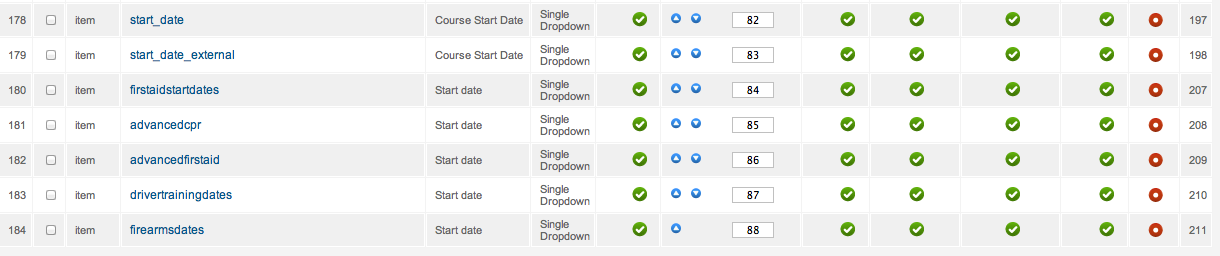
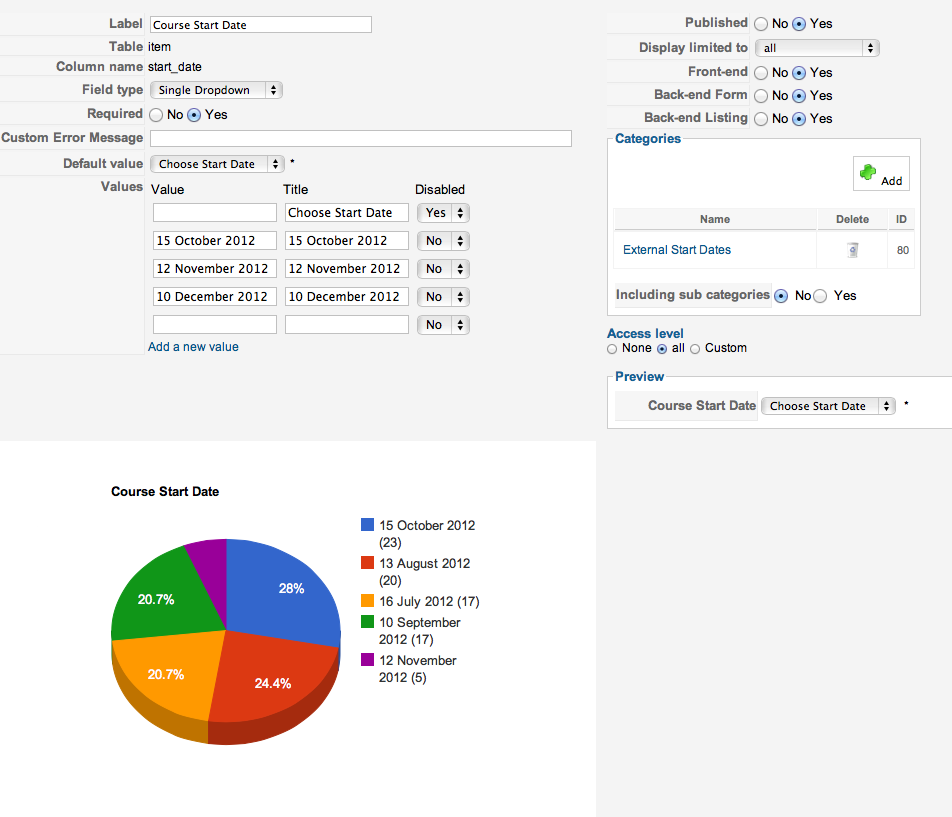
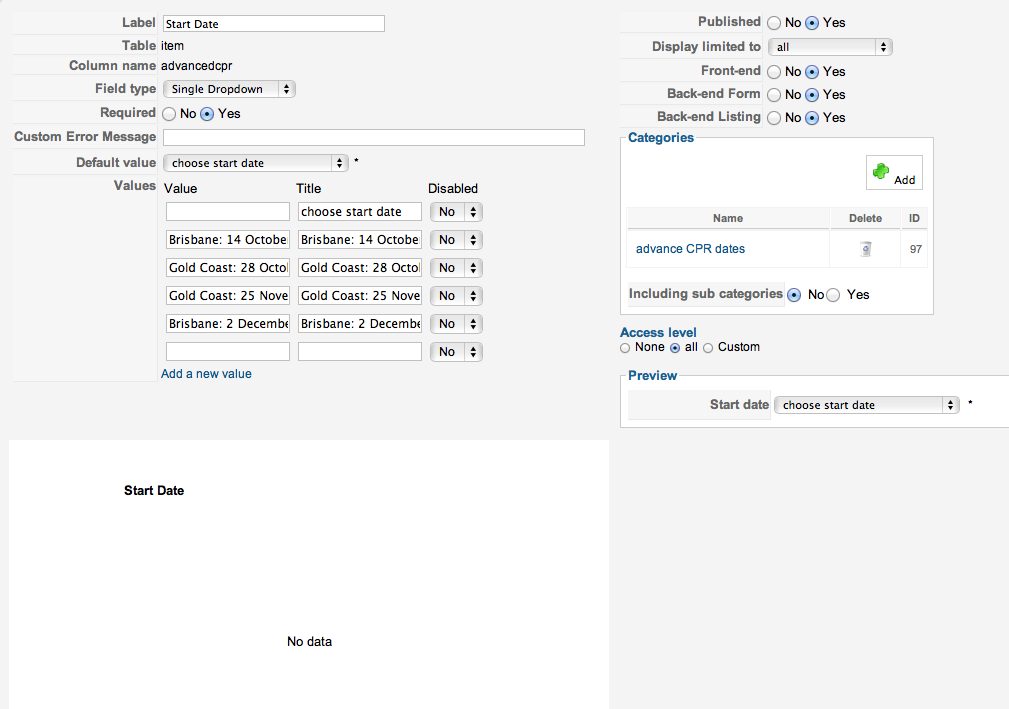
they also show up on the mini cart when you select a product, and all the way to payment page they all show up...
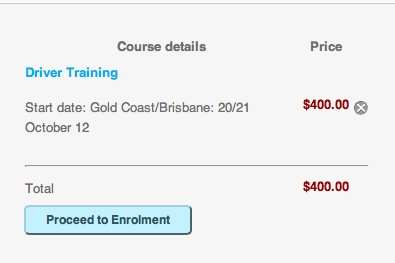
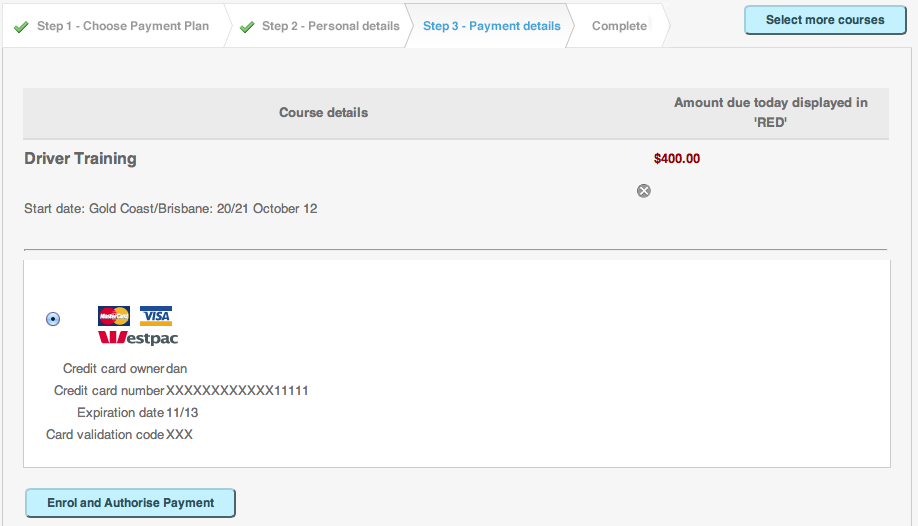
but on the confirmation email that is sent to the customer only the products that are using the top 2 custom fields on the list that are correct all other products show the confirmation email like the last screnshot... without the custom fields.
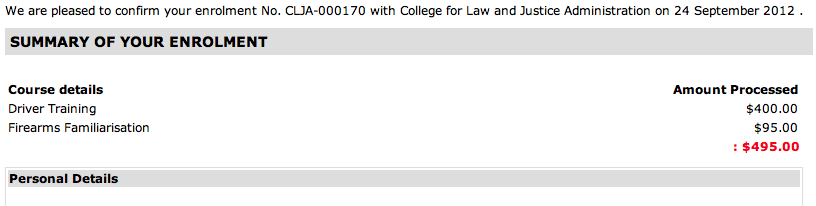
any ideas?
i have some custom fileds added to my items on hikashop, however for some reason they don't show up on the email, but funny enough other fields that are attached to a different category do.
have a look at the screenshots...
the top 2 items work the way they should the rest of them don't, you will see the items have exact the same settings.
they also show up on the mini cart when you select a product, and all the way to payment page they all show up...
but on the confirmation email that is sent to the customer only the products that are using the top 2 custom fields on the list that are correct all other products show the confirmation email like the last screnshot... without the custom fields.
any ideas?
Please Log in or Create an account to join the conversation.
14 years 1 month ago #67014
by dankron
Replied by dankron on topic Re: Custom fields not showing on email confirmation
i just noticed that non of the custom fields are showing on the email now... including the ones i believed it was working... any ideas?
Please Log in or Create an account to join the conversation.

14 years 1 month ago #67092
by nicolas
Replied by nicolas on topic Re: Custom fields not showing on email confirmation
I see three possibilities:
-One is that you use an old version of HikaShop. In that case, you should update.
-Another is that you have edited the confirmation email and either you removed the code handling that, or you had edited the email before an update and thus didn't get the code handling the display of custom fields values. In that case, I would recommend to try to use temporarily the default confirmation email code by deleting the customization of the email via the menu System->Emails.
-The third possibility could be that the values are not saved in the database because of a query error. If you turn on the debug mode of the joomla configuration and do an order, you would get a big 500 error in that case telling you what's wrong in the database.
-One is that you use an old version of HikaShop. In that case, you should update.
-Another is that you have edited the confirmation email and either you removed the code handling that, or you had edited the email before an update and thus didn't get the code handling the display of custom fields values. In that case, I would recommend to try to use temporarily the default confirmation email code by deleting the customization of the email via the menu System->Emails.
-The third possibility could be that the values are not saved in the database because of a query error. If you turn on the debug mode of the joomla configuration and do an order, you would get a big 500 error in that case telling you what's wrong in the database.
Please Log in or Create an account to join the conversation.
14 years 1 month ago #67093
by dankron
Replied by dankron on topic Re: Custom fields not showing on email confirmation
unfortunately i can't update hikashop since i've customised a lot of code inside to be able to accommodate recurring payments on eway so i'm going to be stuck to the current version for a while, unless i want to change all the code again...
on the other hand i've managed to find the problem it was something to do with my custom email, after rolling back to original version i managed to find out the difference in the code.
on the other hand i've managed to find the problem it was something to do with my custom email, after rolling back to original version i managed to find out the difference in the code.
The following user(s) said Thank You: TheRealMaN_
Please Log in or Create an account to join the conversation.
Time to create page: 0.070 seconds