

- Posts: 48
- Thank you received: 0
some questions about the display of subcategory.
14 years 1 month ago - 14 years 1 month ago #67973
by guido
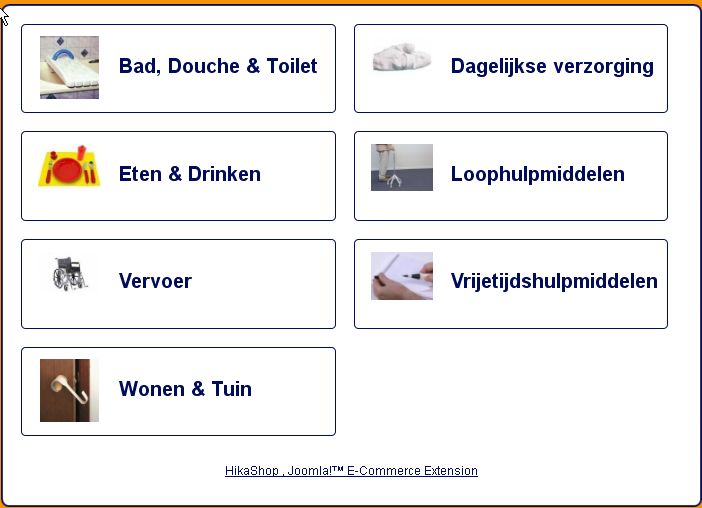
I have
1. category
1.a. subcategory.
1.b. subcategory
....
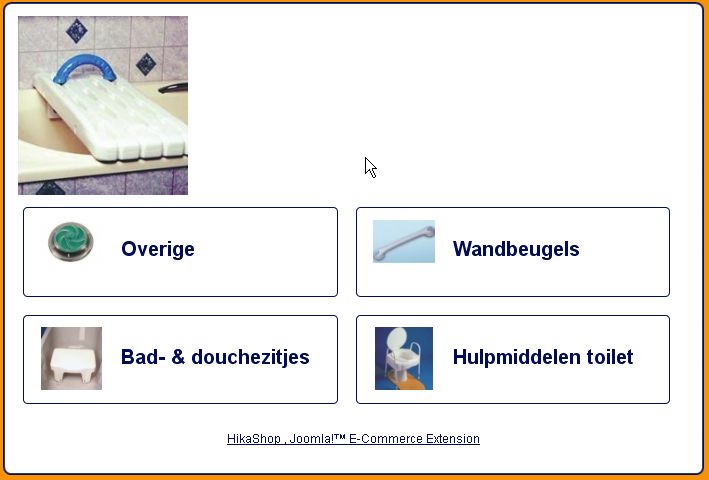
When i click on a main category is see all the subcategory, but above this i see the picture of that main category, is it possible to have also then name of the maincategory to get displayed? And where can i change the size of that picture?
Where can i change the fontsize for the category?
Where do i have to be to have the articles sorted?
Another question is when i'm on a article page how can i get navigation back to the category page?
With regards,
Guido
some questions about the display of subcategory. was created by guido
I have
1. category
1.a. subcategory.
1.b. subcategory
....
When i click on a main category is see all the subcategory, but above this i see the picture of that main category, is it possible to have also then name of the maincategory to get displayed? And where can i change the size of that picture?
Where can i change the fontsize for the category?
Where do i have to be to have the articles sorted?
Another question is when i'm on a article page how can i get navigation back to the category page?
With regards,
Guido
Last edit: 14 years 1 month ago by guido.
Please Log in or Create an account to join the conversation.

14 years 1 month ago #68136
by nicolas
Replied by nicolas on topic Re: some questions about the display of subcategory.
Hi,
You need to turn on the component heading option of the joomla options screen of your menu (so via the joomla menu manager).
That picture is the full size image of your category. There is actually no option to change its size.
However, you can change its size by adding such CSS on your website:
.hikashop_category_image{ height: 100px !important;}
You can change the size of the category names with such CSS:
.hikashop_category_name a{ font-size: 15px !important; }
You can either publish the joomla breadcrumb module, and/or you can add a back button as explained here:
www.hikashop.com/en/forum/2-general-talk...on-product-page.html
Please Log in or Create an account to join the conversation.
14 years 1 month ago - 14 years 1 month ago #68230
by guido
Replied by guido on topic Re: some questions about the display of subcategory.
Nicolas,
I found the place to show the catagory title above that picture.
Is it possible to show only that title and not that big picture of the category you are in?
Where can i change to get the euro sign before the price now its standing after the price.
and were can i sort the subcategories and articles.
Guido
Last edit: 14 years 1 month ago by guido.
Please Log in or Create an account to join the conversation.
14 years 1 month ago #68409
by nicolas
Replied by nicolas on topic Re: some questions about the display of subcategory.
In the hikashop options of your menu, there is the "show image" option that you can turn off if you don't want the image.
For the price display, you can edit the options of the euro currency via the menu System->Currencies.
In the listing of products/categories on the backend, there is an 'ordering' column where you can reorder them.
That column will only display if you have the filer on the right set to "direct sub elements" as it is by default.
Please Log in or Create an account to join the conversation.
Time to create page: 0.063 seconds