

- Posts: 2
- Thank you received: 0
dropdown with brands
14 years 2 weeks ago - 14 years 2 weeks ago #70577
by gicahagi
dropdown with brands was created by gicahagi
Hi
It's possible to create in free edition an dropdown(combobox) with brands?
And when select an brand to display all product from that brand?
also, for an certain brand, is possible to createa an custom page?For example for brand A i want page to be red and for brand B page to be blue
thanks
It's possible to create in free edition an dropdown(combobox) with brands?
And when select an brand to display all product from that brand?
also, for an certain brand, is possible to createa an custom page?For example for brand A i want page to be red and for brand B page to be blue
thanks
Last edit: 14 years 2 weeks ago by gicahagi.
Please Log in or Create an account to join the conversation.

14 years 2 weeks ago #70711
by Xavier
Replied by Xavier on topic Re: dropdown with brands
Hi,
What you need is the "Filters", you can apply filters on the brands, and onclick it show the brands products. But it's available in the Business version of HikaShop.
For the custom pages, I think that it can be done by a edition of the view "product / listing_div", add a class suffix depending on the brands name or id and change the css properties depending of this brand.
What you need is the "Filters", you can apply filters on the brands, and onclick it show the brands products. But it's available in the Business version of HikaShop.
For the custom pages, I think that it can be done by a edition of the view "product / listing_div", add a class suffix depending on the brands name or id and change the css properties depending of this brand.
Please Log in or Create an account to join the conversation.
14 years 2 weeks ago #70728
by gicahagi
Replied by gicahagi on topic Re: dropdown with brands
hi
is is possible to center the brand images ?
are too close to left part and remains an free space in the right part.
thanks
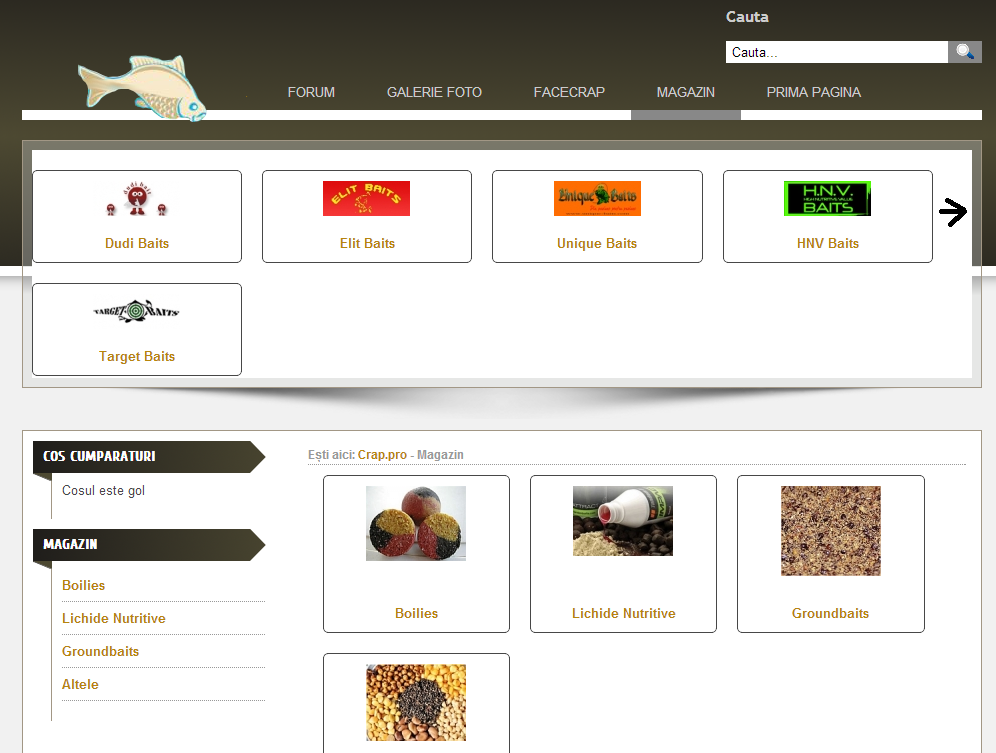
is is possible to center the brand images ?
are too close to left part and remains an free space in the right part.
thanks
Please Log in or Create an account to join the conversation.
14 years 2 weeks ago #70753
by Xavier
Replied by Xavier on topic Re: dropdown with brands
You can adjust it in css, check which class is to edit (using FireBug for example) and then in HikaShop > Configuration > Display edit the frontend css file.
And apply a "margin-left" on this class.
And apply a "margin-left" on this class.
Please Log in or Create an account to join the conversation.
Time to create page: 0.052 seconds