

- Posts: 14
- Thank you received: 0
Change layout of the contents in exported CSV file
13 years 10 months ago #75820
by simon2012
Change layout of the contents in exported CSV file was created by simon2012
Hi
Can someone please tell me how to change the contents in the exported CSV file to a table layout? I want to create all my products in the excel file and import to Hikashop afterwards but the right now the contents are all in the same cell separated by commas.
Thanks
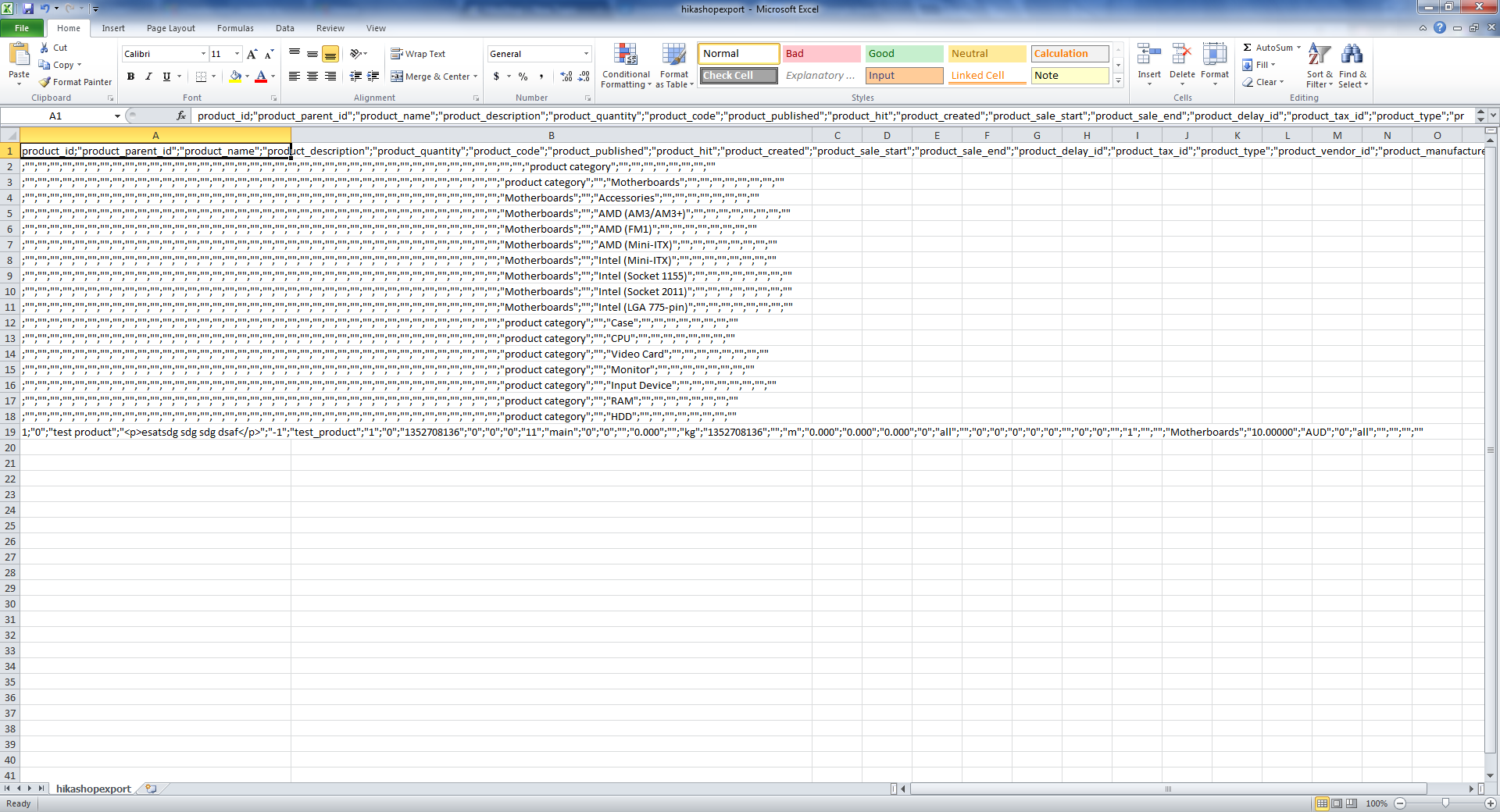
Can someone please tell me how to change the contents in the exported CSV file to a table layout? I want to create all my products in the excel file and import to Hikashop afterwards but the right now the contents are all in the same cell separated by commas.
Thanks
This attachment is hidden for guests.
Please log in or register to see it.
Please log in or register to see it.
Please Log in or Create an account to join the conversation.

13 years 10 months ago #75984
by nicolas
Replied by nicolas on topic Change layout of the contents in exported CSV file
Hi,
When you import your CSV in excel, you need to change the separator from , to ; so that it can display them nicely.
Otherwise, you can change the separator used by HikaShop in the Files tab of the configuration.
When you import your CSV in excel, you need to change the separator from , to ; so that it can display them nicely.
Otherwise, you can change the separator used by HikaShop in the Files tab of the configuration.
Please Log in or Create an account to join the conversation.
Less
More
- Posts: 78
- Thank you received: 5
13 years 7 months ago #88268
by brentwilliams2
Replied by brentwilliams2 on topic Change layout of the contents in exported CSV file
Just as a little tip, if you still have this problem, before you open up the CSV file in excel, open it up in Notepad.
Add a line at the top that says:
sep=;
Save that file and then open in Excel. That will then work, depending on your setup.
Add a line at the top that says:
sep=;
Save that file and then open in Excel. That will then work, depending on your setup.
Please Log in or Create an account to join the conversation.
Time to create page: 0.193 seconds