
Import error

14 years 5 days ago #77466
by mair
Import error was created by mair
Hi if some could please help.
I am running the latest version of Hikashop.
I noticed that some of my products were not showing the correct product codes for the variants.
So I deleted the variants from the manage variants screen.
deleted the characteristics, saved and then remimported.
This cause the same error to be shown.
I then deleted all again and even the main product.
I also created new characteristics for the product which was product and size,
I re imported the main product..as a fresh product.
Added the characteristics
re imported the product and I got the following error:
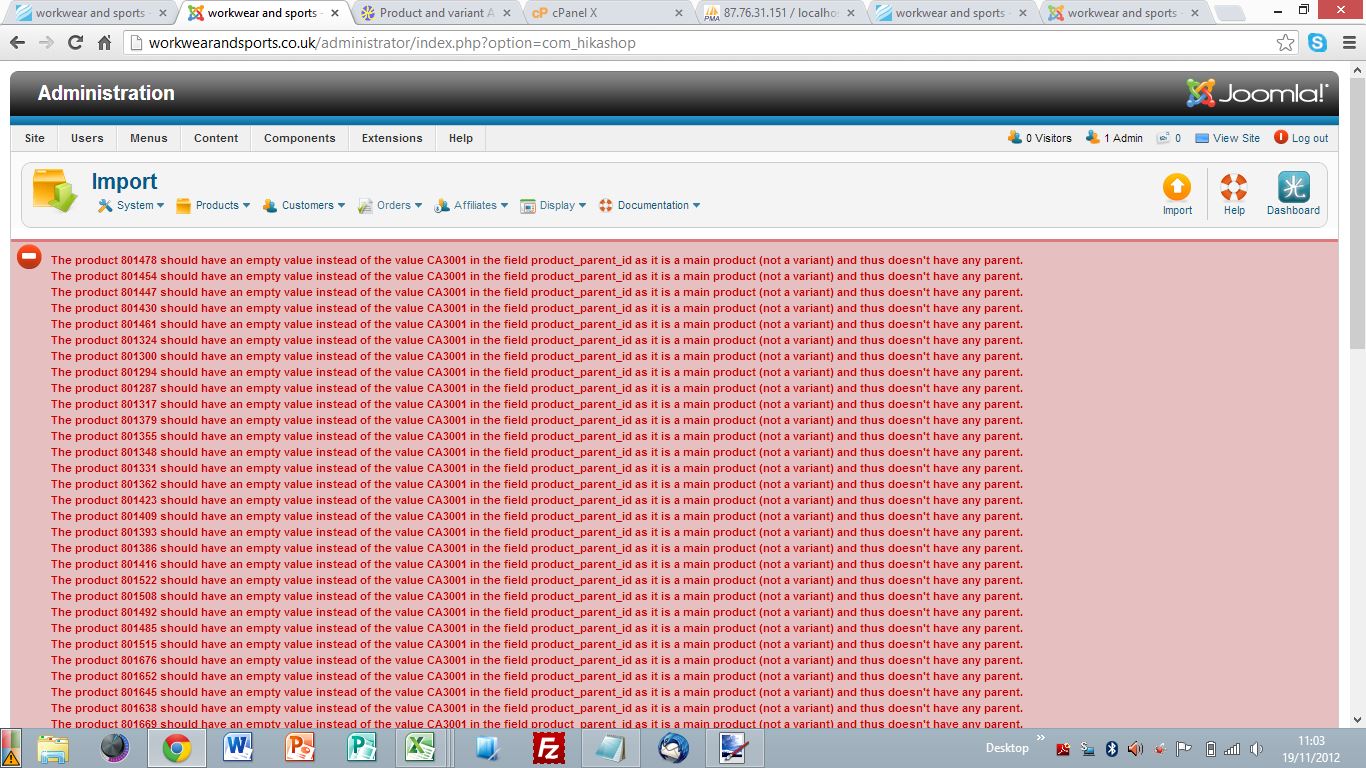
I tried the same thing with version 1.6 of hikashop and I never had the error, but rest was still the same:
I then went to product and searched via the SKU: CA3001
I was presented with the following screen:
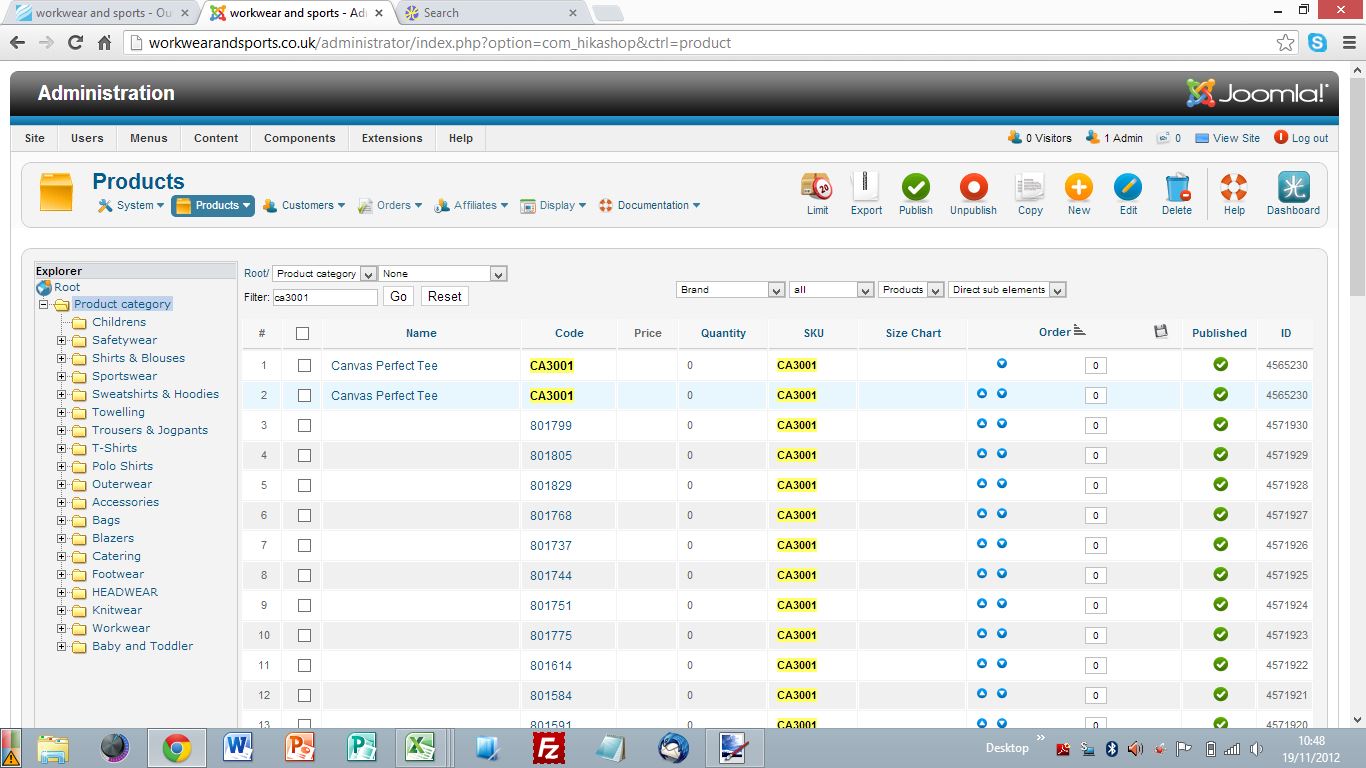
And then clicking on the manage variants I am back to square one.
with the incorrect products codes
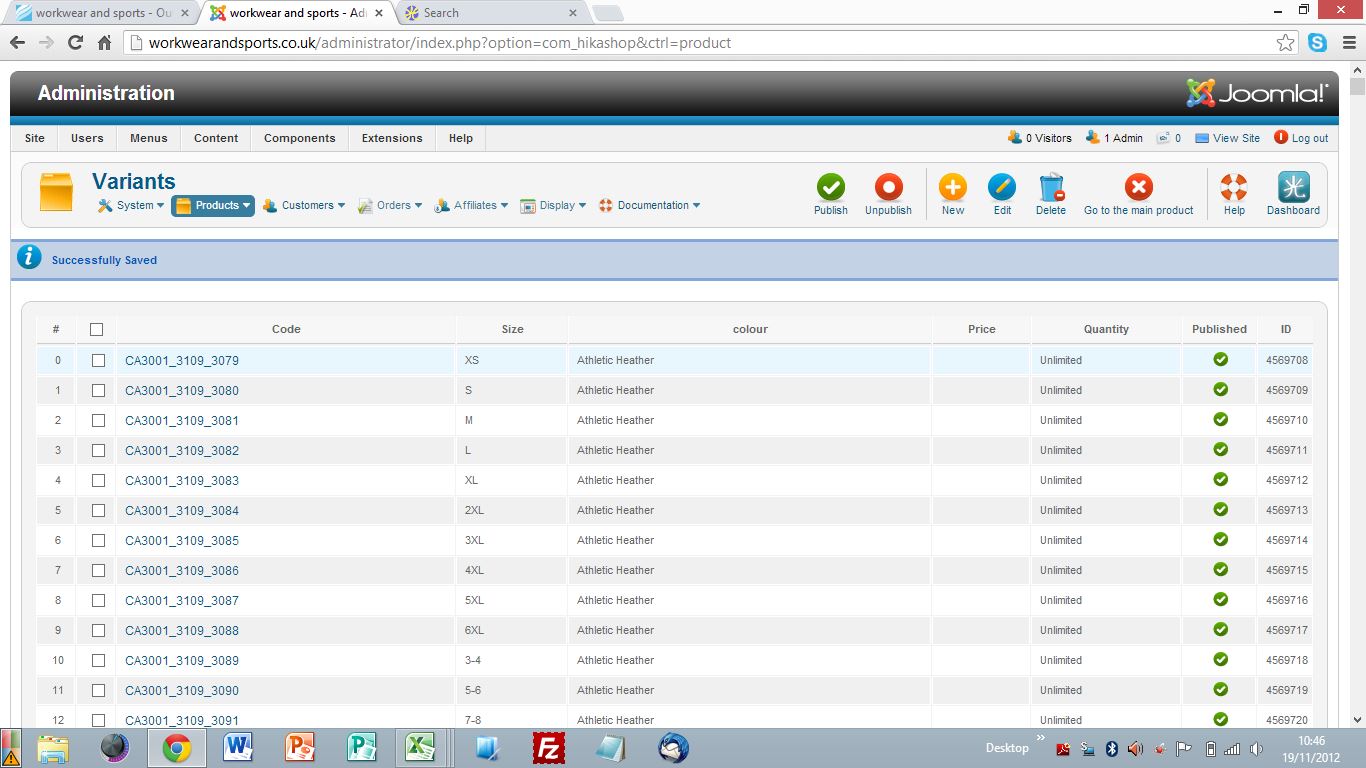
If there were errors before it seemed to work fine.
I would simply delete the variants, delete the characterics save and then re add the charactherics and reimport and it would all work fine.
I have also enclosed both CSV, like I said they both throw no errors in version 1.6, but the final outcome is the same in that the codes do not match and in version 2 I get the errors on the the import stage too.
Please if someone could help. As I am really struggling as otherwise this is a great product.
Kind regards,
Nav
I am running the latest version of Hikashop.
I noticed that some of my products were not showing the correct product codes for the variants.
So I deleted the variants from the manage variants screen.
deleted the characteristics, saved and then remimported.
This cause the same error to be shown.
I then deleted all again and even the main product.
I also created new characteristics for the product which was product and size,
I re imported the main product..as a fresh product.
Added the characteristics
re imported the product and I got the following error:
I tried the same thing with version 1.6 of hikashop and I never had the error, but rest was still the same:
I then went to product and searched via the SKU: CA3001
I was presented with the following screen:
And then clicking on the manage variants I am back to square one.
with the incorrect products codes
If there were errors before it seemed to work fine.
I would simply delete the variants, delete the characterics save and then re add the charactherics and reimport and it would all work fine.
I have also enclosed both CSV, like I said they both throw no errors in version 1.6, but the final outcome is the same in that the codes do not match and in version 2 I get the errors on the the import stage too.
Please if someone could help. As I am really struggling as otherwise this is a great product.
This attachment is hidden for guests.
Please log in or register to see it.
Kind regards,
Nav
Please Log in or Create an account to join the conversation.
14 years 5 days ago #77475
by mair
Replied by mair on topic Import error
I have also added the variants additions CSV here
This attachment is hidden for guests.
Please log in or register to see it.
Please Log in or Create an account to join the conversation.

14 years 4 days ago #77753
by nicolas
Replied by nicolas on topic Import error
The problem is that in the Size and Colour columns of the main product in your second CSV, you need to enter the default value of each characteristic for that product.
So it should not be:
0,Canvas Perfect Tee,,0,CA3001,1,0,1350381403,0,0,0,0,main,0,0,,0,,kg,1350383098,,m,0,0,0,0,all,,0,0,0,0,0,,0,0,,CA3001,,,"2,234",,,,,,ca3001.jpg,,,,
but:
0,Canvas Perfect Tee,,0,CA3001,1,0,1350381403,0,0,0,0,main,0,0,,0,,kg,1350383098,,m,0,0,0,0,all,,0,0,0,0,0,,0,0,,CA3001,,,"2,234",,,,,,ca3001.jpg,,,2XL ,Athletic Heather
for example.
Please Log in or Create an account to join the conversation.
14 years 4 days ago #77765
by mair
Replied by mair on topic Import error
Thanks for the reply Nicolas,
but that does not work, in fact putting the default value in the second spreadheet causes one of characteristics to disappear.
Instead now removing the default value in the second spreadsheet works.
I have attached the second spreadsheet
but that does not work, in fact putting the default value in the second spreadheet causes one of characteristics to disappear.
Instead now removing the default value in the second spreadsheet works.
I have attached the second spreadsheet
This attachment is hidden for guests.
Please log in or register to see it.
Please Log in or Create an account to join the conversation.

14 years 3 days ago #77948
by Jerome
Jerome - Obsidev.com
HikaMarket & HikaSerial developer / HikaShop core dev team.
Replied by Jerome on topic Import error
Hi,
Your CSV does not yet contains the default value for the main product.
You should try to add a letter on your product codes. Because the import system just see numbers and it could take it as a product id and not a product code.
Regards,
Jerome - Obsidev.com
HikaMarket & HikaSerial developer / HikaShop core dev team.
Please Log in or Create an account to join the conversation.
Time to create page: 0.060 seconds