

- Posts: 131
- Thank you received: 3
Disable the Category Barcode Png Displaying
13 years 11 months ago #79486
by michael
Disable the Category Barcode Png Displaying was created by michael
Hello,
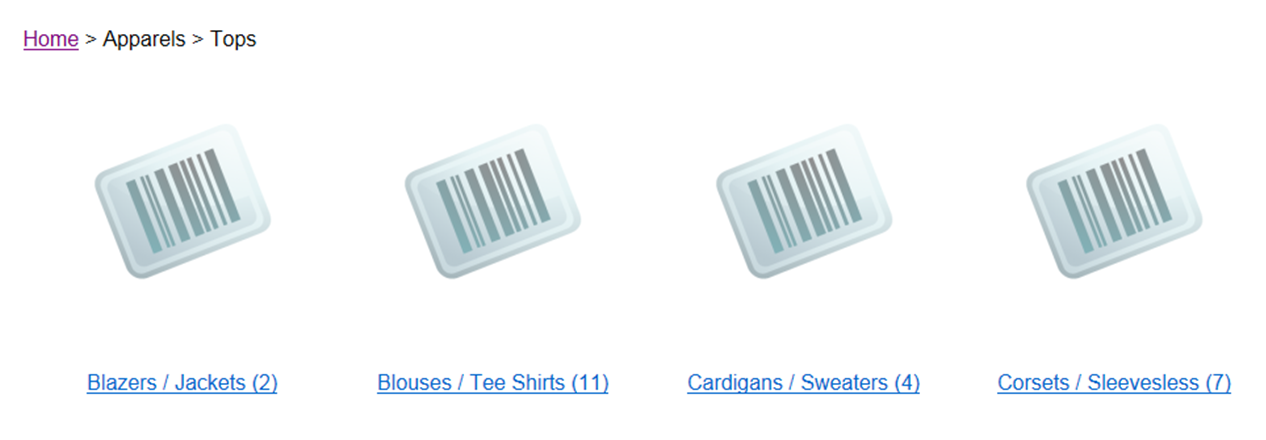
I use moduleanywhere to display sub cat under top category level, but how to disable the barcode.png?
Thank you!
I use moduleanywhere to display sub cat under top category level, but how to disable the barcode.png?
Thank you!
Please Log in or Create an account to join the conversation.

13 years 11 months ago #79499
by Jerome
Jerome - Obsidev.com
HikaMarket & HikaSerial developer / HikaShop core dev team.
Replied by Jerome on topic Disable the Category Barcode Png Displaying
Hi,
You can disable them by set images for your categories or by using another layout for your category listing.
You are using the "image title" one, which display the category image.
Regards,
You can disable them by set images for your categories or by using another layout for your category listing.
You are using the "image title" one, which display the category image.
Regards,
Jerome - Obsidev.com
HikaMarket & HikaSerial developer / HikaShop core dev team.
Please Log in or Create an account to join the conversation.
13 years 11 months ago #79577
by michael
Replied by michael on topic Disable the Category Barcode Png Displaying
Hi Jerome,
Sorry! not understand about your answer
Is it edit from Display > View > category / listing_img_title.php ?
and how to edit the code ?
or elsewhere if this location is wrong.
Thank you very much!
Sorry! not understand about your answer
Is it edit from Display > View > category / listing_img_title.php ?
and how to edit the code ?
or elsewhere if this location is wrong.
Thank you very much!
Please Log in or Create an account to join the conversation.

13 years 11 months ago #79579
by Xavier
Replied by Xavier on topic Disable the Category Barcode Png Displaying
Hi,
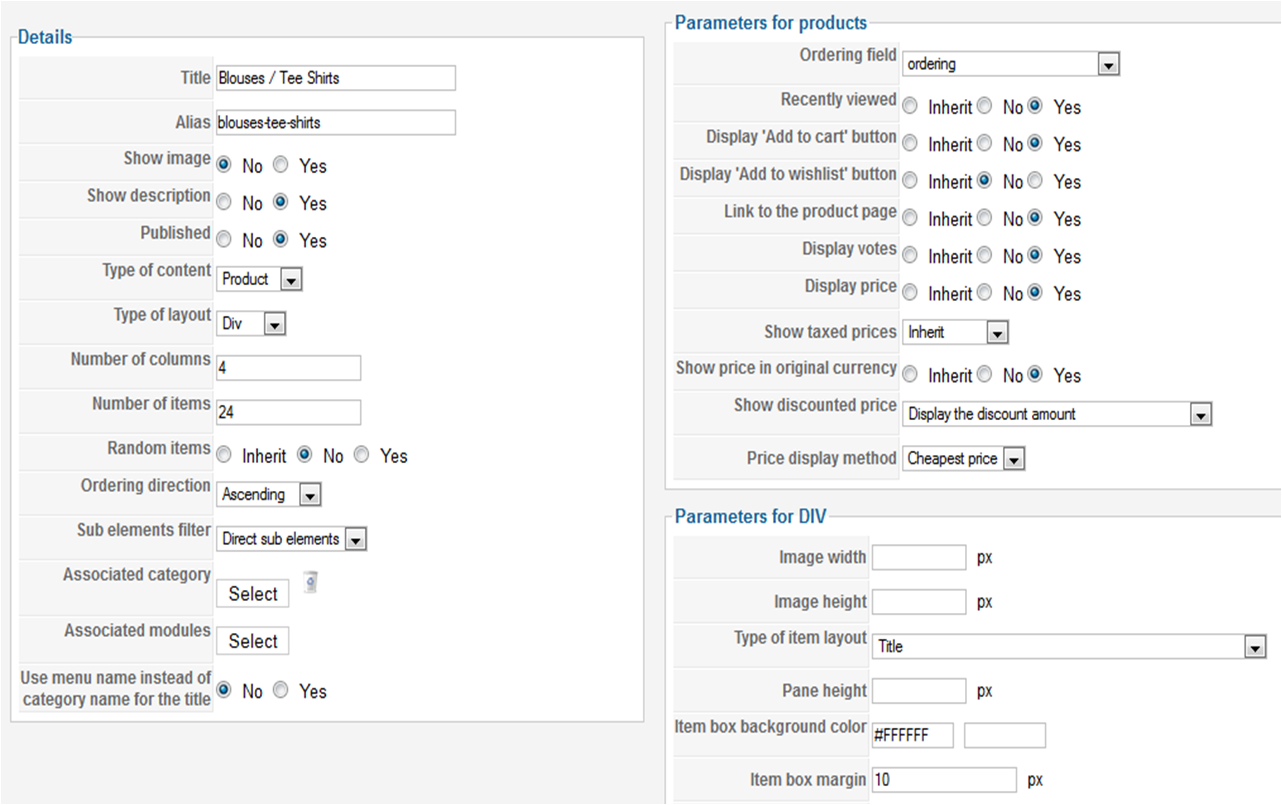
Jerome was meaning that you need to go in HikaShop > Display > Content module/menu and then in your category listing menu/module options you have to change the "Type of item layout" option to something without image.
Jerome was meaning that you need to go in HikaShop > Display > Content module/menu and then in your category listing menu/module options you have to change the "Type of item layout" option to something without image.
Please Log in or Create an account to join the conversation.
13 years 11 months ago - 13 years 11 months ago #79581
by michael
Replied by michael on topic Disable the Category Barcode Png Displaying
Hi,
Ok, I did it
Type of Content: Category
Type of layout: Div (must use "DIV")
Resolved
Thanks!
Ok, I did it
Type of Content: Category
Type of layout: Div (must use "DIV")
Resolved
Thanks!
Last edit: 13 years 11 months ago by michael.
Please Log in or Create an account to join the conversation.
11 years 8 months ago #194242
by longwest
Replied by longwest on topic Disable the Category Barcode Png Displaying
Thanks, michael
So happy to find the way of disabling the bar code displaying here.
Your post is really helpful.
So happy to find the way of disabling the bar code displaying here.
Your post is really helpful.
Please Log in or Create an account to join the conversation.
Time to create page: 0.062 seconds