

- Posts: 131
- Thank you received: 3
Sub Category Link - Linked to Blank Page ?
13 years 10 months ago #79604
by michael
Sub Category Link - Linked to Blank Page ? was created by michael
Hi,
This is wired, I created 2 sub category menus from 2 top level menus - One is "Tops" and 1 is "Bottoms".
"Tops" category working well with the sub cat link, but the "Bottoms" category cannot work with the sub cat links - it call out a blank page, no products display.
Please see below:
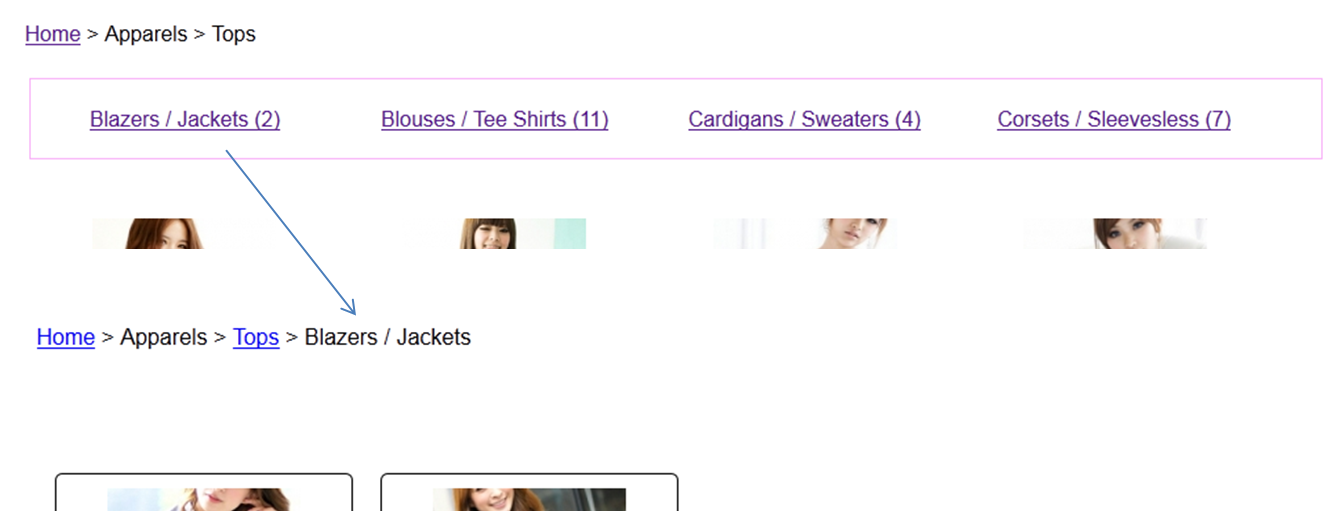
This is "Tops" category with sub cat, it can call out products in "Blazer / Jacket"
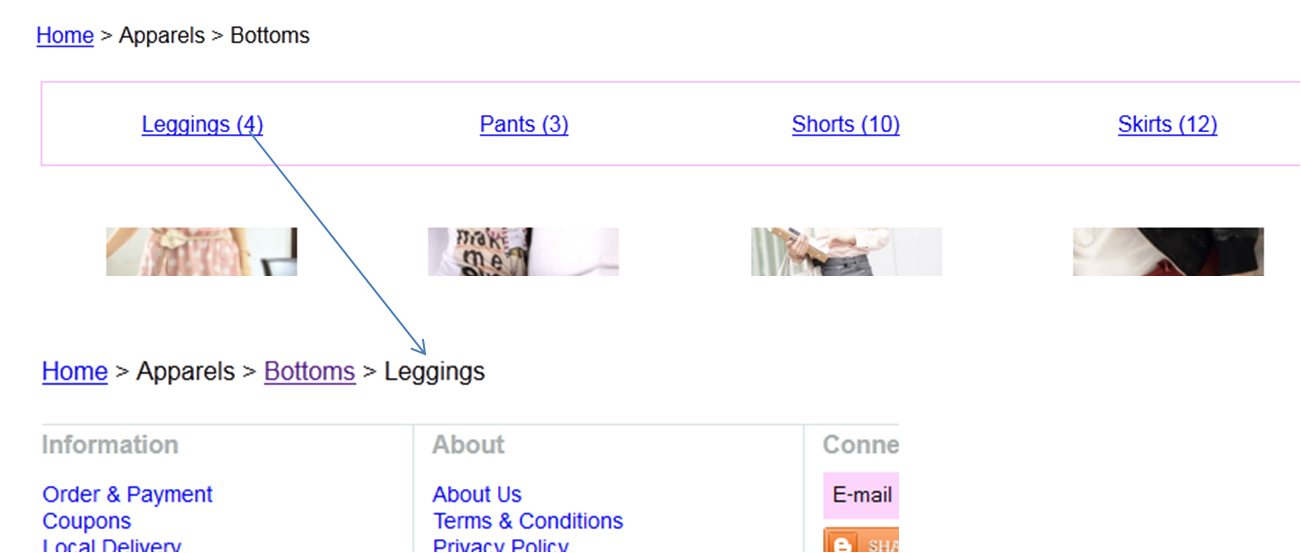
This is "Bottoms" category, it can't call out products in "Leggings"
I checked many times, both modules I used has the same setting. But just can't figure out where has goes wrong?
The 2nd problem is the sub cat called out from "Tops", the products display with border, but my default setting for all has disabled border. Not sure where to disable it?
Appreciate your help!
Thanks!
This is wired, I created 2 sub category menus from 2 top level menus - One is "Tops" and 1 is "Bottoms".
"Tops" category working well with the sub cat link, but the "Bottoms" category cannot work with the sub cat links - it call out a blank page, no products display.
Please see below:
This is "Tops" category with sub cat, it can call out products in "Blazer / Jacket"
This is "Bottoms" category, it can't call out products in "Leggings"
I checked many times, both modules I used has the same setting. But just can't figure out where has goes wrong?
The 2nd problem is the sub cat called out from "Tops", the products display with border, but my default setting for all has disabled border. Not sure where to disable it?
Appreciate your help!
Thanks!
Please Log in or Create an account to join the conversation.

13 years 10 months ago #79629
by Xavier
Replied by Xavier on topic Sub Category Link - Linked to Blank Page ?
Hi,
Are you sure that the parameters of the "Associated modules" of your menus are the same ?
For the 2nd point, you will certainly have to change the option in your menu/module displaying the "Tops".
Are you sure that the parameters of the "Associated modules" of your menus are the same ?
For the 2nd point, you will certainly have to change the option in your menu/module displaying the "Tops".
Please Log in or Create an account to join the conversation.
Time to create page: 0.173 seconds