
- Posts: 20
- Thank you received: 1
Thumbnail Images
- mahatmaheil
-
 Topic Author
- Offline
Less
More
13 years 11 months ago #80129
by mahatmaheil
Thumbnail Images was created by mahatmaheil
I want to have a large picture on my Product page and use a smaller one on my product listing page.
When I turn off thumbnails in the back-end Files -> Images I get the large picture I want on the product page,
but it totally messes up my Product listing page. The product image doesn't show up nor does the product name!
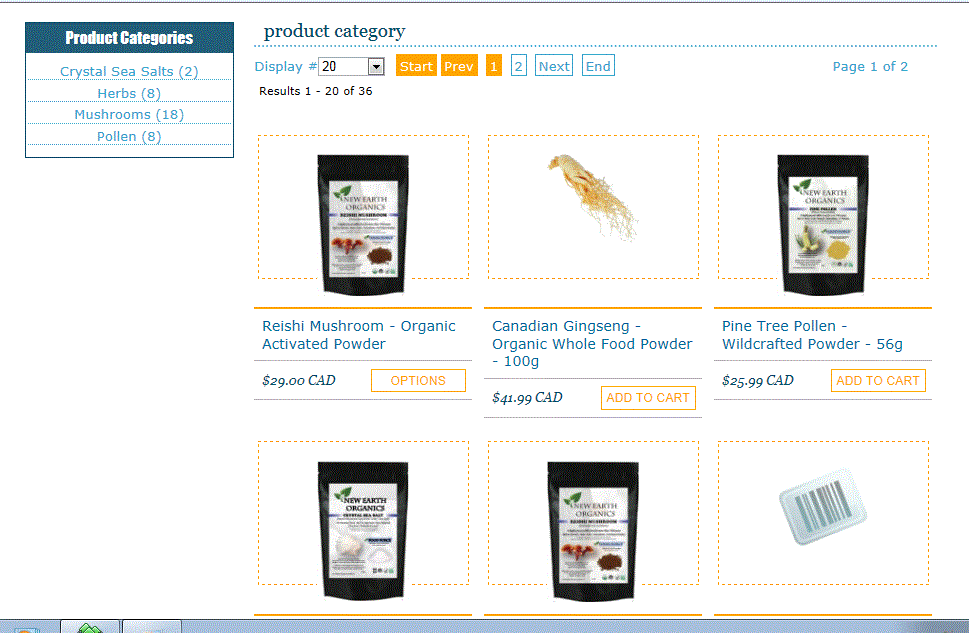
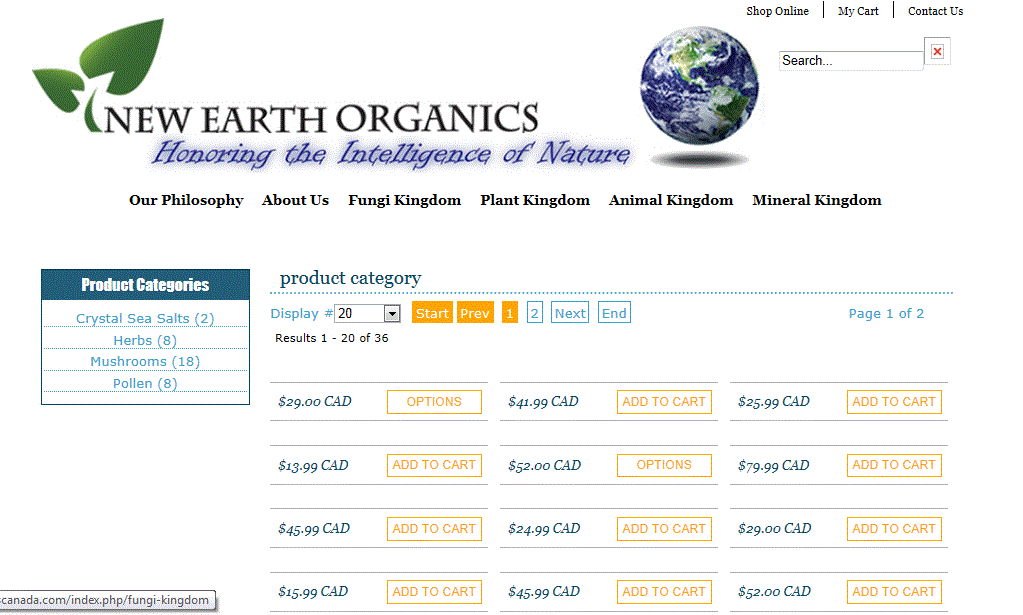
When I turn off thumbnails in the back-end Files -> Images I get the large picture I want on the product page,
but it totally messes up my Product listing page. The product image doesn't show up nor does the product name!
Please Log in or Create an account to join the conversation.

13 years 11 months ago #80177
by Xavier
Replied by Xavier on topic Thumbnail Images
To have a large picture on you product page, you just have to change the value for the options "Product page image width" and "Product page image height" in Configuration > Files.
And enable again the thumbnails.
And enable again the thumbnails.
Please Log in or Create an account to join the conversation.
Time to create page: 0.045 seconds