
edit address information popup

13 years 11 months ago - 13 years 11 months ago #82364
by jedlarosa
Need a website for your business?
Visit my website and get a FREE QUOTE AND CONSULTATION NOW!
cyberwrathinternetmarketing.com
edit address information popup was created by jedlarosa
Hi Nicolas and the other staffs here, how to edit the address information on the picture below?
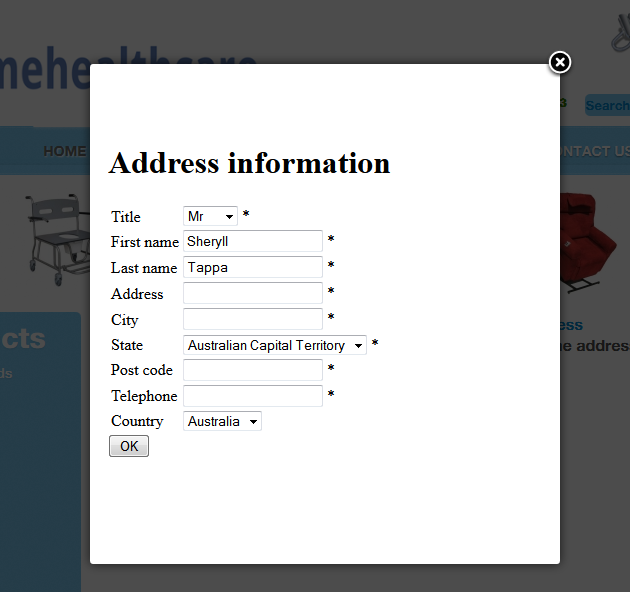
I have already edit the checkout / address_view.php and still not works! here's the screenshot that i have done:

Please help!
I have already edit the checkout / address_view.php and still not works! here's the screenshot that i have done:
Please help!
Need a website for your business?
Visit my website and get a FREE QUOTE AND CONSULTATION NOW!
cyberwrathinternetmarketing.com
Last edit: 13 years 11 months ago by jedlarosa.
Please Log in or Create an account to join the conversation.

13 years 11 months ago #82410
by Xavier
Replied by Xavier on topic edit address information popup
Hi,
What do you really want to do ? Change the text, the css, the fields ?
What do you really want to do ? Change the text, the css, the fields ?
Please Log in or Create an account to join the conversation.
13 years 11 months ago #82413
by jedlarosa
Need a website for your business?
Visit my website and get a FREE QUOTE AND CONSULTATION NOW!
cyberwrathinternetmarketing.com
Replied by jedlarosa on topic edit address information popup
you notice that there was a large space on the pop up screen, i want also to customize the looks, but my css skills cant applied within the iframe of that popup screen, is there anyway i can adjust the size of that iframe and its contents?
Need a website for your business?
Visit my website and get a FREE QUOTE AND CONSULTATION NOW!
cyberwrathinternetmarketing.com
Please Log in or Create an account to join the conversation.

13 years 11 months ago #82523
by nicolas
Replied by nicolas on topic edit address information popup
You are at the correct place in order to edit the popup size.
You simply need to change the code: size: {x: 450, y: 480}
Note that there are two places with that code, one for the new button, one for the edit, so you need to change both.
for the CSS, if you don't see your changes, it's possible that your template is missing the jdoc include head tag in the header of its component.php file:
docs.joomla.org/Jdoc_statements
You might want to inquire your template provider about that.
Please Log in or Create an account to join the conversation.
13 years 11 months ago #82524
by jedlarosa
Need a website for your business?
Visit my website and get a FREE QUOTE AND CONSULTATION NOW!
cyberwrathinternetmarketing.com
Replied by jedlarosa on topic edit address information popup
where can i find the component.php?
Need a website for your business?
Visit my website and get a FREE QUOTE AND CONSULTATION NOW!
cyberwrathinternetmarketing.com
Please Log in or Create an account to join the conversation.
13 years 11 months ago - 13 years 11 months ago #82525
by jedlarosa
Need a website for your business?
Visit my website and get a FREE QUOTE AND CONSULTATION NOW!
cyberwrathinternetmarketing.com
Replied by jedlarosa on topic edit address information popup
hi Nicolas, i see there was some jdocs on my template, I have attach the photos and please tell me if I miss anything on the template, thanks! Your help is very much appreciated!!! 
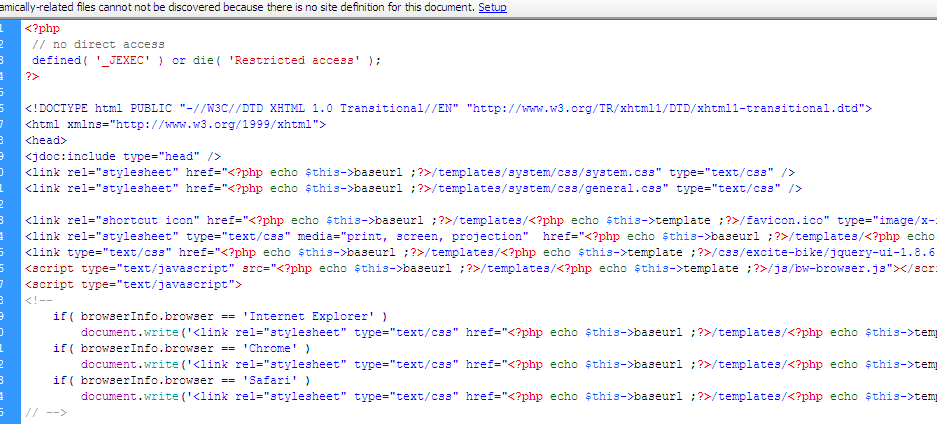
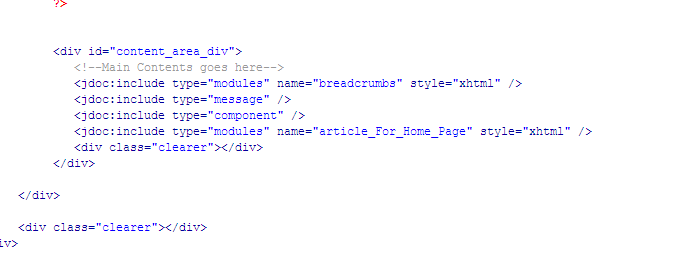
I got this codes from the index.php of my template.
I got this codes from the index.php of my template.
Need a website for your business?
Visit my website and get a FREE QUOTE AND CONSULTATION NOW!
cyberwrathinternetmarketing.com
Last edit: 13 years 11 months ago by jedlarosa.
Please Log in or Create an account to join the conversation.
13 years 11 months ago #82572
by Xavier
Replied by Xavier on topic edit address information popup
Hi,
It seems that you have the jdoc include head tag in the header.
Try to add the css properties in your template.css file instead of the frontend css file from HikaShop > Configuration > Display.
It seems that you have the jdoc include head tag in the header.
Try to add the css properties in your template.css file instead of the frontend css file from HikaShop > Configuration > Display.
Please Log in or Create an account to join the conversation.
Time to create page: 0.066 seconds