
- Posts: 11
- Thank you received: 0
multiple products with description?
- minger1016
-
 Topic Author
- Offline
Less
More
13 years 8 months ago #92274
by minger1016
multiple products with description? was created by minger1016
Hello,
I am trying to figure out how to skip a step.
This is what I have:
1. user clicks category
2. it goes to product listing
3. then user clicks product and the description appears
What I need is for user to:
1. click category
2. then it goes to the product list WITH description.
I thought if i clicked the default div setting to display "image and description" it would work, but it doesn't. (see attached) Basically, I have small music samples for sale, so I have embedded the player in each description, so I would like for example, if the user clicks the category "piano" then all of the piano products would be listed with descriptions so the people would see the embedded media player for each and they can only listen to what they want right there without having to click each product again to see the description. Any help would be appreciated.
Thanks
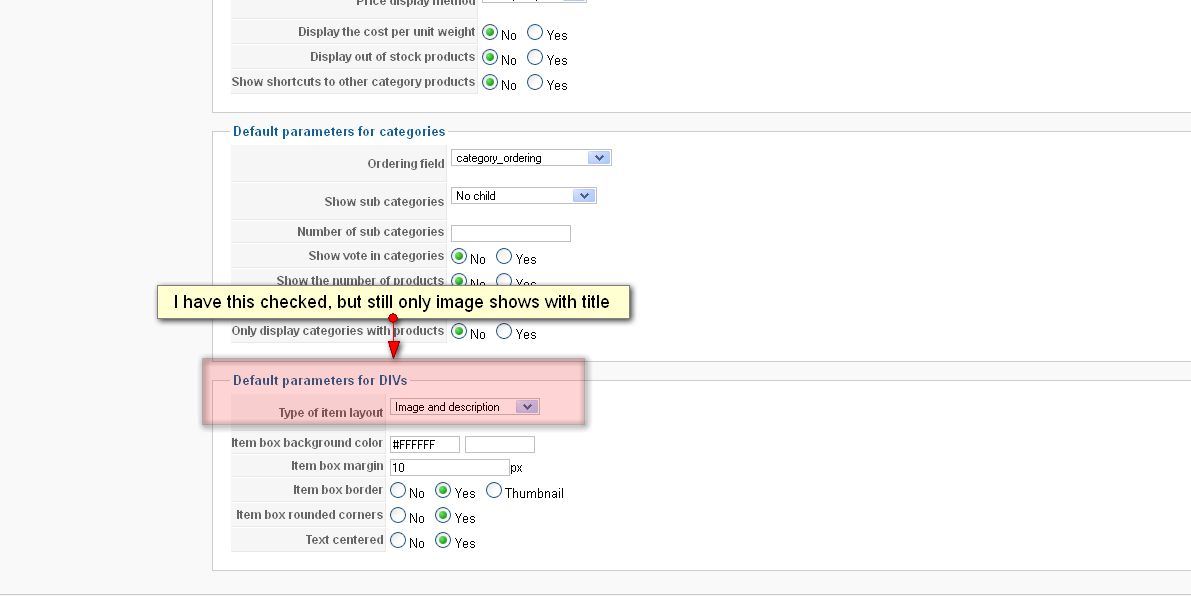
I am trying to figure out how to skip a step.
This is what I have:
1. user clicks category
2. it goes to product listing
3. then user clicks product and the description appears
What I need is for user to:
1. click category
2. then it goes to the product list WITH description.
I thought if i clicked the default div setting to display "image and description" it would work, but it doesn't. (see attached) Basically, I have small music samples for sale, so I have embedded the player in each description, so I would like for example, if the user clicks the category "piano" then all of the piano products would be listed with descriptions so the people would see the embedded media player for each and they can only listen to what they want right there without having to click each product again to see the description. Any help would be appreciated.
Thanks
Please Log in or Create an account to join the conversation.

13 years 8 months ago #92296
by Jerome
Jerome - Obsidev.com
HikaMarket & HikaSerial developer / HikaShop core dev team.
Replied by Jerome on topic multiple products with description?
Hi,
The option is the default parameters but it could be override in the content menu.
In HikaShop > Display > Content menu, you would see the category listing which is used by your menu. By editing his options, you would be able to set the type of item layout too.
Regards,
The option is the default parameters but it could be override in the content menu.
In HikaShop > Display > Content menu, you would see the category listing which is used by your menu. By editing his options, you would be able to set the type of item layout too.
Regards,
Jerome - Obsidev.com
HikaMarket & HikaSerial developer / HikaShop core dev team.
Please Log in or Create an account to join the conversation.
- minger1016
-
Topic Author
- Offline
Less
More
- Posts: 11
- Thank you received: 0
13 years 8 months ago #92299
by minger1016
Replied by minger1016 on topic multiple products with description?
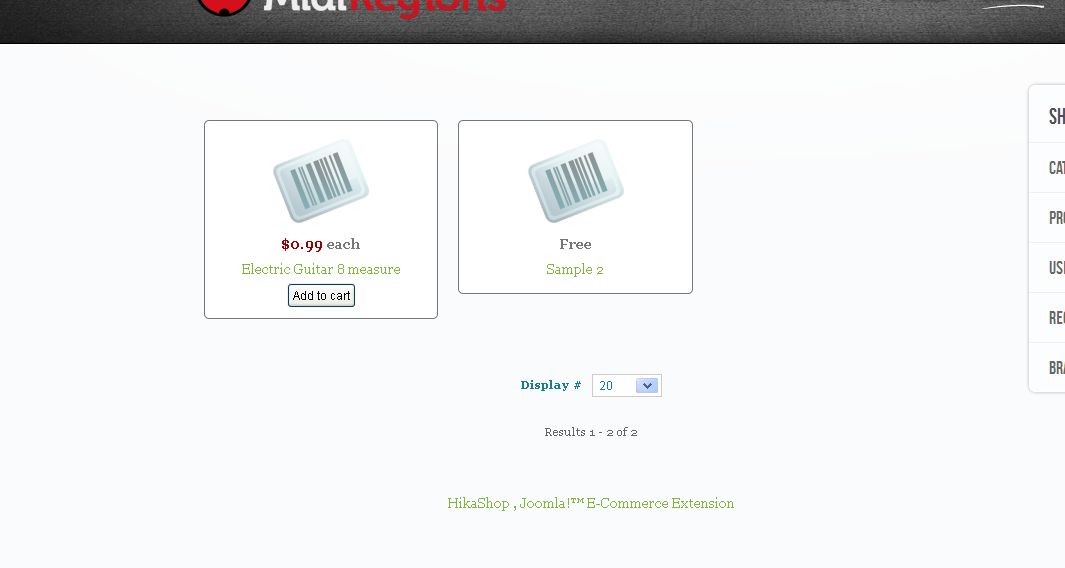
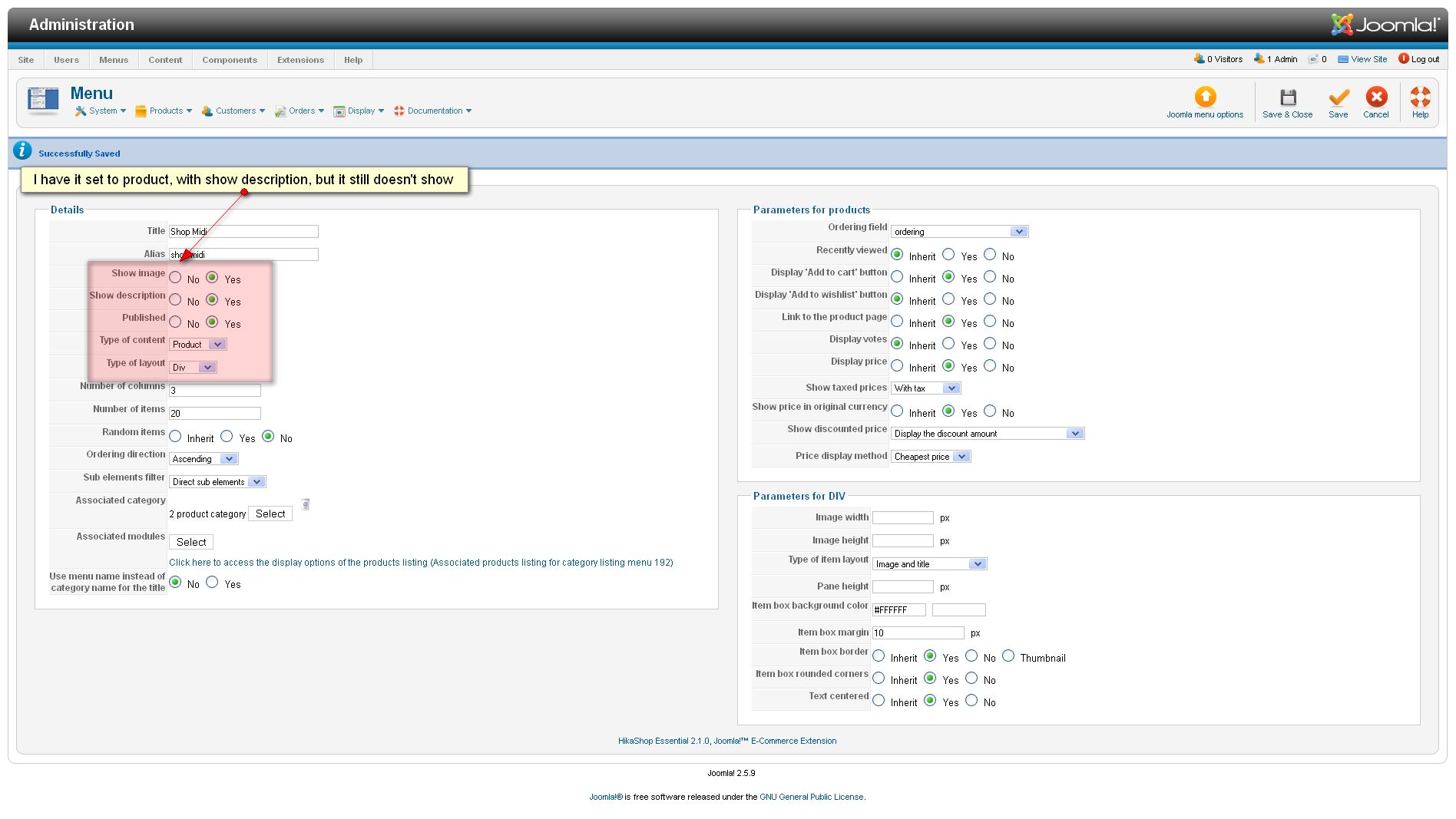
I have made the change as you indicated, but it still does not show the descriptions. (see screenshots)
Please Log in or Create an account to join the conversation.

13 years 8 months ago #92345
by Eliot
Replied by Eliot on topic multiple products with description?
Hi there,
On your last screenshot the Type of item layout is set to image and title.
Set it to image and description, it should solve the problem.
On your last screenshot the Type of item layout is set to image and title.
Set it to image and description, it should solve the problem.
Please Log in or Create an account to join the conversation.
- minger1016
-
Topic Author
- Offline
Less
More
- Posts: 11
- Thank you received: 0
13 years 8 months ago #92409
by minger1016
Replied by minger1016 on topic multiple products with description?
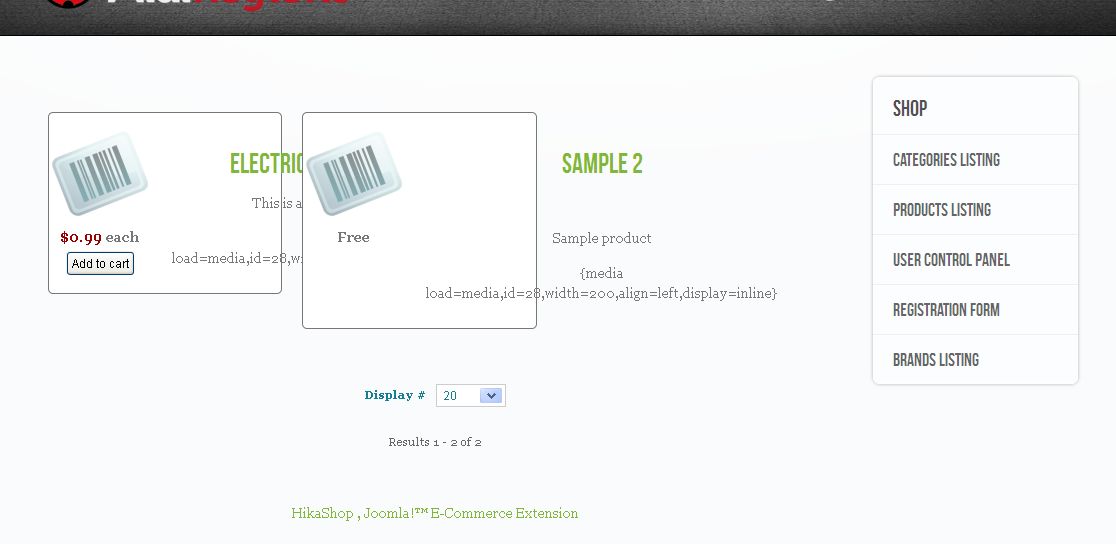
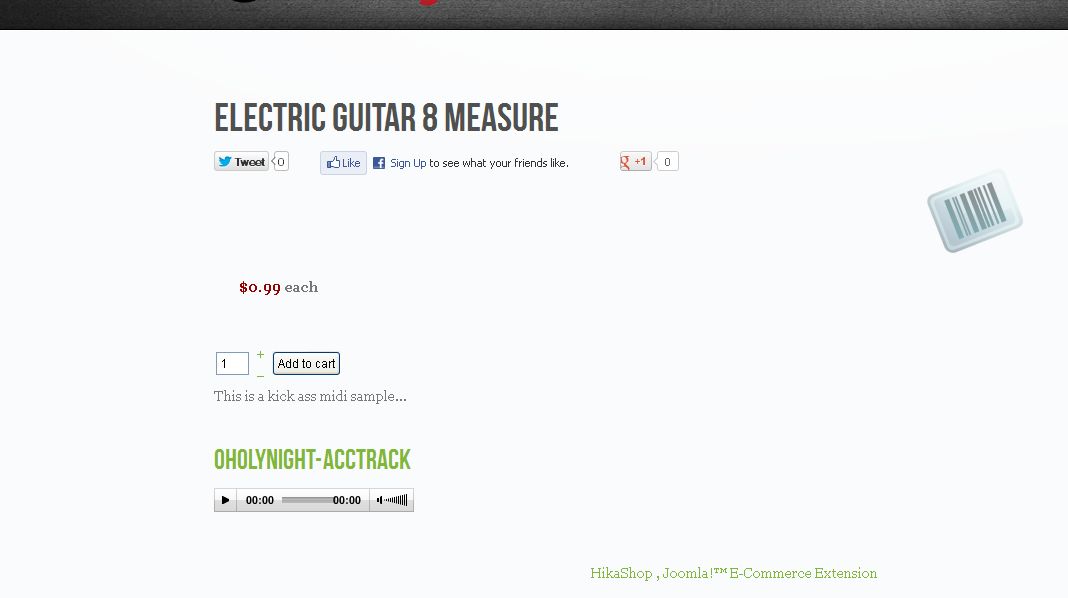
Thank you. I changed that setting, and now the description is there, but the formatting doesn't work and also the media player doesn't work. The media player works fine in the normal product description as in attached screenshots. Please advise.
Please Log in or Create an account to join the conversation.

13 years 8 months ago #92453
by Xavier
Replied by Xavier on topic multiple products with description?
Hi,
I think that the answer to you problem is in this post:
www.hikashop.com/fr/forum/5-support-en-f...vue-liste.html#89643
I think that the answer to you problem is in this post:
www.hikashop.com/fr/forum/5-support-en-f...vue-liste.html#89643
Please Log in or Create an account to join the conversation.
- minger1016
-
Topic Author
- Offline
Less
More
- Posts: 11
- Thank you received: 0
13 years 8 months ago #92477
by minger1016
Replied by minger1016 on topic multiple products with description?
That's probably good, but that is all in French! I switched to English, but it just changed the titles.
Please Log in or Create an account to join the conversation.
13 years 8 months ago #92533
by Xavier
Replied by Xavier on topic multiple products with description?
You have to create a custom field in Display > Custom Fields, the table must be "product", you can call the field "extract"
Then in each product pages, add the tag and the link to the file like, for example: {mp3}path/file.mp3}
Edit the view "product / listing_img_title" and add the code:
Then in each product pages, add the tag and the link to the file like, for example: {mp3}path/file.mp3}
Edit the view "product / listing_img_title" and add the code:
Code:
<? echo JHTML::_('content.prepare',$this->row->extract); ?>
The following user(s) said Thank You: minger1016
Please Log in or Create an account to join the conversation.
Time to create page: 0.142 seconds