

- Posts: 16
- Thank you received: 0
Remove Table from Checkout Page
13 years 6 months ago #96414
by piersol
Remove Table from Checkout Page was created by piersol
I have hidden the left portion, the login, so the registration now appears on the left leaving a lot of space on the right.
I offer only 1 product at one price and would like to fill the empty space so users dont have to scroll down. Can you advise how to move the table or remove the table to make the checkout info fill in to the right?
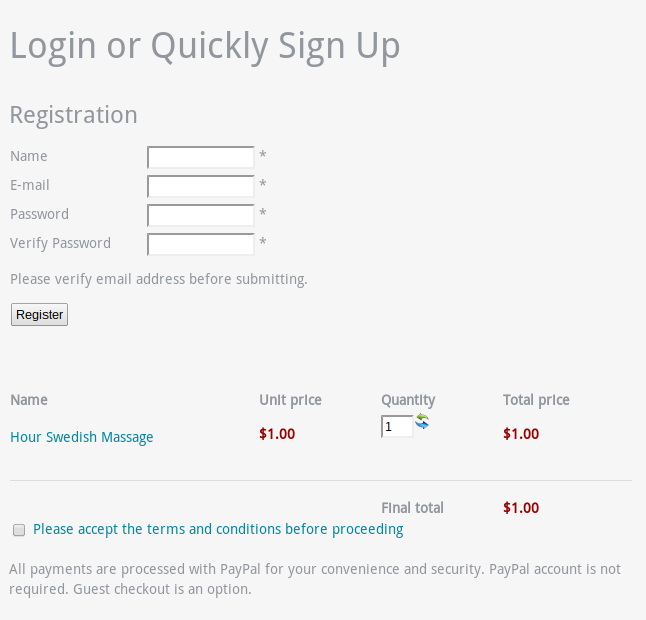
I offer only 1 product at one price and would like to fill the empty space so users dont have to scroll down. Can you advise how to move the table or remove the table to make the checkout info fill in to the right?
Please Log in or Create an account to join the conversation.

13 years 6 months ago #96460
by Xavier
Replied by Xavier on topic Remove Table from Checkout Page
Hi,
All the different part of the checkout are in DIVs, so you can see what is the div id and change the css property to set a width, and floats.
Here is some documentation:
www.hikashop.com/fr/support/documentatio...ize-the-display.html
All the different part of the checkout are in DIVs, so you can see what is the div id and change the css property to set a width, and floats.
Here is some documentation:
www.hikashop.com/fr/support/documentatio...ize-the-display.html
Please Log in or Create an account to join the conversation.
Time to create page: 0.233 seconds