

- Posts: 2
- Thank you received: 0
No ssl url specified
13 years 7 months ago #96928
by Windy
No ssl url specified was created by Windy
When ever I try to force shared SSL I get the following error, please can someone tell me where to specify the shared url as I can't find it 
No ssl url specified, force ssl parametre setted to no
No ssl url specified, force ssl parametre setted to no
Please Log in or Create an account to join the conversation.

13 years 7 months ago #97085
by nicolas
Replied by nicolas on topic No ssl url specified
Normally, just below the force SSL option you have a field which appear to be able to enter the URL:
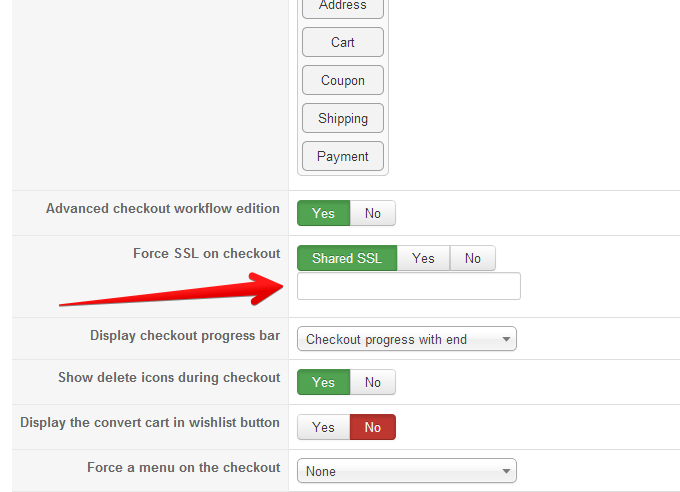
If you don't see it, it means that there is a javascript error on your configuration page which prevents the javascript of HikaShop to display the field when you select the "shared ssl" option.
If you don't see it, it means that there is a javascript error on your configuration page which prevents the javascript of HikaShop to display the field when you select the "shared ssl" option.
Please Log in or Create an account to join the conversation.
Less
More
- Posts: 4
- Thank you received: 0
13 years 6 months ago #99810
by bchamberlin
Replied by bchamberlin on topic No ssl url specified
Hi,
I'm having the same issue, the window for the URL doesn't display. I have tried on three different browsers and two different computers. I have enabled Javascript and i do not receive any browser errors stating javascript errors.
Is there something else to try?
Thanks,
Brian
I'm having the same issue, the window for the URL doesn't display. I have tried on three different browsers and two different computers. I have enabled Javascript and i do not receive any browser errors stating javascript errors.
Is there something else to try?
Thanks,
Brian
Please Log in or Create an account to join the conversation.
13 years 6 months ago #99815
by nicolas
Replied by nicolas on topic No ssl url specified
If you're using a different backend template than the default one, switch back to the default one.
If you're using system plugins other than HikaShop or Joomla's try to temporarily deactivate them.
If you're using system plugins other than HikaShop or Joomla's try to temporarily deactivate them.
Please Log in or Create an account to join the conversation.
Less
More
- Posts: 4
- Thank you received: 0
13 years 6 months ago #100068
by bchamberlin
Replied by bchamberlin on topic No ssl url specified
Thank you for the reply,
I have only two Admin templates loaded, BlueStork (default which I have been using) and Hathor. I have tried both. I went through and systematically disabled various plugins with out success.
I have attached a screen shot of the checkout page. This page looks different then the one posted above in this thread. I am running HikaShop starter version 2.1.2
Thank you in advance for your reply.
Best,
Brian
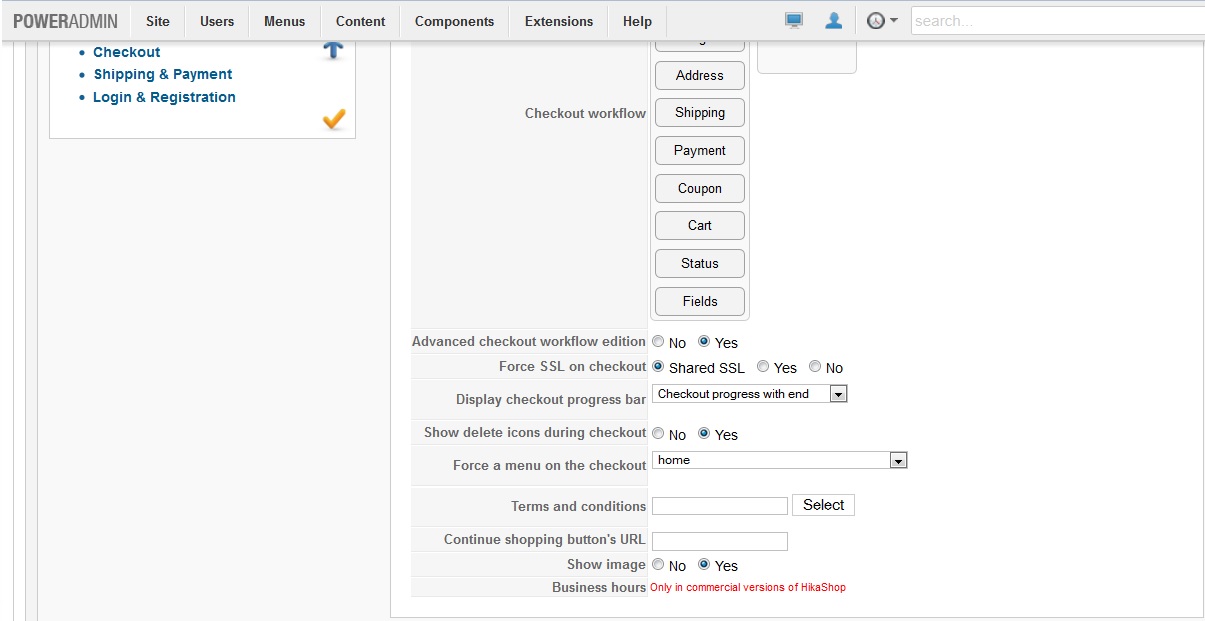
I have only two Admin templates loaded, BlueStork (default which I have been using) and Hathor. I have tried both. I went through and systematically disabled various plugins with out success.
I have attached a screen shot of the checkout page. This page looks different then the one posted above in this thread. I am running HikaShop starter version 2.1.2
Thank you in advance for your reply.
Best,
Brian
Please Log in or Create an account to join the conversation.
13 years 6 months ago #100080
by nicolas
Replied by nicolas on topic No ssl url specified
Can you disable poweradmin and try again ?
Please Log in or Create an account to join the conversation.
Less
More
- Posts: 4
- Thank you received: 0
13 years 6 months ago #100340
by bchamberlin
Replied by bchamberlin on topic No ssl url specified
Thanks for responding.
I had previously disabled the PowerAdmin plugin without success. Tried it again after your most recent post, no dice. I disabled "System - JSN PowerAdmin" and "JSN Power Admin Extended - com_content" See attached screen shots
Brian
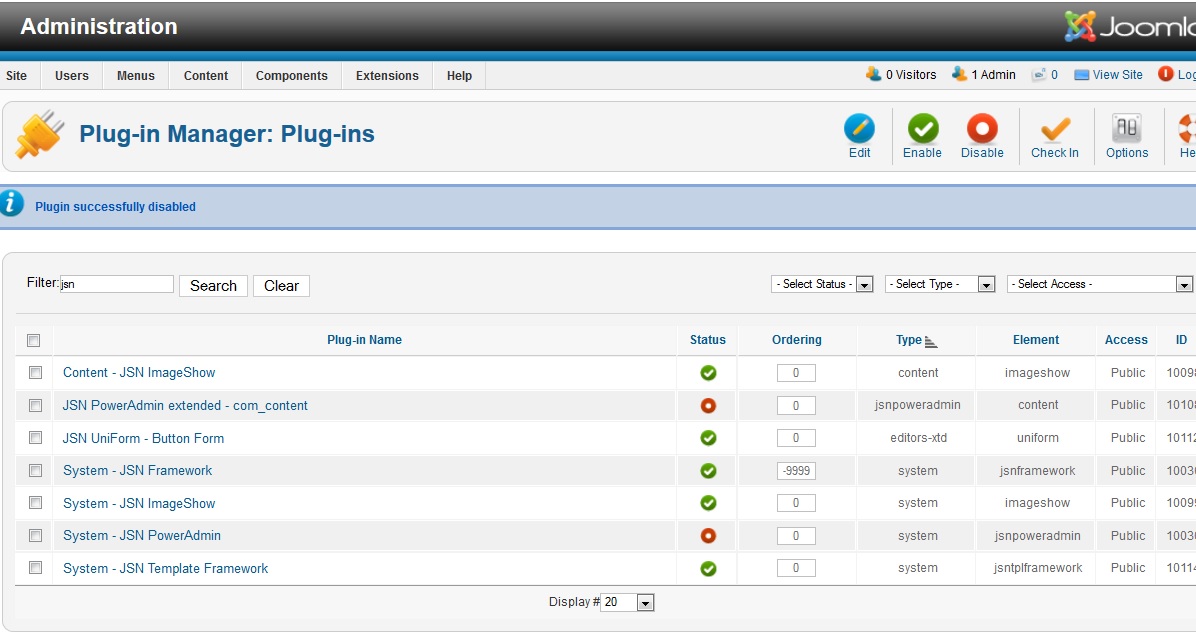
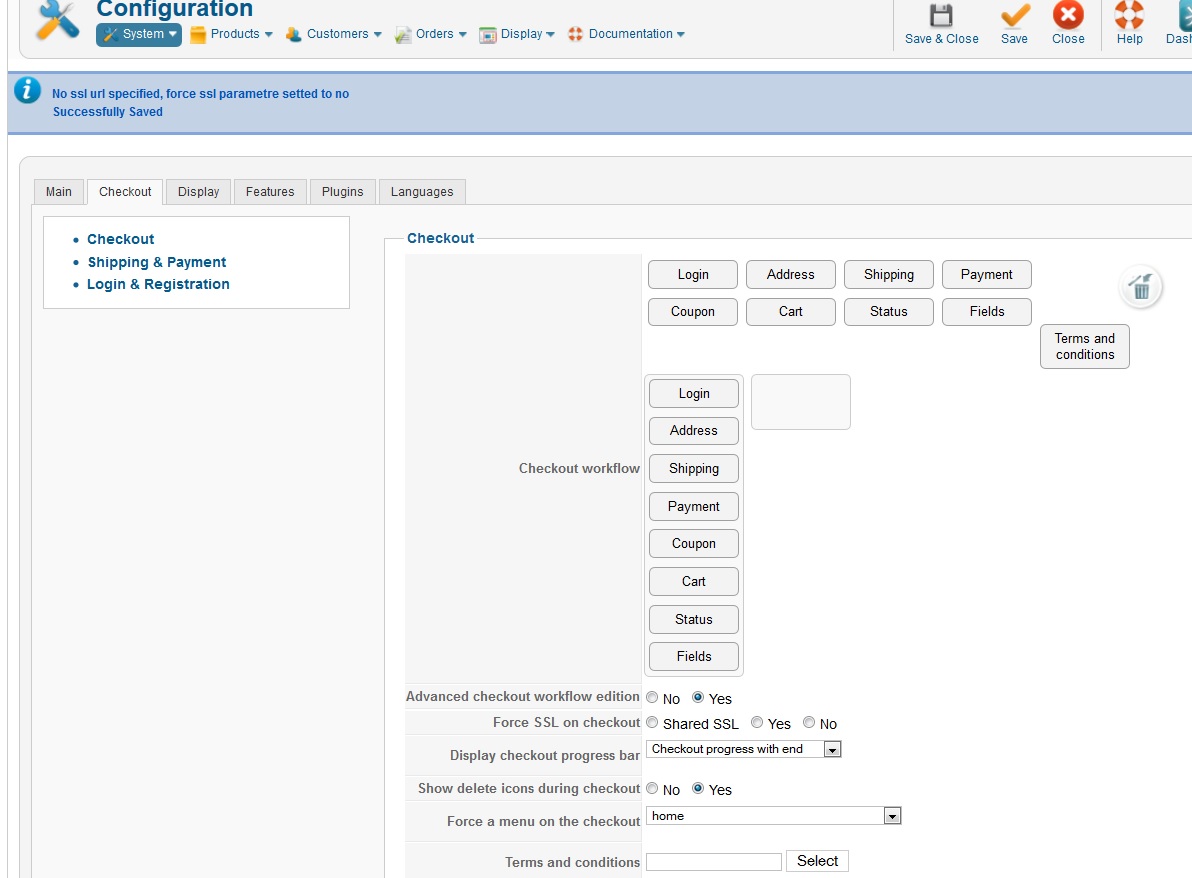
I had previously disabled the PowerAdmin plugin without success. Tried it again after your most recent post, no dice. I disabled "System - JSN PowerAdmin" and "JSN Power Admin Extended - com_content" See attached screen shots
Brian
Please Log in or Create an account to join the conversation.
13 years 6 months ago #100547
by Windy
Replied by Windy on topic No ssl url specified
Sorry for the late reply and thank you Nicholas for pointing me in the right direction. I was getting a undefined script error (from memory line 12) when I checked with the firebug console.
My dirty work around was to manually add the shared URL in the database, then the field appeared in the backed and all was good although then I decided to buy a ssl certificate for the site as I wasn't happy with the shared ssl URL displaying after checkout. I didn't realise that the no ssl after checkout plugin would only strip the 's' from the URL and not return it to the domain name.
I wasn't using any other plugins, default admin template. Front end I'd installed a rocket theme template, but had gone back to a joomla installed one whilst investigating the problem.
Hope my dirty work around can help you move on with your site bc
Thank you to all the Hika team for an awesome component x
My dirty work around was to manually add the shared URL in the database, then the field appeared in the backed and all was good
although then I decided to buy a ssl certificate for the site as I wasn't happy with the shared ssl URL displaying after checkout. I didn't realise that the no ssl after checkout plugin would only strip the 's' from the URL and not return it to the domain name.I wasn't using any other plugins, default admin template. Front end I'd installed a rocket theme template, but had gone back to a joomla installed one whilst investigating the problem.
Hope my dirty work around can help you move on with your site bc
Thank you to all the Hika team for an awesome component x
Please Log in or Create an account to join the conversation.
Less
More
- Posts: 4
- Thank you received: 0
13 years 6 months ago #101551
by bchamberlin
Replied by bchamberlin on topic No ssl url specified
Nicolas,
Thank you for your help. We went ahead with a specific website SSL - works as advertised.
Best,
Brian
Thank you for your help. We went ahead with a specific website SSL - works as advertised.
Best,
Brian
Please Log in or Create an account to join the conversation.
Time to create page: 0.112 seconds