
Moving content on the product page

13 years 4 months ago #109209
by adeycorp
Moving content on the product page was created by adeycorp
Morning Guys and Girls
I have a issues and I am not sure if it related to the zoom in plugin. The guys from artetics.com have been great in helping me get the zoom in plugin to work how I would like it. But I am not sure if this is there issue or something with hikashop. So I will explain here as well, as more input wont hurt.
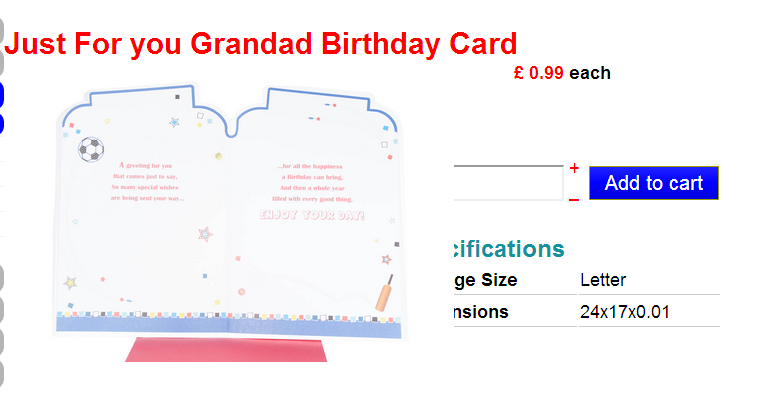
The issue I have is the landscape images are over lapping the information to the right of them. See below.
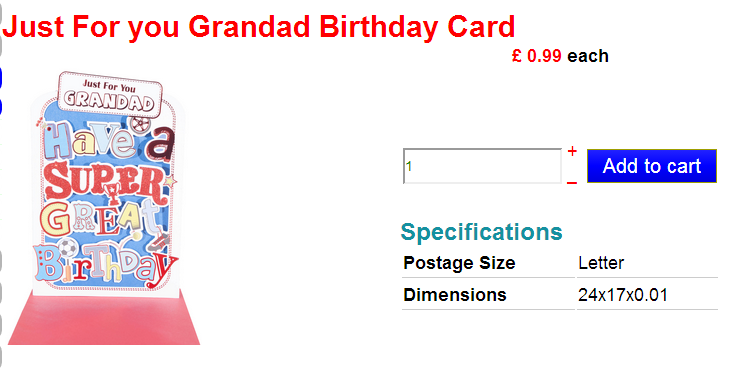
And this is how it looks for portrait iamges.
How can I move or shink the text on the right to fit the image size I am after?
Thanks in advance.
I have a issues and I am not sure if it related to the zoom in plugin. The guys from artetics.com have been great in helping me get the zoom in plugin to work how I would like it. But I am not sure if this is there issue or something with hikashop. So I will explain here as well, as more input wont hurt.
The issue I have is the landscape images are over lapping the information to the right of them. See below.
And this is how it looks for portrait iamges.
How can I move or shink the text on the right to fit the image size I am after?
Thanks in advance.
Please Log in or Create an account to join the conversation.

Less
More
- Posts: 12953
- Thank you received: 1778
13 years 4 months ago #109244
by Mohamed Thelji
Replied by Mohamed Thelji on topic Moving content on the product page
Hi,
The solution will probably be to do it by using some CSS code and by editing the "show_default" file of your "product" view of your front-end template.
The solution will probably be to do it by using some CSS code and by editing the "show_default" file of your "product" view of your front-end template.
Please Log in or Create an account to join the conversation.
Time to create page: 0.072 seconds