

- Posts: 9
- Thank you received: 0
Subcategoires
13 years 4 months ago #109322
by essance
Subcategoires was created by essance
How do I show subcategory? If I change the style in Hikashop>Display Module>Categories On Level 1 (RENAME CATEGORIES DISPLAY ON RIGHT HAND COLUMN AS CATEGORIES) to display subcategories, the style get very boxesss. How can I change that!
I would like the Right hand column to display categories in a list or drop list. (see image)
This website is not post on the web. I am still very new to webpage. So Not sure how to do it...
I am sure I am even doing it right... But so far I like Hikashop...
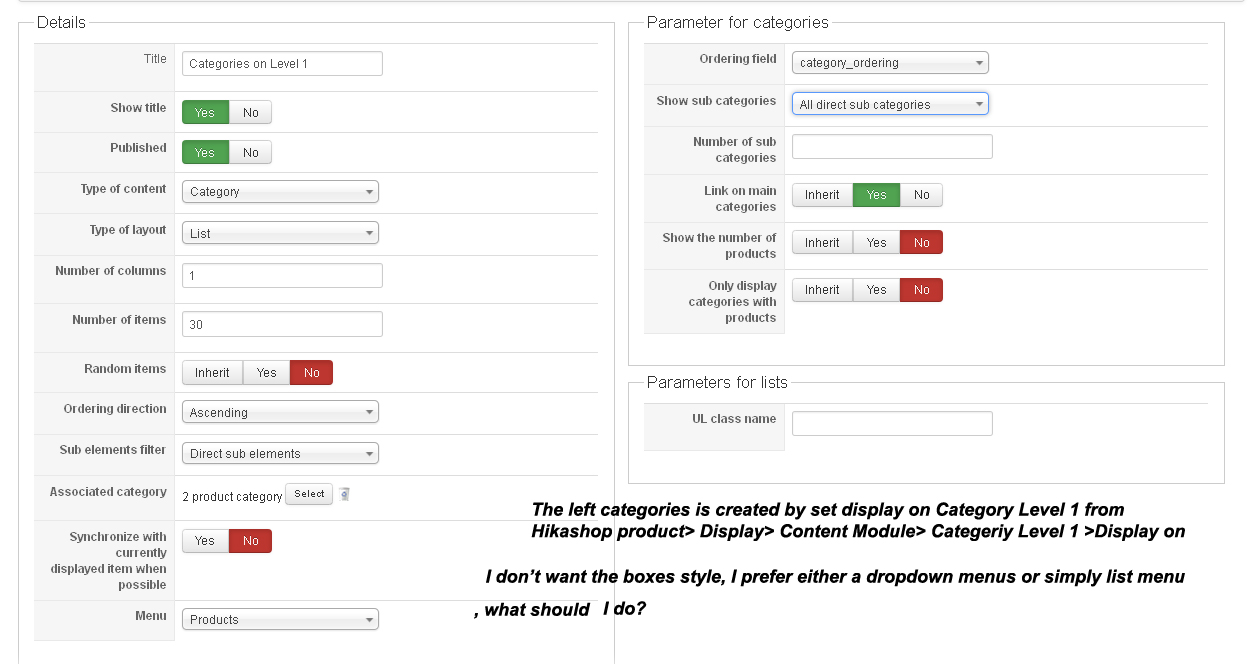
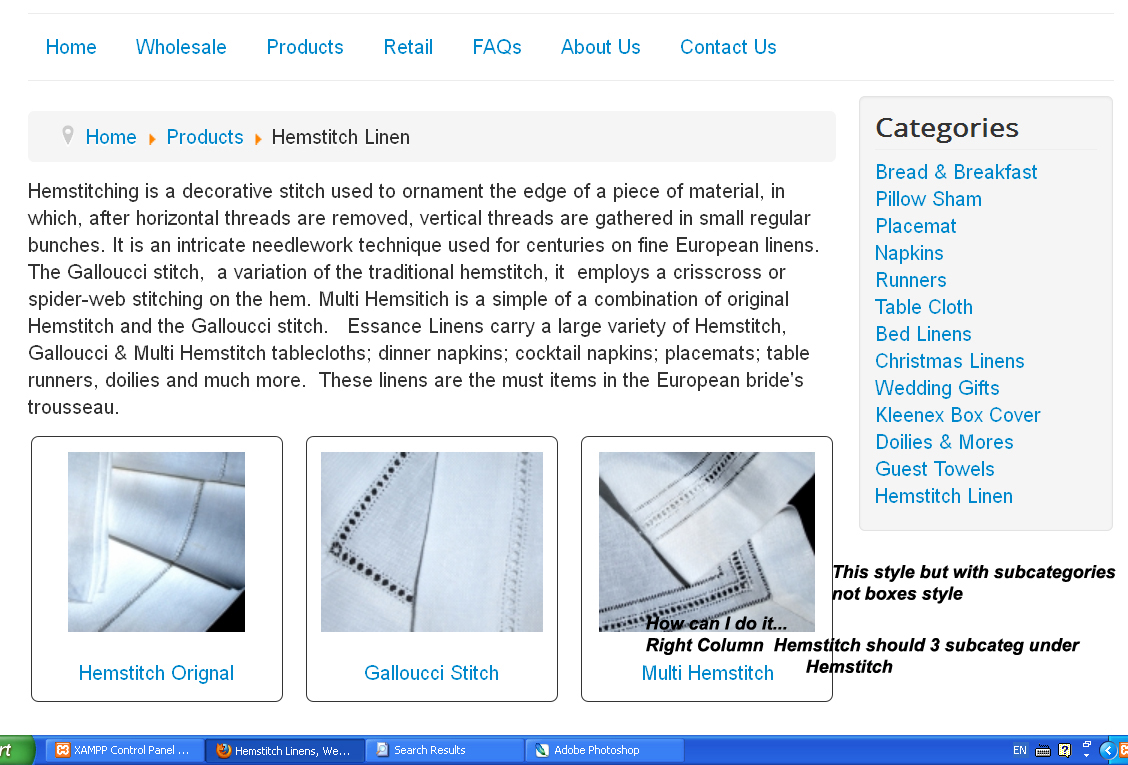
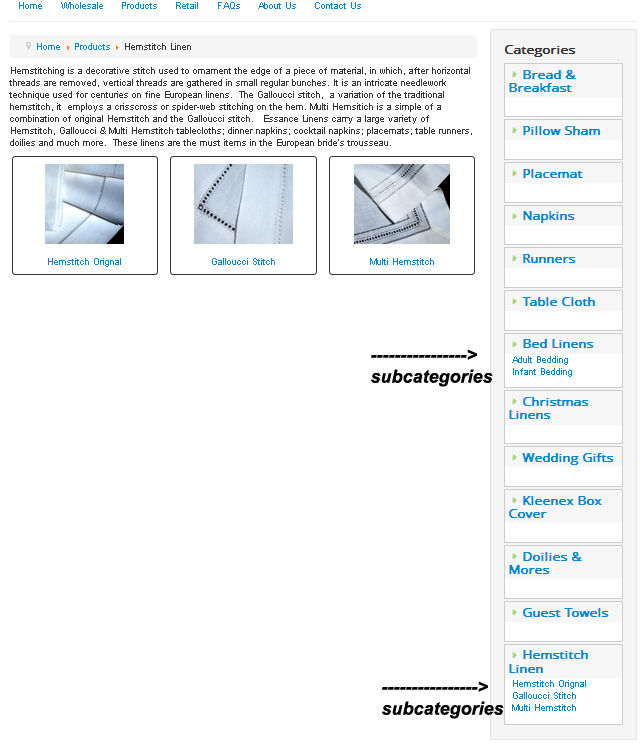
I hope the image can tell you what I would like to do.
Thank you
I would like the Right hand column to display categories in a list or drop list. (see image)
This website is not post on the web. I am still very new to webpage. So Not sure how to do it...
I am sure I am even doing it right... But so far I like Hikashop...
I hope the image can tell you what I would like to do.
Thank you
Please Log in or Create an account to join the conversation.

13 years 4 months ago #109421
by nicolas
Replied by nicolas on topic Subcategoires
Hi,
A dropdown is not possible, but a normal list is not a problem. That display is actually a normal list with CSS added to it.
So you can simply remove the CSS related to it in your joomla template.
Otherwise, you can also change the class names of the HTML elements of the listing in the file "listing_list" of the view "category" via the menu Display->views of HikaShop so that it doesn't use the standard classes of joomla and thus no style from the template will be applied.
A dropdown is not possible, but a normal list is not a problem. That display is actually a normal list with CSS added to it.
So you can simply remove the CSS related to it in your joomla template.
Otherwise, you can also change the class names of the HTML elements of the listing in the file "listing_list" of the view "category" via the menu Display->views of HikaShop so that it doesn't use the standard classes of joomla and thus no style from the template will be applied.
Please Log in or Create an account to join the conversation.
13 years 4 months ago #109625
by essance
Replied by essance on topic Subcategoires
So where can I find ?
the HTML elements of the listing in the file "listing_list" of the view "category" via the menu Display->views of HikaShop so that it doesn't use the standard classes of joomla and thus no style from the template will be applied.
or where to find the CSS?
I am new to this, please be patient with me.
Thanks
the HTML elements of the listing in the file "listing_list" of the view "category" via the menu Display->views of HikaShop so that it doesn't use the standard classes of joomla and thus no style from the template will be applied.
or where to find the CSS?
I am new to this, please be patient with me.
Thanks
Please Log in or Create an account to join the conversation.
13 years 4 months ago #109627
by nicolas
Replied by nicolas on topic Subcategoires
Well, there are several classes to remove in the view file:
pane-sliders panel jpane-toggler jpane-slider
I can't tell you where to find the CSS defining the styling for these classes as I don't know the CSS on your website.
I would need to look directly at the elements with firebug to tell you.
pane-sliders panel jpane-toggler jpane-slider
I can't tell you where to find the CSS defining the styling for these classes as I don't know the CSS on your website.
I would need to look directly at the elements with firebug to tell you.
Please Log in or Create an account to join the conversation.
Time to create page: 0.141 seconds