

- Posts: 12
- Thank you received: 0
Product characteristics drop down in front page
13 years 4 months ago #111022
by rs3092
Product characteristics drop down in front page was created by rs3092
Hi i want to display product characteristic dropdown in frontend how can i do that and second thing is that if a characteristic is selected the product image changes with it everytime
for example if a product has various characteristics like 200ml 500ml and 1L then if customer select 200ml the image should change and if customer select 500 ml the image should change according to it.
for example if a product has various characteristics like 200ml 500ml and 1L then if customer select 200ml the image should change and if customer select 500 ml the image should change according to it.
Please Log in or Create an account to join the conversation.

Less
More
- Posts: 12953
- Thank you received: 1778
13 years 4 months ago #111032
by Mohamed Thelji
Replied by Mohamed Thelji on topic Product characteristics drop down in front page
Hi,
You'll be able to do it through your product page, by :
- adding a characteristic to your product
- using the "Manage variants" button
- setting different images for your variants
You'll be able to do it through your product page, by :
- adding a characteristic to your product
- using the "Manage variants" button
- setting different images for your variants
The following user(s) said Thank You: rs3092
Please Log in or Create an account to join the conversation.
13 years 4 months ago #111033
by rs3092
Replied by rs3092 on topic Product characteristics drop down in front page
Thanks Mohamed.What about adding the drop down in front end?
Please Log in or Create an account to join the conversation.
Less
More
- Posts: 12953
- Thank you received: 1778
13 years 4 months ago #111038
by Mohamed Thelji
Replied by Mohamed Thelji on topic Product characteristics drop down in front page
The drop down will automatically added through your product page  .
.
. Please Log in or Create an account to join the conversation.
13 years 4 months ago #111039
by rs3092
Replied by rs3092 on topic Product characteristics drop down in front page
Yes but i want it on the main page with thumbnails
Please Log in or Create an account to join the conversation.

13 years 4 months ago - 13 years 4 months ago #111041
by Eliot
Replied by Eliot on topic Product characteristics drop down in front page
If you mean the product listing this currently not possible.
It will require some big modification in the Hikashop code so you'll need a developer with good php knowledge.
Also see this related topic: www.hikashop.com/fr/forum/4-how-to/66086...e-category-view.html
It will require some big modification in the Hikashop code so you'll need a developer with good php knowledge.
Also see this related topic: www.hikashop.com/fr/forum/4-how-to/66086...e-category-view.html
Last edit: 13 years 4 months ago by Eliot.
Please Log in or Create an account to join the conversation.
13 years 4 months ago #111044
by rs3092
Replied by rs3092 on topic Product characteristics drop down in front page
Ok thanks for that tell me one more thing if i do not want to specify product price so i just want to remove "Free" from the product how can i do that
Please Log in or Create an account to join the conversation.
Less
More
- Posts: 12953
- Thank you received: 1778
13 years 4 months ago #111047
by Mohamed Thelji
Replied by Mohamed Thelji on topic Product characteristics drop down in front page
You'll be able to do it by editing your translation file through "Hikashop -> System -> Configuration -> Language" and change the line :
by :
Code:
FREE_PRICE="Free"
Code:
FREE_PRICE=" "
Please Log in or Create an account to join the conversation.
13 years 4 months ago #111052
by rs3092
Replied by rs3092 on topic Product characteristics drop down in front page
Showing Internal Server error
Please Log in or Create an account to join the conversation.
Less
More
- Posts: 12953
- Thank you received: 1778
13 years 4 months ago #111059
by Mohamed Thelji
Replied by Mohamed Thelji on topic Product characteristics drop down in front page
Can you tell me what did you done and what is this error through a screenshot ?
Please Log in or Create an account to join the conversation.
13 years 4 months ago #111071
by rs3092
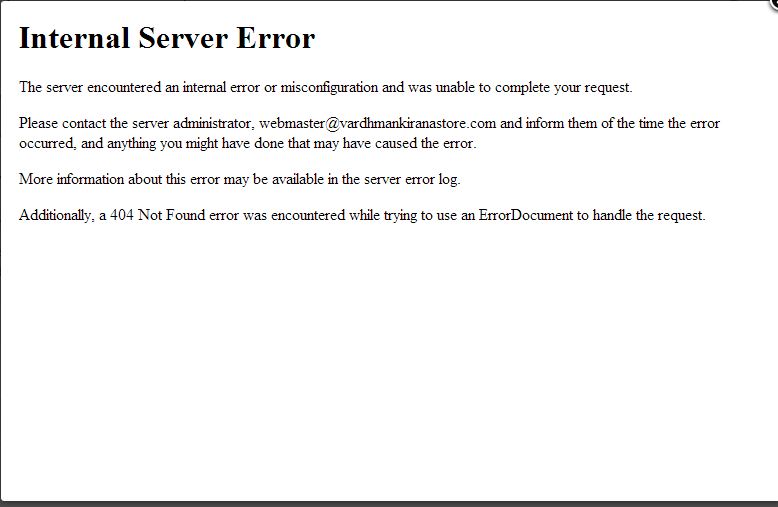
This is the error
Replied by rs3092 on topic Product characteristics drop down in front page
This is the error
Please Log in or Create an account to join the conversation.
13 years 4 months ago #111083
by Eliot
Replied by Eliot on topic Product characteristics drop down in front page
Hi there,
Considering the change Mohamed suggested, I don't think these two things are related.
You should try to use the old language file or remove your modification to see that there is no relation between the modification and this bug.
However, if you have made any modification on something else, it could point us to help you with this error.
Considering the change Mohamed suggested, I don't think these two things are related.
You should try to use the old language file or remove your modification to see that there is no relation between the modification and this bug.
However, if you have made any modification on something else, it could point us to help you with this error.
Please Log in or Create an account to join the conversation.
Less
More
- Posts: 12953
- Thank you received: 1778
13 years 4 months ago #111084
by Mohamed Thelji
Replied by Mohamed Thelji on topic Product characteristics drop down in front page
And how did you get this error ?
Please Log in or Create an account to join the conversation.
Time to create page: 0.145 seconds