

- Posts: 4
- Thank you received: 0
Download a file after Purchase
13 years 3 months ago #111701
by beaulijah
Download a file after Purchase was created by beaulijah
Good Night,
I am currently working on setting up a purchase with a downloadable file, however When I go to purchase the file, there is nowhere that I can see that allows me to download the file after purchase,
What am I doing wrong?
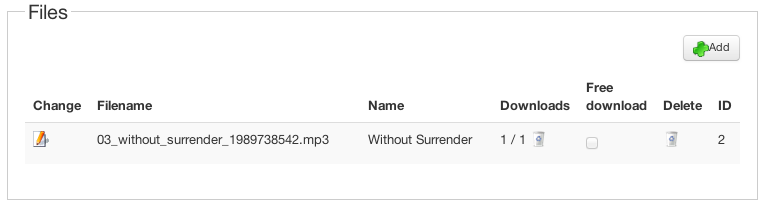
The file is not set to free download
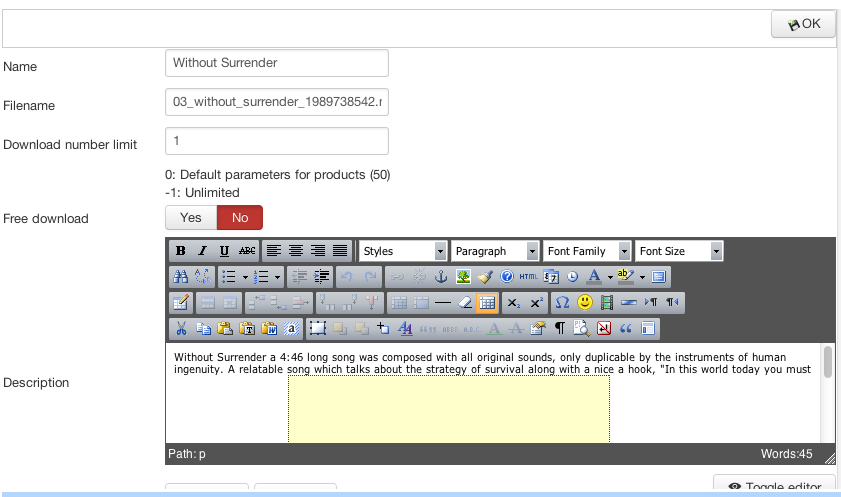
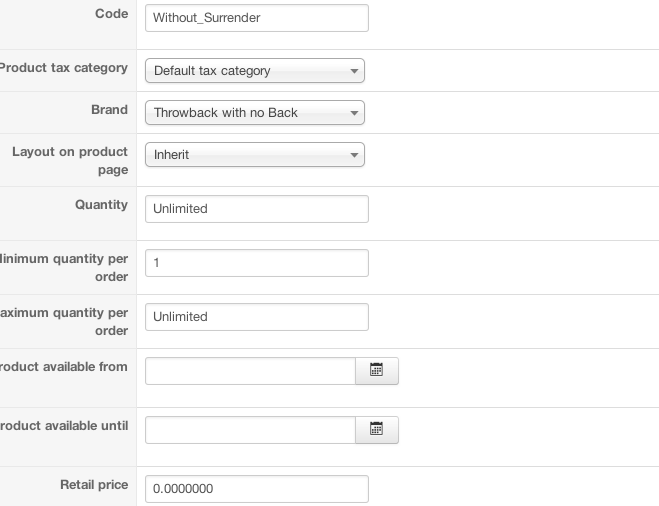
The file shows limit to downloads along with weight if that helps.
I am currently working on setting up a purchase with a downloadable file, however When I go to purchase the file, there is nowhere that I can see that allows me to download the file after purchase,
What am I doing wrong?
The file is not set to free download
The file shows limit to downloads along with weight if that helps.
Please Log in or Create an account to join the conversation.

13 years 3 months ago #111713
by Xavier
Replied by Xavier on topic Download a file after Purchase
Hi,
The link to the file is given in the email received by the user after the confirmation of the order.
And it can be found too in the user control panel (hikashop menu which can be created in frontend) > Order, or User control panel > Downloads.
The link to the file is given in the email received by the user after the confirmation of the order.
And it can be found too in the user control panel (hikashop menu which can be created in frontend) > Order, or User control panel > Downloads.
The following user(s) said Thank You: beaulijah
Please Log in or Create an account to join the conversation.
13 years 3 months ago #111809
by beaulijah
Replied by beaulijah on topic Download a file after Purchase
Wow, Thank You, I didnt know that downloads could be viewed from there.
However, how I do I set the order to confirmation after a purchased is completed.
Because I believe that may be the reason why I am not seeing the download.
Currently, I receive by email that the order was created instead of confirmed after a purchase is made.
Thank You
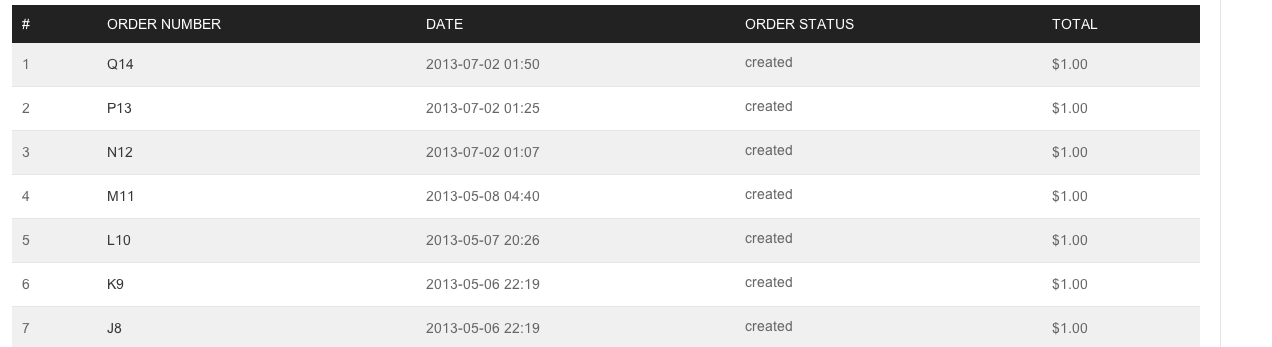
The image shows how the items are listed as created instead of confirmed.
Another issue is, there is no link to the download within the email after it is purchased.
Thank You
However, how I do I set the order to confirmation after a purchased is completed.
Because I believe that may be the reason why I am not seeing the download.
Currently, I receive by email that the order was created instead of confirmed after a purchase is made.
Thank You
The image shows how the items are listed as created instead of confirmed.
Another issue is, there is no link to the download within the email after it is purchased.
Thank You
Please Log in or Create an account to join the conversation.

13 years 3 months ago #111829
by Jerome
Jerome - Obsidev.com
HikaMarket & HikaSerial developer / HikaShop core dev team.
Replied by Jerome on topic Download a file after Purchase
Hi,
It depends on the payment plugin you uses.
If the payment method is manual (like "check", "collect on delivery") you have to change the order status in the HikaShop backend.
Regards,
It depends on the payment plugin you uses.
If the payment method is manual (like "check", "collect on delivery") you have to change the order status in the HikaShop backend.
Regards,
Jerome - Obsidev.com
HikaMarket & HikaSerial developer / HikaShop core dev team.
The following user(s) said Thank You: beaulijah
Please Log in or Create an account to join the conversation.
13 years 3 months ago #111832
by beaulijah
Replied by beaulijah on topic Download a file after Purchase
Yes, the payment plugin is manual and i have also manually changed the order status in the backend with no results. The buyer is still not notified of the change.
Please Log in or Create an account to join the conversation.
13 years 3 months ago #111861
by Xavier
Replied by Xavier on topic Download a file after Purchase
Hi,
To notify the customer when changing manually the order status, when the confirmation popup appear, you have to enable the option "Notify customer".
This option will send an email with the new order status and the links to download.
To notify the customer when changing manually the order status, when the confirmation popup appear, you have to enable the option "Notify customer".
This option will send an email with the new order status and the links to download.
The following user(s) said Thank You: beaulijah
Please Log in or Create an account to join the conversation.
13 years 3 months ago #112169
by beaulijah
Replied by beaulijah on topic Download a file after Purchase
Thank You
However, I did click the option to notify customer and still there is no notification sent.
Is this a bug I am encountering with the software or is there somewhere I have settings wrong?
Maybe the shipping? Since it is a download, I have digital download as a manual shipping method, however it is not showing on the site.
I pay with the download using paypal.
However, I did click the option to notify customer and still there is no notification sent.
Is this a bug I am encountering with the software or is there somewhere I have settings wrong?
Maybe the shipping? Since it is a download, I have digital download as a manual shipping method, however it is not showing on the site.
I pay with the download using paypal.
Please Log in or Create an account to join the conversation.

13 years 3 months ago #112231
by Eliot
Replied by Eliot on topic Download a file after Purchase
Hi there,
We found a bug corresponding to this in the last version but we fixed it.
Just re-download the last version of Hikashop, it should solve your issue.
We found a bug corresponding to this in the last version but we fixed it.
Just re-download the last version of Hikashop, it should solve your issue.
Please Log in or Create an account to join the conversation.
Time to create page: 0.149 seconds