

- Posts: 17
- Thank you received: 0
implement your styles into an existing site
13 years 1 week ago - 13 years 1 week ago #128874
by bmeier
implement your styles into an existing site was created by bmeier
-- HikaShop version -- : latest
-- Joomla version -- : 3.2
Hi,
I have copied all .css and images of your "Styles for HikaShoponto" the server.
I have selected the style I want:
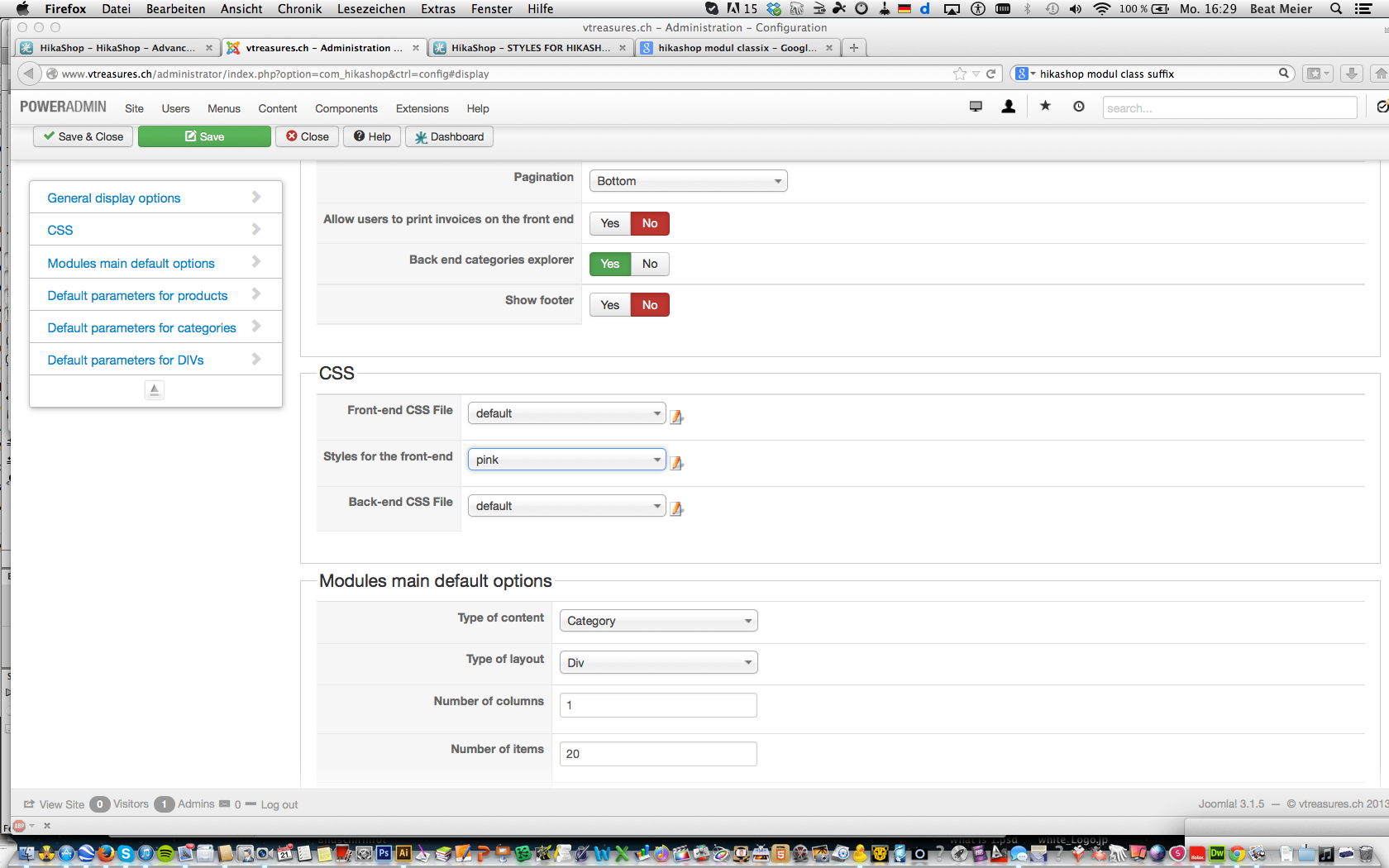
My site still looks miserable...
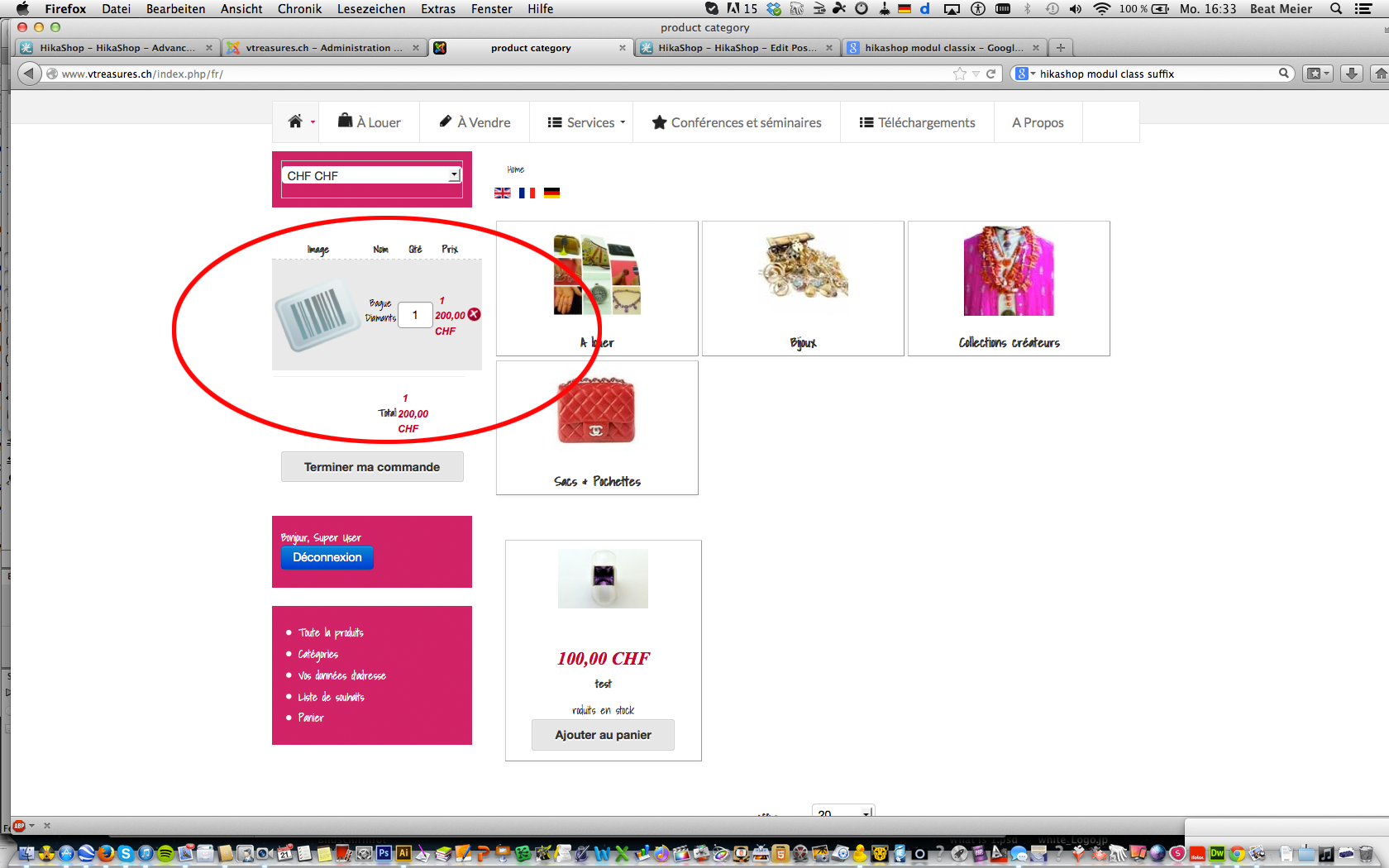
Questions:
- Do I have to use module class suffix to make it work?
- What do I miss?
- Are there any templates for Jommla 3.x available I can apply just for the store area of the website
Regards
Beat
-- Joomla version -- : 3.2
Hi,
I have copied all .css and images of your "Styles for HikaShoponto" the server.
I have selected the style I want:
My site still looks miserable...
Questions:
- Do I have to use module class suffix to make it work?
- What do I miss?
- Are there any templates for Jommla 3.x available I can apply just for the store area of the website
Regards
Beat
Last edit: 13 years 1 week ago by bmeier.
Please Log in or Create an account to join the conversation.

13 years 6 days ago #128951
by Xavier
Replied by Xavier on topic implement your styles into an existing site
Hi,
You have to add the suffix "-cart" to the cart module.
The styles mainly adapt HikaShop to your template, the colors are adapted and some details are added, but it don't change the display of the modules, you need to customize it yourself.
For Joomla 3 you can use any template, and just assign this template for the HikaShop menus.
You have to add the suffix "-cart" to the cart module.
The styles mainly adapt HikaShop to your template, the colors are adapted and some details are added, but it don't change the display of the modules, you need to customize it yourself.
For Joomla 3 you can use any template, and just assign this template for the HikaShop menus.
Please Log in or Create an account to join the conversation.
13 years 6 days ago #128959
by bmeier
Replied by bmeier on topic implement your styles into an existing site
Thanks!
I have added -cart with this result:
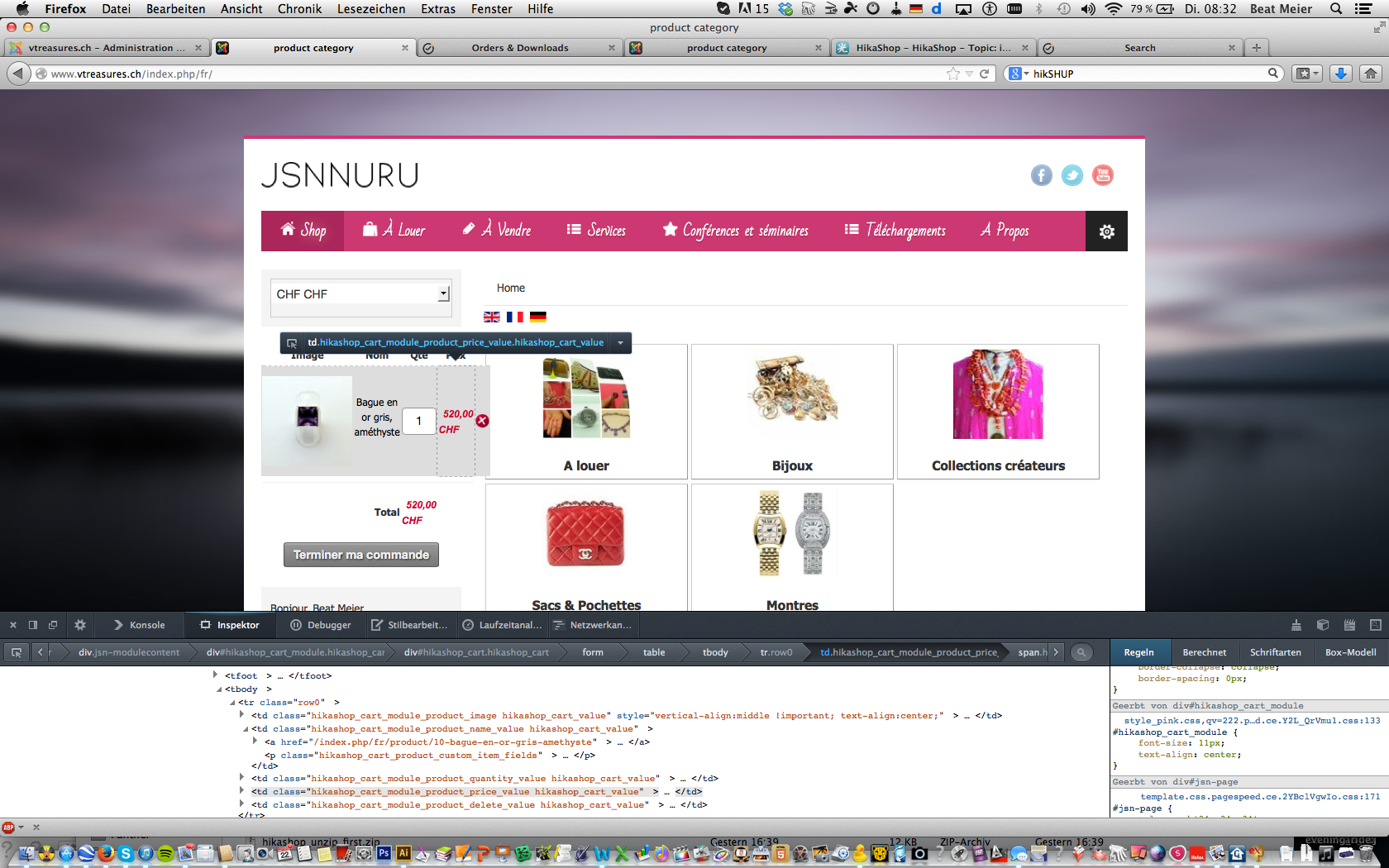
Where can I change the background of the cart to withe and adapt its size?
Beat
I have added -cart with this result:
Where can I change the background of the cart to withe and adapt its size?
Beat
Please Log in or Create an account to join the conversation.
13 years 6 days ago #128969
by Xavier
Replied by Xavier on topic implement your styles into an existing site
Hi,
Here is a tutorial which explain how to customize the display, it can be very helpful:
www.hikashop.com/support/documentation/1...ize-the-display.html
PS: if you need to edit the view of the cart, it's the view "product / cart" via the menu Display > Views.
Here is a tutorial which explain how to customize the display, it can be very helpful:
www.hikashop.com/support/documentation/1...ize-the-display.html
PS: if you need to edit the view of the cart, it's the view "product / cart" via the menu Display > Views.
Please Log in or Create an account to join the conversation.
13 years 6 days ago - 13 years 6 days ago #129001
by bmeier
Replied by bmeier on topic implement your styles into an existing site
I have managed to fit the cart box into the design by not showing the item picture.
No I have allocated the modul class suffix to "lightbox-2 jsn-icon-user" like before.
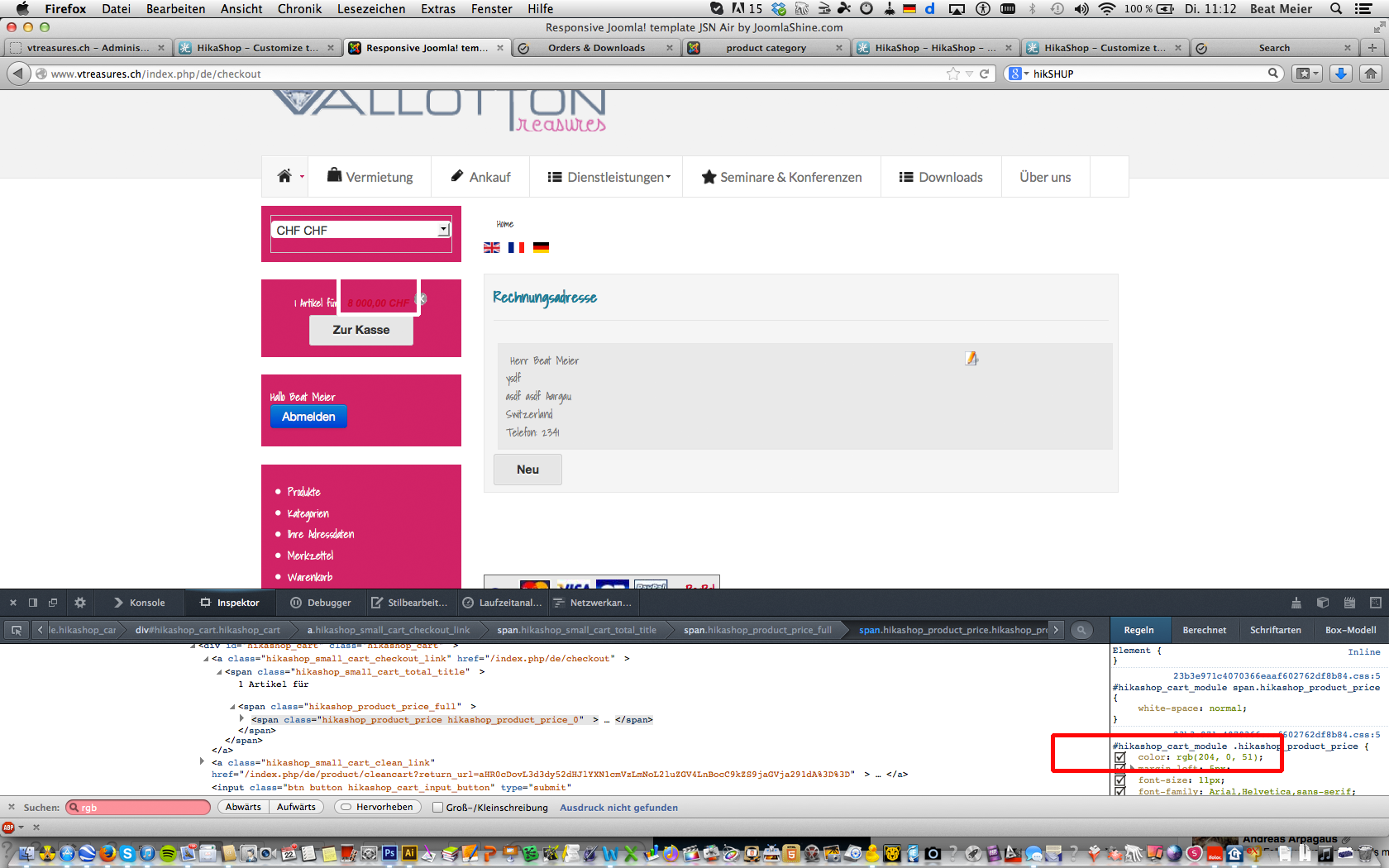
Where can I find the color setting for the font of the price in the cart box?
Firebug shows color: rgb(204, 0, 51); it need to be color: rgb(255, 255, 255);
Thanks Beat
No I have allocated the modul class suffix to "lightbox-2 jsn-icon-user" like before.
Where can I find the color setting for the font of the price in the cart box?
Firebug shows color: rgb(204, 0, 51); it need to be color: rgb(255, 255, 255);
Thanks Beat
Last edit: 13 years 6 days ago by bmeier. Reason: spelling error
Please Log in or Create an account to join the conversation.

Less
More
- Posts: 12953
- Thank you received: 1778
13 years 6 days ago - 13 years 6 days ago #129019
by Mohamed Thelji
Replied by Mohamed Thelji on topic implement your styles into an existing site
Hi,
If you want to change the color of the price through your cart module, the solution will be to search for the CSS code wich is setting the color of your cart module price through your CSS file and change it, or another solution will be to use some CSS code like :
If you want to change the color of the price through your cart module, the solution will be to search for the CSS code wich is setting the color of your cart module price through your CSS file and change it, or another solution will be to use some CSS code like :
Code:
#hikashop_cart_module .hikashop_product_price{
color: rgb(255, 255, 255)!important;
}
Last edit: 13 years 6 days ago by Mohamed Thelji.
The following user(s) said Thank You: bmeier
Please Log in or Create an account to join the conversation.
Time to create page: 0.180 seconds