

- Posts: 12
- Thank you received: 0
how to remove address_ COUNTRY of "( )"
12 years 5 months ago #159443
by bbin0907
how to remove address_ COUNTRY of "( )" was created by bbin0907
Does any one how to remove "(" and ")"
Due to Chinese traditional, address form will show country Taiwan (臺灣.台灣). Now i change to be 台灣 but it show 台灣().
So how to remove"()" ?
Due to Chinese traditional, address form will show country Taiwan (臺灣.台灣). Now i change to be 台灣 but it show 台灣().
So how to remove"()" ?
Please Log in or Create an account to join the conversation.

12 years 5 months ago #159458
by nicolas
Replied by nicolas on topic how to remove address_ COUNTRY of "( )"
Hi,
Where do you get that display ? Could you do a screenshot please ?
Could you also provide a screenshot of the options of your country zone ?
Where do you get that display ? Could you do a screenshot please ?
Could you also provide a screenshot of the options of your country zone ?
Please Log in or Create an account to join the conversation.
12 years 5 months ago #159536
by bbin0907
Replied by bbin0907 on topic how to remove address_ COUNTRY of "( )"
Dear nicolas,
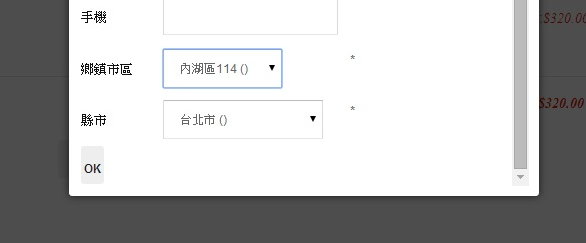
First pic was at checkout for shipping address. Due to Taiwan is a small Country. So I change country to be Taiwan city/county, and state will be Taiwan Township/village. As you see the picture, I choose 縣市(city/county) 台北() and 鄉鎮市區(Township/village) 內湖114().
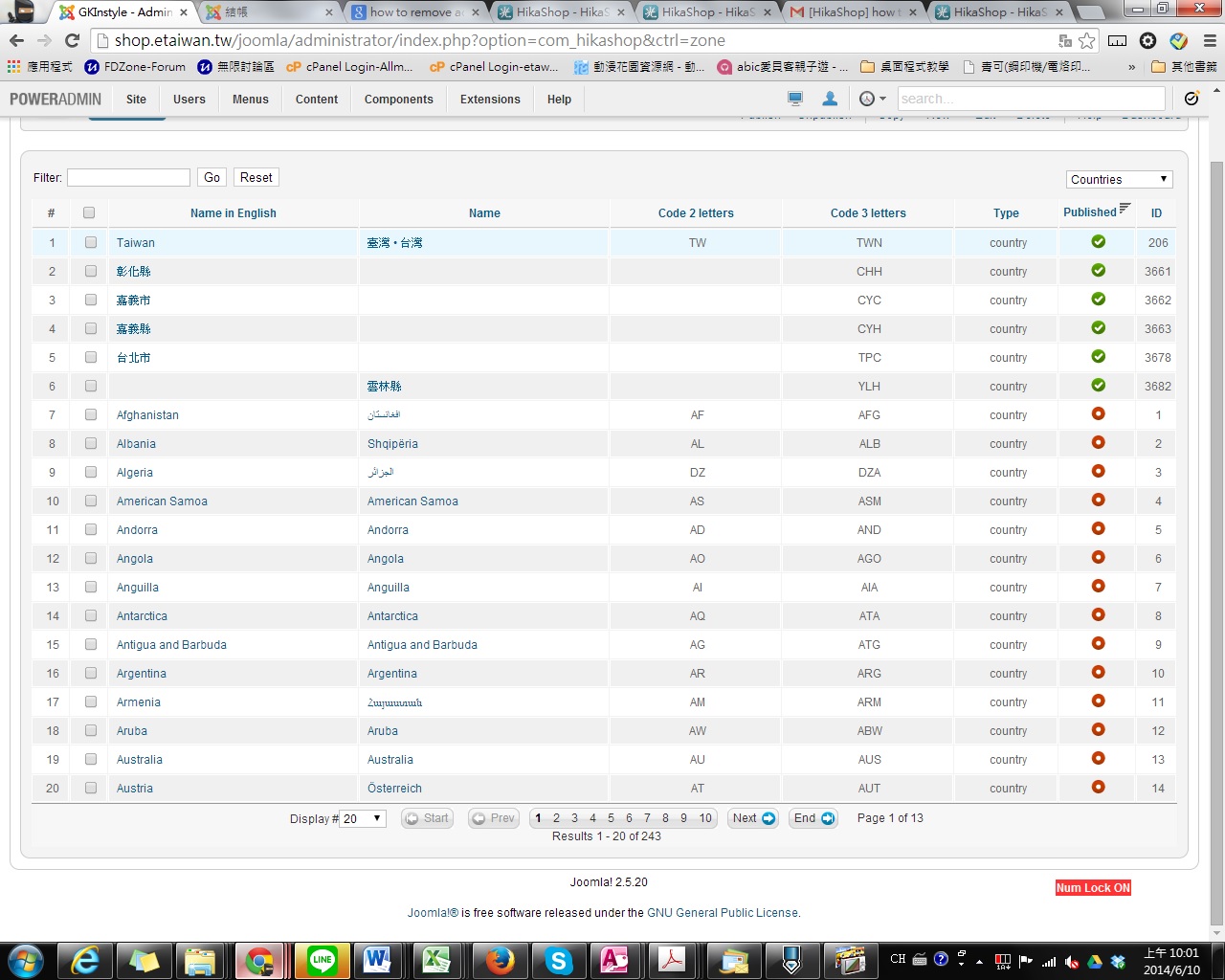
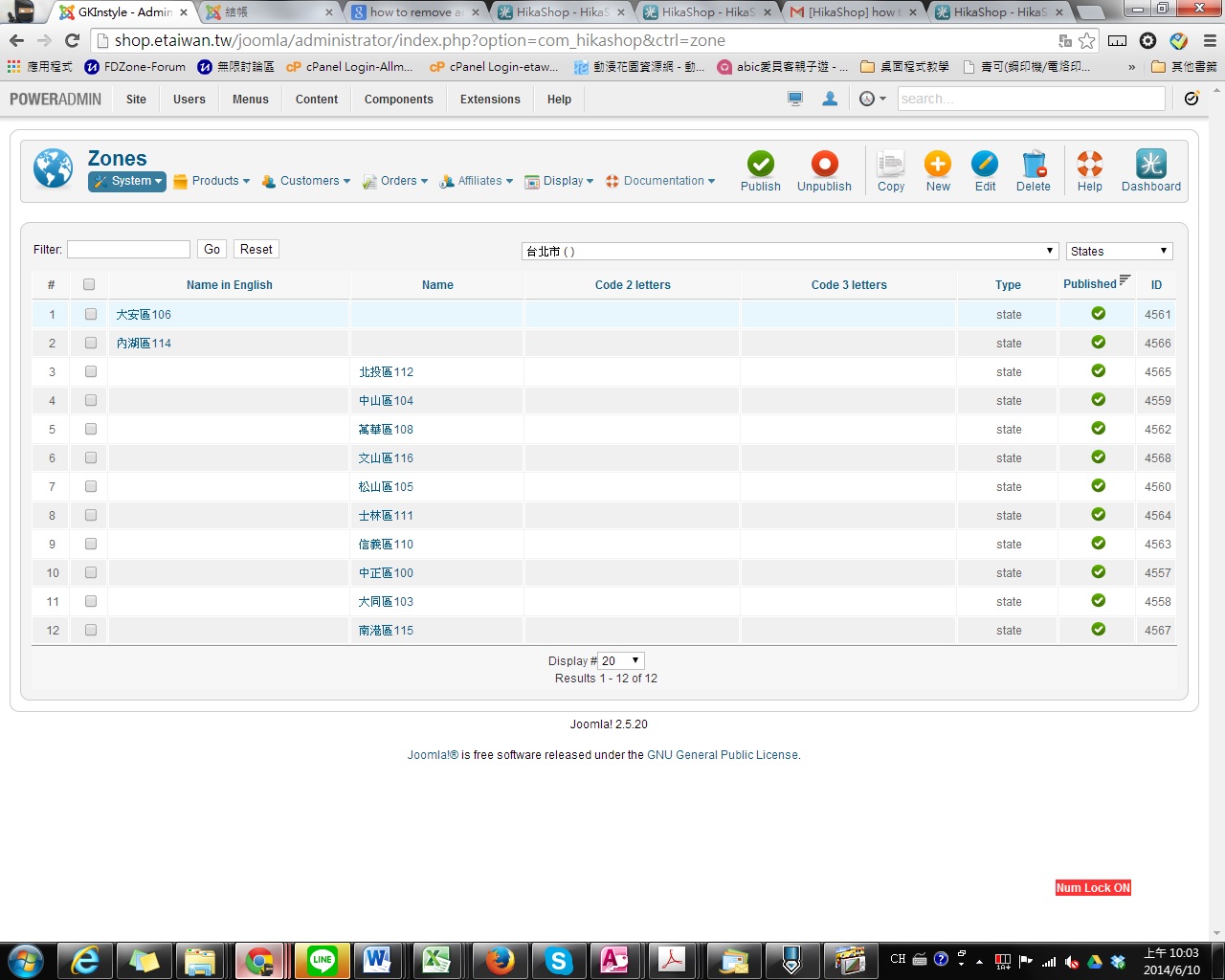
Second pic and third pic are at zone. I use English administrator for you. normally, I use Chinese traditional
Now I would like to know how to remove the “()”. Could you please tell me? Thank you
First pic was at checkout for shipping address. Due to Taiwan is a small Country. So I change country to be Taiwan city/county, and state will be Taiwan Township/village. As you see the picture, I choose 縣市(city/county) 台北() and 鄉鎮市區(Township/village) 內湖114().
Second pic and third pic are at zone. I use English administrator for you. normally, I use Chinese traditional
Now I would like to know how to remove the “()”. Could you please tell me? Thank you
Please Log in or Create an account to join the conversation.

Less
More
- Posts: 12953
- Thank you received: 1778
12 years 5 months ago #159581
by Mohamed Thelji
Replied by Mohamed Thelji on topic how to remove address_ COUNTRY of "( )"
Hello,
The best solution will probably be to set the same value for the "Name" and "English name" option of your zones configuration page.
The best solution will probably be to set the same value for the "Name" and "English name" option of your zones configuration page.
Please Log in or Create an account to join the conversation.
Time to create page: 0.057 seconds