

- Posts: 12
- Thank you received: 0
how to show multiple image at product page
12 years 4 months ago - 12 years 4 months ago #161359
by bbin0907
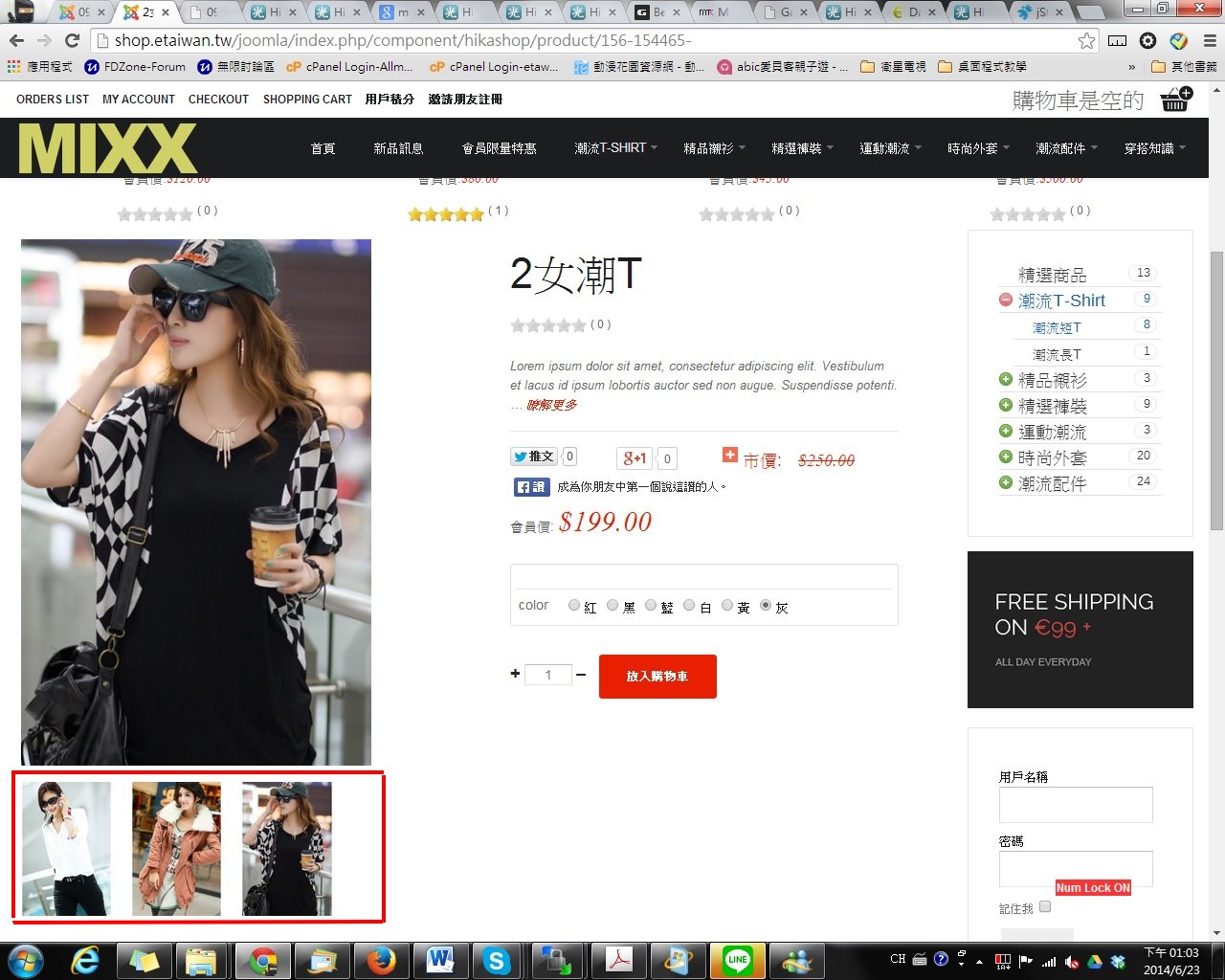
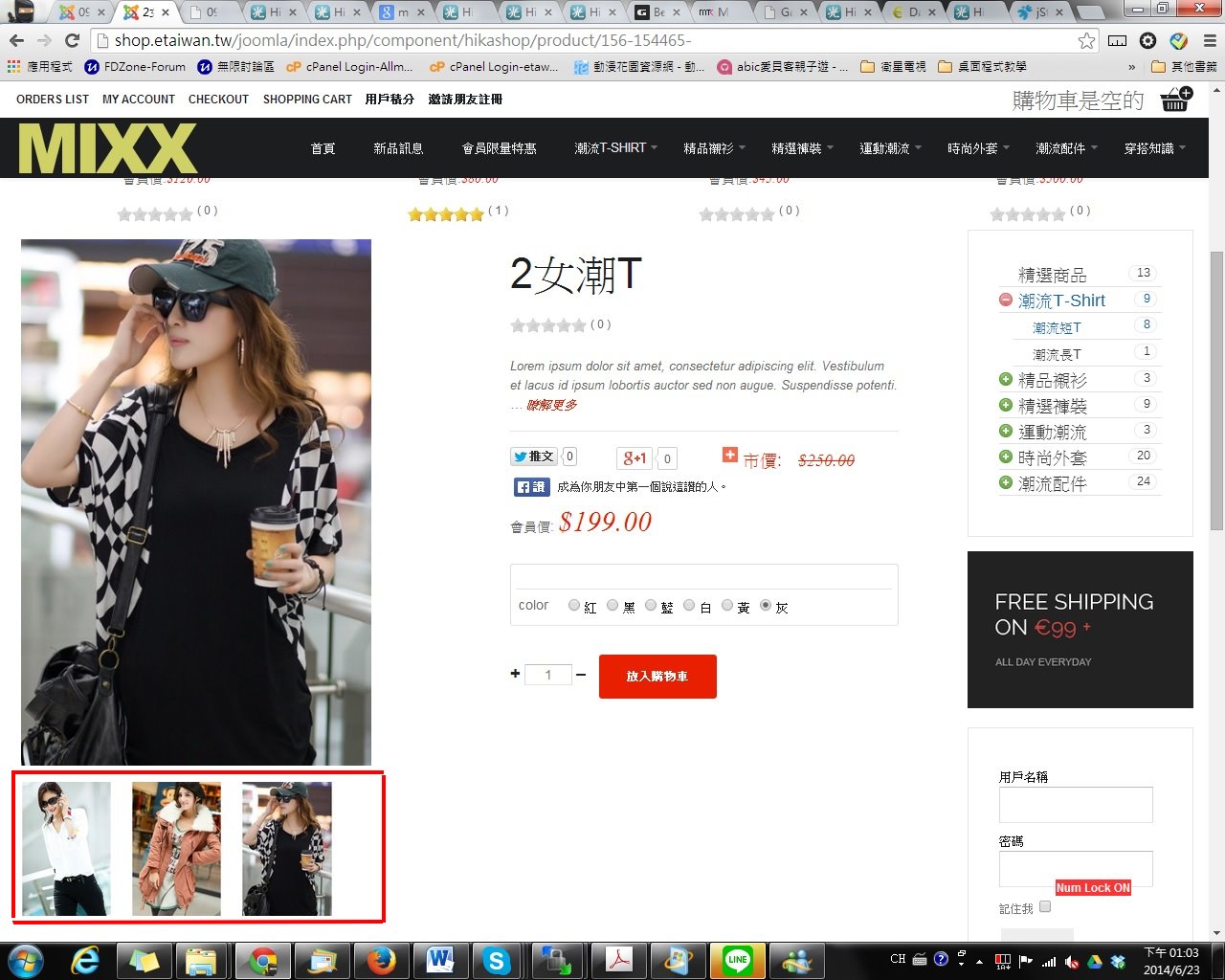
how to show the multiple image like this? I know gavick have template can do this. but it have a problem as i change characteristic. It change to
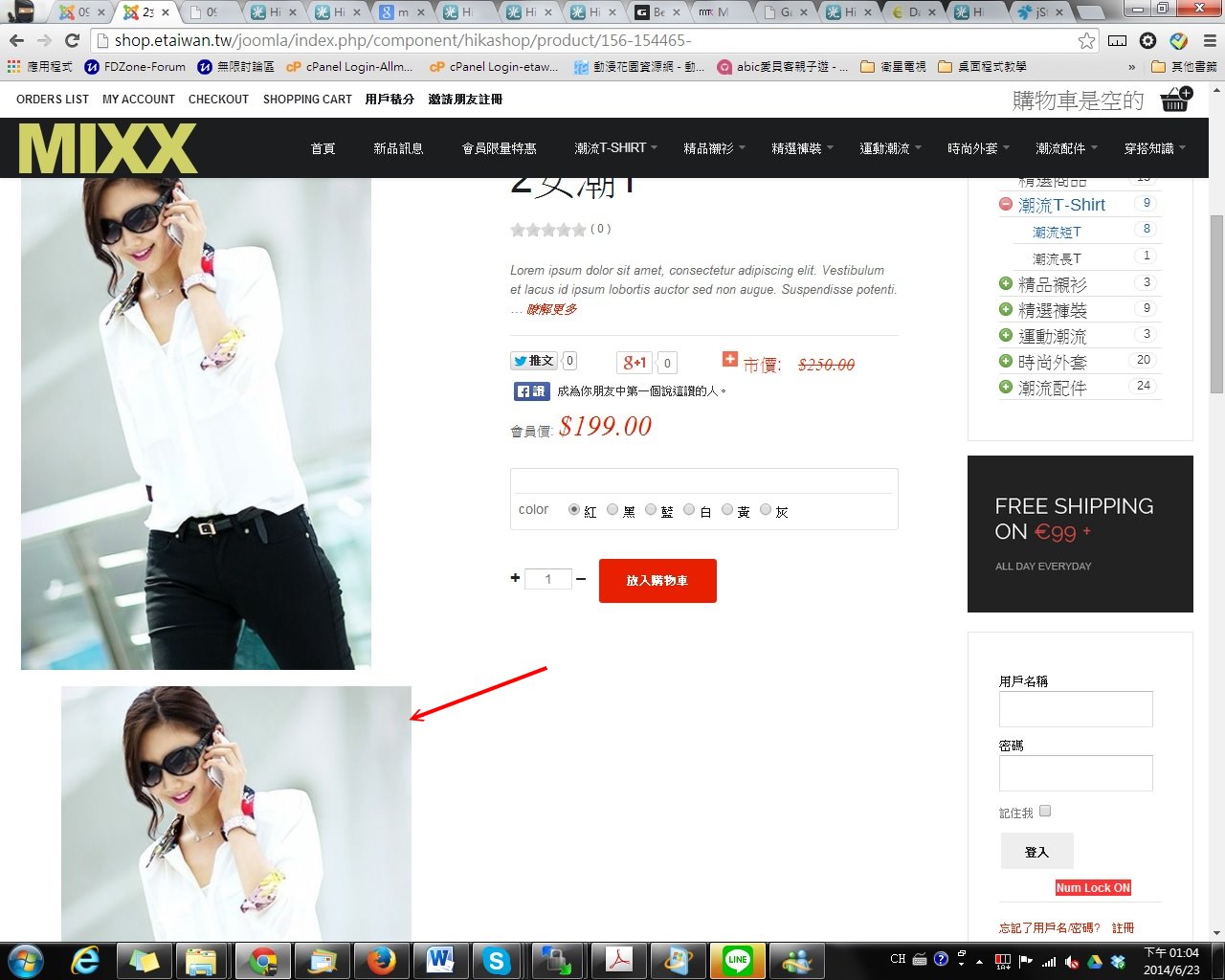
but i would like
how to show multiple image at product page was created by bbin0907
how to show the multiple image like this? I know gavick have template can do this. but it have a problem as i change characteristic. It change to
but i would like
Last edit: 12 years 4 months ago by bbin0907.
Please Log in or Create an account to join the conversation.

Less
More
- Posts: 12953
- Thank you received: 1778
12 years 4 months ago #161370
by Mohamed Thelji
Replied by Mohamed Thelji on topic how to show multiple image at product page
Hello,
The solution will probably be to use some CSS code to customize the display of your product images : www.hikashop.com/support/documentation/1...ize-the-display.html
The solution will probably be to use some CSS code to customize the display of your product images : www.hikashop.com/support/documentation/1...ize-the-display.html
Please Log in or Create an account to join the conversation.
11 years 6 months ago #200957
by Ibrahim
Replied by Ibrahim on topic how to show multiple image at product page
Dear Mohamed,
thank you for your reply as we are facing the same issue. We cannot find where to modify the code.
Can you please let us know the code we should include in the given .css file to see the pictures as on the below mentioned sample?
One main image and couple of smaller below.
Thanks a lot,
regards,
Zsombor Komáromi
thank you for your reply as we are facing the same issue. We cannot find where to modify the code.
Can you please let us know the code we should include in the given .css file to see the pictures as on the below mentioned sample?
One main image and couple of smaller below.
Thanks a lot,
regards,
Zsombor Komáromi
Please Log in or Create an account to join the conversation.

11 years 6 months ago #200961
by Jerome
Jerome - Obsidev.com
HikaMarket & HikaSerial developer / HikaShop core dev team.
Replied by Jerome on topic how to show multiple image at product page
Hi,
I am sorry but like that, we can't ; the CSS is fully related to your website and to your template.
HikaShop display correctly the product images so if you have an issue, it is local to your website.
As you can see in our demo website, the thumbnails are displayed under the main image :
demo.hikashop.com/index.php/en/hikashop/...with-multiple-images
Please read the documentation "customize the display" in order to know more about the HikaShop customization (and know which file you have to edit):
www.hikashop.com/support/documentation/1...ize-the-display.html
And if you still have some issues ; please provide us some information to help us to see your issue too.
Regards,
I am sorry but like that, we can't ; the CSS is fully related to your website and to your template.
HikaShop display correctly the product images so if you have an issue, it is local to your website.
As you can see in our demo website, the thumbnails are displayed under the main image :
demo.hikashop.com/index.php/en/hikashop/...with-multiple-images
Please read the documentation "customize the display" in order to know more about the HikaShop customization (and know which file you have to edit):
www.hikashop.com/support/documentation/1...ize-the-display.html
And if you still have some issues ; please provide us some information to help us to see your issue too.
Regards,
Jerome - Obsidev.com
HikaMarket & HikaSerial developer / HikaShop core dev team.
Please Log in or Create an account to join the conversation.
Time to create page: 0.048 seconds