
Language Overrides
- abstractimagegroup
-
 Topic Author
- Offline
Less
More
9 years 10 months ago #258535
by abstractimagegroup
Abstract Image Group | Fulfilling all of your large format printing needs!
Language Overrides was created by abstractimagegroup
-- HikaShop version -- : 2.6.4
-- Joomla version -- : 3.6.4
-- PHP version -- : 5.6.27
-- Browser(s) name and version -- : Chrome 55.0.2883.95
-- Error-message(debug-mod must be tuned on) -- : none
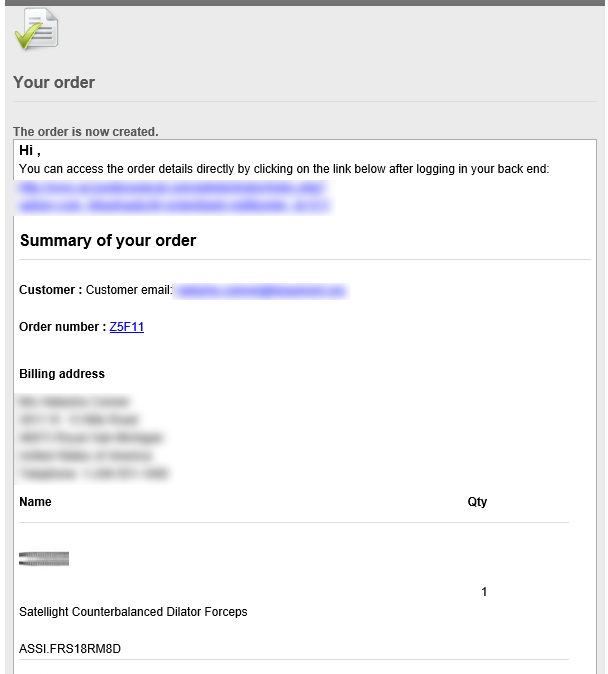
I have my shopping cart set up like a quoting system so customer and admin emails should never say "order", instead I have overrides in place so that everything says "quote" or "quotation". Recently, they have all stopped working. Any ideas?
-- Joomla version -- : 3.6.4
-- PHP version -- : 5.6.27
-- Browser(s) name and version -- : Chrome 55.0.2883.95
-- Error-message(debug-mod must be tuned on) -- : none
I have my shopping cart set up like a quoting system so customer and admin emails should never say "order", instead I have overrides in place so that everything says "quote" or "quotation". Recently, they have all stopped working. Any ideas?
Abstract Image Group | Fulfilling all of your large format printing needs!
Please Log in or Create an account to join the conversation.

9 years 10 months ago #258536
by nicolas
Replied by nicolas on topic Language Overrides
Hi,
This indicates an error in the override language file.
Turn on the debug language setting of the Joomla configuration and go to a HikaShop page of the backend. Look at the debug data at the bottom of the page.
It should tell you on which line of which file you have an error which should help you find the issue with the language override.
This indicates an error in the override language file.
Turn on the debug language setting of the Joomla configuration and go to a HikaShop page of the backend. Look at the debug data at the bottom of the page.
It should tell you on which line of which file you have an error which should help you find the issue with the language override.
Please Log in or Create an account to join the conversation.
- abstractimagegroup
-
Topic Author
- Offline
9 years 10 months ago #258555
by abstractimagegroup
Abstract Image Group | Fulfilling all of your large format printing needs!
Replied by abstractimagegroup on topic Language Overrides
It states:
**Parsing errors in language files**(in red)
JROOT/language/en-GB/en-GB.com_hikashop.ini : error(s) in line(s) 2121, 2123
JROOT/language/overrides/en-GB.override.ini : error(s) in line(s) 24
**Parsing errors in language files**(in red)
JROOT/language/en-GB/en-GB.com_hikashop.ini : error(s) in line(s) 2121, 2123
JROOT/language/overrides/en-GB.override.ini : error(s) in line(s) 24
Abstract Image Group | Fulfilling all of your large format printing needs!
Please Log in or Create an account to join the conversation.
9 years 10 months ago #258564
by nicolas
Replied by nicolas on topic Language Overrides
Hi,
So it means that you have created three errors in these files. Fix them and it will work again.
I can't say exactly what to do since you didn't provided the content of these files.
So it means that you have created three errors in these files. Fix them and it will work again.
I can't say exactly what to do since you didn't provided the content of these files.
Please Log in or Create an account to join the conversation.
Time to create page: 0.056 seconds