

- Posts: 193
- Thank you received: 11
How to to make order with check box options
7 years 2 months ago #309662
by affaf1952
How to to make order with check box options was created by affaf1952
Hello,
I have a product but this product has an options, about 8 options, all the options has the same exact Price, can we do check box options and when the customer choose and check one option box will added to the main price? if so how i can accomplished tha?
thanks
I have a product but this product has an options, about 8 options, all the options has the same exact Price, can we do check box options and when the customer choose and check one option box will added to the main price? if so how i can accomplished tha?
thanks
Please Log in or Create an account to join the conversation.

7 years 2 months ago #309664
by nicolas
Replied by nicolas on topic How to to make order with check box options
Hi,
Yes. In the "Product selection method" select "checkbox" in the HikaShop configuration and your options will display as checkboxes.
Yes. In the "Product selection method" select "checkbox" in the HikaShop configuration and your options will display as checkboxes.
Please Log in or Create an account to join the conversation.
7 years 2 months ago - 7 years 2 months ago #309672
by affaf1952
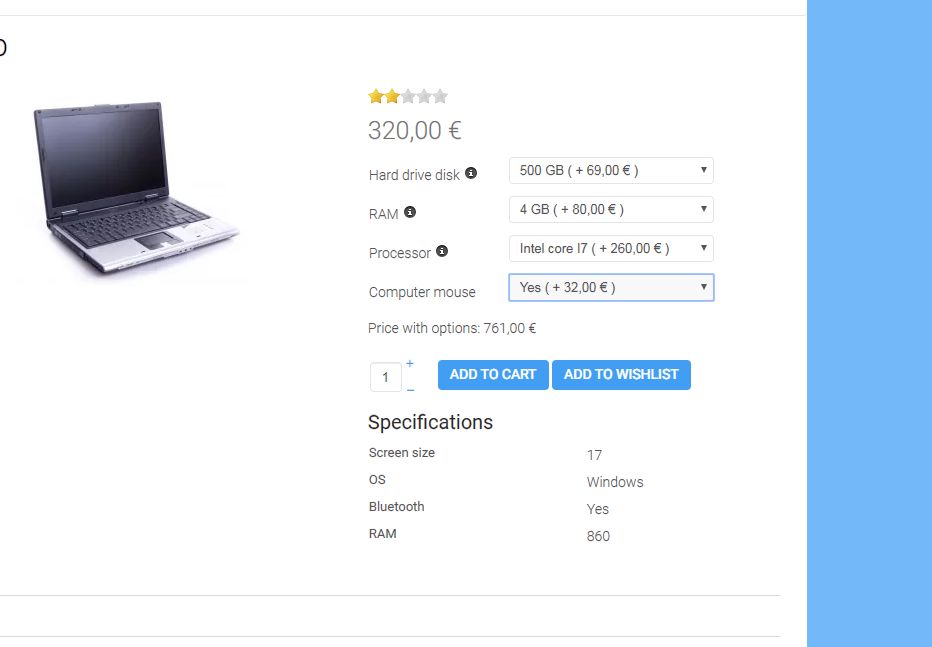 Hello nick and Thank you for QUick reply, would you please provide me with Screenshot show is how, I could not find, your help highly appreciated , Thanks
like above picture but not drop down, meaning the check price has a price, thanks
Replied by affaf1952 on topic How to to make order with check box options
like above picture but not drop down, meaning the check price has a price, thanks
Last edit: 7 years 2 months ago by affaf1952.
Please Log in or Create an account to join the conversation.
7 years 2 months ago #309684
by nicolas
Replied by nicolas on topic How to to make order with check box options
Hi,
I'm not sure why you would want a screenshot ?
Here is how that page looks when I change the setting I told you about in my previous message:
monosnap.com/file/lE5KzY5fEJ6YUwJPesH3tKgKDVJJU5
The styling is a bit off as the template wasn't made to support that display mode but the function works, I think, how you need it.
I'm not sure why you would want a screenshot ?
Here is how that page looks when I change the setting I told you about in my previous message:
monosnap.com/file/lE5KzY5fEJ6YUwJPesH3tKgKDVJJU5
The styling is a bit off as the template wasn't made to support that display mode but the function works, I think, how you need it.
Please Log in or Create an account to join the conversation.
7 years 2 months ago #309704
by affaf1952
Replied by affaf1952 on topic How to to make order with check box options
I was not asking a screenshot about how it looks, i agree with you that is strange, I was saying i want a screenshot to the area that you said i have to do it from Yes. In the "Product selection method" select "checkbox" in the HikaShop configuration and your options will display as checkboxes.
Please Log in or Create an account to join the conversation.
7 years 2 months ago #309705
by nicolas
Replied by nicolas on topic How to to make order with check box options
It's this setting:
monosnap.com/file/Rf13Uh3HlVJZoDna6svx3LTWuimfXW
It's in the Display tab.
If you can't find that setting, then it would mean that you're using an old version of HikaShop where that setting wasn't yet implemented.
monosnap.com/file/Rf13Uh3HlVJZoDna6svx3LTWuimfXW
It's in the Display tab.
If you can't find that setting, then it would mean that you're using an old version of HikaShop where that setting wasn't yet implemented.
The following user(s) said Thank You: affaf1952
Please Log in or Create an account to join the conversation.
7 years 2 months ago #309720
by affaf1952
Replied by affaf1952 on topic How to to make order with check box options
Ok perfect, I was able to do it as a checkbox, but the next question is, now I added the option as a product right? and in this case, these options are shown in the main category menu, I don't want this option to be visible to the customers only when he goes the main product then he should see the options there, how I can a accomplish that? again thank you for all your support
please see attachments
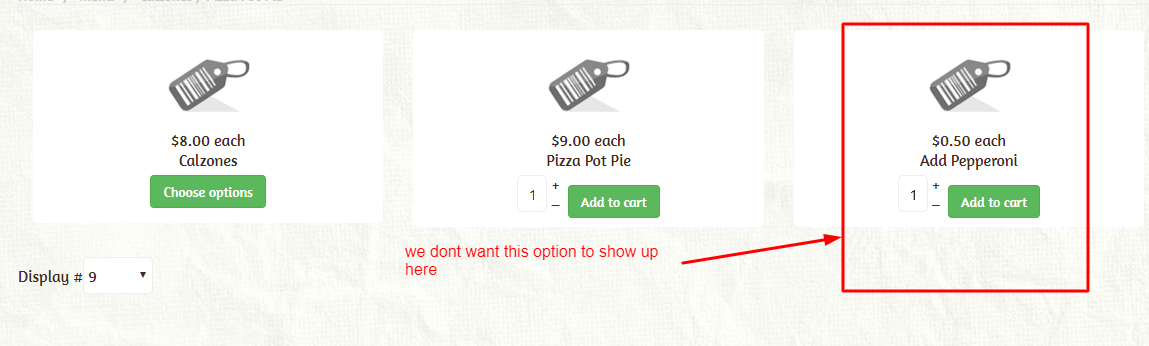
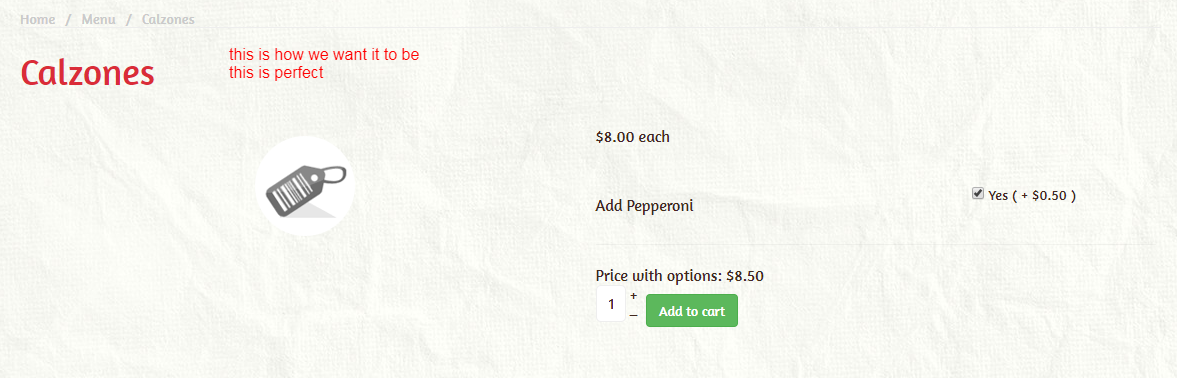
please see attachments
Please Log in or Create an account to join the conversation.
7 years 2 months ago #309721
by affaf1952
Replied by affaf1952 on topic How to to make order with check box options
No Worries, I figure it out, I create another Category named it Addon, then I unpublished this category so now it's not shown in the Main Menu list, then I added my option product to the unpublished addon category, then I target the option to this product,
thanks for your help
thanks for your help
The following user(s) said Thank You: Mohamed Thelji
Please Log in or Create an account to join the conversation.

Less
More
- Posts: 12953
- Thank you received: 1778
7 years 2 months ago #309747
by Mohamed Thelji
Replied by Mohamed Thelji on topic How to to make order with check box options
Hello,
Thanks for your feedback !
Have a nice day,
Kind regards,
Mohamed Thelji.
Thanks for your feedback !
Have a nice day,
Kind regards,
Mohamed Thelji.
The following user(s) said Thank You: affaf1952
Please Log in or Create an account to join the conversation.
Time to create page: 0.085 seconds