

- Posts: 193
- Thank you received: 11
Giving item as a discount not percentage neither money
6 years 7 months ago #316411
by affaf1952
Giving item as a discount not percentage neither money was created by affaf1952
Hello Client, want to give a discount as a free item when you buy over 30 per order like a free small salad or Free small fries, how I can accomplish that? Thanks
Please Log in or Create an account to join the conversation.

6 years 7 months ago #316413
by nicolas
Replied by nicolas on topic Giving item as a discount not percentage neither money
Hi,
You could do that with this plugin www.hikashop.com/marketplace/product/118...on-free-product.html and a coupon configured with the 30 minimum quantity restriction and the "auto load" option activated.
You could do that with this plugin www.hikashop.com/marketplace/product/118...on-free-product.html and a coupon configured with the 30 minimum quantity restriction and the "auto load" option activated.
The following user(s) said Thank You: affaf1952
Please Log in or Create an account to join the conversation.
6 years 7 months ago #316482
by affaf1952
Replied by affaf1952 on topic Giving item as a discount not percentage neither money
Hello Nick,
I bought it and works perfect, thanks again!, I have another Question
how I can use this Plugin
www.hikashop.com/marketplace/product/202...rice-by-obsidev.html
does this plugin can be added to check outflow so I can use it as a Tip or not, thanks
I bought it and works perfect, thanks again!, I have another Question
how I can use this Plugin
www.hikashop.com/marketplace/product/202...rice-by-obsidev.html
does this plugin can be added to check outflow so I can use it as a Tip or not, thanks
Please Log in or Create an account to join the conversation.
6 years 7 months ago #316483
by nicolas
Replied by nicolas on topic Giving item as a discount not percentage neither money
Hi,
Yes. You can create a custom field of the table "order" (which will appear on the checkout) and configure this plugin to get the value entered by the user in that field to add it as a "fee" (or tip in your case) to the cart.
Yes. You can create a custom field of the table "order" (which will appear on the checkout) and configure this plugin to get the value entered by the user in that field to add it as a "fee" (or tip in your case) to the cart.
Please Log in or Create an account to join the conversation.
6 years 7 months ago #316525
by affaf1952
Replied by affaf1952 on topic Giving item as a discount not percentage neither money
Hello Nick, I bought it but I don't know to add it as a Tip then to the checkout flaw, what I did so far is publish the plugin then add it from the configuration, but I don't know how to add it to the checkout flaw please see the attachment, thanks

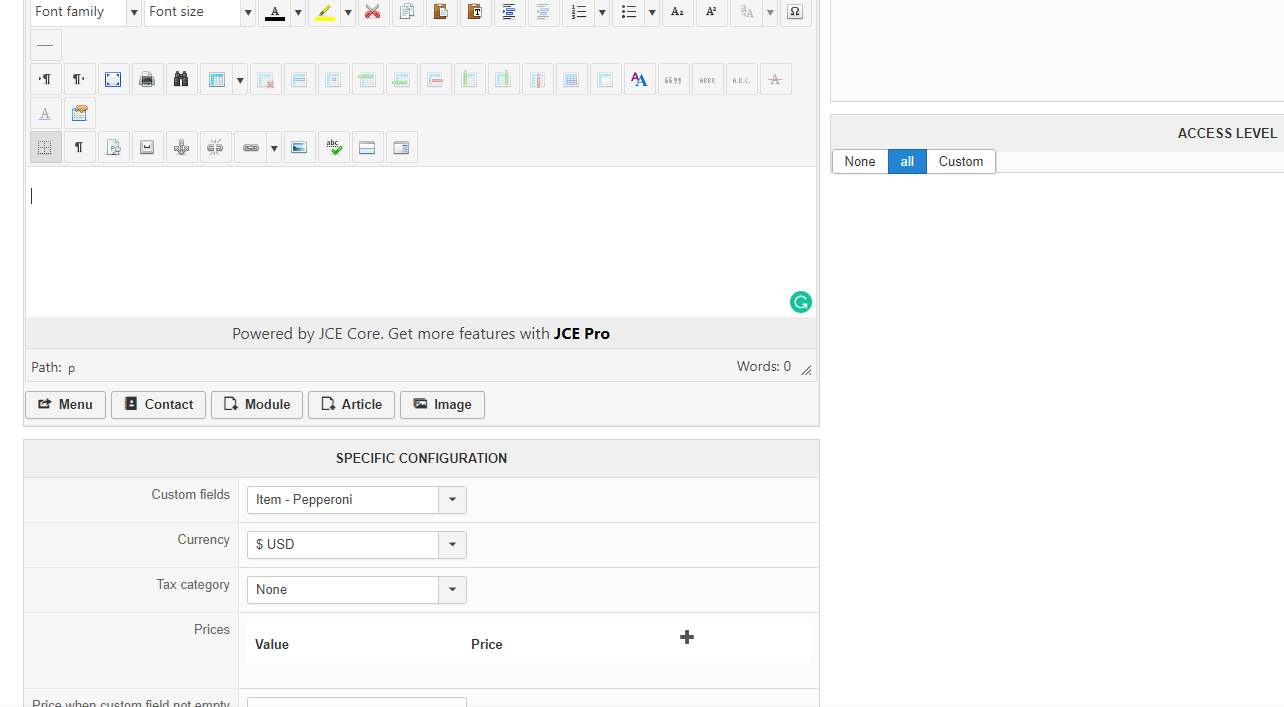

Thanks
Thanks
Please Log in or Create an account to join the conversation.
6 years 7 months ago #316527
by affaf1952
Replied by affaf1952 on topic Giving item as a discount not percentage neither money
here you go the attachments
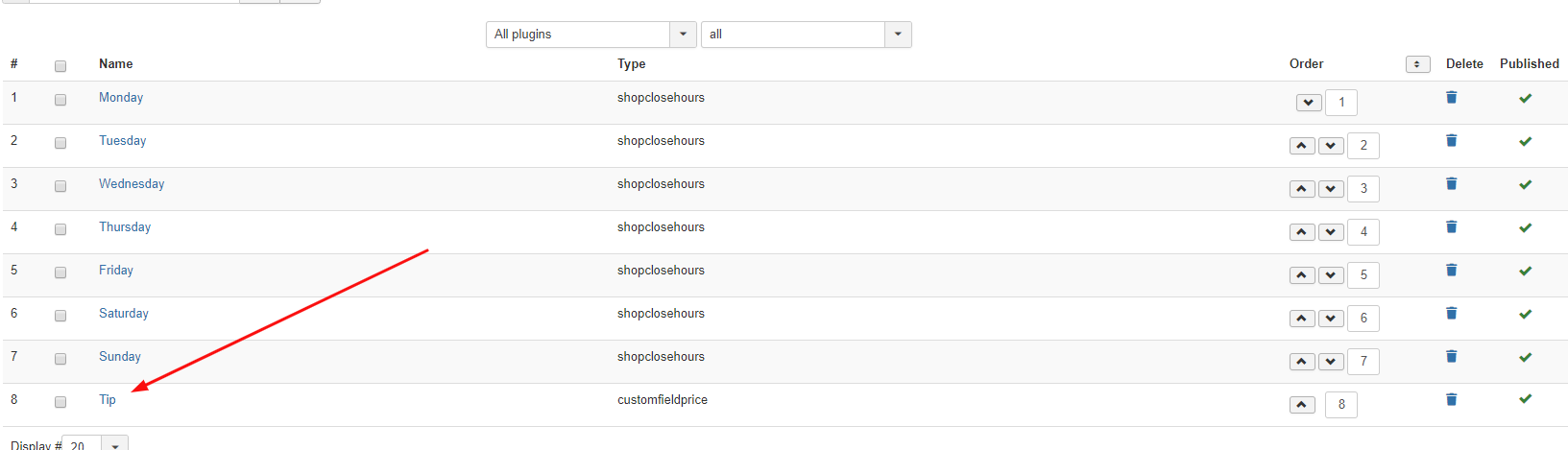
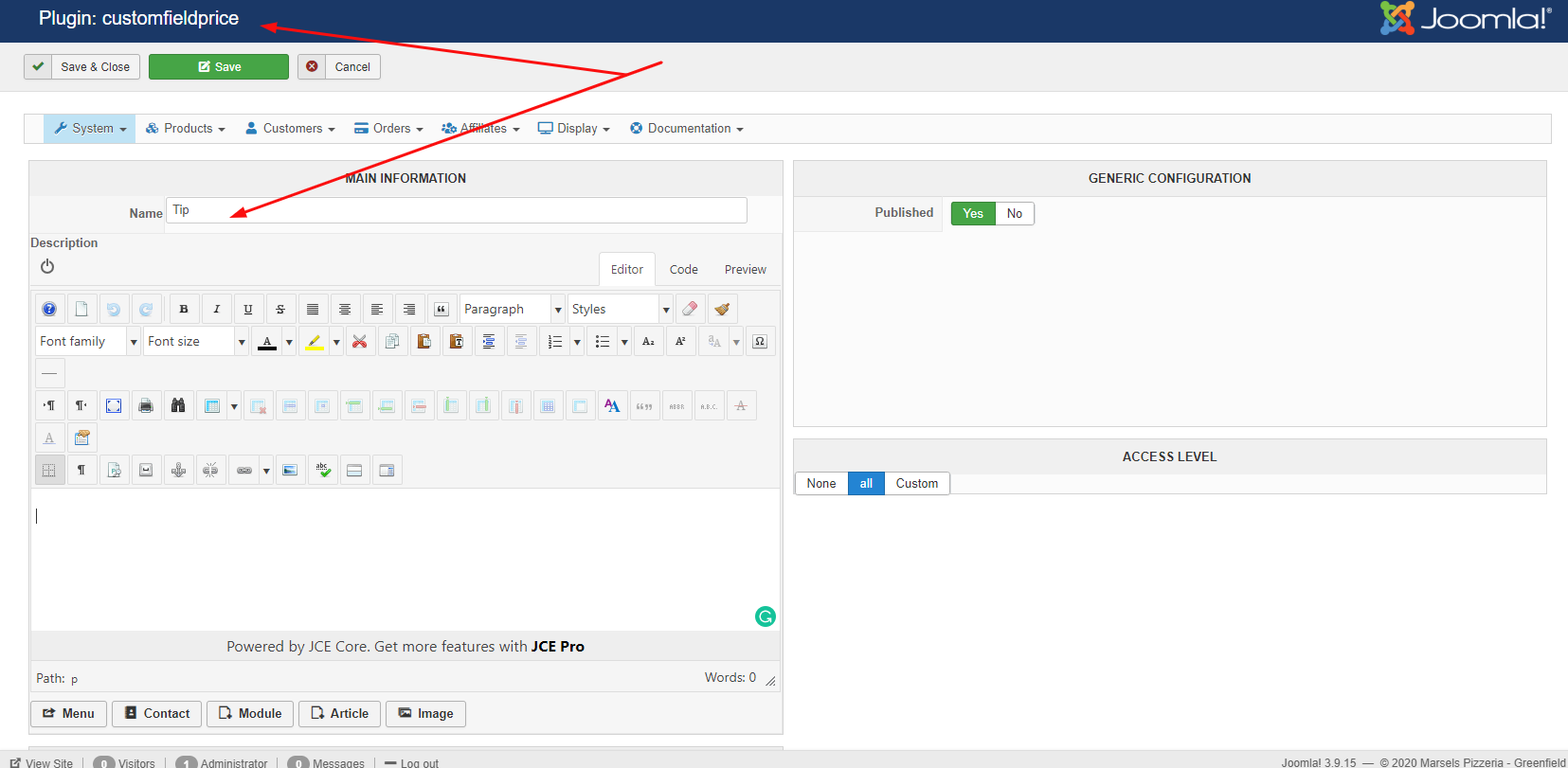
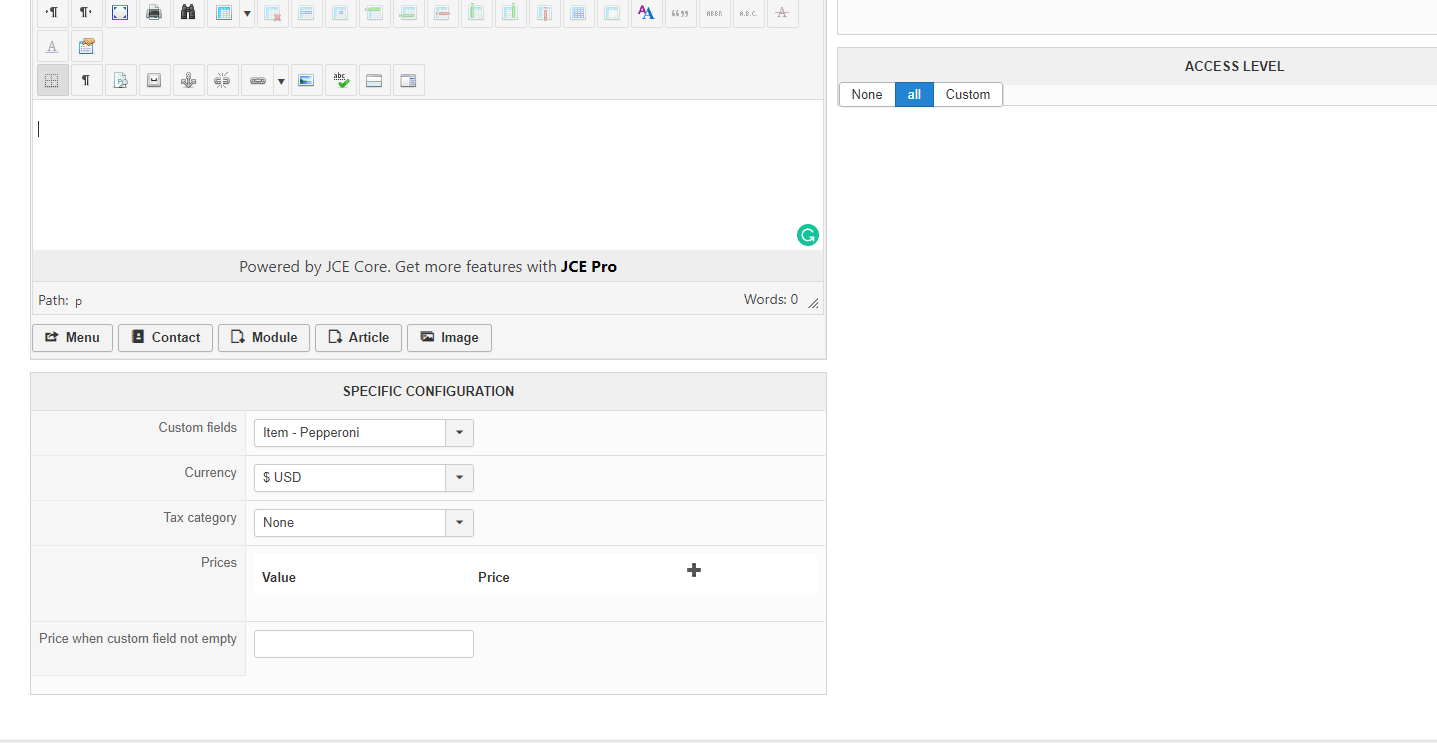
Thanks
Thanks
Please Log in or Create an account to join the conversation.
6 years 7 months ago #316528
by nicolas
Replied by nicolas on topic Giving item as a discount not percentage neither money
Hi,
You need to create a custom field of the table "order" and not "item" and select that custom field in your plugin settings instead of the one you have now. Then, in your checkout workflow, make sure you add the "Fields" view in order to display the custom order field you created on the checkout.
You need to create a custom field of the table "order" and not "item" and select that custom field in your plugin settings instead of the one you have now. Then, in your checkout workflow, make sure you add the "Fields" view in order to display the custom order field you created on the checkout.
Please Log in or Create an account to join the conversation.
6 years 7 months ago #316546
by affaf1952
Replied by affaf1952 on topic Giving item as a discount not percentage neither money
Yes, would you please give me more details where I start exactly, thanks
Please Log in or Create an account to join the conversation.
6 years 7 months ago #316553
by affaf1952
Replied by affaf1952 on topic Giving item as a discount not percentage neither money
I did the following but still, I can not see the plugin show inside the checkout flaw, please see attachment, and advice, thanks in advanced, be safe of the corona,

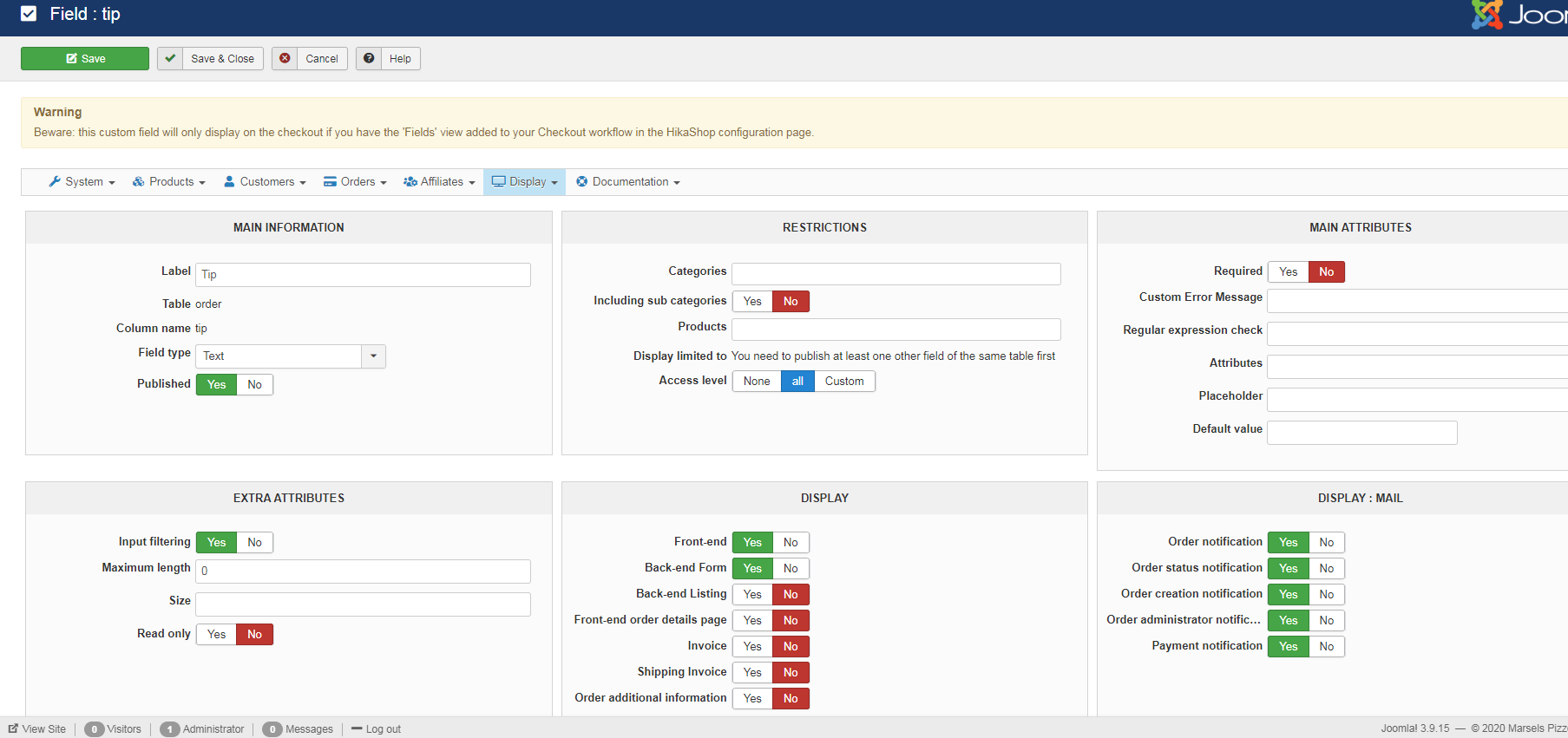
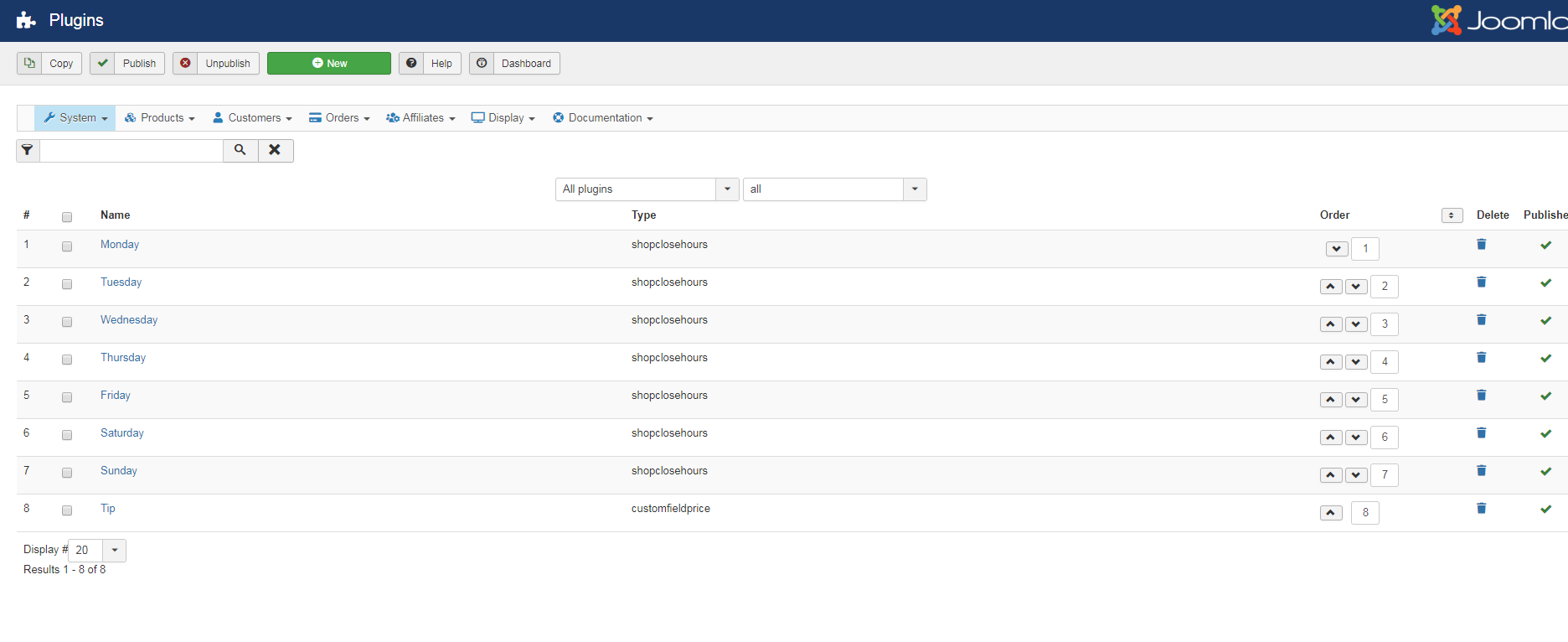
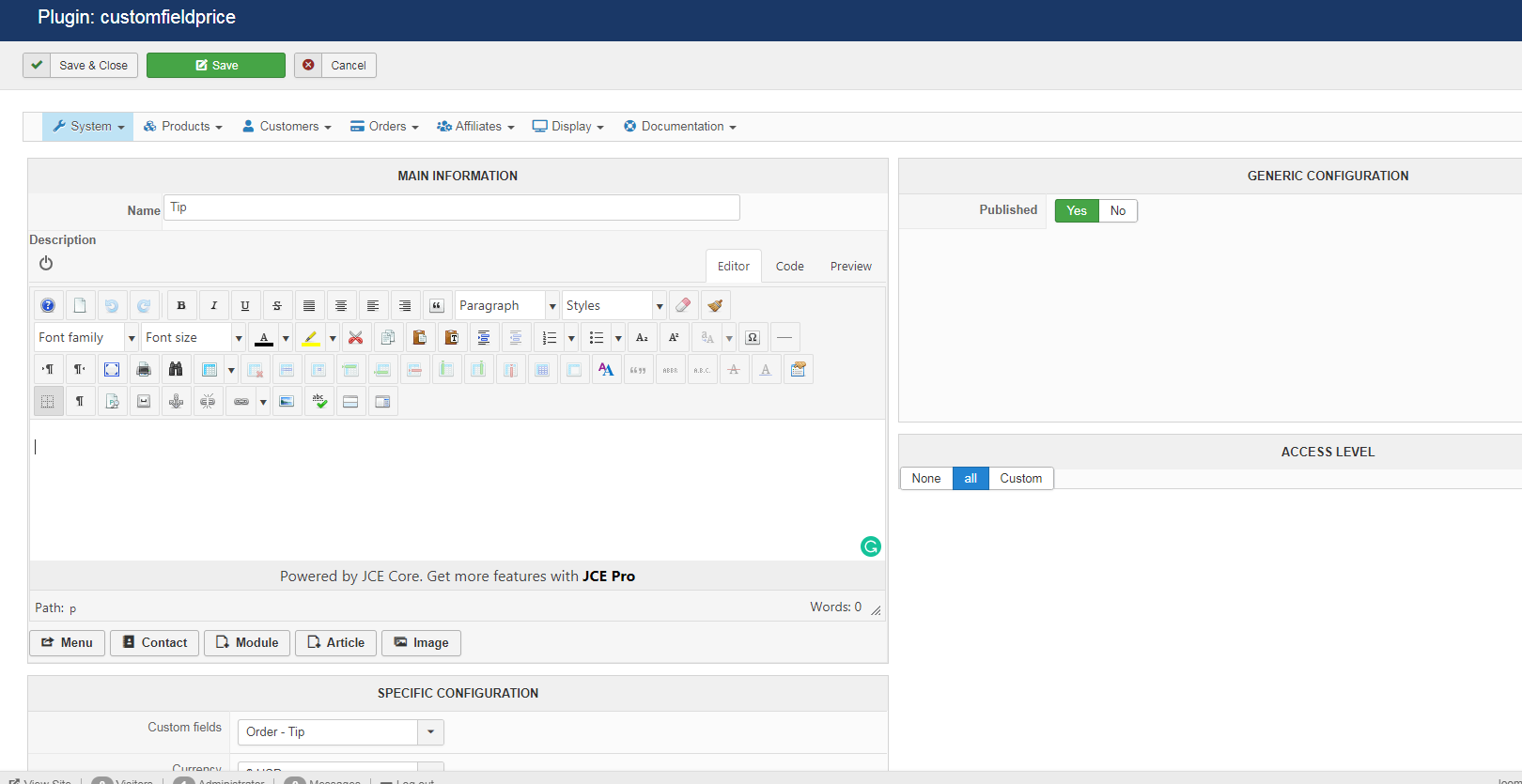
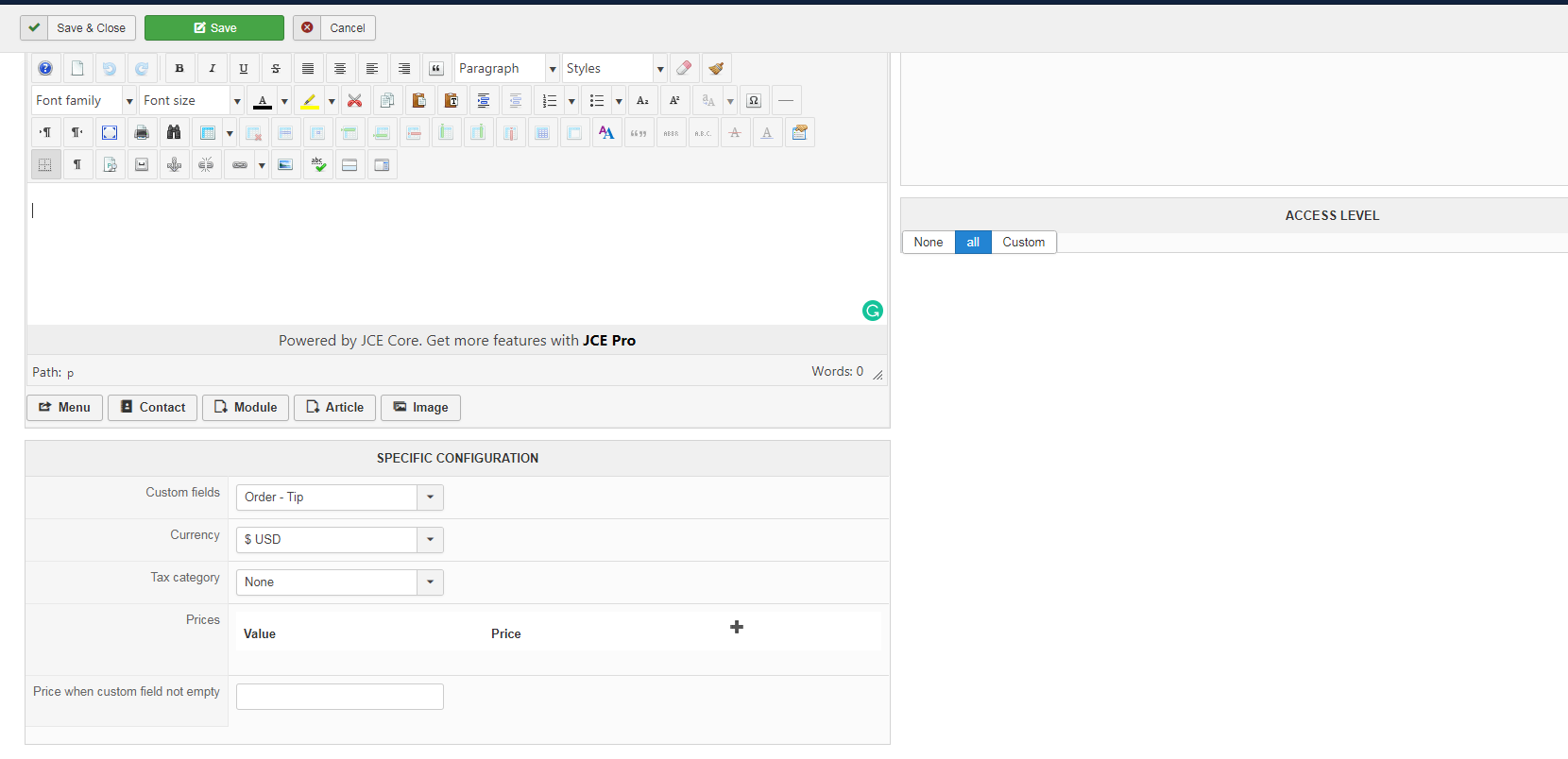
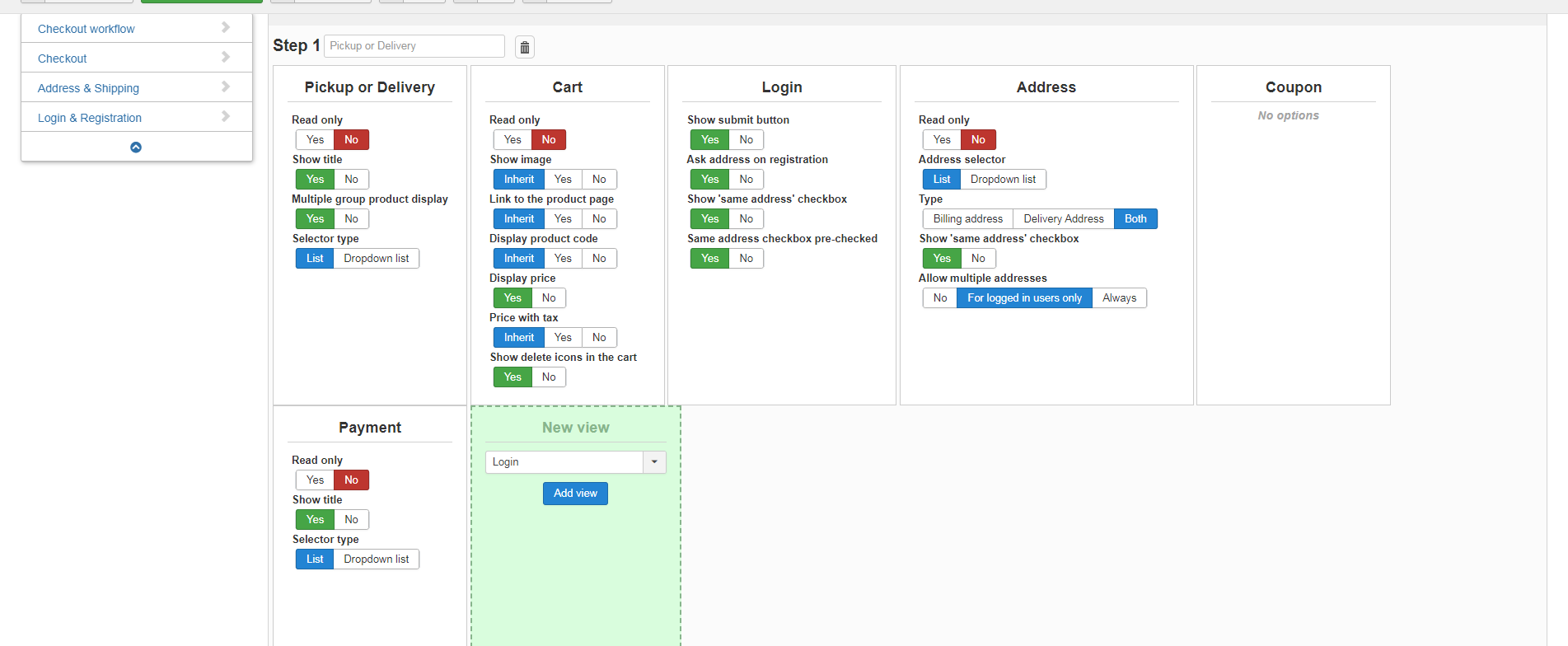
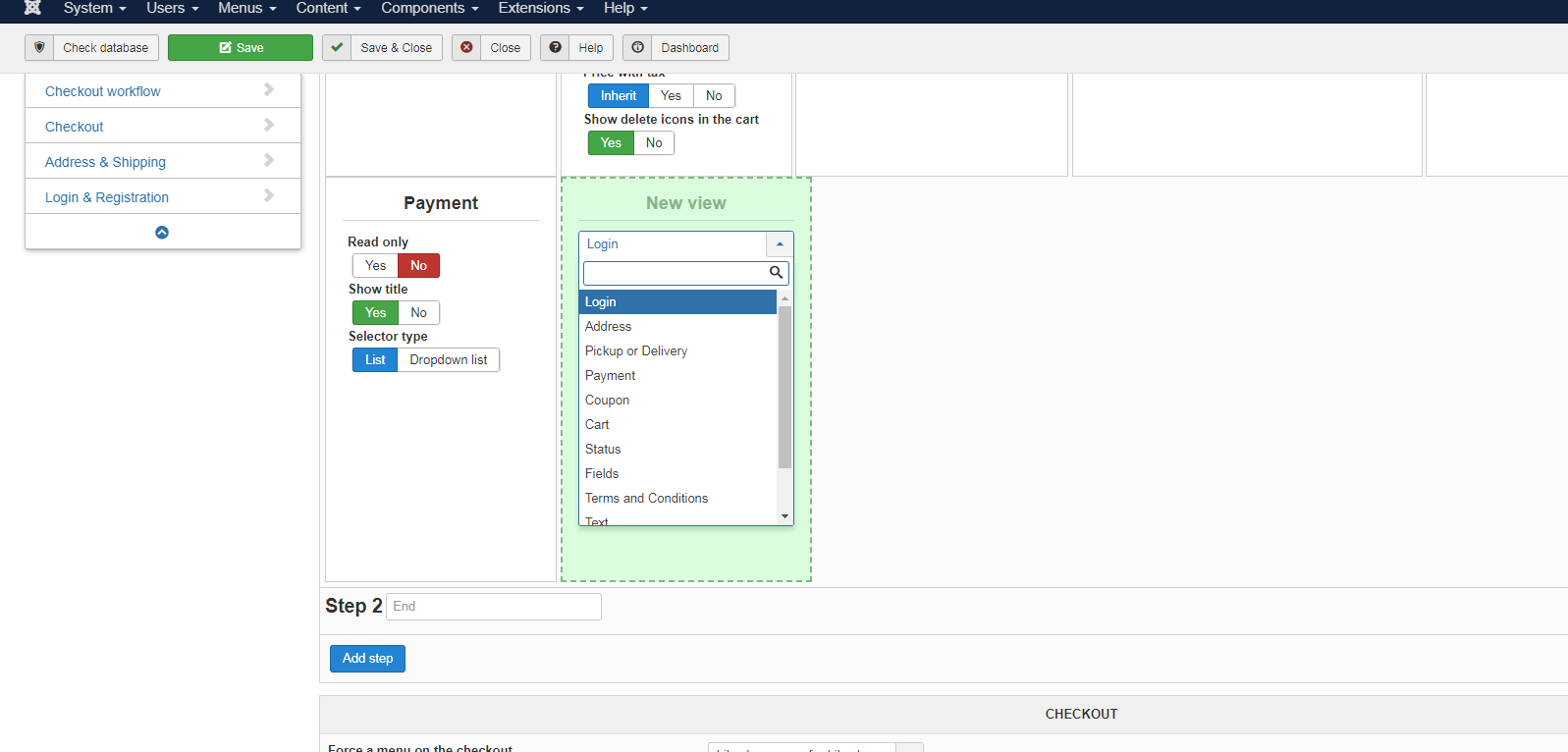
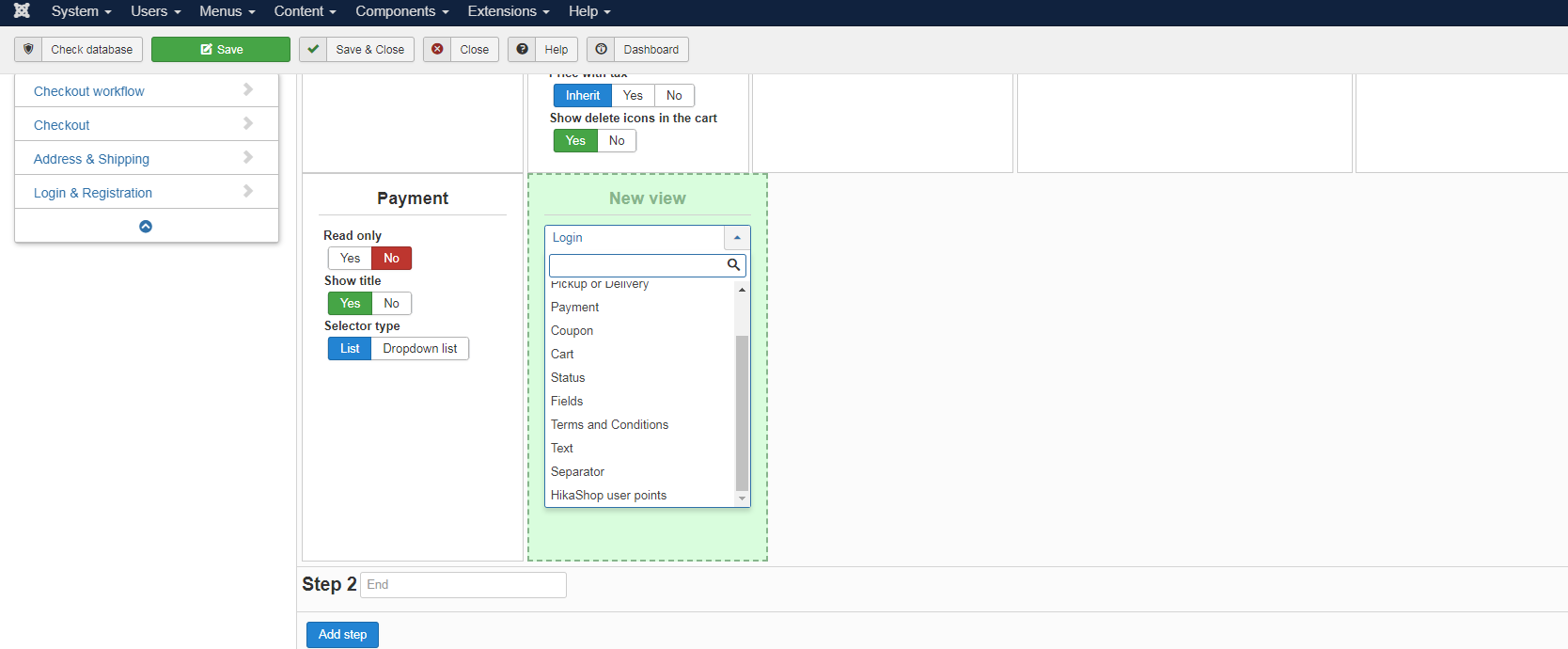
Agin thank you in advanced, i know im very close but there is something im not making it quite right
Agin thank you in advanced, i know im very close but there is something im not making it quite right
Please Log in or Create an account to join the conversation.
6 years 7 months ago #316567
by nicolas
Replied by nicolas on topic Giving item as a discount not percentage neither money
Hi,
The issue is with your checkout workflow.
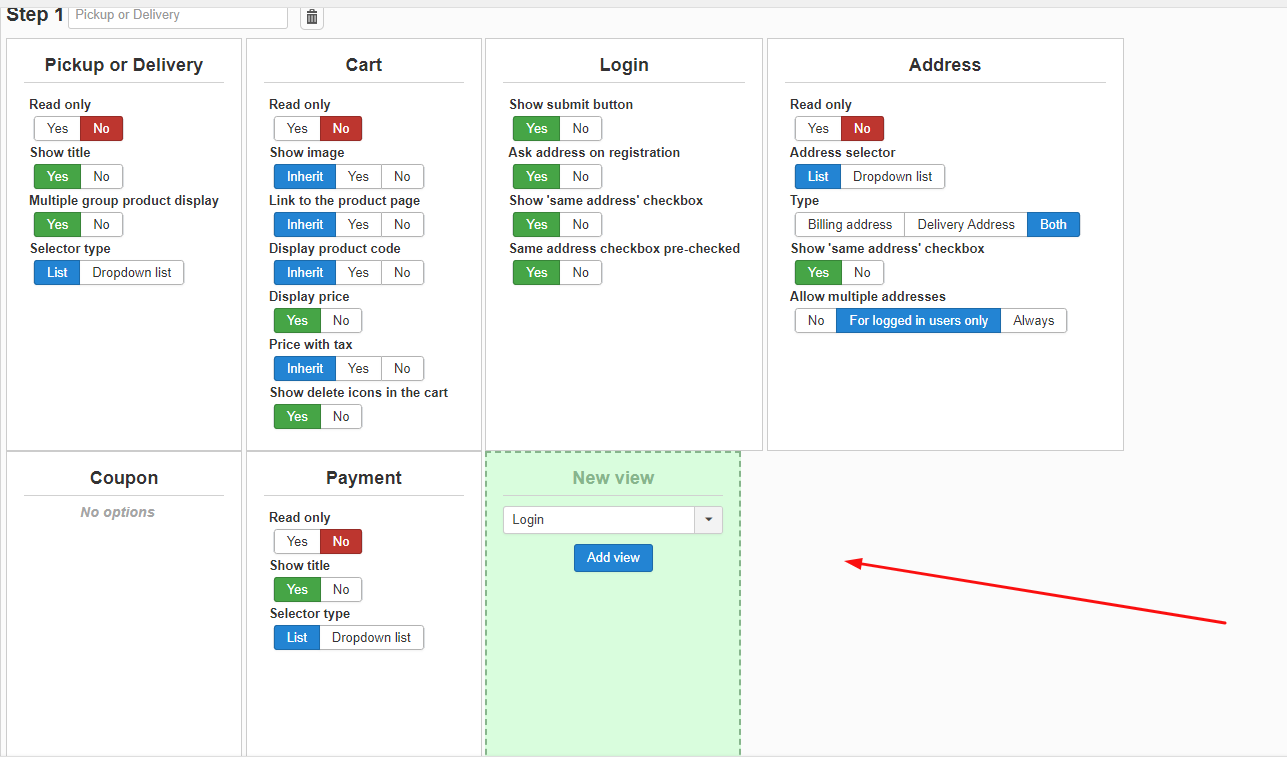
There, in the "new view" area, you need to select "fields"and then click on the "add view" button.
This fields view will be responsible for displaying your custom fields of the table "order".
The issue is with your checkout workflow.
There, in the "new view" area, you need to select "fields"and then click on the "add view" button.
This fields view will be responsible for displaying your custom fields of the table "order".
Please Log in or Create an account to join the conversation.
6 years 7 months ago #316594
by affaf1952
Replied by affaf1952 on topic Giving item as a discount not percentage neither money
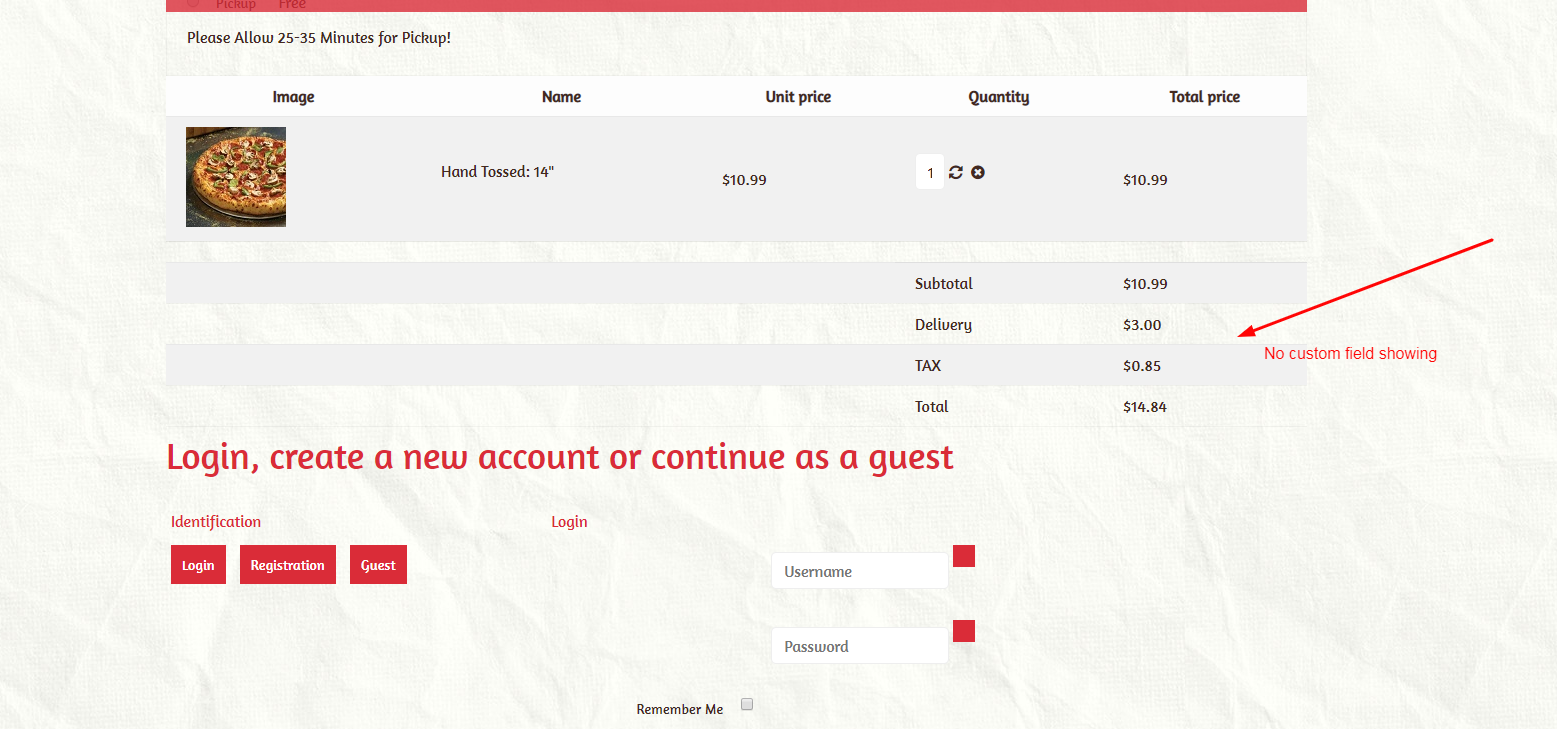
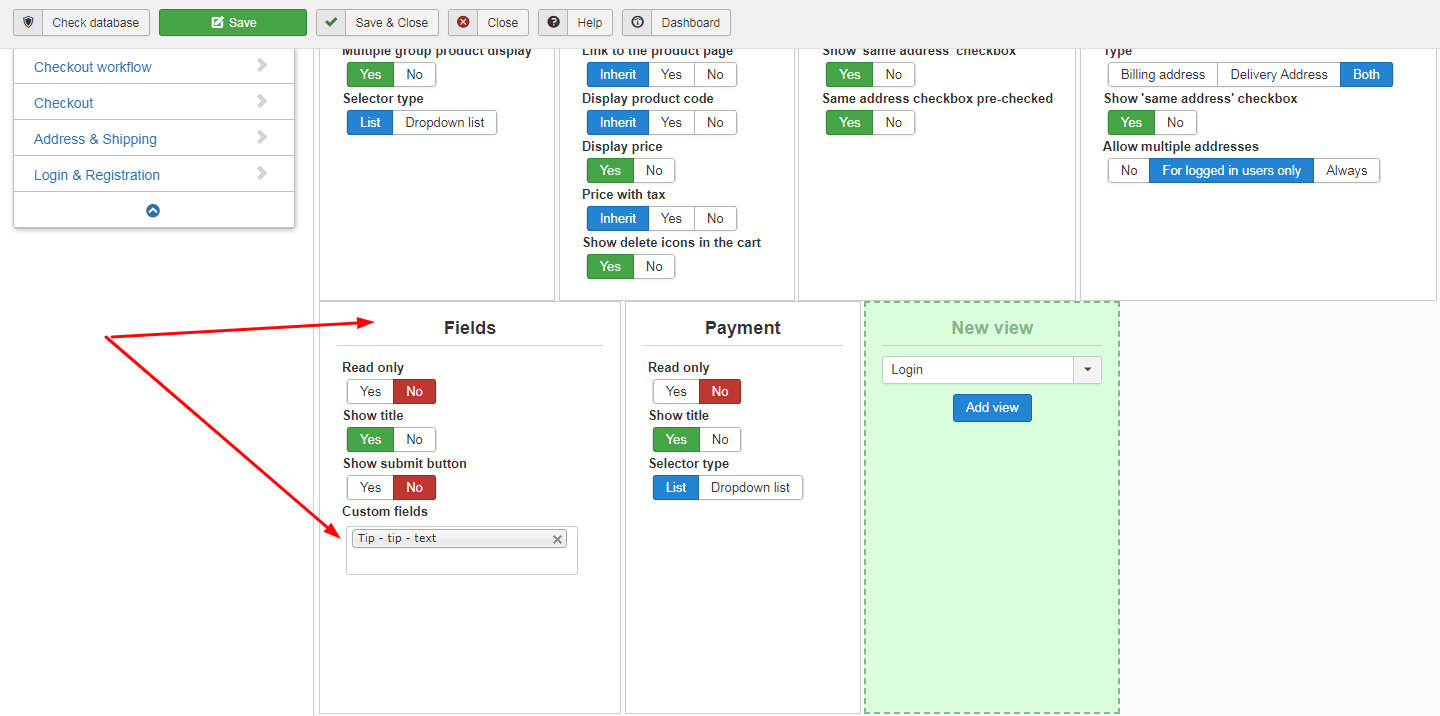
Hello Nick and thanks for the references, however, it did not work please take a look and advise, thanks in advance!
Please Log in or Create an account to join the conversation.
6 years 7 months ago #316595
by nicolas
Replied by nicolas on topic Giving item as a discount not percentage neither money
Hi,
Note that the custom field won't display there. It will display where you have the fields view.
Since you moved the field view after the "loagin" and "address" views, your field is below on your screenshot.
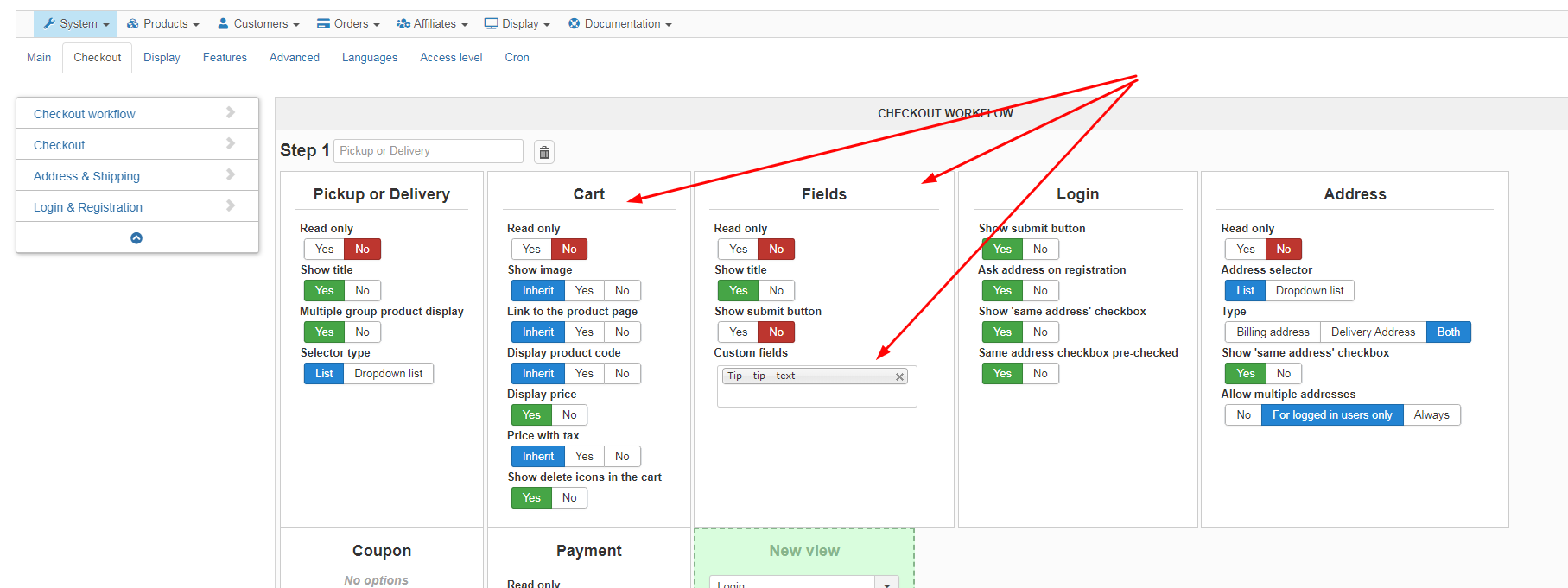
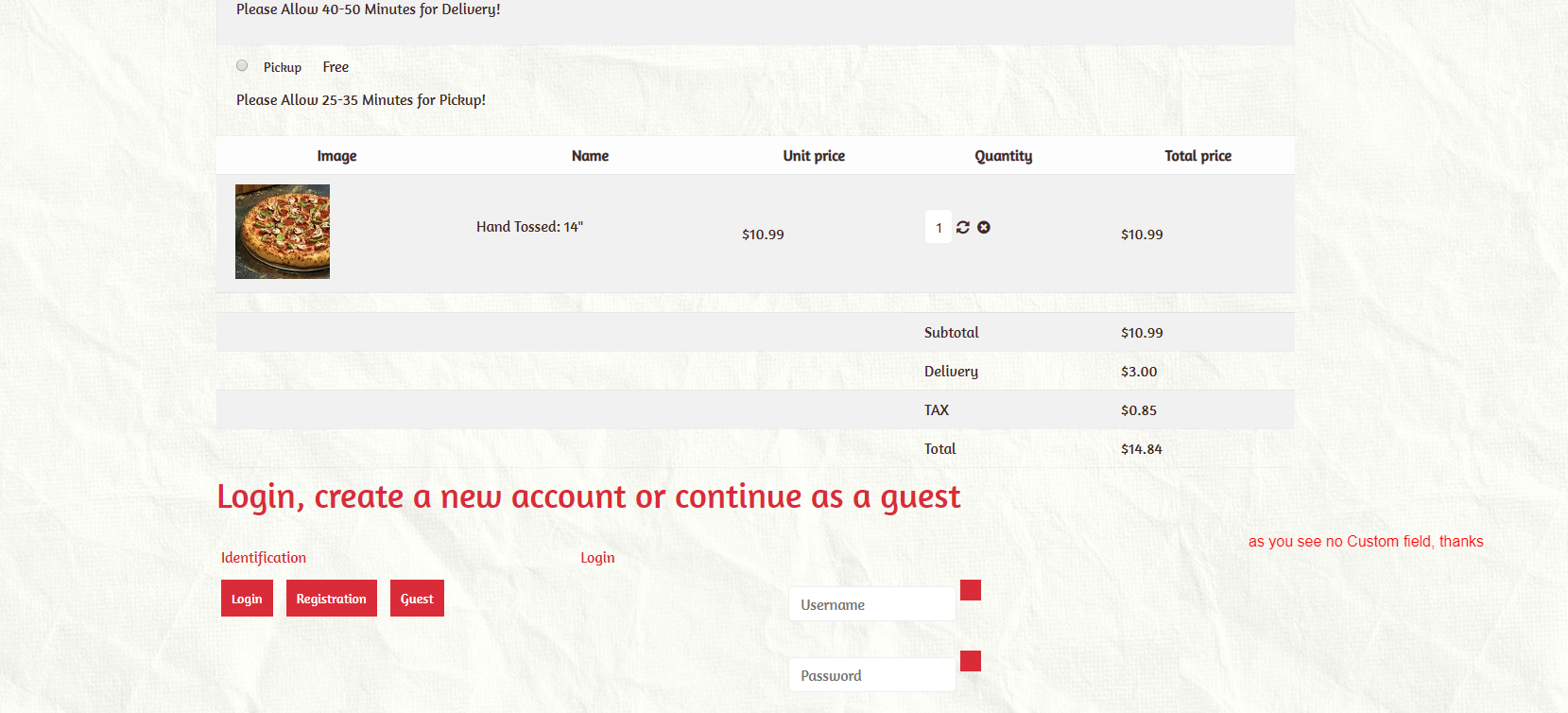
I would recommend to move your fields view just after the cart view.
Note that the custom field won't display there. It will display where you have the fields view.
Since you moved the field view after the "loagin" and "address" views, your field is below on your screenshot.
I would recommend to move your fields view just after the cart view.
Please Log in or Create an account to join the conversation.
6 years 7 months ago #316602
by affaf1952
Replied by affaf1952 on topic Giving item as a discount not percentage neither money
I did and nothing happens please see attachment
Please advise
Please advise
Please Log in or Create an account to join the conversation.
6 years 7 months ago #316605
by nicolas
Replied by nicolas on topic Giving item as a discount not percentage neither money
Hi,
I don't see how that's possible with the screenshots of the settings of the custom field you provided before.
Please provide a backend access, a link to the shop and instructions to reproduce the problem so that we can look at the situation on your website.
You can do that via our contact form. Make sure to include a link to this thread for reference:
www.hikashop.com/support/contact-us.html
I don't see how that's possible with the screenshots of the settings of the custom field you provided before.
Please provide a backend access, a link to the shop and instructions to reproduce the problem so that we can look at the situation on your website.
You can do that via our contact form. Make sure to include a link to this thread for reference:
www.hikashop.com/support/contact-us.html
Please Log in or Create an account to join the conversation.
6 years 7 months ago #316615
by affaf1952
Replied by affaf1952 on topic Giving item as a discount not percentage neither money
Hello nick, thank you in advanced you are taking more steps to help out, I have sent you the requested information via the contact us, thanks
Please Log in or Create an account to join the conversation.
6 years 7 months ago #316616
by nicolas
Replied by nicolas on topic Giving item as a discount not percentage neither money
Hi,
We got your access. The issue was that you hadn't created a custom order field (contrary to your screenshots ? ).
I've done that for you and assigned the custom field to the plugin in the System>Plugins menu and it's working fine:
monosnap.com/file/XPJfj7x80WQ6reLrCq5nrYrtQL7rjl
We got your access. The issue was that you hadn't created a custom order field (contrary to your screenshots ? ).
I've done that for you and assigned the custom field to the plugin in the System>Plugins menu and it's working fine:
monosnap.com/file/XPJfj7x80WQ6reLrCq5nrYrtQL7rjl
Please Log in or Create an account to join the conversation.
6 years 7 months ago - 6 years 7 months ago #316618
by affaf1952
Replied by affaf1952 on topic Giving item as a discount not percentage neither money
Hello Nick, and thank you so much for helping in this matter, but still one question what did you mean by The issue was that you hadn't created a custom order field (contrary to your screenshots ? ), did you mean this screenshot take a look, please
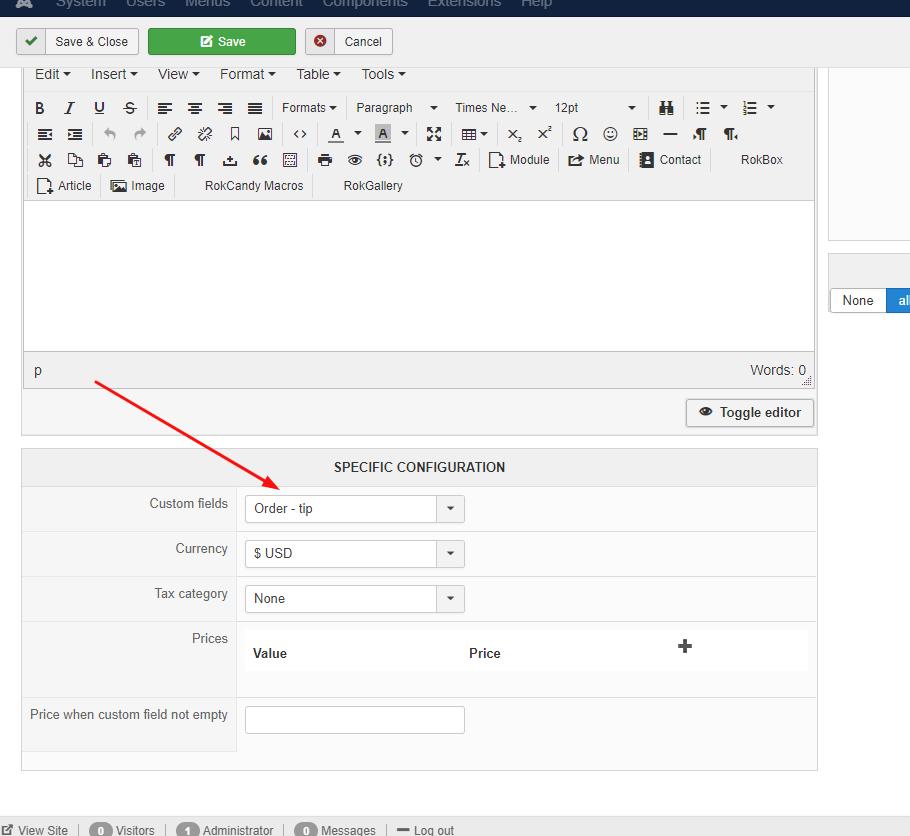
or this

Thanks
or this
Thanks
Last edit: 6 years 7 months ago by affaf1952.
Please Log in or Create an account to join the conversation.
6 years 7 months ago #316619
by affaf1952
Replied by affaf1952 on topic Giving item as a discount not percentage neither money
look here after I did all the necessary changes see the screenshot

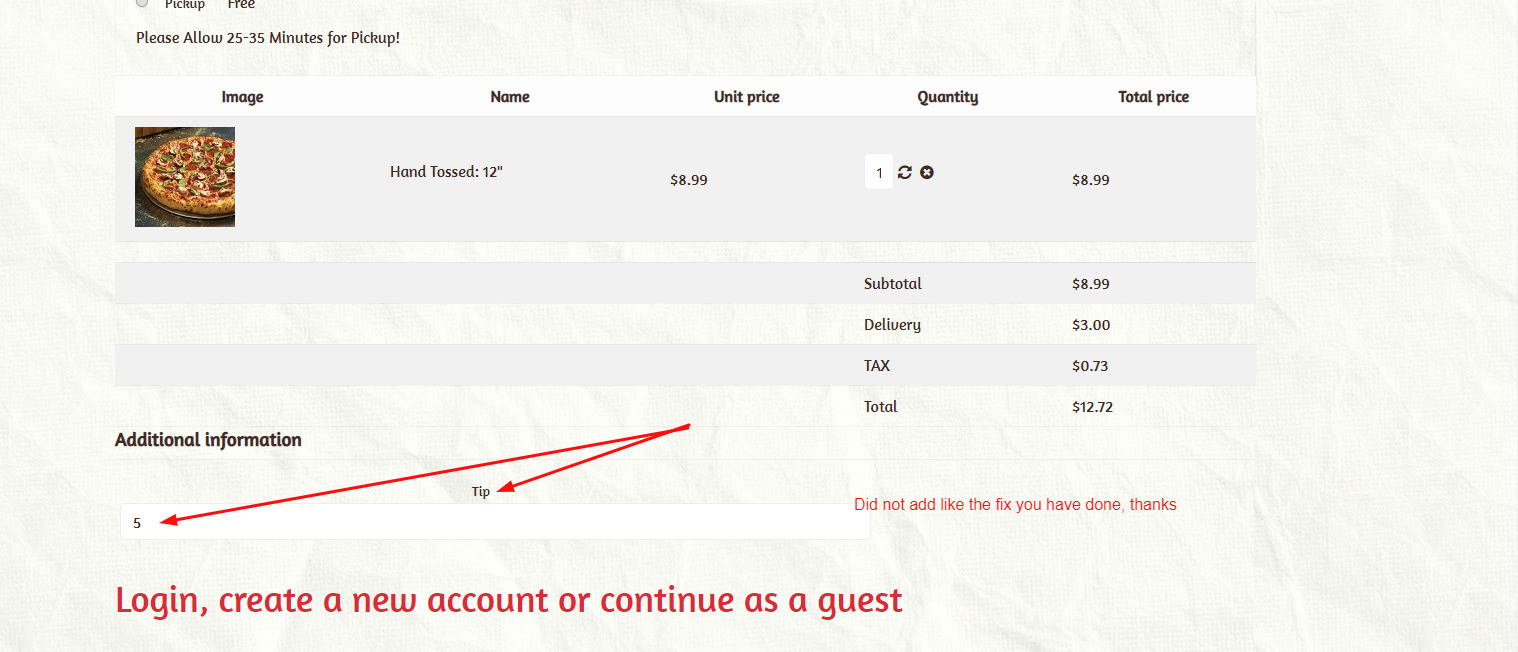
mine did not work I make screen comparison side by side on two different screen, please advise, and again thanks
mine did not work I make screen comparison side by side on two different screen, please advise, and again thanks
Please Log in or Create an account to join the conversation.
6 years 7 months ago #316620
by nicolas
Replied by nicolas on topic Giving item as a discount not percentage neither money
Hi,
Could you provide a backend access so that I could check the settings on that website too ?
Could you provide a backend access so that I could check the settings on that website too ?
Please Log in or Create an account to join the conversation.
6 years 7 months ago #316643
by affaf1952
Replied by affaf1952 on topic Giving item as a discount not percentage neither money
again as always, as usual, thank you in advanced, I put all the plugin and custom order in disable mode so you can take a look and see where I'm having the issue so you can point it to me, thanks, i will be sending the information to the contact us page, thanks again
Please Log in or Create an account to join the conversation.
Time to create page: 0.195 seconds