
- Posts: 50
- Thank you received: 0
How do I set up taxes?
- rjohnson1990
-
 Topic Author
- Offline
Less
More
11 years 7 months ago - 11 years 7 months ago #198227
by rjohnson1990
How do I set up taxes? was created by rjohnson1990
-- HikaShop version -- : 2.4.0
-- Joomla version -- : 3.4.1
-- PHP version -- : 5.4.36
-- Browser(s) name and version -- : Firefox 37.0.1
I found this topic on the forum: www.hikashop.com/forum/4-how-to/4751-i-n...etting-up-taxes.html
I've done exactly what it said to do.
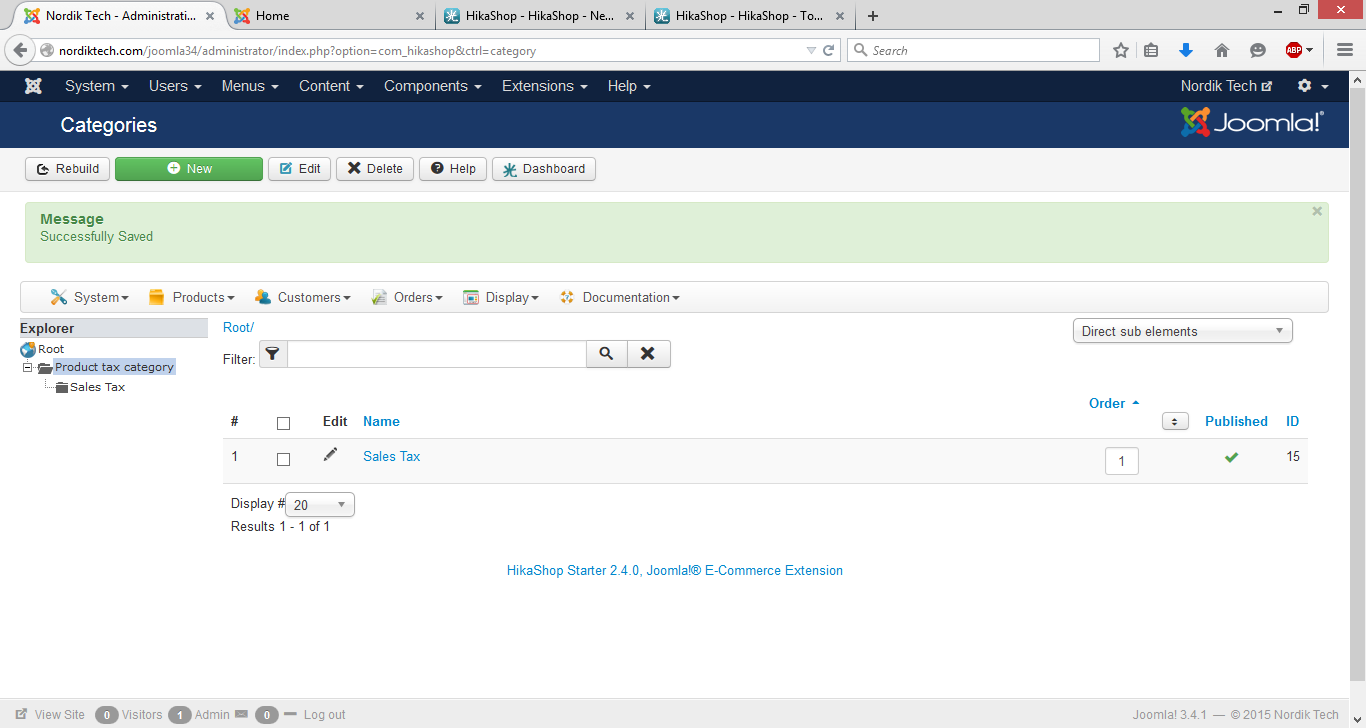
1. Manage Tax Categories and created category called Sales Tax
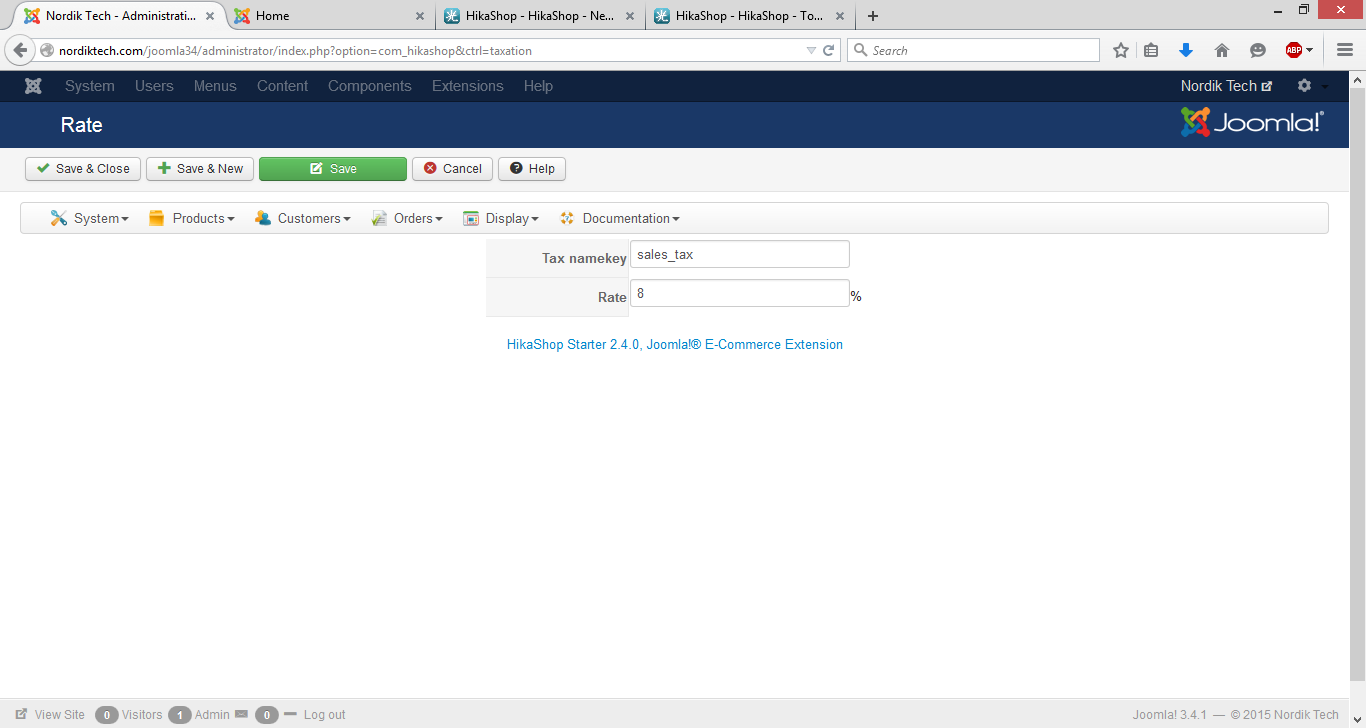
2. Manage Rates and set name key as sales_tax and tax rate is 8%
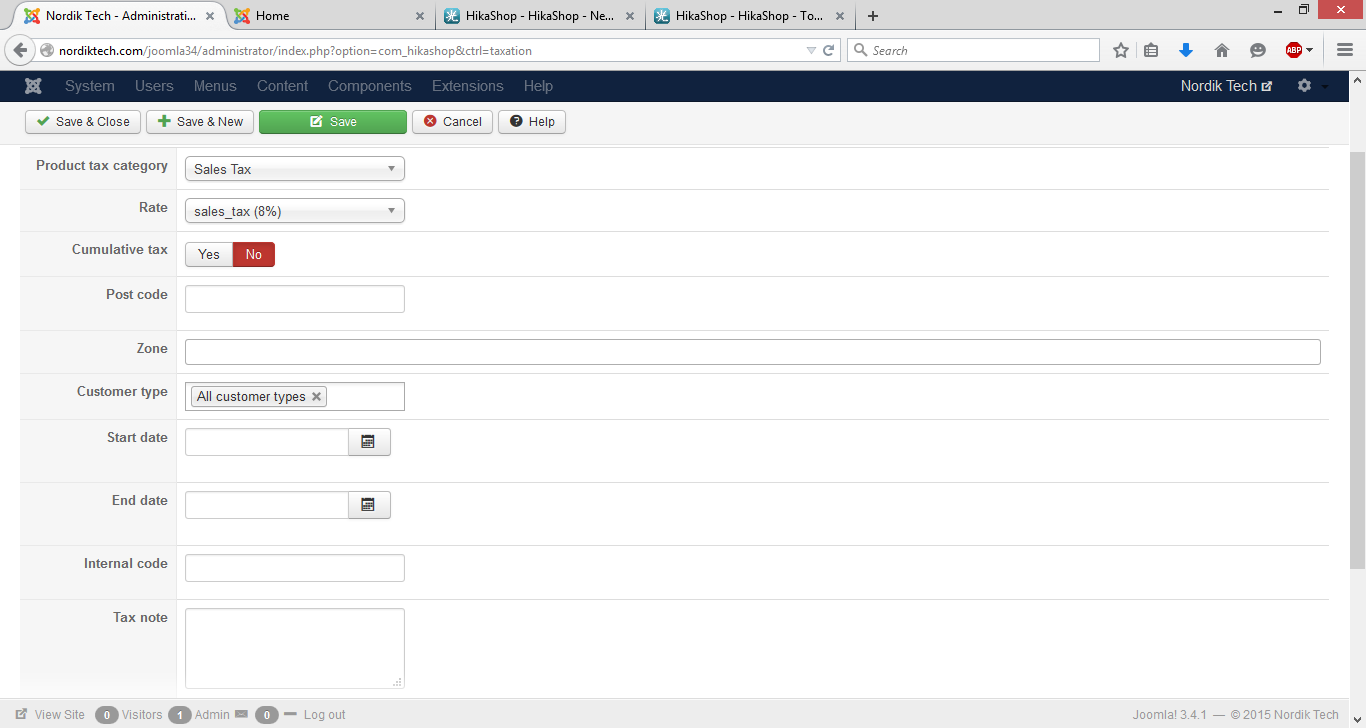
3. Set up taxes with category as Sales Tax and rate as sales_tax (8%) Didn't edit anything else and published it.
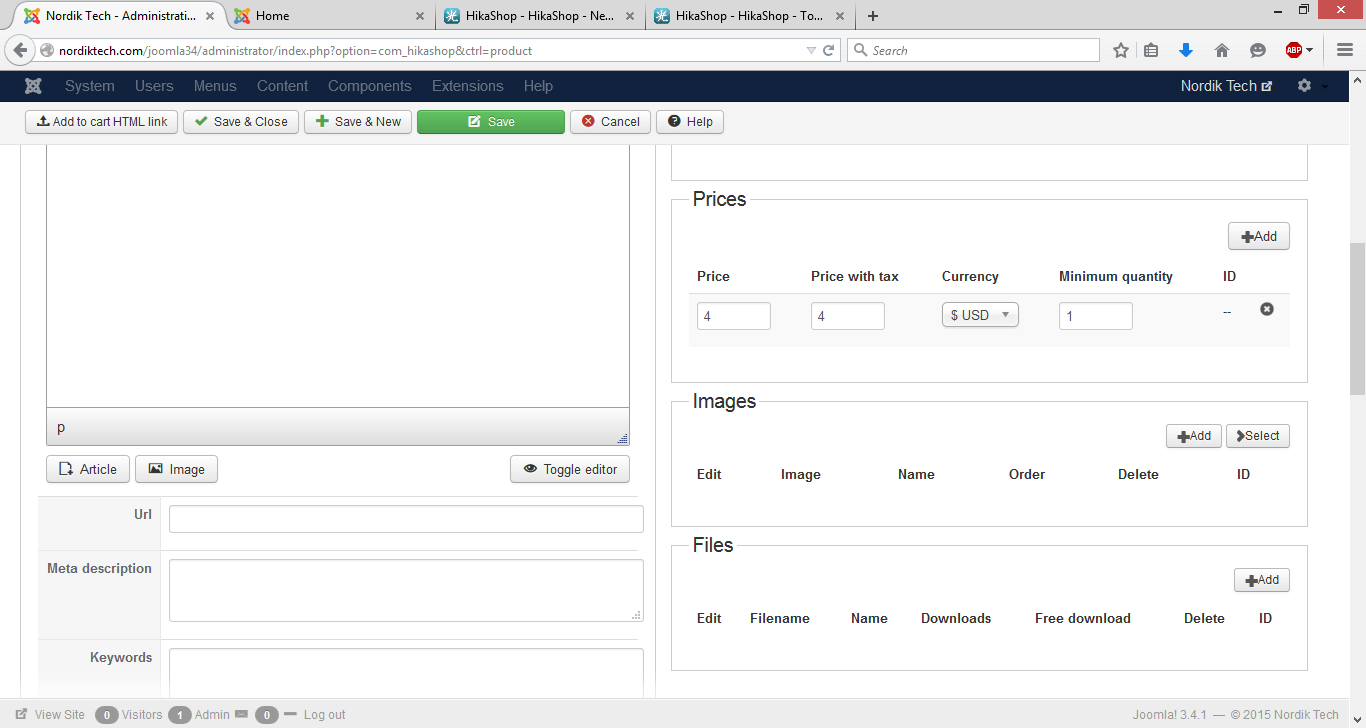
To see if it worked, I went to add a product and for the price, I typed in $4 for example. The price with tax should have been $4.32 but both price and price with tax boxes showed $4.
Am I doing something wrong? Just a reminder, the tax I set up is published and is selected under Product tax category on the add a product page.
-- Joomla version -- : 3.4.1
-- PHP version -- : 5.4.36
-- Browser(s) name and version -- : Firefox 37.0.1
I found this topic on the forum: www.hikashop.com/forum/4-how-to/4751-i-n...etting-up-taxes.html
I've done exactly what it said to do.
1. Manage Tax Categories and created category called Sales Tax
2. Manage Rates and set name key as sales_tax and tax rate is 8%
3. Set up taxes with category as Sales Tax and rate as sales_tax (8%) Didn't edit anything else and published it.
To see if it worked, I went to add a product and for the price, I typed in $4 for example. The price with tax should have been $4.32 but both price and price with tax boxes showed $4.
Am I doing something wrong? Just a reminder, the tax I set up is published and is selected under Product tax category on the add a product page.
Last edit: 11 years 7 months ago by rjohnson1990.
Please Log in or Create an account to join the conversation.

11 years 7 months ago #198238
by nicolas
Replied by nicolas on topic How do I set up taxes?
Hi,
This looks correct to me so it should work.
Could you provide a backend access and a link to this thread via our contact form so that we can check your settings ?
This looks correct to me so it should work.
Could you provide a backend access and a link to this thread via our contact form so that we can check your settings ?
Please Log in or Create an account to join the conversation.
- rjohnson1990
-
Topic Author
- Offline
Less
More
- Posts: 50
- Thank you received: 0
11 years 7 months ago #198420
by rjohnson1990
Replied by rjohnson1990 on topic How do I set up taxes?
Turns out the taxes are working properly. It's not showing the tax price when I create a product but when I add the item to cart and go to checkout, it shows the tax there.
Please Log in or Create an account to join the conversation.
11 years 7 months ago #198440
by nicolas
Replied by nicolas on topic How do I set up taxes?
Then it's strange that it doesn't work on the backend. Maybe because there is no zone in your tax rule ?
Please Log in or Create an account to join the conversation.
- rjohnson1990
-
Topic Author
- Offline
Less
More
- Posts: 50
- Thank you received: 0
11 years 7 months ago #198643
by rjohnson1990
Replied by rjohnson1990 on topic How do I set up taxes?
That might be it. I do have another issue that involves the tax. When I add an item to cart that costs $10 and the tax is 8%, it shows the subtotal as $10.80, tax as $0.80 then the total as $10.80. How can I make the subtotal show the cost before tax?
Please Log in or Create an account to join the conversation.
11 years 7 months ago #198723
by nicolas
Replied by nicolas on topic How do I set up taxes?
Hi,
Change the code:
<?php
$this->row = $this->total;
echo $this->loadTemplate();
?>
to:
<?php echo $this->currencyHelper->format(@$this->total->prices[0]->price_value,@$this->total->prices[0]->price_currency_id); ?>
in the file "cart" of the view "checkout" via the menu Display>Views.
Change the code:
<?php
$this->row = $this->total;
echo $this->loadTemplate();
?>
to:
<?php echo $this->currencyHelper->format(@$this->total->prices[0]->price_value,@$this->total->prices[0]->price_currency_id); ?>
in the file "cart" of the view "checkout" via the menu Display>Views.
Please Log in or Create an account to join the conversation.
Time to create page: 0.082 seconds