

- Posts: 147
- Thank you received: 8
Wishlist module display options
7 years 2 months ago #311188
by NicoW
Wishlist module display options was created by NicoW
-- HikaShop version -- : 4.2.1
-- Joomla version -- : 3.9.10
-- PHP version -- : 7.3
-- Browser(s) name and version -- : chrome desktop and mobile
hi,
I am trying to get better looking options for the wishlist module.
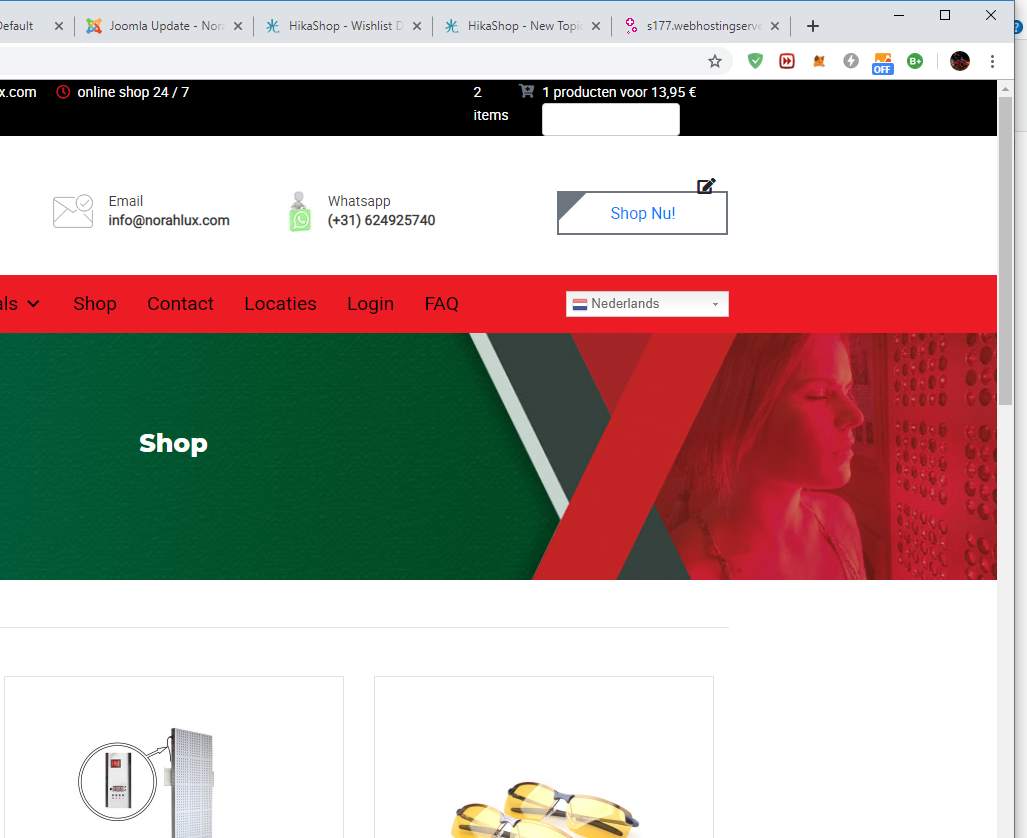
Current situation: added custom code to empy message yet after adding products is says the number of items.
What i like to see: heart icon with number of added items.
For this options in cart module I have purchased thehikashopminicart (not working now so still disabled)
Hope you can tell me how to have only icon+number (of items inside) as wishlist button.
Thank you,
Nico
-- Joomla version -- : 3.9.10
-- PHP version -- : 7.3
-- Browser(s) name and version -- : chrome desktop and mobile
hi,
I am trying to get better looking options for the wishlist module.
Current situation: added custom code to empy message yet after adding products is says the number of items.
What i like to see: heart icon with number of added items.
For this options in cart module I have purchased thehikashopminicart (not working now so still disabled)
Hope you can tell me how to have only icon+number (of items inside) as wishlist button.
Thank you,
Nico
Please Log in or Create an account to join the conversation.

7 years 2 months ago #311202
by nicolas
Replied by nicolas on topic Wishlist module display options
Hi,
If you want to customize the look of the wishlist module, you can edit the file "cart" of the view "product" via the menu Display>Views.
There, you can add such code:
where XXX is the link to your heart icon image. You can add it for example before the line:
If you want to customize the look of the wishlist module, you can edit the file "cart" of the view "product" via the menu Display>Views.
There, you can add such code:
Code:
if($this->cart_type == 'wishlist'){
echo '<img src="XXX" />';
}
Code:
if(!empty($small_cart)) {
Please Log in or Create an account to join the conversation.
7 years 2 months ago #311243
by NicoW
Replied by NicoW on topic Wishlist module display options
Hi, this indeed gives me control over an image in screen, yet the image is just an image.
I have searched for a topic on how to implement an image for wishlist that is interactive. Meaning it will tell how many items are inside when there are any instead of having the "3 items" link underneeth.
Do you have documentation or a working module for this? Many webshops have this now.
Thank you.
Please Log in or Create an account to join the conversation.
7 years 2 months ago #311246
by nicolas
Replied by nicolas on topic Wishlist module display options
Hi,
Well, normally, after the image you have a text like "x items for y€" in the cart if you're in "mini" mode.
Then, you just need to use a translation override to keep only the "x":
www.hikashop.com/download/languages.html#modify
And then, you can use some CSS to move the "x" on top of the image.
That's how other webshops do it.
Please Log in or Create an account to join the conversation.
Time to create page: 0.062 seconds