
- Posts: 9
- Thank you received: 0
Carousel displays a blurred enlarged image
- benjamin.dobos
-
 Topic Author
- Offline
Less
More
6 years 6 months ago #318204
by benjamin.dobos
Carousel displays a blurred enlarged image was created by benjamin.dobos
-- HikaShop version -- : HikaShop Business 4.2.3 [2004141010]
-- Joomla version -- : Joomla! 3.9.18
I've enabled a Content display module for Hikashop, but it is not displaying correctly. Please see attached. Can you please let me know why it looks like this and what setting I need to change to correct it?
-- Joomla version -- : Joomla! 3.9.18
I've enabled a Content display module for Hikashop, but it is not displaying correctly. Please see attached. Can you please let me know why it looks like this and what setting I need to change to correct it?
Please Log in or Create an account to join the conversation.

6 years 6 months ago - 6 years 6 months ago #318209
by nicolas
Replied by nicolas on topic Carousel displays a blurred enlarged image
Hi,
The carousel with the blurred enlarged images is not a HikaShop content module as far as I can see. There are no HikaShop classes in its HTML.
Here is a screenshot of the HTML of the carousel you have below your blurred images carousel:
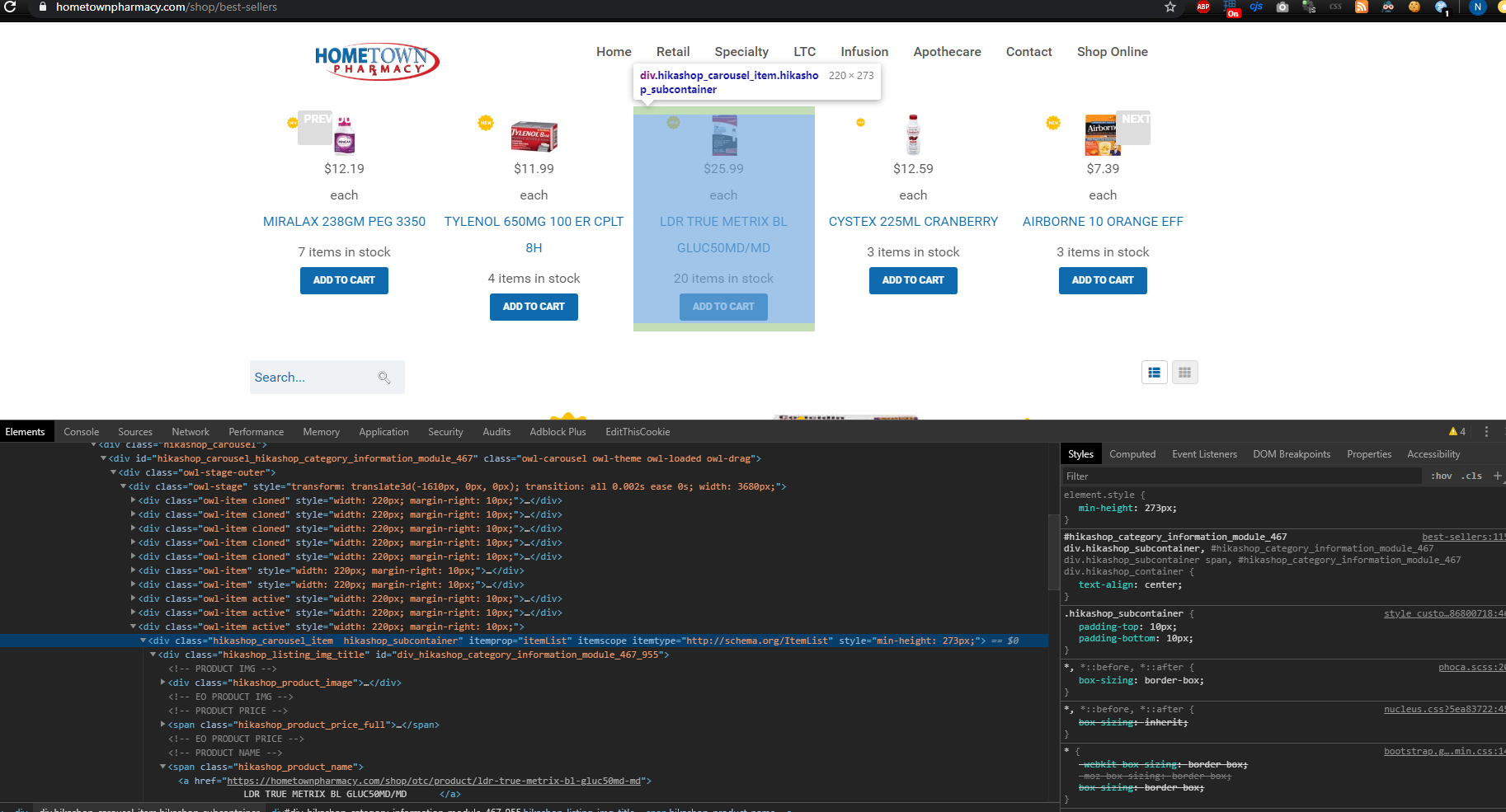
This one is from us and it actually looks like it's the one from which you provided your screenshot of the settings.
Here is a screenshot of the HTML of the blurred image carousel with no "hikashop" in the classes of its HTML:
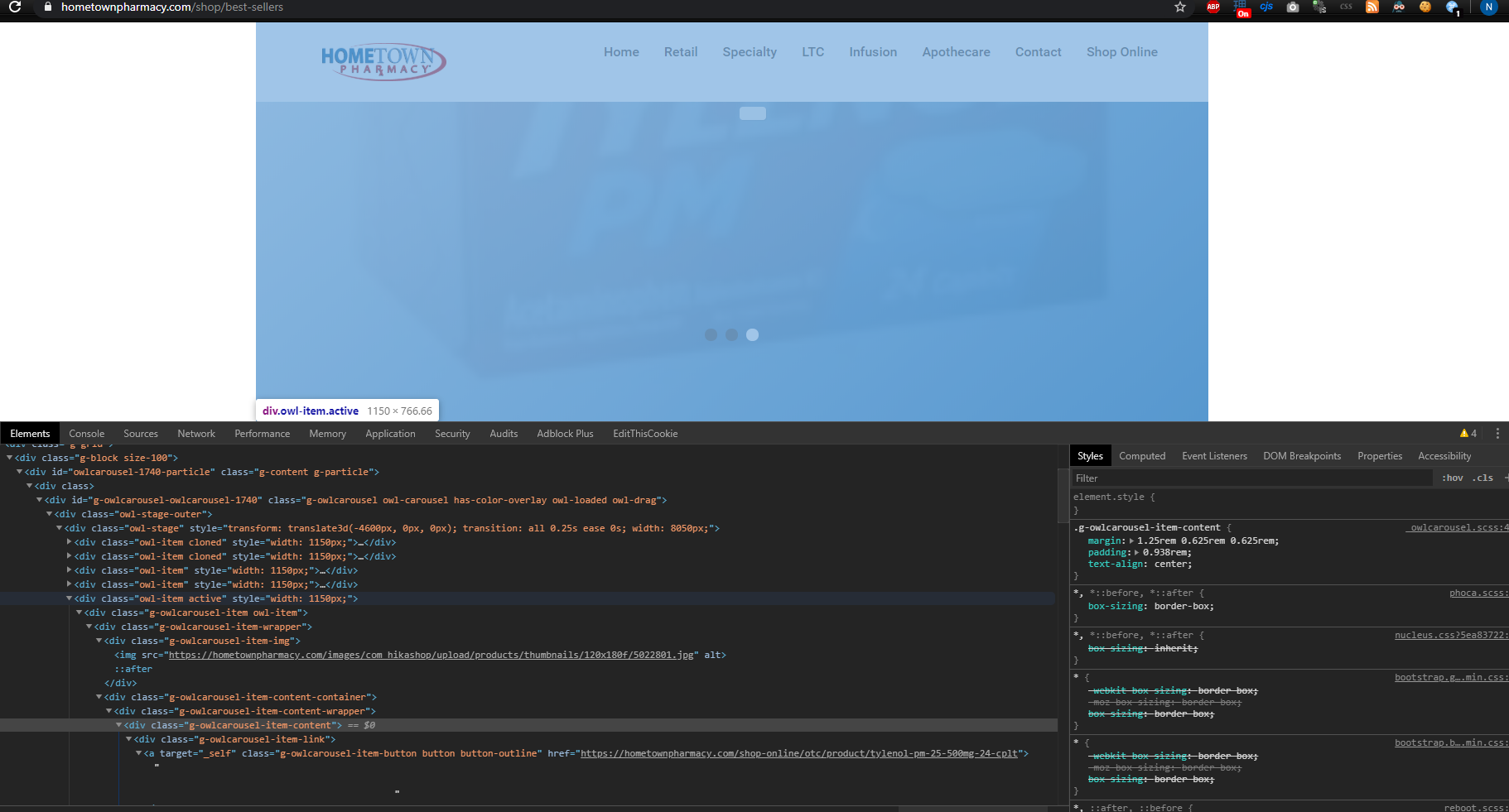
I believe it comes from your template or another module. So I don't know how its made nor how to set it up.
The carousel with the blurred enlarged images is not a HikaShop content module as far as I can see. There are no HikaShop classes in its HTML.
Here is a screenshot of the HTML of the carousel you have below your blurred images carousel:
This one is from us and it actually looks like it's the one from which you provided your screenshot of the settings.
Here is a screenshot of the HTML of the blurred image carousel with no "hikashop" in the classes of its HTML:
I believe it comes from your template or another module. So I don't know how its made nor how to set it up.
Last edit: 6 years 6 months ago by nicolas.
Please Log in or Create an account to join the conversation.
- benjamin.dobos
-
Topic Author
- Offline
Less
More
- Posts: 9
- Thank you received: 0
6 years 6 months ago #318304
by benjamin.dobos
Replied by benjamin.dobos on topic Carousel displays a blurred enlarged image
Thank you, I found the other module, it was indeed something different. Now all I need is to style the carousel to have the "Prev" and "Next" buttons appear correctly.
Please Log in or Create an account to join the conversation.
Time to create page: 0.103 seconds