

- Posts: 4
- Thank you received: 0
How I can hide filter information by button?
11 years 2 weeks ago #219721
by FAunited
How I can hide filter information by button? was created by FAunited
-- HikaShop version -- : 2.6.0
-- Joomla version -- : 3.3.6
-- PHP version -- : 5.5.14
-- Browser(s) name and version -- : All browsers
Hello everybody! I want to change my filter. I want to add toggle button for hide/show filter detailed information.
Something like that:
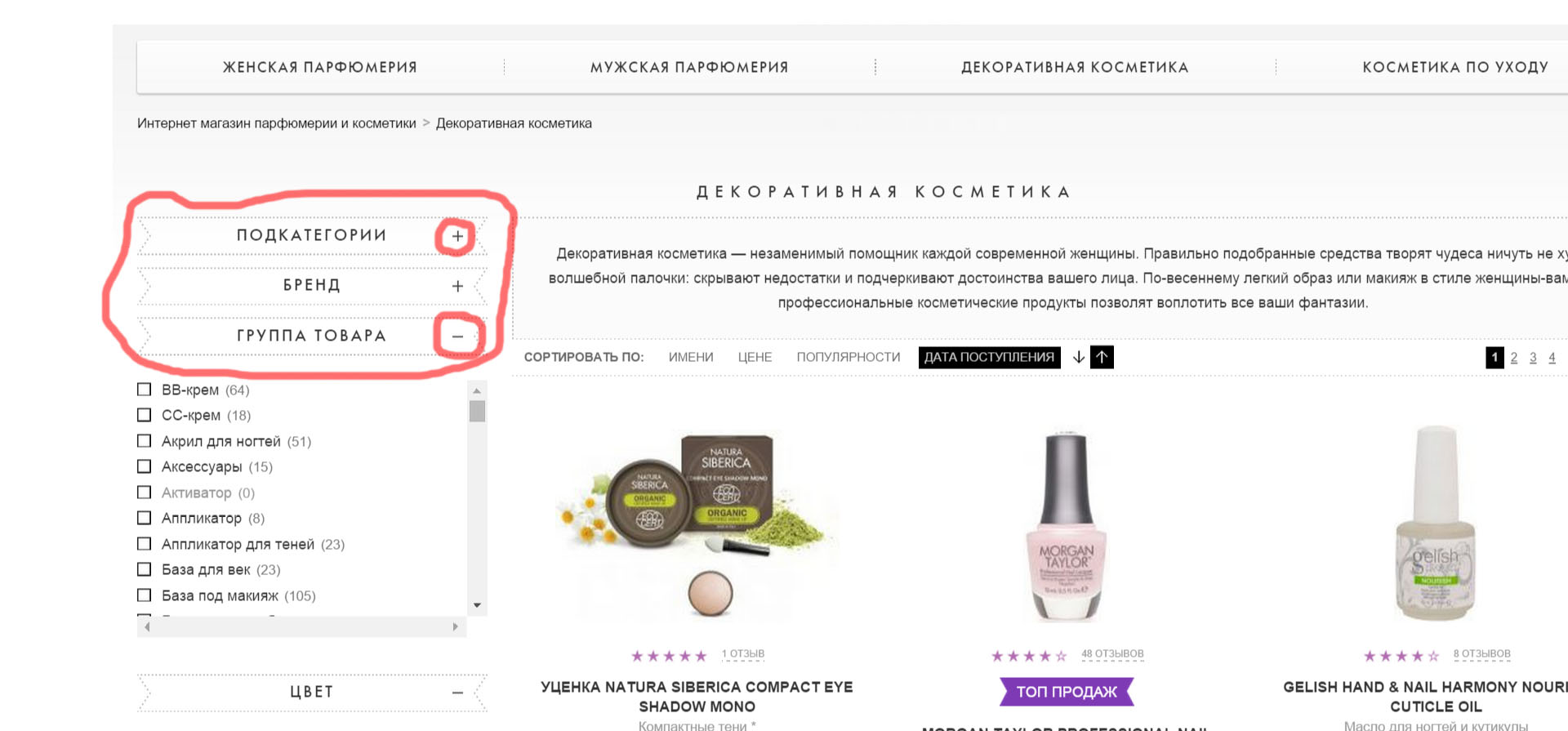
So, I wrote some easy code for this toggle button:
And my question is: Where in Hikashop I should input my code? And where I can find identificator of detailed information?
Waiting for your advices.
Thanks in advance.
-- Joomla version -- : 3.3.6
-- PHP version -- : 5.5.14
-- Browser(s) name and version -- : All browsers
Hello everybody! I want to change my filter. I want to add toggle button for hide/show filter detailed information.
Something like that:
So, I wrote some easy code for this toggle button:
Code:
$("#toggleButton").on("click", function() {
$("#detailedInformation").toggle();
if ($("#toggleButton").val() === '+') {
$("#toggleButton").val('-');
}else{
$("#toggleButton").val('+');
}})
And my question is: Where in Hikashop I should input my code? And where I can find identificator of detailed information?
Waiting for your advices.
Thanks in advance.
Please Log in or Create an account to join the conversation.

11 years 1 week ago #219833
by nicolas
Replied by nicolas on topic How I can hide filter information by button?
Hi,
You want to edit the file "filter" of the view "product" via the menu Display>Views. That's the file which displays the filters.
You want to edit the file "filter" of the view "product" via the menu Display>Views. That's the file which displays the filters.
Please Log in or Create an account to join the conversation.
Time to create page: 0.050 seconds