
- Posts: 95
- Thank you received: 0
The problem with the display filter
- Keks-Store
-
 Topic Author
- Offline
Less
More
10 years 9 months ago #228256
by Keks-Store
The problem with the display filter was created by Keks-Store
-- url of the page with the problem -- :
www.keks-store.ru/katalog/koshki/napolniteli-dlya-koshek
-- HikaShop version -- : 2.6.0
-- Joomla version -- : 3.4.8
Hello, I am having two problems.
1. The first problem is shown depending on the order in which the menu items are.
Slides 01 -> 02 -> 03 -> 04
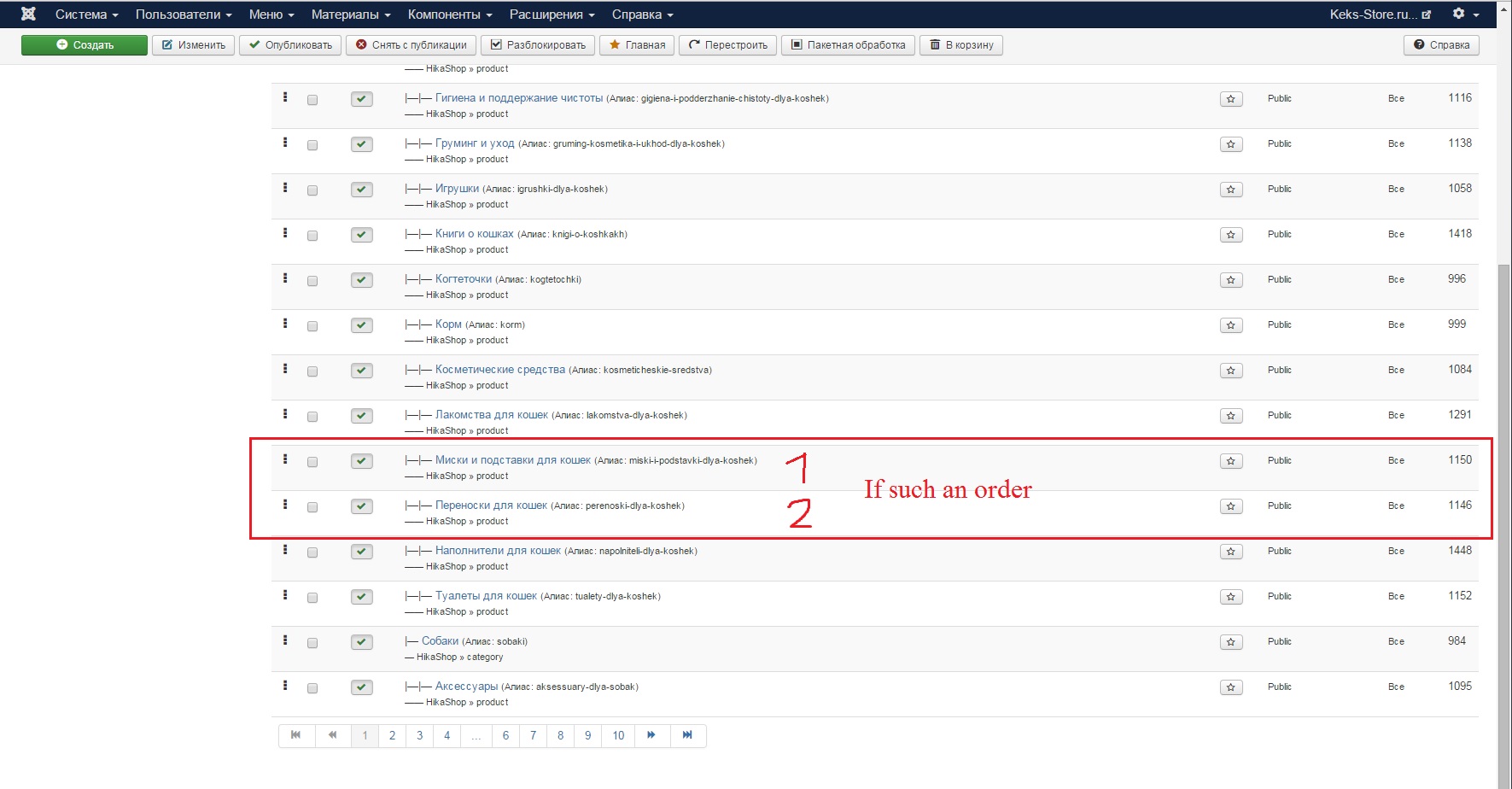

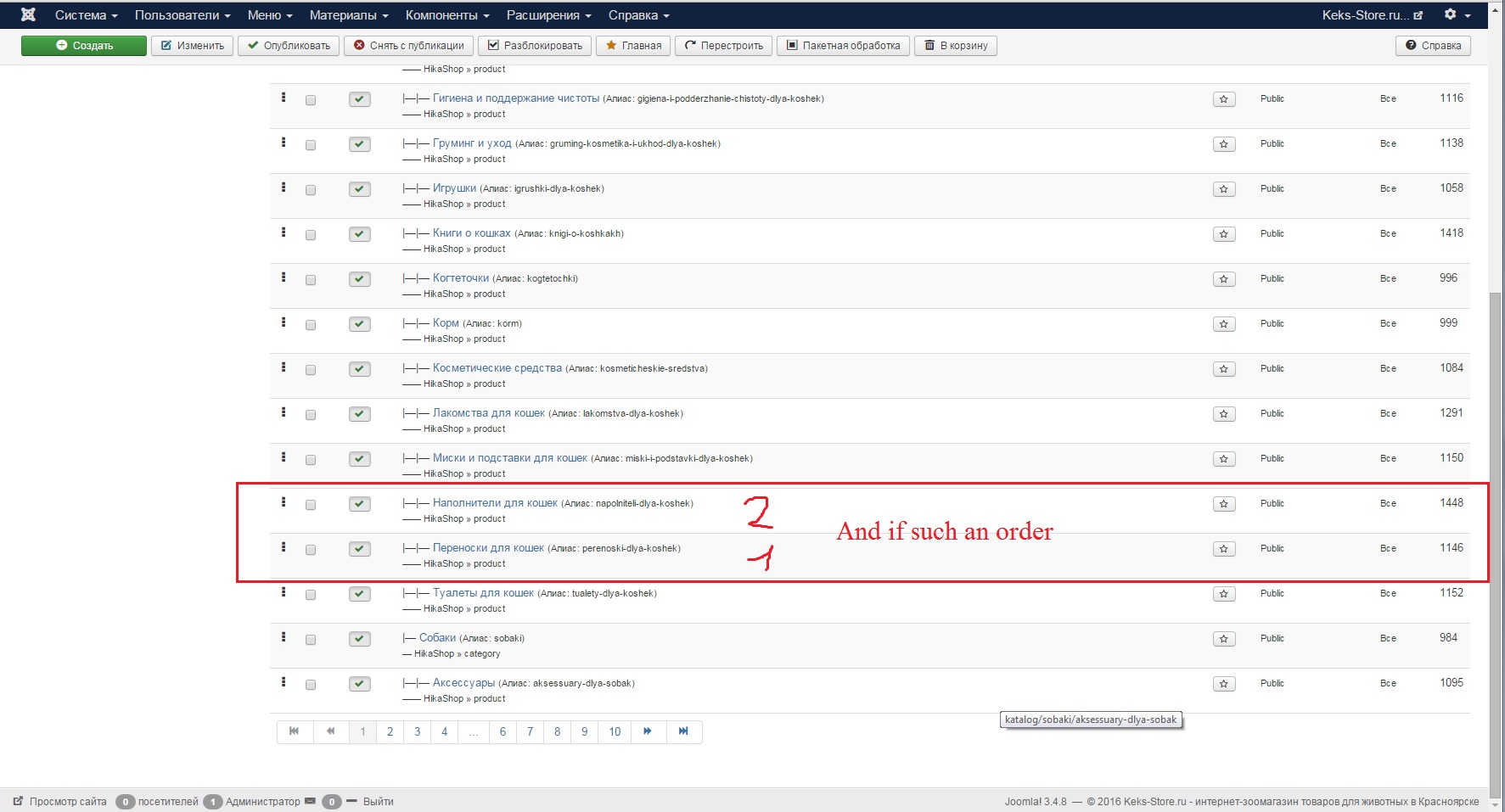

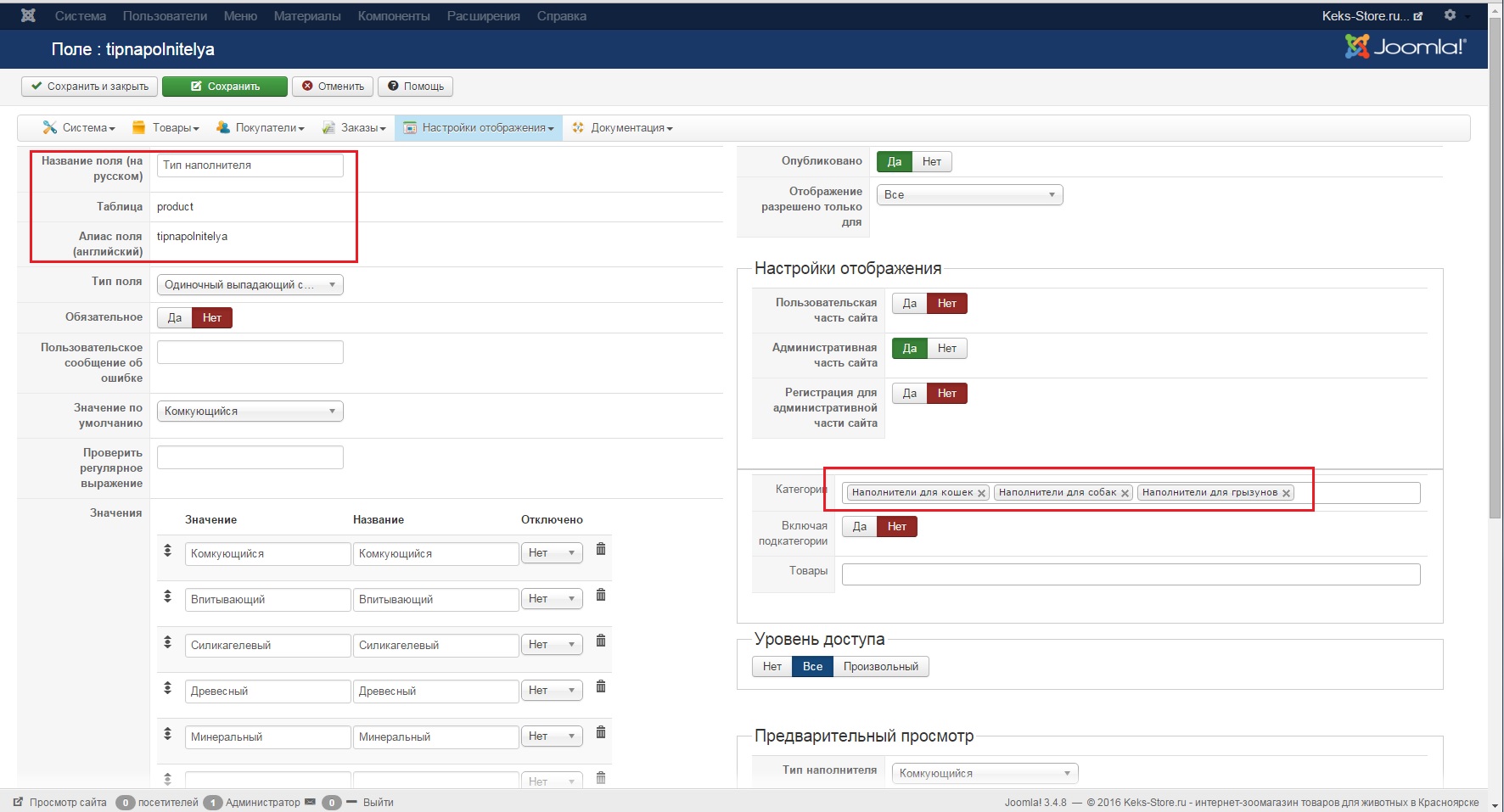
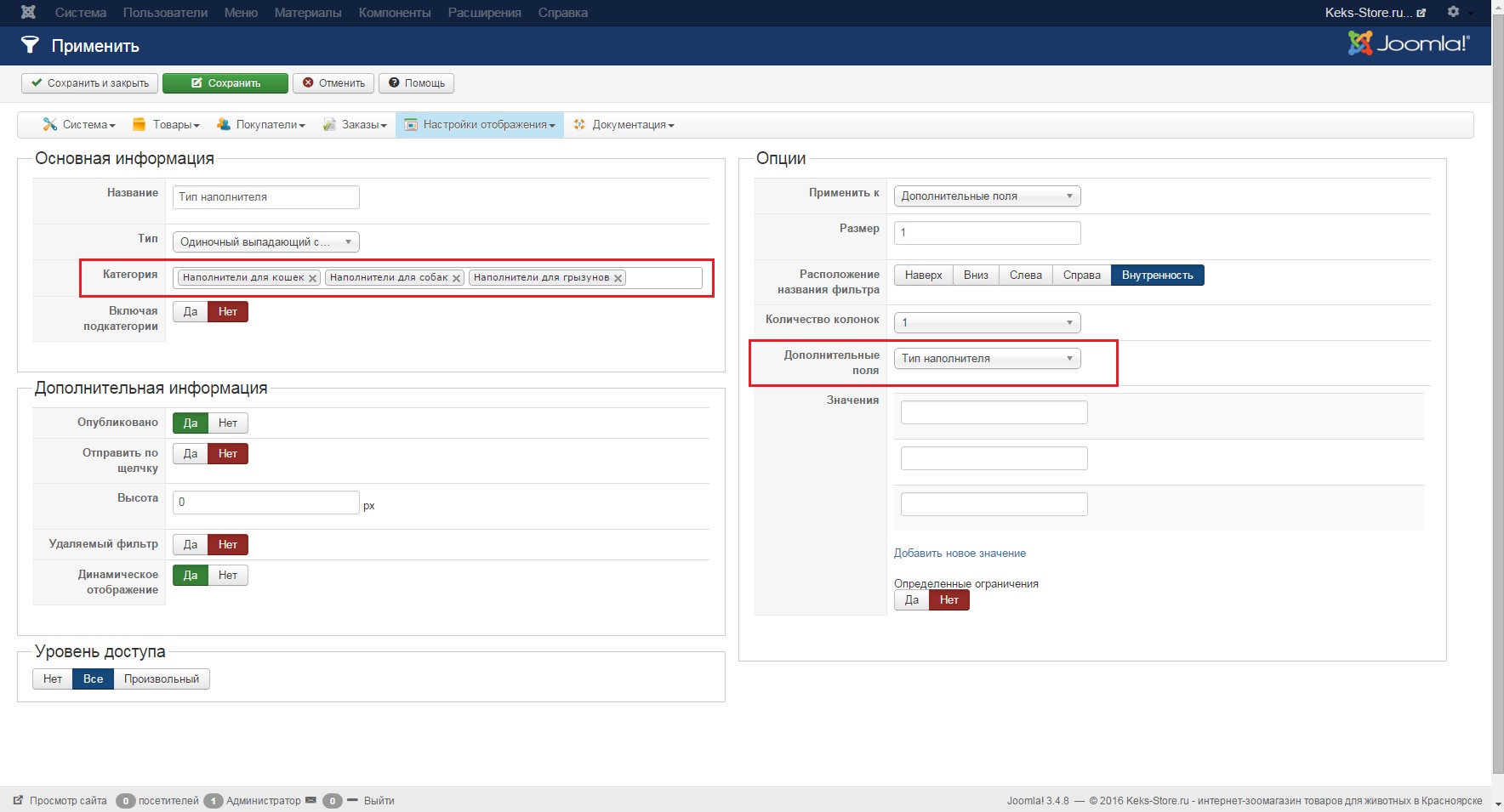
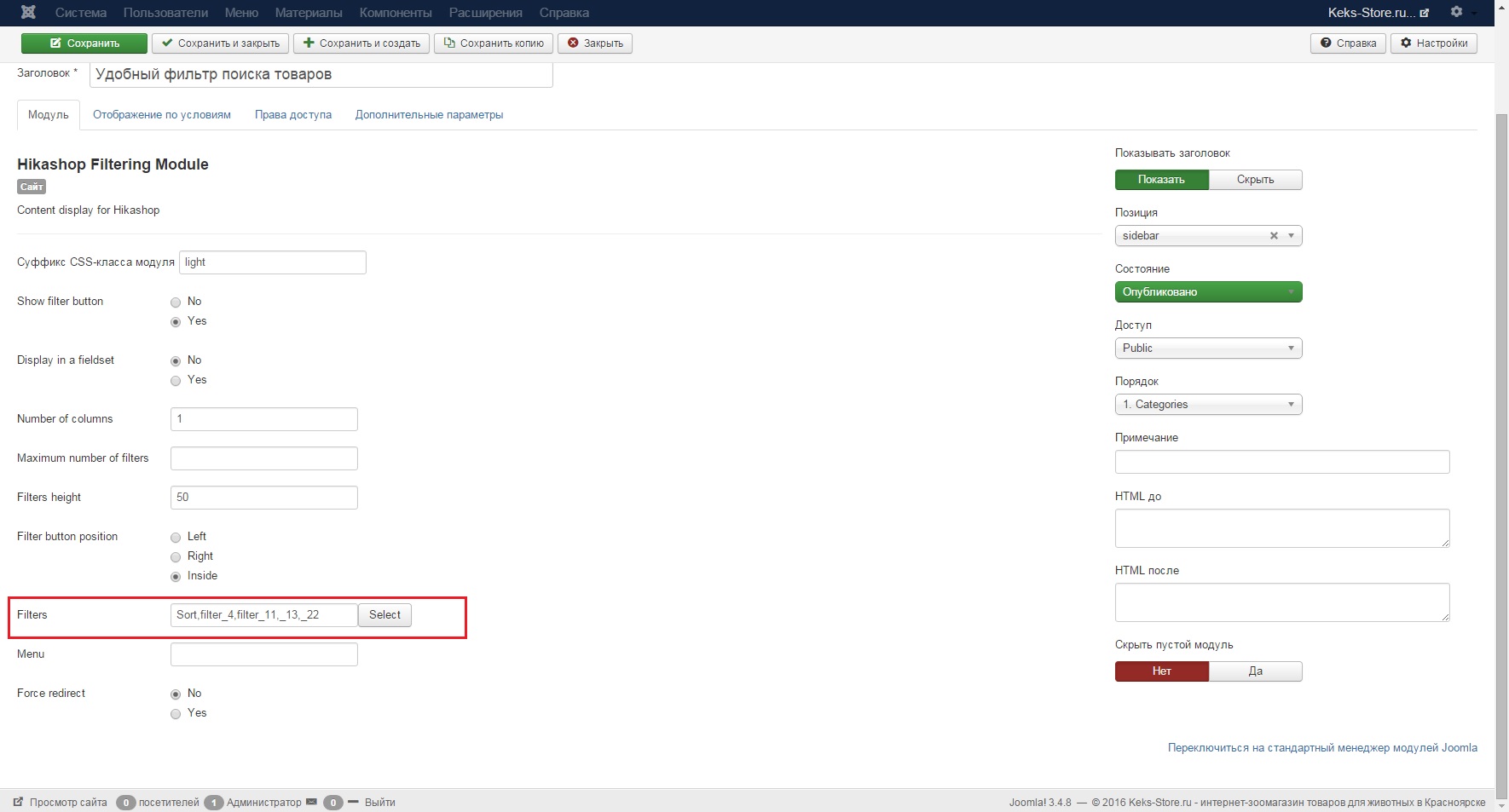
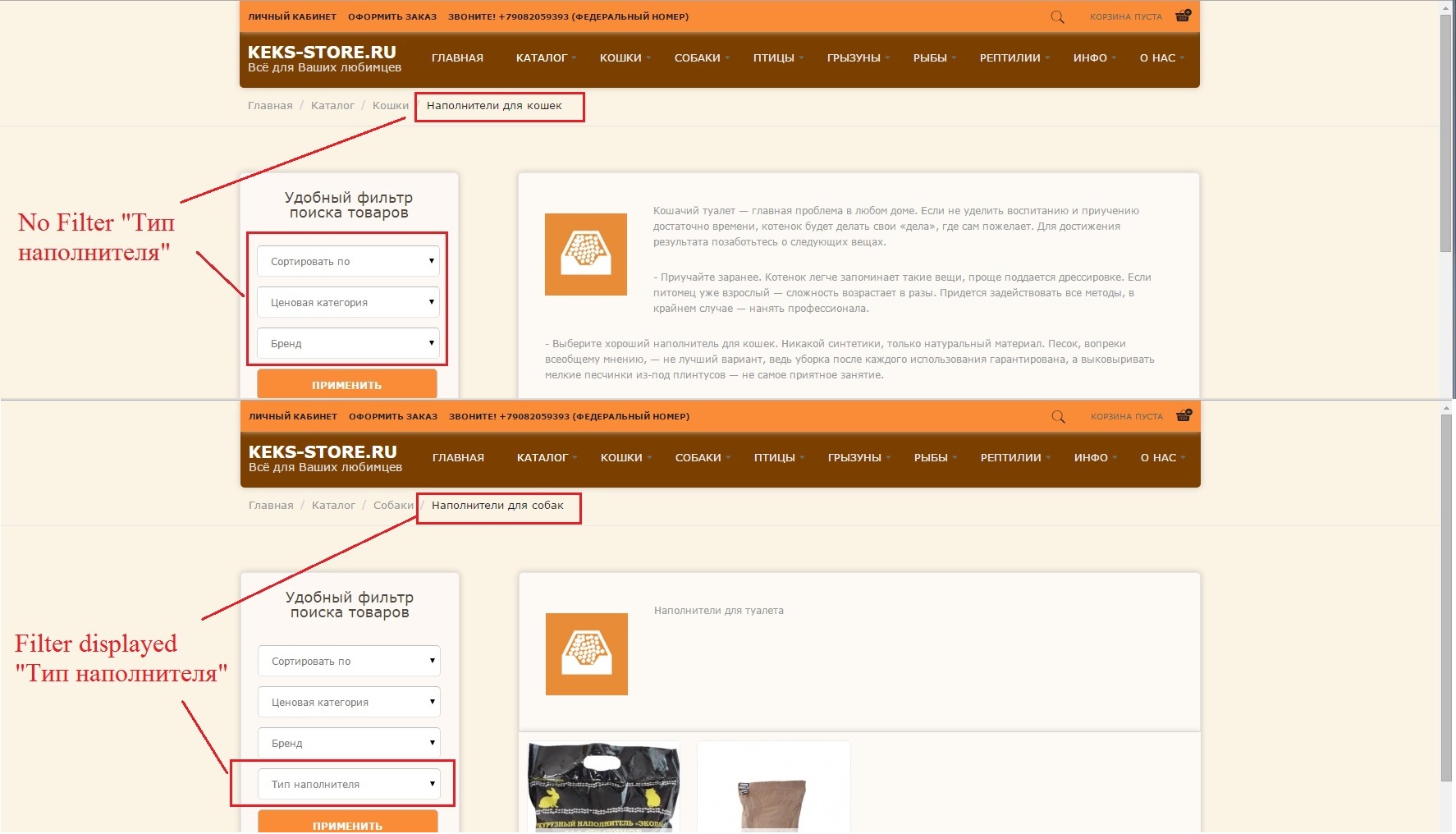
2. The second problem in certain categories are not displayed filter.
Slides 05, 06, 07, 08
-- HikaShop version -- : 2.6.0
-- Joomla version -- : 3.4.8
Hello, I am having two problems.
1. The first problem is shown depending on the order in which the menu items are.
Slides 01 -> 02 -> 03 -> 04
2. The second problem in certain categories are not displayed filter.
Slides 05, 06, 07, 08
Please Log in or Create an account to join the conversation.

10 years 9 months ago #228285
by nicolas
Replied by nicolas on topic The problem with the display filter
Hi,
1. The alias of the menu items in the SEF URLs is added automatically by the SEF system of Joomla (or your SEF extension if you're using one) and not by HikaShop. If changing the ordering of the menu items change the alias used, I can only think of a problem with the menu item entries of Joomla in your database, or some kind of caching in the SEF extension you're using.
In any case, it doesn't depend on HikaShop.
Try recreating the menu item. Or try changing the alias of the menu items and see if that helps.
2. From what I understand, your issue is that you have the "dynamic fitler" setting of your filter turned on, but that you don't have any product with a value matching in the custom product field of the filter for that category, and thus you don't see it for that category, but only for the other one.
Turn off the "dynamic filter" setting of the filter and it should help.
PS: I'm having a hard time understanding your screenshots. Could you do them while logged in your bakend in English next time please ?
1. The alias of the menu items in the SEF URLs is added automatically by the SEF system of Joomla (or your SEF extension if you're using one) and not by HikaShop. If changing the ordering of the menu items change the alias used, I can only think of a problem with the menu item entries of Joomla in your database, or some kind of caching in the SEF extension you're using.
In any case, it doesn't depend on HikaShop.
Try recreating the menu item. Or try changing the alias of the menu items and see if that helps.
2. From what I understand, your issue is that you have the "dynamic fitler" setting of your filter turned on, but that you don't have any product with a value matching in the custom product field of the filter for that category, and thus you don't see it for that category, but only for the other one.
Turn off the "dynamic filter" setting of the filter and it should help.
PS: I'm having a hard time understanding your screenshots. Could you do them while logged in your bakend in English next time please ?
Please Log in or Create an account to join the conversation.
- Keks-Store
-
Topic Author
- Offline
Less
More
- Posts: 95
- Thank you received: 0
10 years 9 months ago #228416
by Keks-Store
Replied by Keks-Store on topic The problem with the display filter
Hi,
1. Problem solved, it was in error in the database. I had to clean through phpmyadmin.
2. Trial found that the filters are not displayed in certain categories. For example, the slides have two types, one (21 id) filter operates on the other (286 id) is not working.
Settings of the filter does not affect the displayed or not. And in the first and second categories are products with desired filter values.
On the problem of the slides presented more clearly. In English admin switched.
Also I tried to look for errors in the database, but could not find anything, not good at it.
1. Problem solved, it was in error in the database. I had to clean through phpmyadmin.
2. Trial found that the filters are not displayed in certain categories. For example, the slides have two types, one (21 id) filter operates on the other (286 id) is not working.
Settings of the filter does not affect the displayed or not. And in the first and second categories are products with desired filter values.
On the problem of the slides presented more clearly. In English admin switched.
Also I tried to look for errors in the database, but could not find anything, not good at it.
Please Log in or Create an account to join the conversation.
10 years 9 months ago #228429
by nicolas
Replied by nicolas on topic The problem with the display filter
Hi,
2. So did you turn off the "dynamic filter" setting of your filter ?
It didn't help ? I see it's still activated in your screenshot.
2. So did you turn off the "dynamic filter" setting of your filter ?
It didn't help ? I see it's still activated in your screenshot.
Please Log in or Create an account to join the conversation.
- Keks-Store
-
Topic Author
- Offline
Less
More
- Posts: 95
- Thank you received: 0
10 years 9 months ago #228485
by Keks-Store
Yes, I turn off the "dynamic filter" that does not help. I checked all the options filter settings, nothing helps, so the screenshots upheld. Here it is not clear why in one category all good and the other not. I changed the category, and create new, nothing helps.
Replied by Keks-Store on topic The problem with the display filter
nicolas wrote: Hi,
2. So did you turn off the "dynamic filter" setting of your filter ?
It didn't help ? I see it's still activated in your screenshot.
Yes, I turn off the "dynamic filter" that does not help. I checked all the options filter settings, nothing helps, so the screenshots upheld. Here it is not clear why in one category all good and the other not. I changed the category, and create new, nothing helps.
Please Log in or Create an account to join the conversation.

10 years 9 months ago #228583
by Philip
Replied by Philip on topic The problem with the display filter
Hello,
Can you send us backend access references via our "Contact Us" form, use this topic subject to fill in your message subject.
Regards,
Can you send us backend access references via our "Contact Us" form, use this topic subject to fill in your message subject.
Regards,
Please Log in or Create an account to join the conversation.
- Keks-Store
-
Topic Author
- Offline
Less
More
- Posts: 95
- Thank you received: 0
10 years 9 months ago #228617
by Keks-Store
The data sent, really hope to help in resolving problems.
Replied by Keks-Store on topic The problem with the display filter
Philip wrote: Hello,
Can you send us backend access references via our "Contact Us" form, use this topic subject to fill in your message subject.
Regards,
The data sent, really hope to help in resolving problems.
Please Log in or Create an account to join the conversation.
- Keks-Store
-
Topic Author
- Offline
Less
More
- Posts: 95
- Thank you received: 0
10 years 9 months ago #228822
by Keks-Store
Replied by Keks-Store on topic The problem with the display filter
Philip, you have come to enter data in the admin? Something we found out at my problem? Sorry to remind you, just for me it is very important solution to this problem.
Please Log in or Create an account to join the conversation.
- Keks-Store
-
Topic Author
- Offline
Less
More
- Posts: 95
- Thank you received: 0
10 years 9 months ago #229501
by Keks-Store
Replied by Keks-Store on topic The problem with the display filter
Dear developers, please answer on my problem, I have a lot of time has passed.
Please Log in or Create an account to join the conversation.
10 years 9 months ago - 10 years 9 months ago #229705
by Philip
Replied by Philip on topic The problem with the display filter
Hello,
Sorry for delay,but note that Nicolas told you to attached screenshot in english, I spend really to much time to understand which category is linked to filter etc...
And your issue isn't simple at all... I checked almost everything without success!
Other point did you add some view override?
Can you try to update your HikaShop version ?
If it's solve nothing, like last time I will required an ftp access (with this topic subject IN your message subject).
Regards,
Sorry for delay,but note that Nicolas told you to attached screenshot in english, I spend really to much time to understand which category is linked to filter etc...
And your issue isn't simple at all... I checked almost everything without success!
Other point did you add some view override?
Can you try to update your HikaShop version ?
If it's solve nothing, like last time I will required an ftp access (with this topic subject IN your message subject).
Regards,
Last edit: 10 years 9 months ago by Philip.
Please Log in or Create an account to join the conversation.
- Keks-Store
-
Topic Author
- Offline
Less
More
- Posts: 95
- Thank you received: 0
10 years 9 months ago #229712
by Keks-Store
And I made screenshots of English. But because site on my Russian, I would have spent even more time than you have to put all categories into English. So I have their IDs, thinking that it will be still clearer.
I do not understand it, so it is unlikely I did.
I can not upgrade to the latest version hikashop because I ended subscription, therefore sending data by FTP access, the last hope for this.
Replied by Keks-Store on topic The problem with the display filter
Philip wrote: Hello,
Sorry for delay,but note that Nicolas told you to attached screenshot in english, I spend really to much time to understand which category is linked to filter etc...
And I made screenshots of English. But because site on my Russian, I would have spent even more time than you have to put all categories into English. So I have their IDs, thinking that it will be still clearer.
Philip wrote: Hello,
Other point did you add some view override?
I do not understand it, so it is unlikely I did.
I can not upgrade to the latest version hikashop because I ended subscription, therefore sending data by FTP access, the last hope for this.
Please Log in or Create an account to join the conversation.
- Keks-Store
-
Topic Author
- Offline
Less
More
- Posts: 95
- Thank you received: 0
10 years 8 months ago #231066
by Keks-Store
Replied by Keks-Store on topic The problem with the display filter
Hi,
So in the end, my problem is not solved?
So in the end, my problem is not solved?
Please Log in or Create an account to join the conversation.

10 years 8 months ago - 10 years 8 months ago #231266
by Xavier
Replied by Xavier on topic The problem with the display filter
Hi,
It seems that a menu parameter wasn't set correctly, we fixed the issue on your end and we added the patch on ours.
It seems that a menu parameter wasn't set correctly, we fixed the issue on your end and we added the patch on ours.
Last edit: 10 years 8 months ago by Xavier.
Please Log in or Create an account to join the conversation.
- Keks-Store
-
Topic Author
- Offline
Less
More
- Posts: 95
- Thank you received: 0
10 years 8 months ago #231302
by Keks-Store
But now, for some categories of goods is not working dynamic display filters. For example, there are product categories A and B, there are three filters A, B and C. Category A attached filters A and C, category B attached filters A and B.
Earlier on the front displays the dynamic filters, respectively bindings, and now in category A are shown as filters A and C, and are not assigned to this category filter B.
The dynamic display filter settings enabled.
Replied by Keks-Store on topic The problem with the display filter
Xavier wrote: Hi,
It seems that a menu parameter wasn't set correctly, we fixed the issue on your end and we added the patch on ours.
But now, for some categories of goods is not working dynamic display filters. For example, there are product categories A and B, there are three filters A, B and C. Category A attached filters A and C, category B attached filters A and B.
Earlier on the front displays the dynamic filters, respectively bindings, and now in category A are shown as filters A and C, and are not assigned to this category filter B.
The dynamic display filter settings enabled.
Please Log in or Create an account to join the conversation.
10 years 8 months ago #231324
by nicolas
Replied by nicolas on topic The problem with the display filter
Hi,
We've added another fix for that.
It should be working fine.
We've added another fix for that.
It should be working fine.
Please Log in or Create an account to join the conversation.
Time to create page: 0.120 seconds