

- Posts: 52
- Thank you received: 1
Cursor filter conflict and collapsible filter
10 years 7 months ago - 10 years 7 months ago #236382
by xatzopou
Cursor filter conflict and collapsible filter was created by xatzopou
-- url of the page with the problem -- :
185.25.22.156/petshop.gr/index.php/skylos/trofes-skyloy
-- HikaShop version -- : 2.6.2
-- Joomla version -- : 3.4.8
Hello.
I have two questions:
1) Cursor filter is not displayed on the following link:
185.25.22.156/petshop.gr/index.php/skylos/trofes-skyloy
My template is custom made and includes JQuery 1.11.3 and Bootstrap 3.3.5.
I think it is some kind of JQuery conflicts because when I remove JQuery and Bootstrap from template the cursor filter is displayed.
How to include JQuery and Bootstrap 3 in my index.php without conflict with Hikashop or what do you suggest in order to avoid conflicts?
2) How can I make my filter area collapsible like the collapsible button I have in the previous link.
P.S. Attached screenshots with and without JQuery and Bootstrap addition in my index.php
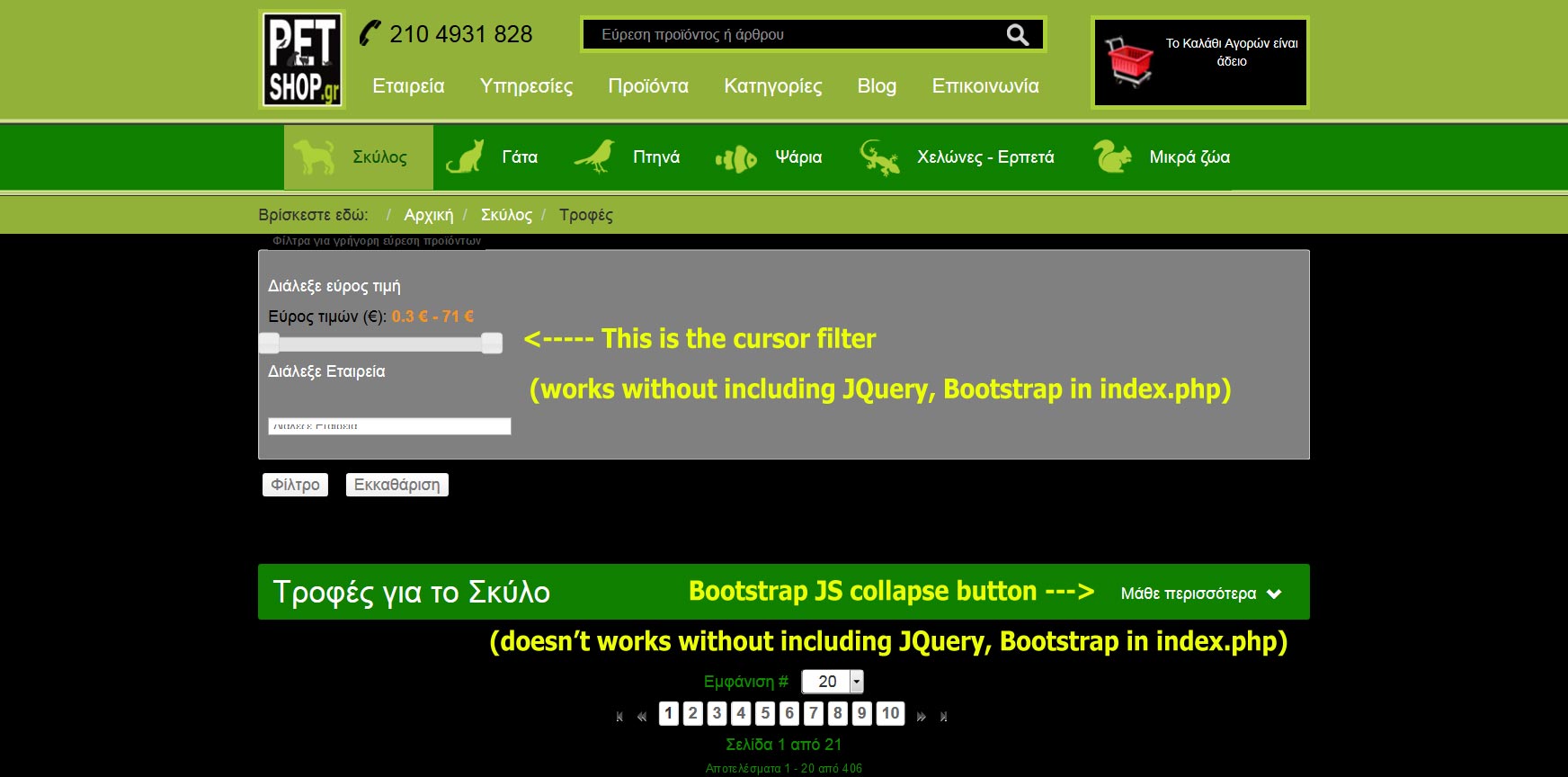
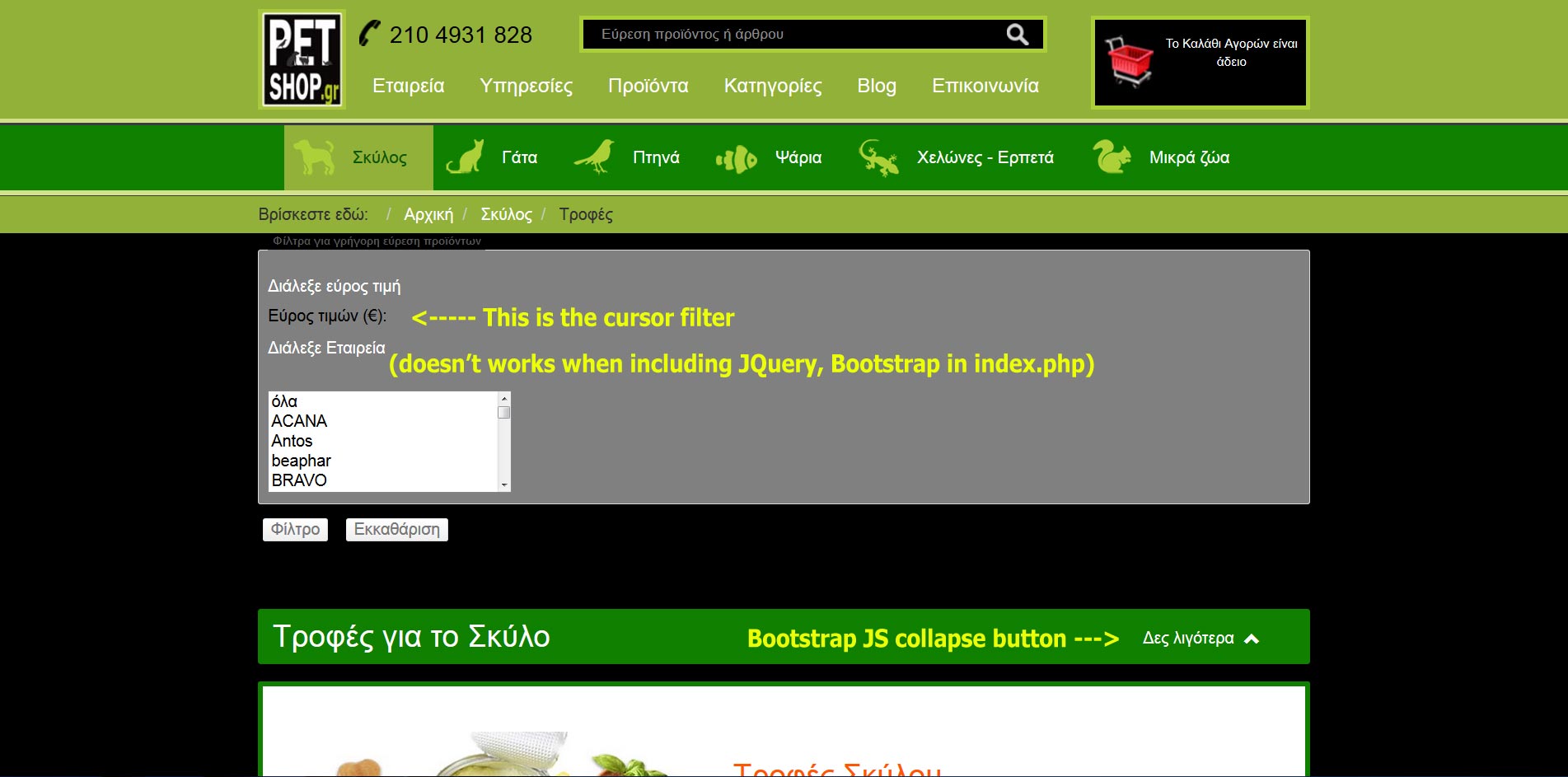
-- HikaShop version -- : 2.6.2
-- Joomla version -- : 3.4.8
Hello.
I have two questions:
1) Cursor filter is not displayed on the following link:
185.25.22.156/petshop.gr/index.php/skylos/trofes-skyloy
My template is custom made and includes JQuery 1.11.3 and Bootstrap 3.3.5.
I think it is some kind of JQuery conflicts because when I remove JQuery and Bootstrap from template the cursor filter is displayed.
How to include JQuery and Bootstrap 3 in my index.php without conflict with Hikashop or what do you suggest in order to avoid conflicts?
2) How can I make my filter area collapsible like the collapsible button I have in the previous link.
P.S. Attached screenshots with and without JQuery and Bootstrap addition in my index.php
Last edit: 10 years 7 months ago by xatzopou. Reason: wrong file
Please Log in or Create an account to join the conversation.

10 years 7 months ago #236387
by nicolas
Replied by nicolas on topic Cursor filter conflict and collapsible filter
Hi,
1. It's a typical jQuery conflict. To solve that, the usual solution is to install and configure the extension "jQuery Easy":
extensions.joomla.org/extension/jquery-easy
2. You'll have to edit the file "filter" of the view "product" via the menu Display>Views and add a similar button there.
1. It's a typical jQuery conflict. To solve that, the usual solution is to install and configure the extension "jQuery Easy":
extensions.joomla.org/extension/jquery-easy
2. You'll have to edit the file "filter" of the view "product" via the menu Display>Views and add a similar button there.
The following user(s) said Thank You: xatzopou
Please Log in or Create an account to join the conversation.
10 years 7 months ago #236561
by xatzopou
Replied by xatzopou on topic Cursor filter conflict and collapsible filter
Thank you nicolas.
Finally I solved it but adding JQuery into noConflict mode:
In my index.php template page after JQuery and Bootstrap reference I insert JQuery noConflict.
My index.php looks like this:
<!-- JQuery --><script src=" ajax.googleapis.com/ajax/libs/jquery/1.11.3/jquery.min.js "></script>
<!-- Main Bootstrap Javascript --><script src="<?php echo $this->baseurl; ?>/templates/<?php echo $this->template; ?>/js/bootstrap-3-3-5.min.js" type="text/javascript"></script>
<!-- Put jQuery 1.11.3 into noConflict mode. Refer to $jq1 instead of $ -->
<script>
var $jq1 = jQuery.noConflict(true);
</script>
Then on the product category page I insert the JQuery script as follow:
$jq1(document).ready(function(){
$jq1('#subcategory').on('hidden.bs.collapse', function () {
$jq1(".btn-arrow").html('Μάθε περισσότερα <span class="glyphicon glyphicon-chevron-down"></span>');
//$jq1(".glyphicon").removeClass("glyphicon-chevron-up").addClass("glyphicon-chevron-down");
});
$jq1('#subcategory').on('shown.bs.collapse', function () {
$jq1(".btn-arrow").html('Δες λιγότερα <span class="glyphicon glyphicon-chevron-up"></span>');
//$jq1(".glyphicon").removeClass("glyphicon-chevron-down").addClass("glyphicon-chevron-up");
});
});
</script>
Finally I solved it but adding JQuery into noConflict mode:
In my index.php template page after JQuery and Bootstrap reference I insert JQuery noConflict.
My index.php looks like this:
<!-- JQuery --><script src=" ajax.googleapis.com/ajax/libs/jquery/1.11.3/jquery.min.js "></script>
<!-- Main Bootstrap Javascript --><script src="<?php echo $this->baseurl; ?>/templates/<?php echo $this->template; ?>/js/bootstrap-3-3-5.min.js" type="text/javascript"></script>
<!-- Put jQuery 1.11.3 into noConflict mode. Refer to $jq1 instead of $ -->
<script>
var $jq1 = jQuery.noConflict(true);
</script>
Then on the product category page I insert the JQuery script as follow:
$jq1(document).ready(function(){
$jq1('#subcategory').on('hidden.bs.collapse', function () {
$jq1(".btn-arrow").html('Μάθε περισσότερα <span class="glyphicon glyphicon-chevron-down"></span>');
//$jq1(".glyphicon").removeClass("glyphicon-chevron-up").addClass("glyphicon-chevron-down");
});
$jq1('#subcategory').on('shown.bs.collapse', function () {
$jq1(".btn-arrow").html('Δες λιγότερα <span class="glyphicon glyphicon-chevron-up"></span>');
//$jq1(".glyphicon").removeClass("glyphicon-chevron-down").addClass("glyphicon-chevron-up");
});
});
</script>
The following user(s) said Thank You: nicolas
Please Log in or Create an account to join the conversation.
Time to create page: 0.047 seconds