
- Posts: 5
- Thank you received: 0
I can't get my filters to work
- allsoft@goldlink.net
-
 Topic Author
- Offline
Less
More
7 years 9 months ago #303532
by allsoft@goldlink.net
I can't get my filters to work was created by allsoft@goldlink.net
I am trying to create a filter that given a bunch of shoes I can filter on Brand, Category, and Sub-Category. For example:
-brand
-- Brand A
-- Brand B
-- Brand C
-gender
--Men
--Women
-features
--Steel Toe
--Water Proof
My Brand filter works great, but I cant seem to get the Men or Women to display. Attached are screen shots.
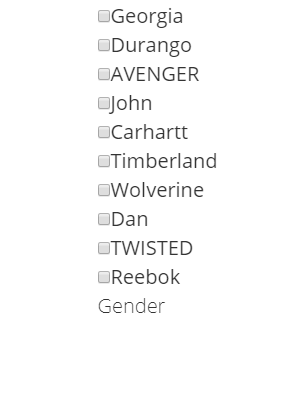
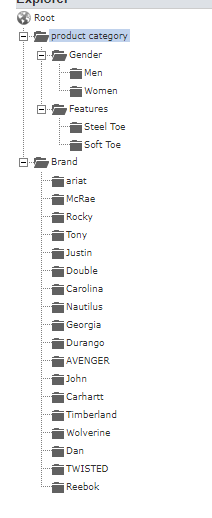
-brand
-- Brand A
-- Brand B
-- Brand C
-gender
--Men
--Women
-features
--Steel Toe
--Water Proof
My Brand filter works great, but I cant seem to get the Men or Women to display. Attached are screen shots.
Please Log in or Create an account to join the conversation.
- allsoft@goldlink.net
-
Topic Author
- Offline
Less
More
- Posts: 5
- Thank you received: 0
7 years 9 months ago #303544
by allsoft@goldlink.net
Replied by allsoft@goldlink.net on topic I can't get my filters to work
I got it to work,,,,but how wold I customize the tile for example. I would like the tile to be bold and a space between it and checkbox items.
Please Log in or Create an account to join the conversation.

7 years 9 months ago - 7 years 9 months ago #303534
by nicolas
Replied by nicolas on topic I can't get my filters to work
Hi,
Could you provide a screenshot of the settings of your filter and a link to the page with the filter ?
Could you provide a screenshot of the settings of your filter and a link to the page with the filter ?
Last edit: 7 years 9 months ago by nicolas.
Please Log in or Create an account to join the conversation.
- allsoft@goldlink.net
-
Topic Author
- Offline
Less
More
- Posts: 5
- Thank you received: 0
7 years 9 months ago #303555
by allsoft@goldlink.net
Replied by allsoft@goldlink.net on topic I can't get my filters to work
I thought I hot it to work but its still not there. Link is
www.digitalsafetymanager.com/index.php
also attached is screenshot
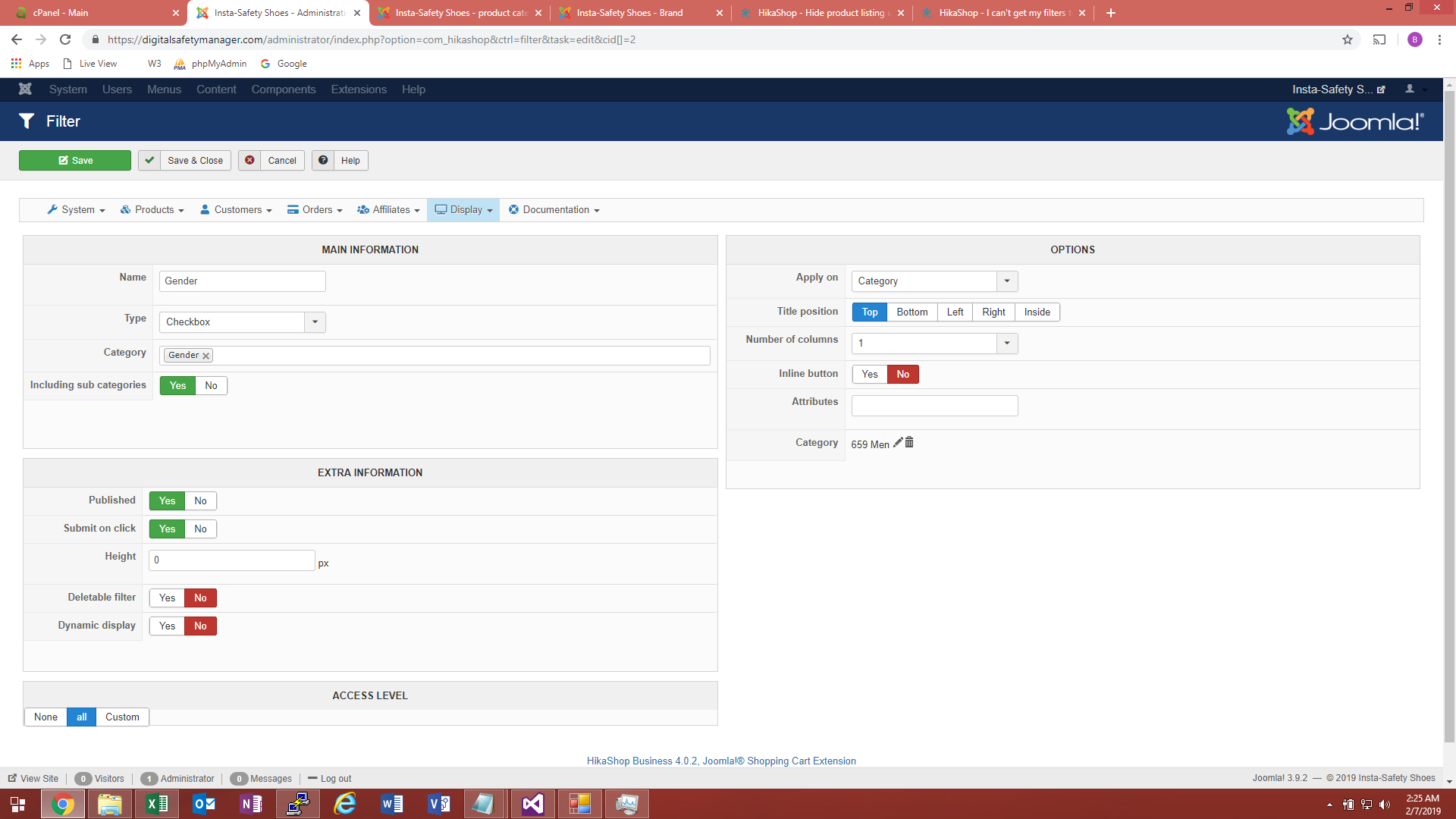
www.digitalsafetymanager.com/index.php
also attached is screenshot
Please Log in or Create an account to join the conversation.
- allsoft@goldlink.net
-
Topic Author
- Offline
Less
More
- Posts: 5
- Thank you received: 0
7 years 9 months ago #303557
by allsoft@goldlink.net
Replied by allsoft@goldlink.net on topic I can't get my filters to work
I see the problem, I am pointing to Mens instead of gender. It seems to be working now. Thanks.
Please Log in or Create an account to join the conversation.
7 years 9 months ago #303567
by nicolas
Replied by nicolas on topic I can't get my filters to work
Hi,
Great ! If you want to add some space between the checkbox and the label, it's just a bit of CSS. For example:
monosnap.com/file/NecwRITIdbvRVOZtnvEcdaFgN8ccYG
You can add such in your template CSS or the CSS of HikaShop:
www.hikashop.com/support/documentation/1...ize-the-display.html
Great ! If you want to add some space between the checkbox and the label, it's just a bit of CSS. For example:
monosnap.com/file/NecwRITIdbvRVOZtnvEcdaFgN8ccYG
You can add such in your template CSS or the CSS of HikaShop:
www.hikashop.com/support/documentation/1...ize-the-display.html
Please Log in or Create an account to join the conversation.
Time to create page: 0.073 seconds