
- Posts: 45
- Thank you received: 0
Filter Custom Field Not Working
- weechengkhor
-
 Topic Author
- Offline
Less
More
6 years 3 months ago #320398
by weechengkhor
Filter Custom Field Not Working was created by weechengkhor
-- url of the page with the problem -- :
livano.satumalaysiahosting.com/products/sofa
-- HikaShop version -- : 4.3.0
-- Joomla version -- : 3.9.1
Dear Support,
why cannot save when I selected the custom field "Seat" after I click "Save"
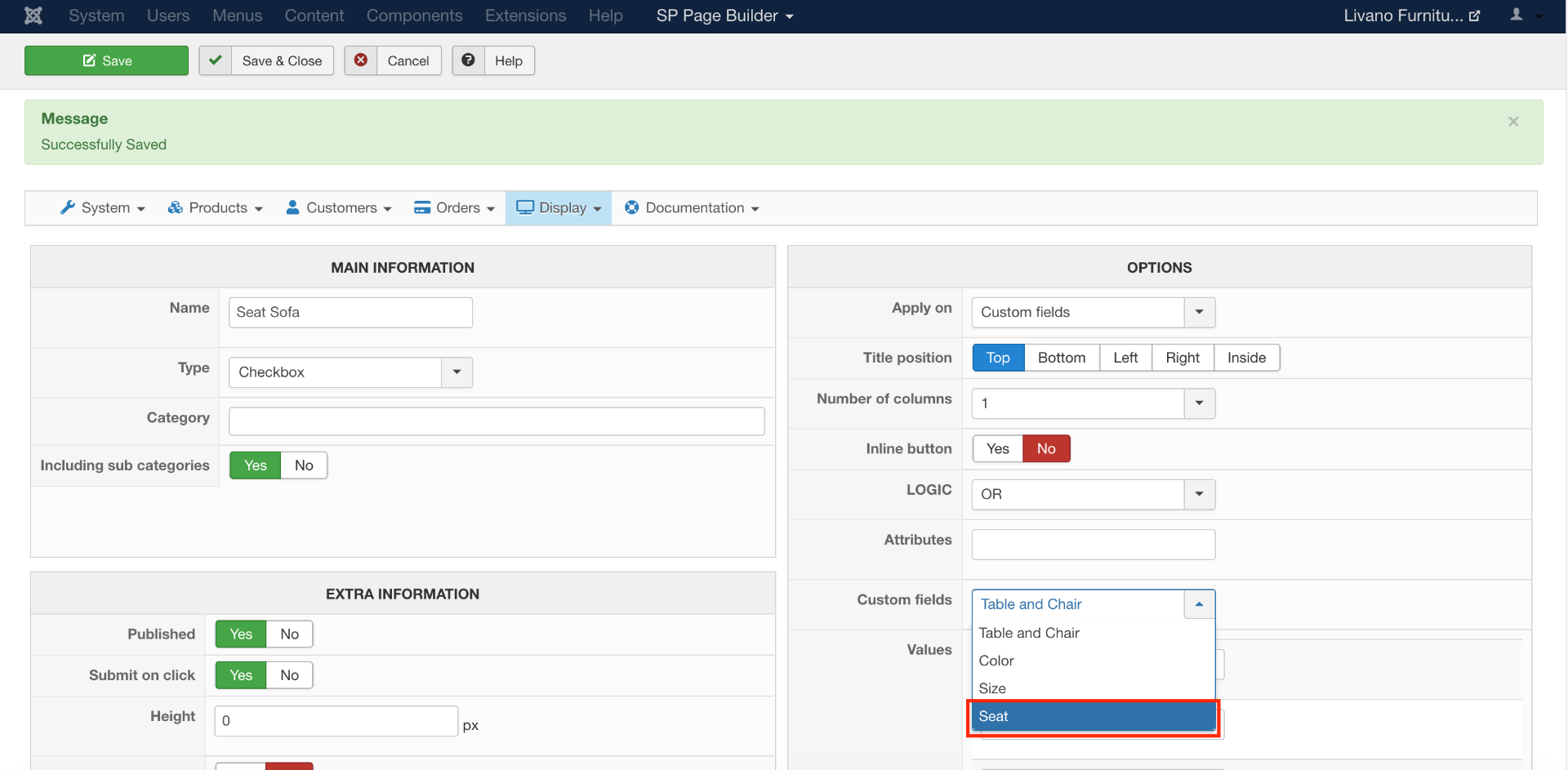
Btw, I also insert the value also not working
-- HikaShop version -- : 4.3.0
-- Joomla version -- : 3.9.1
Dear Support,
why cannot save when I selected the custom field "Seat" after I click "Save"
Btw, I also insert the value also not working
Please Log in or Create an account to join the conversation.

6 years 3 months ago #320413
by nicolas
Replied by nicolas on topic Filter Custom Field Not Working
Hi,
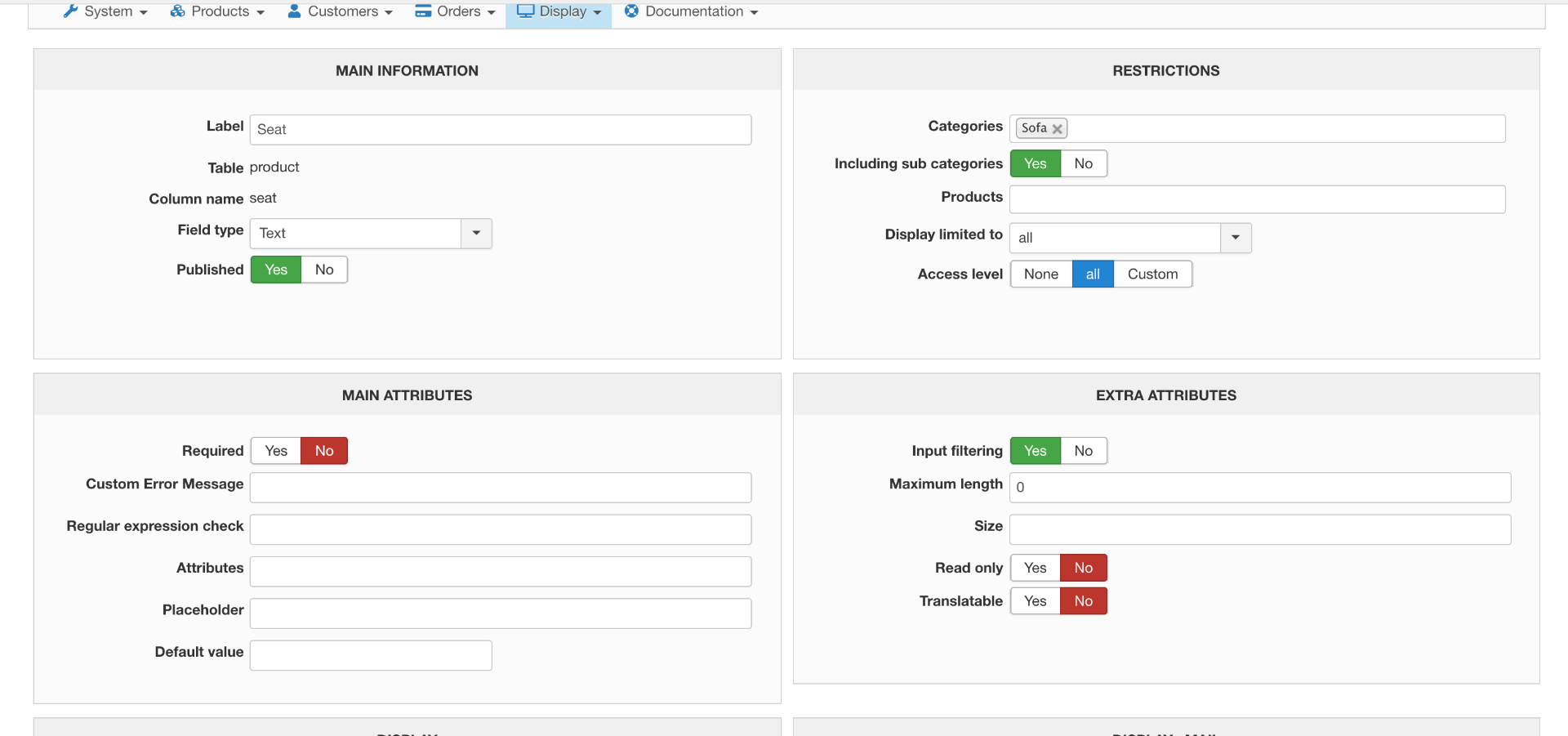
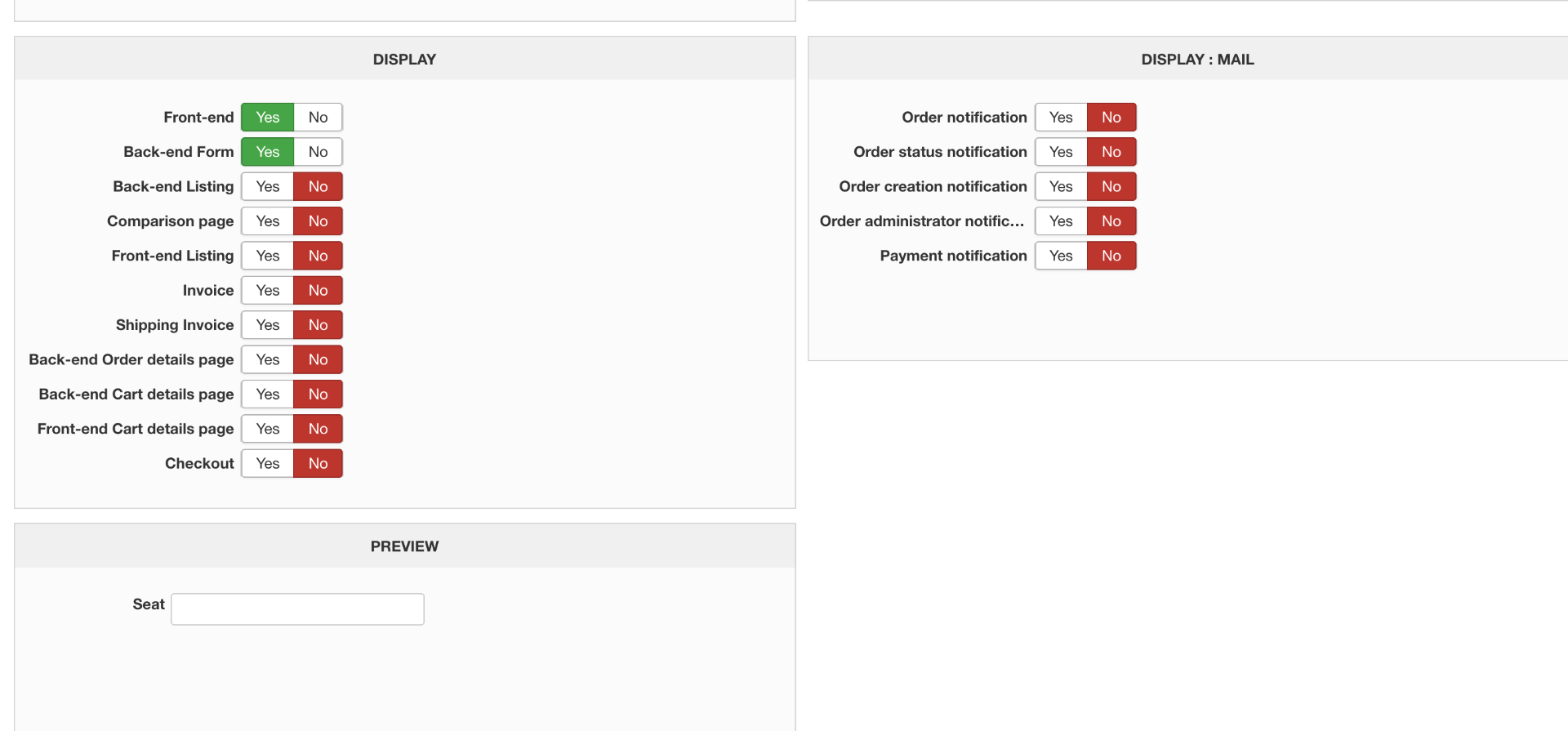
How is configured that custom field ? Could you provide a screenshot of its settings ?
How is configured that custom field ? Could you provide a screenshot of its settings ?
Please Log in or Create an account to join the conversation.
- weechengkhor
-
Topic Author
- Offline
Less
More
- Posts: 45
- Thank you received: 0
6 years 3 months ago #320440
by weechengkhor
Replied by weechengkhor on topic Filter Custom Field Not Working
Please Log in or Create an account to join the conversation.
6 years 3 months ago #320444
by nicolas
Replied by nicolas on topic Filter Custom Field Not Working
Hi,
Since it's a "text" custom field, you're supposed to use a "text" filter to search on it.
I think you should also be able to use other types, but in that case, you need to enter values in the filter, and they can only be numbers (and thus it supposes that what you write in that custom field are numbers.
Seeing that it's a "seats" custom field, I would recommend to change it to a "single dropdown" custom field and enter the possible values in the custom field so that you can select the value you wan in each product. Then, in the filter, you can just select that custom field and the filter will pick up on the values of the filter automatically.
Since it's a "text" custom field, you're supposed to use a "text" filter to search on it.
I think you should also be able to use other types, but in that case, you need to enter values in the filter, and they can only be numbers (and thus it supposes that what you write in that custom field are numbers.
Seeing that it's a "seats" custom field, I would recommend to change it to a "single dropdown" custom field and enter the possible values in the custom field so that you can select the value you wan in each product. Then, in the filter, you can just select that custom field and the filter will pick up on the values of the filter automatically.
Please Log in or Create an account to join the conversation.
Time to create page: 0.167 seconds