

- Posts: 285
- Thank you received: 42
In Stock checkbox, is not visible in front-end
5 years 8 months ago #330248
by oxido
In Stock checkbox, is not visible in front-end was created by oxido
-- HikaShop version -- : 4.4.1
-- Joomla version -- : 3.9.24
-- PHP version -- : 7.3.27
Hi
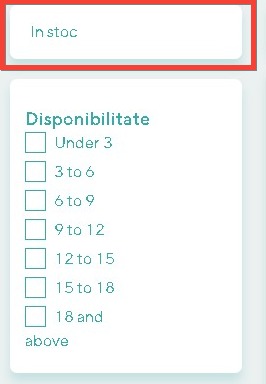
I have create a filter of type " In Stock Checkbox " and the checkbox is not visible in the front-end, only the label.
Also, if I set the: Submit on click = No, in front-end I get this notecie:
This is the filter config:
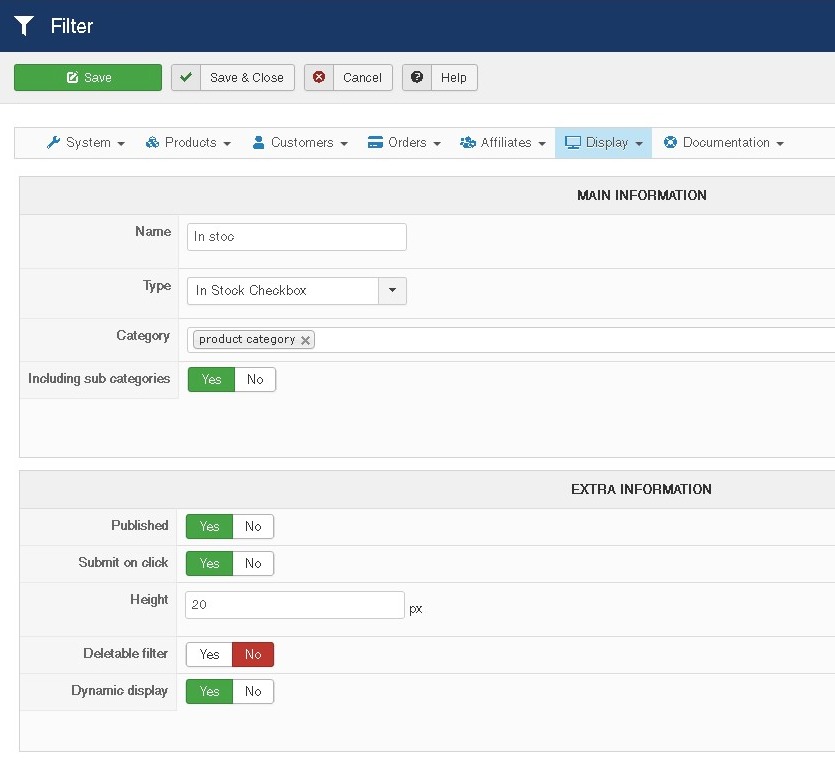
This is the module config:
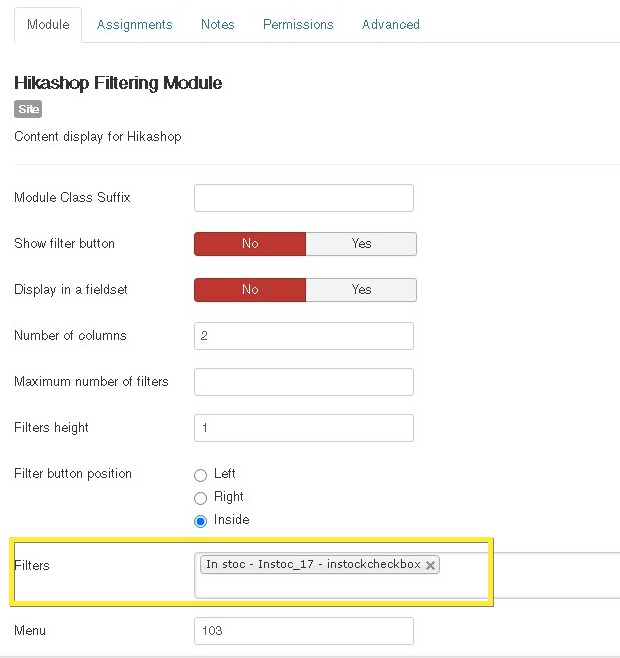
The front-end:
-- Joomla version -- : 3.9.24
-- PHP version -- : 7.3.27
Hi
I have create a filter of type " In Stock Checkbox " and the checkbox is not visible in the front-end, only the label.
Also, if I set the: Submit on click = No, in front-end I get this notecie:
Code:
Notice: Undefined variable: onClick in
/administrator/components/com_hikashop/classes/filter.php on line 5519
This is the module config:
The front-end:
Please Log in or Create an account to join the conversation.

5 years 8 months ago #330249
by nicolas
Replied by nicolas on topic In Stock checkbox, is not visible in front-end
Hi,
I'm not sure why the filter wouldn't display.
If you get the notice message, it means that the HTML for the checkbox is generated.
And I configured an "in stock" filter in the same way on my end and it displays fine.
So all I can think of is that it would be an issue linked to the template.
But if that was the case, the checkboxes of the other filter below should also not appear.
So it's probably not that.
Could you provide the URL of that page so that we could look at it ? Maybe there is some CSS targeting that checkbox ?
PS: regarding the notice message, we'll add a small patch for it. You can ignore it, it's nothing important. Just some variable initialisation issue.
I'm not sure why the filter wouldn't display.
If you get the notice message, it means that the HTML for the checkbox is generated.
And I configured an "in stock" filter in the same way on my end and it displays fine.
So all I can think of is that it would be an issue linked to the template.
But if that was the case, the checkboxes of the other filter below should also not appear.
So it's probably not that.
Could you provide the URL of that page so that we could look at it ? Maybe there is some CSS targeting that checkbox ?
PS: regarding the notice message, we'll add a small patch for it. You can ignore it, it's nothing important. Just some variable initialisation issue.
Please Log in or Create an account to join the conversation.
5 years 8 months ago #330339
by oxido
Replied by oxido on topic In Stock checkbox, is not visible in front-end
Completely my fault, sorry for bothering.
I didn't checked well, the problem is caused by a css class that I have created to customize the checkbox .
I didn't checked well, the problem is caused by a css class that I have created to customize the checkbox .
The following user(s) said Thank You: nicolas
Please Log in or Create an account to join the conversation.
Time to create page: 0.059 seconds