

- Posts: 155
- Thank you received: 4
enlarge field
13 years 2 months ago #122348
by Cattelan
enlarge field was created by Cattelan
Hallo.
where can i change the field size of the popup-window when i insert images
The field i want to make larger is the field NAME
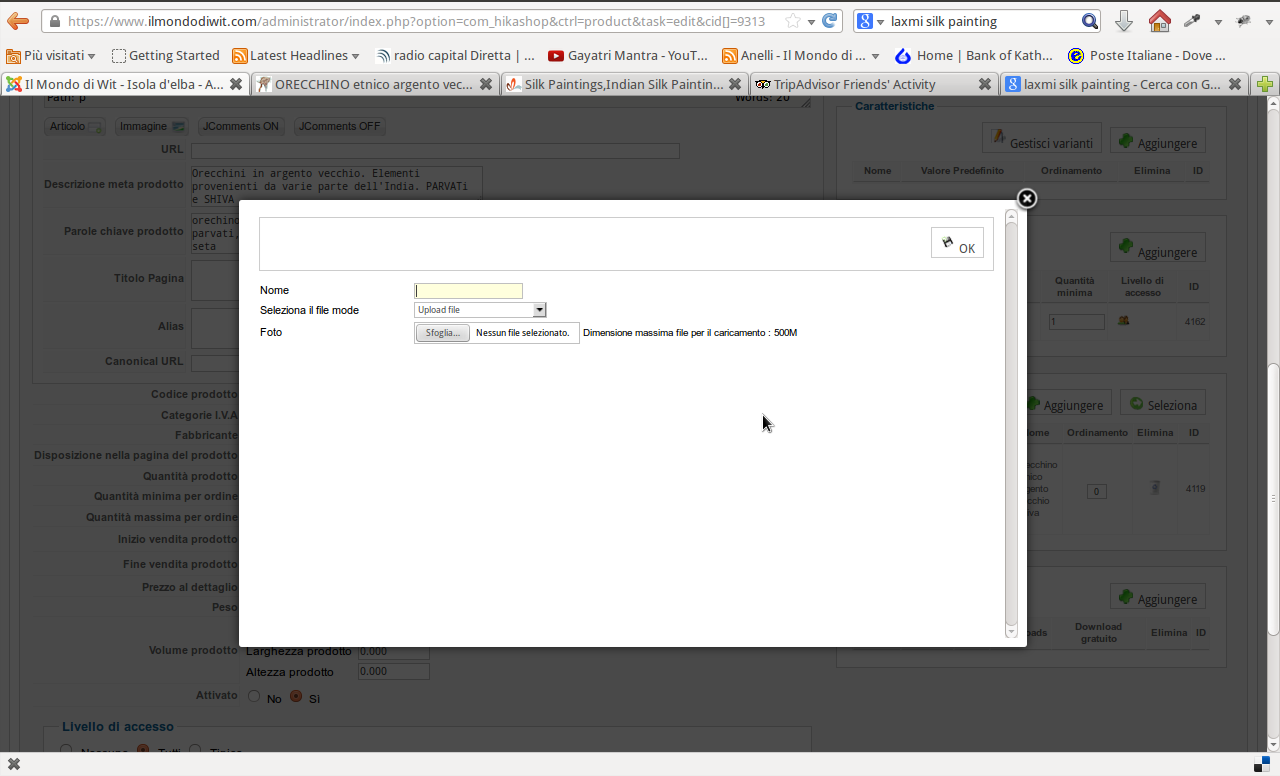
where can i change the field size of the popup-window when i insert images
The field i want to make larger is the field NAME
Please Log in or Create an account to join the conversation.

13 years 2 months ago #122400
by Jerome
Jerome - Obsidev.com
HikaMarket & HikaSerial developer / HikaShop core dev team.
Replied by Jerome on topic enlarge field
Hi,
You can override the view "backend / your backend template / product / addimage" and change the size of the input box for the "name".
Regards,
You can override the view "backend / your backend template / product / addimage" and change the size of the input box for the "name".
Regards,
Jerome - Obsidev.com
HikaMarket & HikaSerial developer / HikaShop core dev team.
The following user(s) said Thank You: Cattelan
Please Log in or Create an account to join the conversation.
13 years 2 months ago #122746
by Cattelan
Replied by Cattelan on topic enlarge field
Thanks. I tried
but no change in my bluestork template i use.
thanks
Code:
<td class="order"><input type="text" size="100" value="<?php echo $row->file_ordering;?>" name="imageorder[<?php echo $row->file_id;?>]" class="text_area" style="text-align:center"/></td>
but no change in my bluestork template i use.
thanks
Please Log in or Create an account to join the conversation.
13 years 2 months ago #122789
by Jerome
Jerome - Obsidev.com
HikaMarket & HikaSerial developer / HikaShop core dev team.
Replied by Jerome on topic enlarge field
Hi,
Sorry, the view is "selectimage".
"addimage" is the next view, when the image has been added.
Regards,
Sorry, the view is "selectimage".
"addimage" is the next view, when the image has been added.
Code:
<input type="text" name="data[file][file_name]" value="<?php echo $this->escape(@$this->element->file_name); ?>"/>
Regards,
Jerome - Obsidev.com
HikaMarket & HikaSerial developer / HikaShop core dev team.
Please Log in or Create an account to join the conversation.
Time to create page: 0.051 seconds