
Seat Map
This plugin sells reserved seats for the shows of your venue: a concert hall, a theatre, a cultural centre, a festival ground. You upload the picture of your hall and draw its sections and seats once; for each show you attach the plan, set the price of each zone, and your visitors pick their seats on the plan. A seat is held in the cart for a few minutes, sold with the order, and given back if the order is cancelled. It works with the dates of the Booking plugin, and with HikaSerial it delivers one ticket code per seat, to print as a QR code on a PDF ticket.
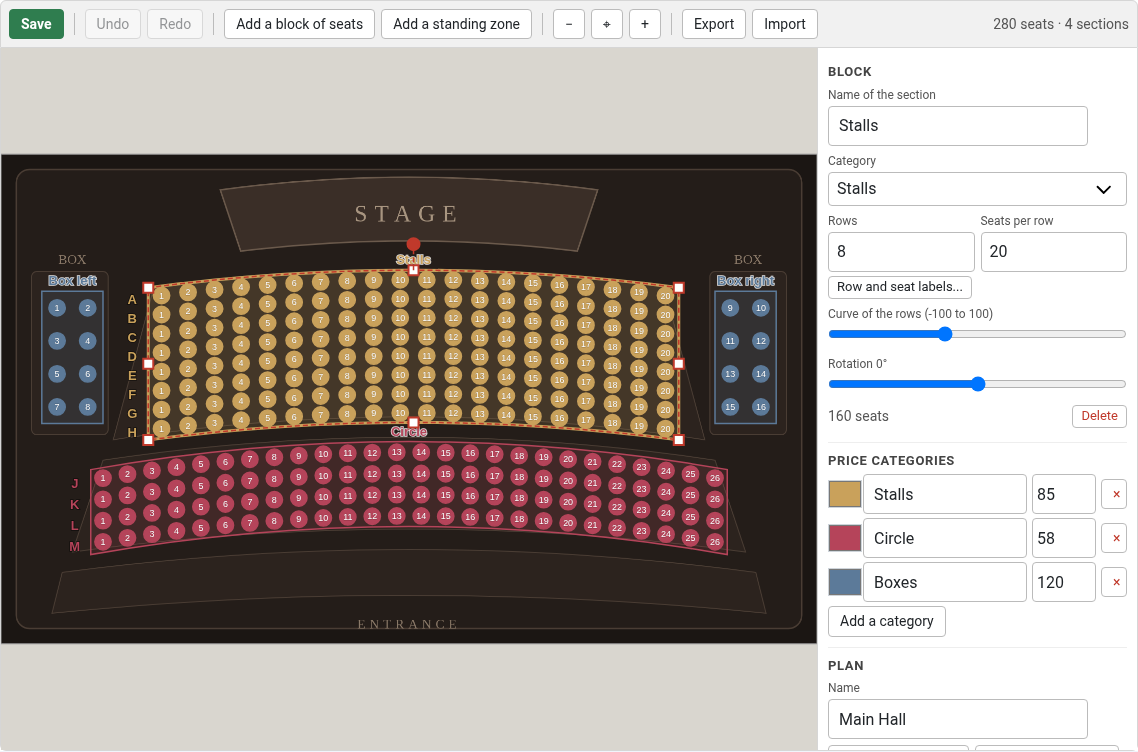
- Plan editor: upload the picture of your hall and add blocks of seats. A block is a rectangle that you move, stretch with its handles, turn and curve with two sliders; you give it a number of rows and of seats per row and it draws its seats, evenly spaced, rows named A, B, C and seats numbered 1, 2, 3. Move or resize the block and its seats follow. Standing zones sit next to them. The editor works in light and dark mode, with undo and redo, an export and an import of the plan, and a copy of a hall to another.
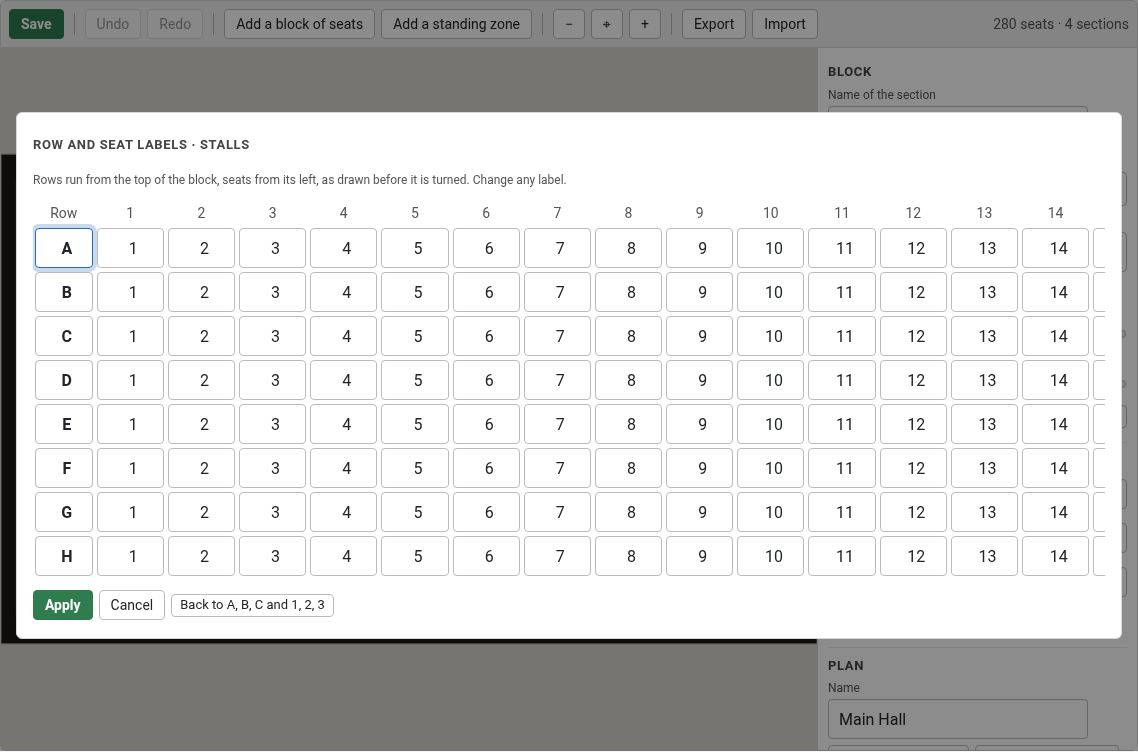
- Your own labels: a table with one field for each row and each seat lets you type any numbering (rows without a letter, a box numbered 9 to 16, a row called Z). The editor refuses two seats with the same row and number, tells which block holds the other one, and can renumber the blocks that use automatic labels.
- Price zones: each section belongs to a category with a colour and a price, and a show can change the price of a category. The "price from" of the show is its cheapest zone.
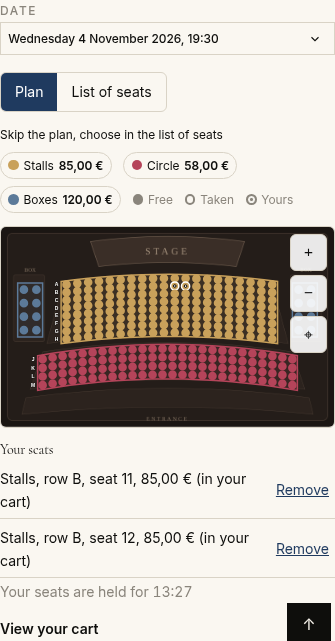
- Seats are held in the cart for a few minutes, with a duration of your choice for each show, and given back when the time runs out or the cart is emptied. With the cart reservation plugin 1.1.0 and its countdown module, the shopper sees the time left.
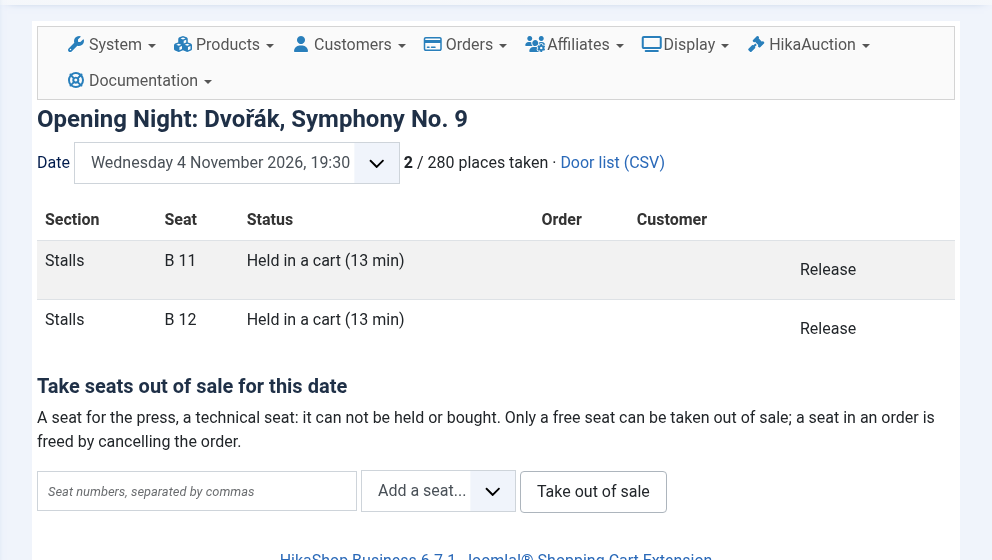
- A page for each show for the box office: who holds what, seats taken out of sale in one click, every hold of a date released in one click, and the list of the seats sold for the door.
- A shopper can not hold more seats than the show allows an order, and one address can not hold more than four times that over several sessions: a script can not lock the hall.
- Two shoppers can not take the same seat, even at the same second: the second one is told the seat has just been taken.
- Standing zones with a capacity, next to seated sections, for halls that mix both.
- A maximum number of seats for an order, set for each show.
- Seats taken out of sale by the box office (a technical seat, a place for the press), accessible seats and companion seats marked on the plan.
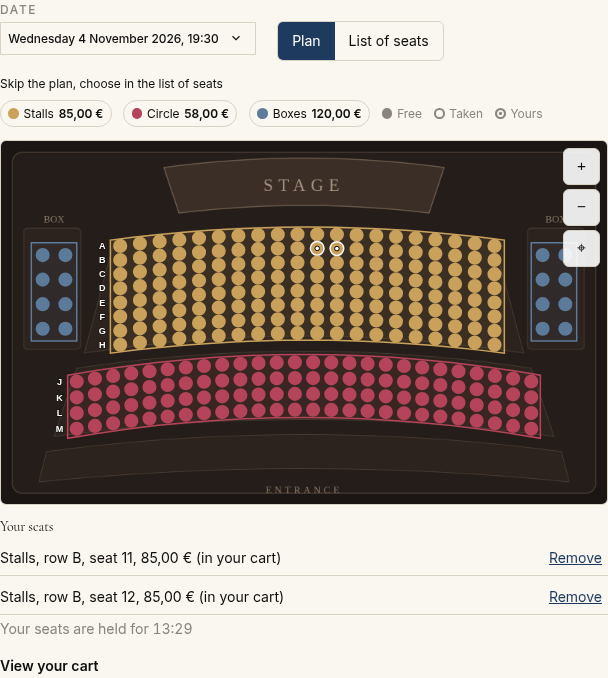
- The letter of each row is drawn beside it on the plan, and each seat is named with its section, row, number and price.
- A list of the seats as an alternative to the plan, for phones, keyboards and screen readers.
- A cancelled or refunded order gives its seats back. When it is confirmed again, it takes its seats back if they are still free, and tells the administrator the seats that were sold to someone else meanwhile.
- One ticket for each seat: with HikaSerial, the "Seat ticket" generator (installed with this plugin) makes one code for each seat sold, which holds the show, the date, the section, the row and the seat, ready for the PDF serial plugin (the code as a QR code, the seat as text).
- Works on Joomla and WordPress.
- 1. A show is a product with the dates of the Booking plugin (its performances).
- 2. You attach the plan of the hall to the show and set the price of its zones.
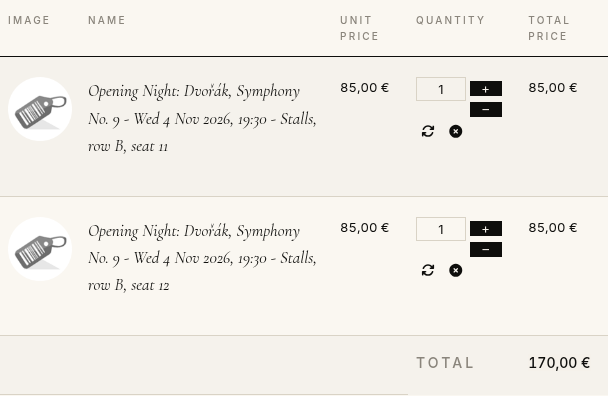
- 3. The visitor picks a date, then seats on the plan; each seat goes to the cart and is held for a few minutes.
- 4. The visitor pays; the seats are sold when the order is confirmed.
- 1) Download the plugin on our website via the download link provided to you after the purchase.
- 2) Install it on your Joomla website via the extension manager, or via the "install plugin" button of System > Plugins on WordPress, and enable it.
- 3) Install and enable the HikaShop Booking plugin (1.3.0 or later) and the cart reservation plugin, and make your shows events with their dates.
- 4) Draw the plan of your hall, then attach it to a show.
- 5) For tickets: the Seat ticket generator of HikaSerial comes in this plugin's package and is installed and enabled with it. In HikaSerial, add a generator of the type Seat ticket, a pack that uses it, and give that pack to the show's product.
- "Order ... is confirmed again, but these seats were taken by other orders": the order was cancelled, its seats were sold to someone else, and the order has been confirmed again. Contact the customer: the order keeps the seats that were still free.
- A seat can not be picked: it is held by another cart, sold, taken out of sale, or the date is closed or cancelled.
- For the HikaShop Business edition (the Booking plugin it relies on needs the item custom fields of this edition)
- Needs the HikaShop Booking plugin 1.3.0 or later
- Compatible with PHP 7.4 minimum
- Compatible with Joomla 3.x, 4.x, 5.x, 6.x and WordPress
- No time limit
- Unlimited usage
1.0.0 on the 29th of October 2026
- First release: reserved seating for the events of the Booking plugin, with the plan of the hall, price zones, standing zones, seats held in the cart, and the seats of an order given back when it is cancelled.
- First release of the plan editor: blocks of seats that you move, stretch, turn and curve, with rows and seats per row, your own row and seat labels, and the letters of the rows on the plan.
- The Seat ticket generator of HikaSerial, one ticket code per seat sold, in the package and installed with the plugin.

- Type
- Integration
Access to updates included for 4 years
A tax rate (between 17% and 27% based on your country) will be added if your address is in the European Union and that you don't provide a valid VAT number or if your address is in France as per the European Union law.